Apple-based video creators
Useful for editors who want intelligent features optimized for Apple hardware and media frameworks.
Independent tool overview
Final Cut Pro is Apple's professional video editor for Mac and iPad. Apple presents it as a system with built-in intelligence features that accelerate searching, editing, tracking, captions, and media cleanup while preserving a traditional timeline-based workflow.
Visit the official Final Cut Pro site ↗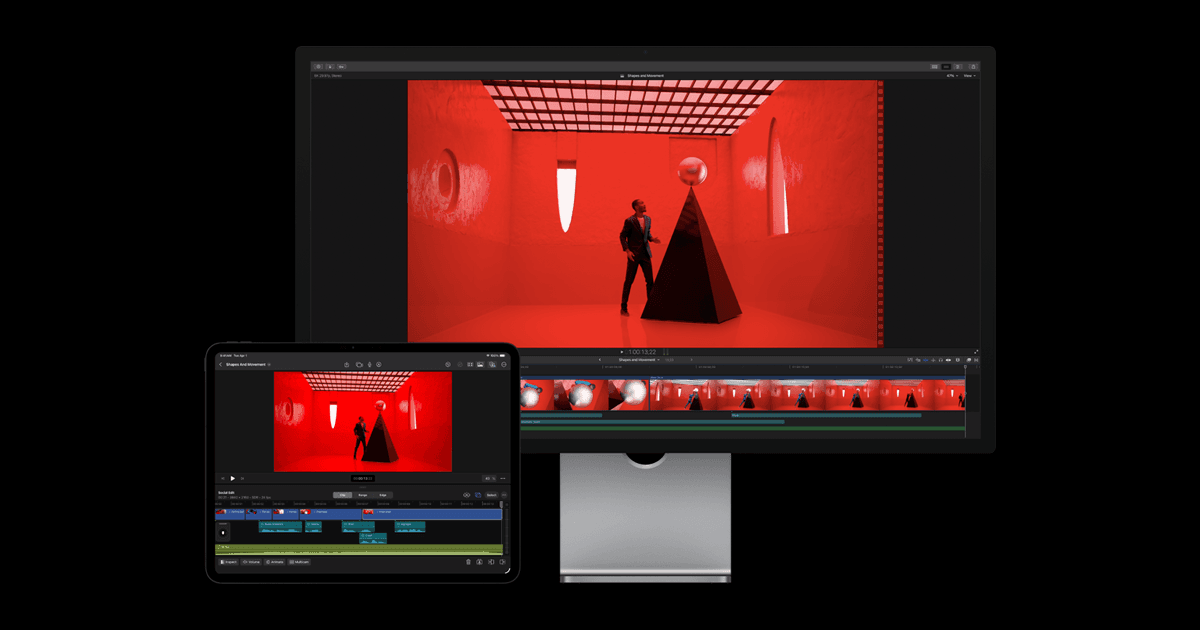
Overview
Final Cut Pro's AI value is its integration with media organization and editing. Intelligent features help locate usable material and automate targeted tasks, while the editor keeps control over timing, audio, color, effects, and final delivery.
Feature availability depends on the current Mac or iPad release and compatible hardware. Teams should verify project interchange, storage, collaboration, and pricing before standardizing a multi-editor workflow.
Use cases
The strongest fit depends on the job you need the product to complete, not the size of its feature list.
Useful for editors who want intelligent features optimized for Apple hardware and media frameworks.
Fits recurring marketing, education, and social-video work that still needs a controlled professional edit.
Capabilities
Apple highlights intelligence features that help editors find and work with material more efficiently.
Combines assisted tasks with magnetic timeline editing, effects, captions, and audio tools.
Offers professional editing across Apple's desktop and tablet platforms with platform-specific capabilities.
Process
Step 1
Bring footage into libraries or projects and use available search and analysis features to identify material.
Step 2
Apply intelligent features to targeted tasks while controlling pacing, transitions, audio, and visual treatment.
Step 3
Review artifacts, captions, color, audio, and target-platform specifications before export.
Cost
Apple's current purchase and subscription presentation varies by Mac, iPad, region, and bundle; verify the exact offer in the applicable App Store or Apple page.
See current Apple pricing
Apple's current purchase and subscription presentation varies by Mac, iPad, region, and bundle; verify the exact offer in the applicable App Store or Apple page.
Pricing checked . Check current pricing at the source ↗
Assessment
Compare
The right alternative depends on the specific output, workflow, controls and budget your project requires.
Design
Adobe Firefly is an enriched alternative for direct generative media creation.
Explore Adobe Firefly →Content Creator
VideoProc Converter AI is an enriched alternative for AI-assisted media enhancement and conversion.
Explore VideoProc Converter AI →Questions
Yes. Final Cut Pro includes first-party intelligence features that assist search, editing, tracking, captions, and media processing.
Use it to organize footage, apply intelligent features to specific editing tasks, then perform a normal professional review and export.
Apple's current purchase and subscription presentation varies by Mac, iPad, region, and bundle; verify the exact offer in the applicable App Store or Apple page.
Bottom line
Final Cut Pro is a strong AI-assisted editor for Apple-based teams. Cross-platform collaboration or highly generative prompt-to-video work may favor another tool.
Visit Final Cut Pro website ↗
Higgsfield video editor for replacing objects or transferring motion in existing clips while preserving the source composition and timing.

FFmpeg is an open-source media toolkit for converting, trimming, extracting, and preparing audio and video around AI transcription and generation workflows.

Windows text editor with Copilot-powered Write, Rewrite, and Summarize features on supported configurations.
Node-based creative canvas for chaining image, video, voice, lip-sync, music, and sound generation into reusable workflows.

Get access to all our AI courses, hundreds of real-world AI use cases, live expert-led workshops, an exclusive network of AI early adopters, and more.
Get unlimited access to all of our current & upcoming industry-specific AI courses for the duration of your subscription.
To keep up with the rapid pace of AI, our team publishes AI implementation guides daily. Our library contains 300+ practical use cases to automate real-world work.
Join weekly, live, interactive sessions with industry leaders who are at the forefront of AI for hands-on implementation guidance and exclusive insights.
Network with an exclusive community of AI-first professionals who are working smarter with AI. Learn how early adopters are using AI in their work and businesses.