Quick plain-text drafting
Useful for short drafts and rewrites when a full document editor would add friction.
Independent tool overview
Windows Notepad is a lightweight text editor with Copilot-powered Write, Rewrite, and Summarize features on supported versions. Microsoft has also tested local and cloud generation paths with streaming results.
Visit the official Notepad site ↗
Overview
Notepad's AI features are deliberately focused. A user can begin from plain text, generate a draft, rewrite selected content, or summarize it without moving into a full document suite.
The reviewed Microsoft announcement describes Insider rollout behavior, so general availability, local-model support, credits, sign-in, and hardware requirements should be confirmed on the actual Windows installation. Generated text still needs factual and tone review.
Use cases
The strongest fit depends on the job you need the product to complete, not the size of its feature list.
Useful for short drafts and rewrites when a full document editor would add friction.
Fits users who want to explore supported on-device or cloud text assistance in a built-in app.
Capabilities
Generates text from a prompt inside Notepad on supported configurations.
Transforms selected text while preserving a lightweight plain-text workflow.
Produces a shorter representation of existing text, with streamed results in the documented update.
Process
Step 1
Open only the content needed and remove credentials or sensitive material.
Step 2
Use Write, Rewrite, or Summarize with a specific instruction and target tone or length.
Step 3
Check facts, meaning, formatting, and whether the feature used local or cloud processing before saving.
Cost
Notepad is listed as a free Windows app. AI features can require Microsoft sign-in, compatible Windows builds, credits, or supported hardware.
Free app; AI eligibility varies
Notepad is listed as a free Windows app. AI features can require Microsoft sign-in, compatible Windows builds, credits, or supported hardware.
Pricing checked . Check current pricing at the source ↗
Assessment
Compare
The right alternative depends on the specific output, workflow, controls and budget your project requires.
Design
Adobe Firefly is an enriched alternative for direct generative media creation.
Explore Adobe Firefly →Content Creator
VideoProc Converter AI is an enriched alternative for AI-assisted media enhancement and conversion.
Explore VideoProc Converter AI →Questions
Yes on supported Windows configurations. Microsoft documents Copilot-powered Write, Rewrite, and Summarize features in Notepad.
Use it for bounded plain-text generation or transformation, then verify the result and understand whether processing occurred locally or in the cloud.
Notepad is listed as a free Windows app. AI features can require Microsoft sign-in, compatible Windows builds, credits, or supported hardware.
Bottom line
Notepad is a credible lightweight AI writing surface for Windows. It should not be treated as a research, citation, or collaborative document system.
Visit Notepad website ↗
Transcribe and translate multilingual audio with OpenAI's general-purpose Whisper speech-recognition model.

Higgsfield video editor for replacing objects or transferring motion in existing clips while preserving the source composition and timing.

YouTube is a video publishing platform and a destination for AI-assisted video workflows, with APIs for authorized uploads, playlists, and channel operations.
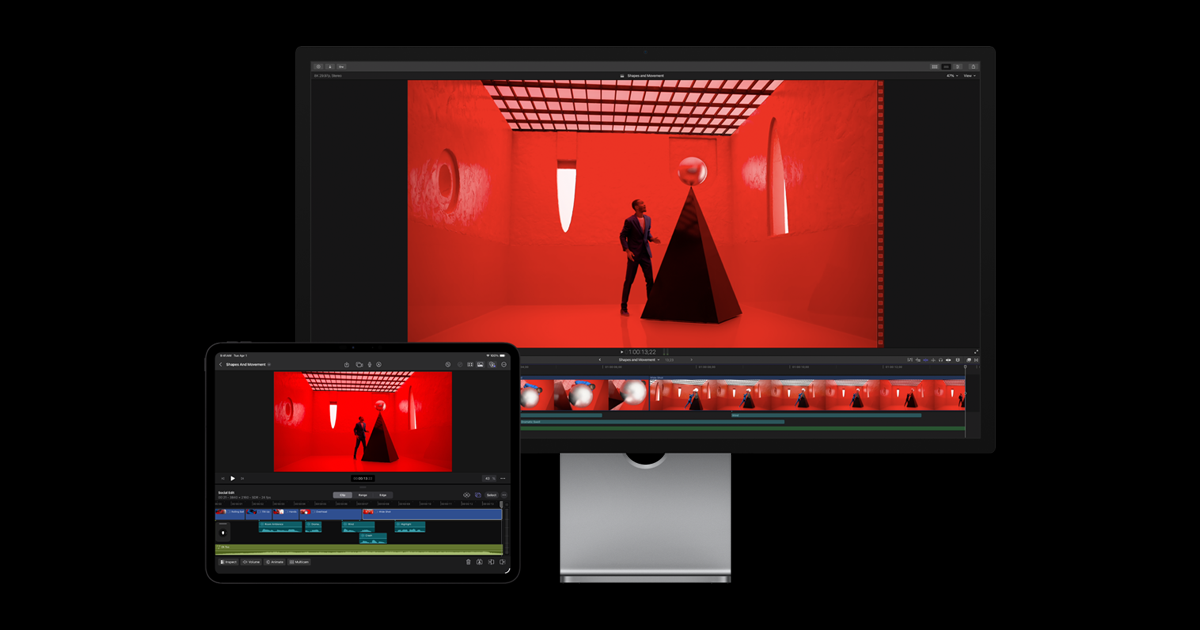
Apple's professional video editor with first-party intelligence features for search, editing, tracking, captions, and media cleanup.

Get access to all our AI courses, hundreds of real-world AI use cases, live expert-led workshops, an exclusive network of AI early adopters, and more.
Get unlimited access to all of our current & upcoming industry-specific AI courses for the duration of your subscription.
To keep up with the rapid pace of AI, our team publishes AI implementation guides daily. Our library contains 300+ practical use cases to automate real-world work.
Join weekly, live, interactive sessions with industry leaders who are at the forefront of AI for hands-on implementation guidance and exclusive insights.
Network with an exclusive community of AI-first professionals who are working smarter with AI. Learn how early adopters are using AI in their work and businesses.