Learning unfamiliar Mac software
Users who want spoken, screen-aware guidance and visual pointing while learning an application without repeatedly switching to a chatbot.
Independent tool overview
Clicky has evolved into HeyClicky, an active macOS voice assistant that can answer questions about the visible screen, draw guidance over apps, dictate text and run limited computer-use agents.
Visit the official HeyClicky (formerly Clicky) site ↗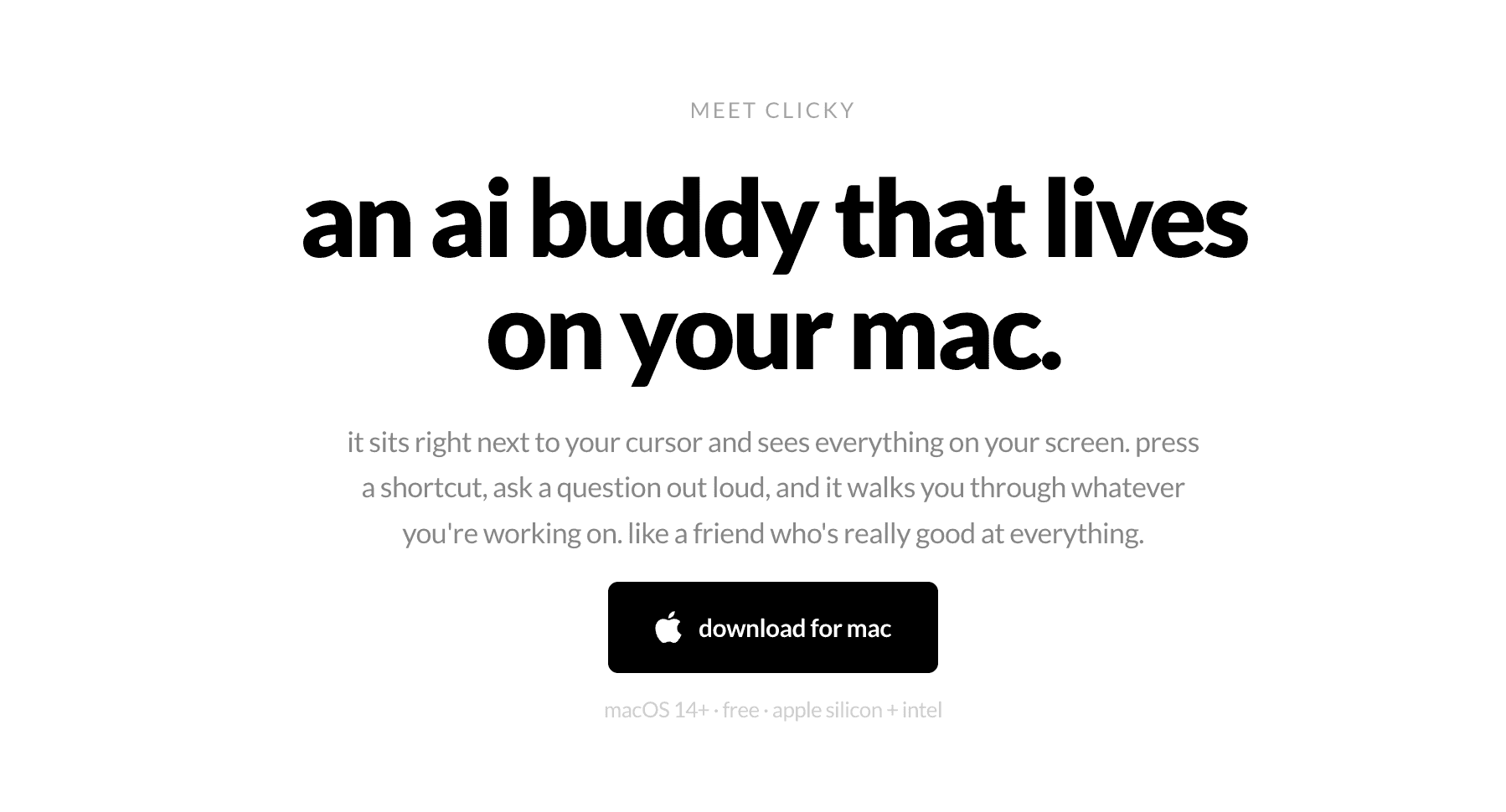
Overview
The project launched as an open-source AI teacher named Clicky and now continues as HeyClicky, a more capable commercial Mac app. Pressing its hotkey captures screen context and voice input so the assistant can explain what is visible, point or draw on the screen, dictate into other apps and, in Agent mode, carry out tasks rather than only describe them.
The original April 2026 Clicky code remains public under the MIT license, but its creator says subsequent product development is private. Current HeyClicky therefore should not be described as fully open source. It is a cloud-processed macOS service with a free tier and $20 and $100 monthly plans, not merely the original do-it-yourself Swift project.
Use cases
The strongest fit depends on the job you need the product to complete, not the size of its feature list.
Users who want spoken, screen-aware guidance and visual pointing while learning an application without repeatedly switching to a chatbot.
People who prefer holding a shortcut and asking about the current screen instead of typing and attaching screenshots manually.
Mac users drafting messages, prompts and documents by voice in browsers, communication tools, editors and other text fields.
Tasks that benefit from a sequence of on-screen explanations, highlights and pauses for the user to complete manual steps.
Users testing agents on reversible, well-scoped computer tasks with confirmations and clear boundaries.
Capabilities
A hotkey sends the current screen and spoken request for cloud processing, then returns an explanation without requiring a manual screenshot upload.
Can move its own visual pointer and draw annotations over the screen to identify controls or explain a sequence spatially.
Provides conversational help about any visible application, with the paid plans advertising unlimited talk subject to service policies.
Runs computer-use tasks for the user, with a separate monthly agent-message allowance and current support for longer walkthroughs.
Streams speech into text fields across many Mac apps, cleans grammar and spelling and supports more than 50 languages according to the changelog.
Can read an attached PDF, file or web page beyond only the portion currently visible on screen.
Reusable behavior or writing instructions can shape recurring work, with an early team version supporting privately shared team Skills.
HeyClicky chooses faster or deeper cloud models based on the apparent request rather than asking the user to select a provider each time.
Process
Step 1
Use macOS Sonoma 14.2 or later and grant only the microphone, accessibility and screen-recording permissions required for the intended features.
Step 2
Use Talk for explanation, dictation for text insertion and Agent mode only when the task truly requires actions on the computer.
Step 3
Close private messages, credentials, customer data and unrelated windows before triggering a screen-aware request.
Step 4
Press the hotkey and describe the goal, current application and preferred amount of guidance; request a walkthrough when the task has multiple steps.
Step 5
Review every agent confirmation and avoid blanket approval for tasks touching accounts, payments, production systems, private files or irreversible changes.
Step 6
Check inserted text, changed settings, sent content and completed actions yourself, especially after a long walkthrough or model-routed task.
Step 7
Review retained summaries and account data, then use account deletion or contact support when the information should no longer be stored.
Cost
HeyClicky has a free plan plus Pro at $20 per month and Max at $100 per month. Its page also displays a 20% annual-billing option. Talk, dictation and agent messages have different allowances, so the agent quota—not the word 'unlimited'—is the important limit for autonomous work.
$0
Free-forever trial tier with no card required.
$20/month
Everyday-use tier with unlimited talk and dictation plus a larger agent allowance.
$100/month
Power-user tier centered on substantially more agent work.
Contact HeyClicky
Early manually onboarded team version with mixed Pro and Max seats.
Pricing checked . Check current pricing at the source ↗
Assessment
Compare
The right alternative depends on the specific output, workflow, controls and budget your project requires.
Agents
Choose Claude Cowork for Anthropic's broader desktop-agent workflow and file work rather than a cursor-first teaching interface.
Explore Claude Cowork →Consumer
Choose Gemini for Mac for a native Mac client tied directly to Google's Gemini ecosystem.
Explore Gemini for Mac →Business Operations
Choose ChatGPT for a mature general assistant with desktop voice, vision and broader cross-platform access.
Explore ChatGPT →Agents
Choose OpenClaw for messaging-driven autonomous tasks and a more developer-operated agent stack.
Explore OpenClaw →Questions
Yes. The product is now called HeyClicky and continues to receive frequent Mac app updates. The original Clicky code remains available separately.
Not fully. The original April 2026 Clicky codebase is public under the MIT license, but its creator says newer HeyClicky development is private.
It has a free tier with 25 talk messages and 25 agent messages per month plus a limited dictation allowance. Pro is $20 monthly and Max is $100 monthly.
The company says no. Screen capture occurs when the user presses the hotkey, and its trust page says background collection does not include screen, files, clipboard or keystrokes.
HeyClicky says raw screenshots are not stored after processing. It does retain the AI-generated screenshot analysis and the user's prompt for context.
No. The current service processes requests in the cloud and forwards relevant screen, voice, transcript or prompt content through its backend to third-party AI providers.
Talk answers and guides the user, while Agent mode performs tasks. Agent messages have a separate monthly quota even on paid plans.
Yes. Its dictation feature is designed to insert speech as cleaned-up text across Mac text fields, and screen-aware prompts can draft based on visible context.
The official product does not yet. The site lists macOS Sonoma 14.2 or later and offers a Windows waitlist. Community-built Windows ports are separate projects.
Use blanket approval only in tightly scoped, reversible environments. Keep confirmations enabled for email, accounts, payments, production systems, private files and any destructive or externally visible action.
Bottom line
HeyClicky has grown from a delightful open-source teaching demo into a distinctive Mac assistant that combines screen-aware voice help, dictation and computer-use agents. The interface is its real advantage. The tradeoff is trust: powerful Mac permissions, cloud processing, retained text analysis, private current development and no SOC 2 or ISO certification. It is worth testing on the free tier with low-risk tasks and tightly scoped approvals before giving Agent mode broader access.
Visit HeyClicky (formerly Clicky) website ↗
Muse Spark - Meta Superintelligence Labs' new multimodal reasoning model

Claude Opus 4.7 - Anthropic’s new top model with advanced agentic coding

GLM-5.1 — Z AI's new open-source flagship model built for long-horizon agentic coding
⚙️ Kimi K2.6 - Moonshot AI's powerful open-source coding and agent model

Get access to all our AI courses, hundreds of real-world AI use cases, live expert-led workshops, an exclusive network of AI early adopters, and more.
Get unlimited access to all of our current & upcoming industry-specific AI courses for the duration of your subscription.
To keep up with the rapid pace of AI, our team publishes AI implementation guides daily. Our library contains 300+ practical use cases to automate real-world work.
Join weekly, live, interactive sessions with industry leaders who are at the forefront of AI for hands-on implementation guidance and exclusive insights.
Network with an exclusive community of AI-first professionals who are working smarter with AI. Learn how early adopters are using AI in their work and businesses.