Founder-led sales
Capture discovery, objections, commitments, and next steps without requiring a bot to join the call.
Independent tool overview
Clarity is a macOS meeting assistant that records desktop audio without joining as a meeting bot, then creates transcripts, notes, action items, follow-up drafts, and searchable cross-meeting insights.
Visit the official Clarity site ↗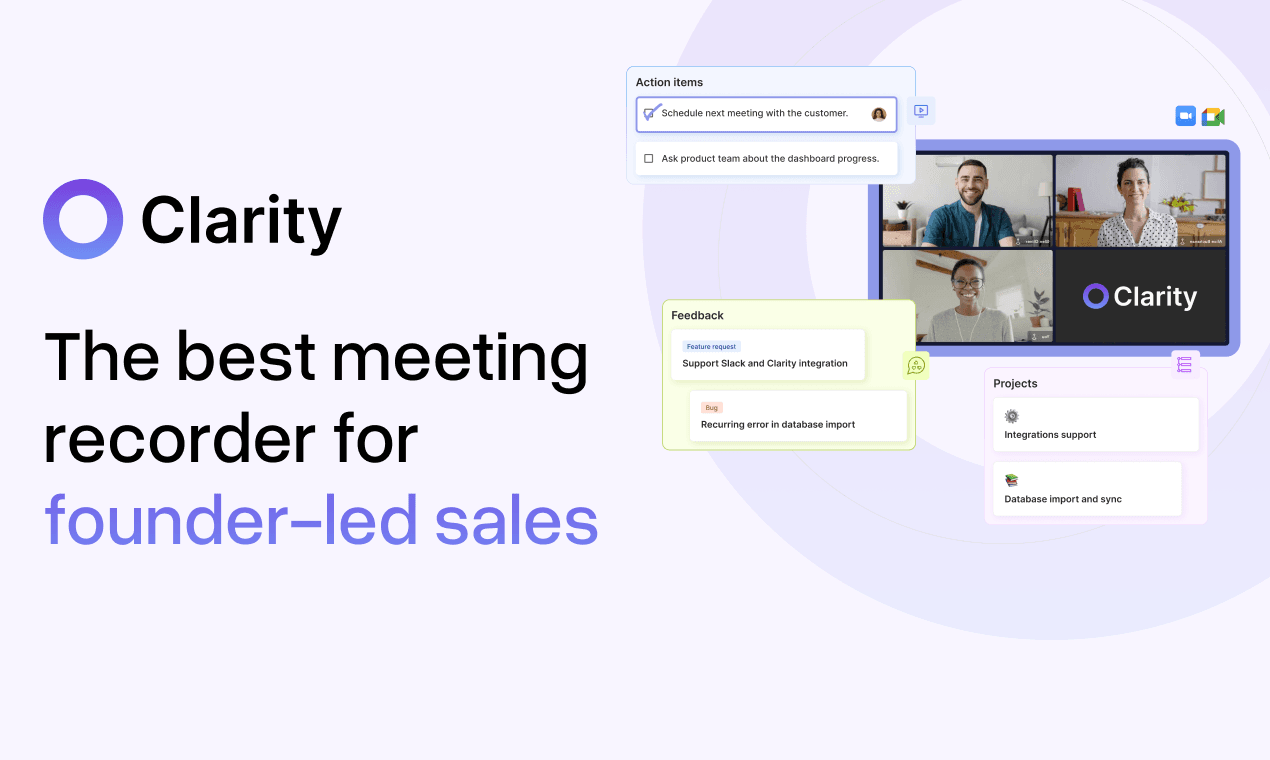
Overview
Clarity is positioned as an operating system for founder-led sales, but its current workflow also covers product, fundraising, and recruiting meetings. The macOS app captures conversations from the desktop, provides live transcription, combines manual notes with the transcript, and uses customizable templates to extract targeted notes, action items, and follow-up emails.
Bot-free capture avoids adding a visible participant to a video call, but it does not remove the responsibility to notify people and obtain any consent required by company policy, contract, or applicable law. Transcripts and summaries can also misidentify speakers, names, numbers, commitments, and deal terms, so the meeting owner should review the source before anything is sent to a customer or written to a CRM.
Use cases
The strongest fit depends on the job you need the product to complete, not the size of its feature list.
Capture discovery, objections, commitments, and next steps without requiring a bot to join the call.
Draft a recap email and action list from the meeting while the discussion is still fresh.
Apply a template to extract problems, feature requests, quotes, and follow-up questions from customer research.
Organize investor questions, concerns, requests, and promised materials for human review.
Capture interview notes under an approved consent, access, retention, and fairness process.
Ask questions across stored conversations to identify recurring themes and unresolved follow-ups.
Capabilities
Captures meeting audio from the user's Mac without inserting a named recorder participant into the call.
Displays a running transcript so users can remain engaged while still watching what the system captures.
Combines notes jotted during the call with recorded context to create a fuller recap.
Produces a structured summary from the transcript and user notes.
Identifies proposed owners and next steps that the meeting owner can verify.
Generates a customer-ready starting draft from the meeting context.
Extracts targeted fields for sales, product, fundraising, recruiting, and organization-specific workflows.
Lets users ask questions and generate outputs from one or multiple stored conversations.
Surfaces themes across the meeting repository rather than limiting questions to one transcript.
Publishes outputs to CRM workflows, Slack, email, and other connected work tools.
Supports account authentication through Google or Microsoft on the current app sign-in page.
Process
Step 1
Before capture starts, follow applicable law, company policy, contract terms, and the meeting platform's rules for notice and consent.
Step 2
Select or customize fields for the meeting type so extracted notes reflect the real follow-up process.
Step 3
Launch Clarity on the Mac, confirm the correct audio source, and verify that participants have been informed.
Step 4
Mark important names, numbers, decisions, objections, and commitments during the call to improve later review.
Step 5
Correct speaker attribution, proper nouns, dates, quantities, product terms, and sensitive material before generating downstream work.
Step 6
Compare key claims, action owners, and deadlines with the recording or responsible participants.
Step 7
Remove unsupported commitments, add missing context, and apply the sender's real tone before emailing anyone.
Step 8
Send only approved fields to the CRM, Slack, or email, using least-privilege access and appropriate customer visibility.
Step 9
Apply retention rules, revoke access when roles change, and delete recordings that no longer have a business or legal purpose.
Cost
Clarity currently publishes a single monthly price of $20 per seat with the first seven days free. Its Terms say subscriptions renew automatically until canceled and billing can be monthly or annual depending on the selected plan, although the public pricing page currently emphasizes monthly billing. Confirm payment timing, refund treatment, taxes, and any workspace minimum before starting.
$20 per seat per month
Published monthly plan for the macOS recorder, AI meeting notes, chat, templates, and sharing workflow.
Pricing checked . Check current pricing at the source ↗
Assessment
Compare
The right alternative depends on the specific output, workflow, controls and budget your project requires.
Project Management
Choose Granola for another bot-free meeting-notes workflow centered on enriching the user's own notes.
Explore Granola →Project Management
Choose Otter.ai for a mature transcription workspace with broader platform and meeting-assistant options.
Explore Otter.ai →Business Operations
Choose Fireflies AI for meeting recording, searchable transcripts, conversation intelligence, and a wider integration ecosystem.
Explore Fireflies AI →Questions
Clarity is a macOS AI meeting assistant that records desktop conversations, transcribes them, generates notes and follow-up drafts, and lets users query insights across meetings.
The current public price is $20 per seat per month, with the first seven days free.
No. Clarity advertises recording directly from the desktop without adding a bot participant.
Clarity says desktop recording works with all meeting clients. Teams should test each approved client, audio setup, and consent workflow during the trial.
The current public site promotes a macOS download and does not advertise a Windows version.
Yes. It drafts follow-up emails and action items from meeting context, but the sender should verify every commitment, number, owner, and deadline before sending.
The current site advertises CRM, Slack, and email integrations but does not publish a complete current integration matrix. Confirm the exact CRM and write behavior before purchase.
That depends on jurisdiction, participants, context, contracts, and company policy. Clarity's bot-free design does not remove recording obligations; obtain the required notice and consent before capture.
No. Transcripts and summaries can be wrong or incomplete. Use the source recording, responsible participants, and approved systems for consequential decisions and commitments.
Review the current privacy and security terms, subprocessors, recording retention, deletion process, model providers, data residency, access controls, and integration permissions with the responsible legal and security owners.
Bottom line
Clarity offers a focused, attractively priced workflow for Mac-based operators who want bot-free capture and faster customer follow-up. The combination of templates, cross-meeting chat, and CRM or Slack sharing is useful, but its quiet desktop recording increases the need for explicit consent and disciplined review. Test transcription on real calls and settle retention, provider, and integration controls before broad rollout.
Visit Clarity website ↗
Get access to all our AI courses, hundreds of real-world AI use cases, live expert-led workshops, an exclusive network of AI early adopters, and more.
Get unlimited access to all of our current & upcoming industry-specific AI courses for the duration of your subscription.
To keep up with the rapid pace of AI, our team publishes AI implementation guides daily. Our library contains 300+ practical use cases to automate real-world work.
Join weekly, live, interactive sessions with industry leaders who are at the forefront of AI for hands-on implementation guidance and exclusive insights.
Network with an exclusive community of AI-first professionals who are working smarter with AI. Learn how early adopters are using AI in their work and businesses.


