AI filmmakers
Develop multi-shot concepts with storyboarding, subject references, native audio and cinematic motion.
Independent tool overview
Kling AI is Kuaishou's multimodal video and image creation platform, led by the Kling 3.0 family with native audio, multi-shot storytelling and up to 4K output.
Visit the official Kling AI site ↗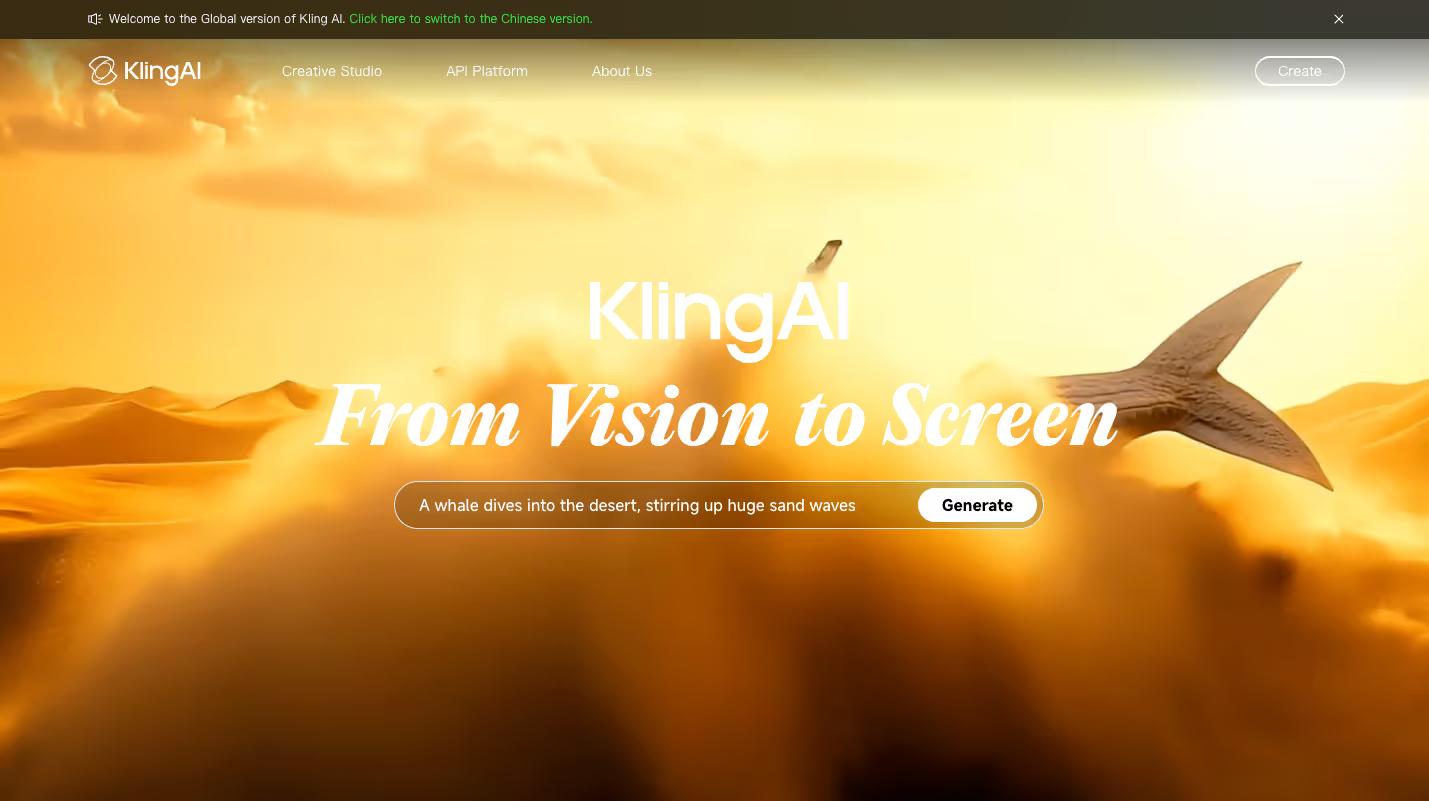
Overview
Kling AI is an active generative video and image platform from Kuaishou. Its current 3.0 family includes Video 3.0, Video 3.0 Omni, Image 3.0 and Image 3.0 Omni, bringing generation, references and editing into a unified multimodal workflow.
Video 3.0 supports clips up to 15 seconds, multi-shot storyboarding, stronger subject consistency and audio generated with the visuals. Kuaishou has since added native 4K output, the faster Kling 3.0 Turbo model, plus MCP and command-line access for agent-orchestrated batch production.
Kling is strongest for creators who want cinematic motion and more control over subjects and shots than a simple prompt-to-clip tool. Credit use changes materially with model, duration, resolution, audio and output count, so test the actual workflow before choosing a subscription.
Use cases
The strongest fit depends on the job you need the product to complete, not the size of its feature list.
Develop multi-shot concepts with storyboarding, subject references, native audio and cinematic motion.
Create product, lifestyle and campaign variations for concepting and short-form production.
Use reference elements and motion controls to preserve a person or subject across a sequence.
Use Kling's API, MCP or CLI to orchestrate repeatable and batch generation workflows.
Capabilities
Generates video from written direction or a starting image, with model and quality options.
Creates voice, effects and ambience together with the video across multiple languages, dialects and accents.
Supports more deliberate shot structure and narrative sequencing within clips up to 15 seconds.
Uses subject and visual references to keep characters, products and scenes more consistent.
Unified Omni workflows combine generation and revision without requiring every change to restart from a blank prompt.
Supported Kling 3.0 workflows can generate 4K video directly rather than relying only on post-generation upscaling.
A faster, more cost-efficient 3.0 option intended to preserve motion quality and audio-visual synchronization.
API, MCP and CLI options let agents and production systems coordinate batch content generation.
Process
Step 1
Define the subject, action, camera movement, environment, duration, aspect ratio and audio requirements.
Step 2
Select a quality, Omni or Turbo workflow based on the need for references, editing, speed, audio and resolution.
Step 3
Upload starting frames, characters, products or motion examples when consistency matters.
Step 4
Validate prompt adherence and motion before spending credits on longer, higher-resolution or multi-output generations.
Step 5
Refine the strongest clip, then review continuity, anatomy, audio, brand accuracy and rights before final post-production.
Cost
Kling uses credits, and generation cost varies by model, duration, resolution, audio and number of outputs. Promotional first-purchase and annual prices can differ from regular list prices, so budget against the renewal terms shown at checkout.
$0
Free testing with a small daily credit allowance.
$10/month regular list price
Entry paid plan with 660 monthly credits.
$37/month regular list price
3,000 monthly credits for more frequent video generation.
$92/month regular list price
8,000 monthly credits for high-volume individual or studio work.
$180/month regular list price
26,000 monthly credits for the heaviest consumer-plan usage.
Pricing checked . Check current pricing at the source ↗
Assessment
Compare
The right alternative depends on the specific output, workflow, controls and budget your project requires.
Content Creator
A production-oriented alternative with a mature creative suite and strong video controls.
Explore Runway Gen-4.5 →Content Creator
Another accessible image-to-video and text-to-video platform for short creative clips.
Explore Hailuo AI →Agents
A broad video-generation workspace that exposes several models and cinematic workflows.
Explore Higgsfield Supercomputer →Content Creator
A stronger fit when planning, storyboarding and assembling a complete narrative project matter most.
Explore LTX Studio →Questions
Kling AI is Kuaishou's generative video and image platform for creating, referencing and editing visual content with text, images, audio and video inputs.
Kling 3.0 is the current main model family, including Video 3.0, Video 3.0 Omni, Image 3.0 and Image 3.0 Omni. Kling 3.0 Turbo is a newer speed- and cost-focused variant.
Yes. Kling offers a Basic tier with a small daily credit allowance. Watermarks, queues, models and other restrictions apply.
Regular monthly list prices are $10 for Standard, $37 for Pro, $92 for Premier and $180 for Ultra. Kling frequently shows lower first-purchase, renewal or annual rates, so confirm the full billing terms at checkout.
Yes. Current models can generate voices, sound effects and ambient audio together with the video, with multilingual and accent support.
Kuaishou says supported Kling 3.0 workflows now offer native 4K output. Availability and credit cost depend on the selected model and account.
The Kling 3.0 series supports generations up to 15 seconds. Longer finished pieces require multiple clips and timeline editing.
Yes. Kling provides developer API access and has also launched MCP and command-line interfaces for agentic and batch workflows. API billing is separate from consumer membership credits.
Bottom line
Kling AI is a leading choice for creators who care about motion, shot control, references and native audio in short generative video. Its output range is impressive, but the real buying decision comes down to credit economics: test the exact models and settings used in production before selecting a plan.
Visit Kling AI website ↗
Suno AI: Turns text prompts into studio-quality songs using cutting-edge music generation models.
Wan 2.6 - Alibaba's new native multimodal model for image and video generation
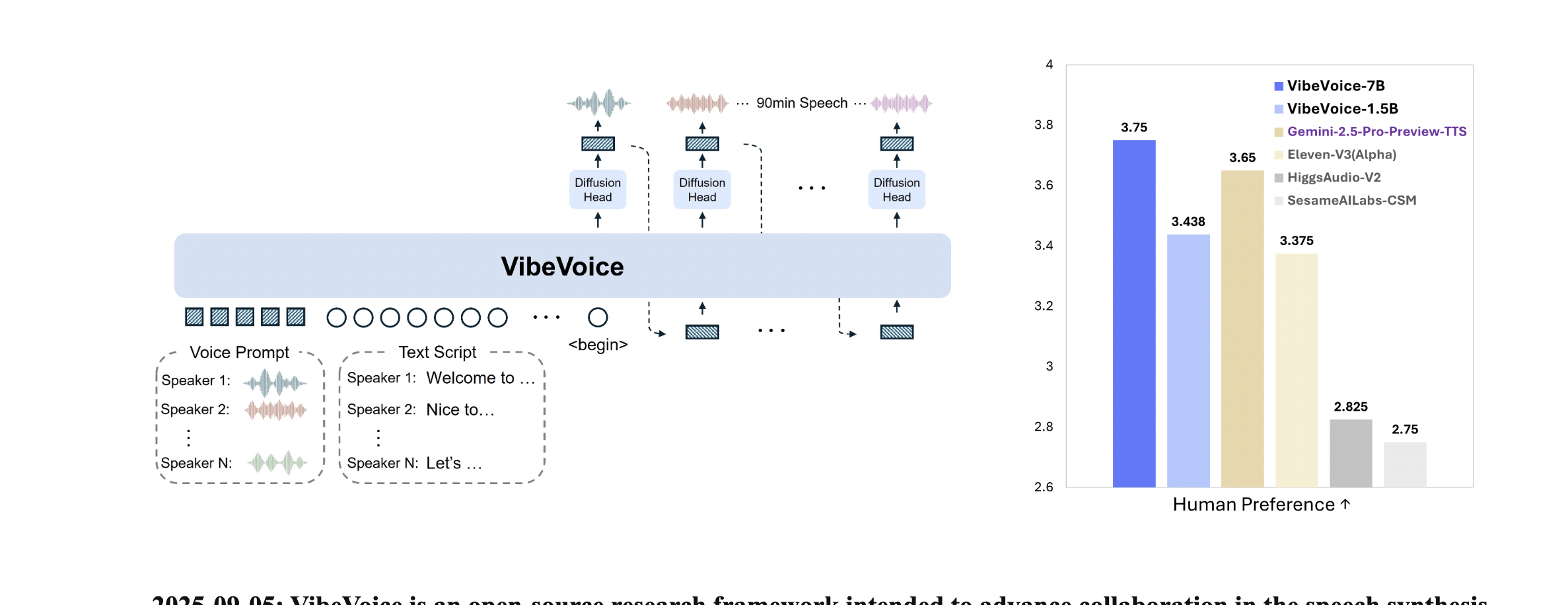
VibeVoice - Microsoft's open-source, small text-to-speech model that offers real-time streaming and long-form speech generation that can handle as long as 90 minutes of speaking and 4 distinct voices.
ChatGPT Images - OpenAI's new AI image generation system with upgraded editing, text rendering, quality, and dedicated Images creation space

Get access to all our AI courses, hundreds of real-world AI use cases, live expert-led workshops, an exclusive network of AI early adopters, and more.
Get unlimited access to all of our current & upcoming industry-specific AI courses for the duration of your subscription.
To keep up with the rapid pace of AI, our team publishes AI implementation guides daily. Our library contains 300+ practical use cases to automate real-world work.
Join weekly, live, interactive sessions with industry leaders who are at the forefront of AI for hands-on implementation guidance and exclusive insights.
Network with an exclusive community of AI-first professionals who are working smarter with AI. Learn how early adopters are using AI in their work and businesses.