Spending review
See category totals and ask where spending changed across connected accounts.
Independent tool overview
Finances in ChatGPT is OpenAI's U.S. personal-finance experience for Plus and Pro users, combining Plaid-connected account data with budgeting, spending, investment, and planning conversations.
Visit the official Finances in ChatGPT site ↗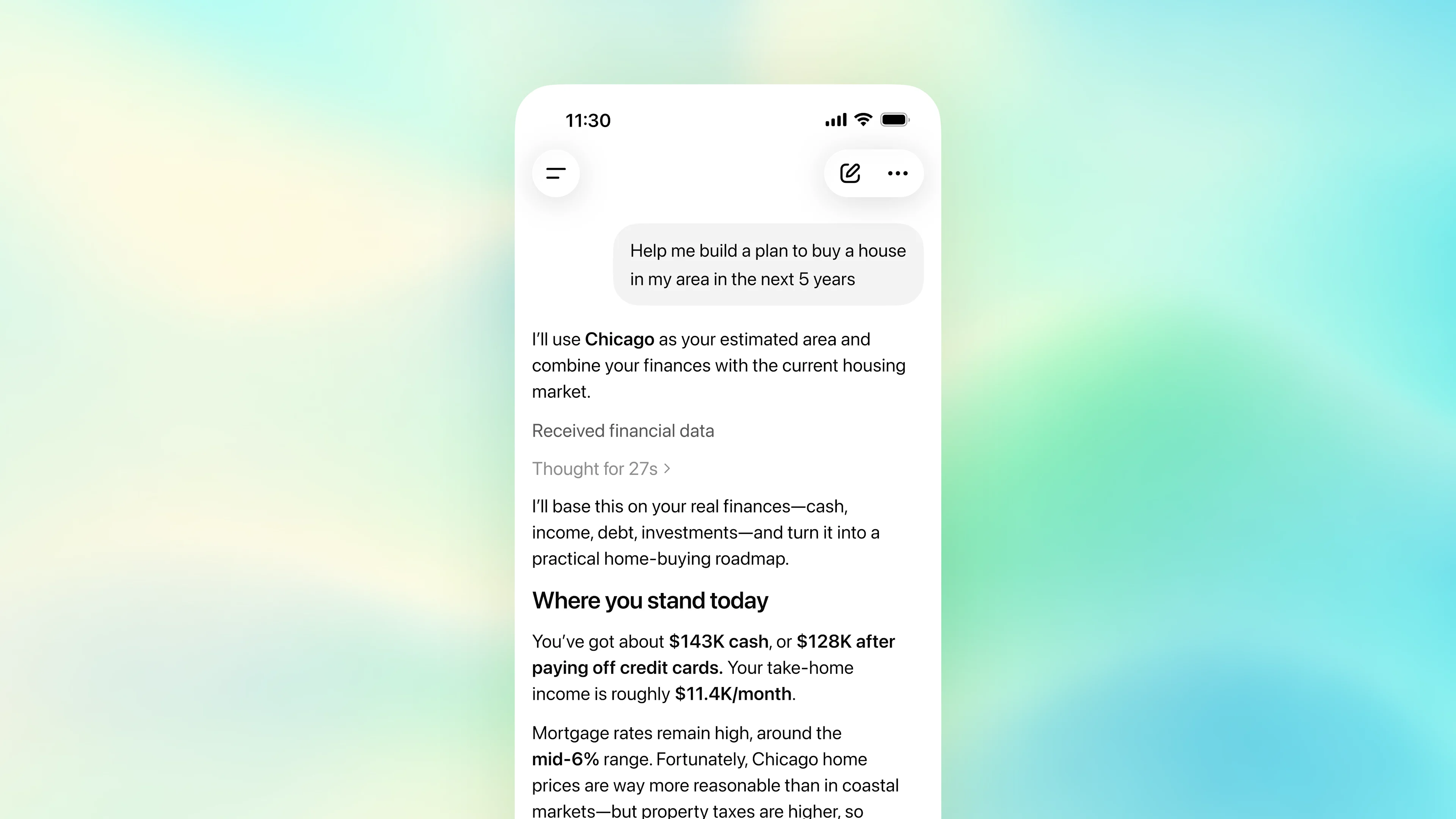
Overview
Finances in ChatGPT—introduced as ChatGPT's personal finance experience—lets eligible U.S. Plus and Pro users connect supported banks, cards, brokerages, loans, and other accounts through Plaid. It organizes balances, transactions, subscriptions, upcoming payments, net worth, and investments into a dashboard, then lets users ask questions grounded in that financial context.
The feature is read-only: ChatGPT cannot move money, pay bills, trade, change retirement contributions, open or close accounts, or file taxes. It can help organize information and compare scenarios, but it is not a fiduciary, registered investment adviser, broker-dealer, tax preparer, law firm, or substitute for a qualified professional.
Use cases
The strongest fit depends on the job you need the product to complete, not the size of its feature list.
See category totals and ask where spending changed across connected accounts.
Find recurring transactions and produce a list to verify before canceling services yourself.
Review upcoming payments, recurring bills, and recent income patterns in one conversation.
Compare savings, debt-payoff, emergency-fund, and major-purchase scenarios using stated assumptions.
Combine supported connected assets and liabilities into a directional view over time.
Summarize allocation and daily changes in connected stock and ETF holdings without placing trades.
Capabilities
Connect selected accounts at supported banks, credit-card issuers, brokerages, and other institutions.
View spending, bills, subscriptions, net worth, and investment information in one ChatGPT section.
Synced transactions are categorized so users can inspect spending by type and correct classifications that look wrong.
Surfaces subscriptions, recurring bills, duplicate-looking payments, and upcoming obligations.
Tracks connected balances and liabilities over time when enough account data is available.
Displays allocation and daily changes for supported connected stocks and ETFs.
Use the Finances page, /finances, or @finances to ask questions based on connected account data.
Responses may identify the connected financial data used so users can inspect the basis for an answer.
Users can save manually supplied context such as a private loan, property, savings goal, or planned purchase.
Unsupported assets and obligations can be described in a conversation even when they cannot be linked through Plaid.
ChatGPT can access approved balances, transactions, investments, and liabilities but cannot alter financial accounts.
The experience is available on supported ChatGPT web, iOS, and Android accounts.
Process
Step 1
Use a U.S. Plus or Pro account and check whether the gradual rollout has reached your workspace.
Step 2
Enable multi-factor authentication and review active sessions before connecting financial information.
Step 3
Open Finances, choose Connect with Plaid, and authorize only the institutions and accounts needed.
Step 4
Review the last-sync time, balances, missing accounts, duplicate connections, and any action-required notices.
Step 5
Inspect transaction categories, recurring-payment labels, manual assets, liabilities, and financial memories.
Step 6
Specify the period, accounts, objective, constraints, and assumptions rather than requesting a vague recommendation.
Step 7
Verify totals, rates, taxes, fees, dates, and projections against statements and authoritative sources.
Step 8
Make transfers, cancellations, trades, filings, and account changes directly with the relevant institution after appropriate professional review.
Cost
Finances is included for eligible U.S. ChatGPT Plus and Pro users, with no separate feature fee listed. Plus costs $20 per month. OpenAI currently offers Pro at $100 and $200 per month; higher prices primarily buy higher usage limits, not permission for ChatGPT to transact on financial accounts.
$20/month
Lower-cost eligible plan for Finances in the United States, subject to gradual rollout and usage limits.
$100/month
Pro capabilities with higher usage allowances than Plus.
$200/month
Highest-usage individual Pro option for demanding ChatGPT workflows.
Pricing checked . Check current pricing at the source ↗
Assessment
Compare
The right alternative depends on the specific output, workflow, controls and budget your project requires.
Finance
Choose Cleo for a dedicated consumer money-management app with conversational budgeting as its primary product.
Explore Cleo →Finance
Choose Intuit Assist when finance help needs to live inside Intuit's accounting, tax, or small-business ecosystem.
Explore Intuit Assist →Business Operations
Choose standard ChatGPT for general financial education and manually supplied scenarios without linking bank or brokerage data.
Explore ChatGPT →Questions
OpenAI's current help documentation calls the feature Finances in ChatGPT. It was introduced publicly as a new personal finance experience in ChatGPT.
It is gradually rolling out to ChatGPT Plus and Pro users in the United States on web, iOS, and Android.
No separate feature fee is listed. Eligible access is included with Plus at $20 per month and Pro at either $100 or $200 per month.
Users choose accounts and authenticate through Plaid, which provides connections to more than 12,000 supported financial institutions.
For accounts you authorize, it can access data such as balances, transactions, investments, and liabilities. OpenAI says it cannot see full account numbers.
No. Finances is read-only and cannot move money, pay bills, change settings, make trades, alter retirement contributions, open or close accounts, or file taxes.
No. OpenAI states that ChatGPT is not a fiduciary, registered investment adviser, broker-dealer, tax preparer, or law firm. Its outputs are informational and require independent judgment.
Finance conversations follow the model-training setting selected in ChatGPT Data Controls. Users should inspect that setting before connecting sensitive information.
OpenAI says synced account data is deleted from its systems within 30 days, and data associated with that ChatGPT connection is deleted from Plaid within 30 days under Plaid's policies.
You can manually describe an unsupported asset, loan, property, or goal and optionally save it as a financial memory, but you must keep that information current yourself.
Bottom line
Finances in ChatGPT is a convenient read-only layer for understanding a fragmented financial picture and asking better questions about spending, debt, savings, and investments. Its strongest protection is also its boundary: it cannot transact. Users should enable MFA, connect only necessary accounts, verify every consequential number, and take tax, legal, investment, and account actions through trusted institutions or qualified professionals.
Visit Finances in ChatGPT website ↗
Meow - Financial infrastructure that lets AI agents open bank accounts, issue cards, send money, and audit spend via MCP

Stack - Ramp's AI accounting OS for monthly bookkeeping

TradeFlow: AI-powered software for streamlined trade settlement.

Agentic Trading - Robinhood's new MCP connection allowing AI agents to trade for users via their own agentic account

Get access to all our AI courses, hundreds of real-world AI use cases, live expert-led workshops, an exclusive network of AI early adopters, and more.
Get unlimited access to all of our current & upcoming industry-specific AI courses for the duration of your subscription.
To keep up with the rapid pace of AI, our team publishes AI implementation guides daily. Our library contains 300+ practical use cases to automate real-world work.
Join weekly, live, interactive sessions with industry leaders who are at the forefront of AI for hands-on implementation guidance and exclusive insights.
Network with an exclusive community of AI-first professionals who are working smarter with AI. Learn how early adopters are using AI in their work and businesses.