Privacy-conscious knowledge work
Keep personal or team notes local or choose the exact environment where content and AI are processed.
Independent tool overview
AppFlowy is an open-core, local-first workspace for documents, wikis, databases, projects, and AI, with managed cloud, self-hosted, on-premises, and offline deployment options.
Visit the official AppFlowy site ↗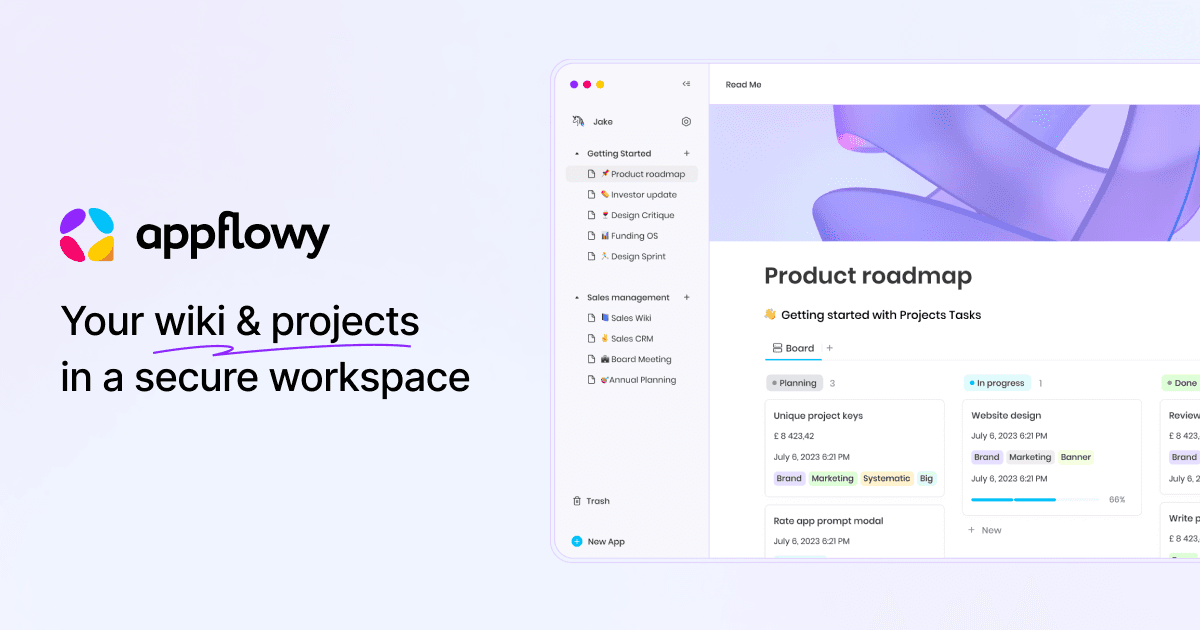
Overview
AppFlowy brings notes, team documentation, structured databases, project boards, search, and AI into one cross-platform workspace. It is positioned as a more controllable alternative to proprietary cloud-only tools, with native desktop and mobile apps plus a web client.
Its defining advantage is deployment choice. Individuals can keep work local, teams can use AppFlowy Cloud, and organizations can self-host the collaboration stack, connect local or on-premises models, and control storage, identity, network, residency, and AI processing.
That control creates operational responsibility. A self-hosted workspace still needs secure configuration, updates, backups, monitoring, identity management, and tested recovery. Teams should compare the managed Cloud cost with the real infrastructure and staff cost of operating their own deployment.
Use cases
The strongest fit depends on the job you need the product to complete, not the size of its feature list.
Keep personal or team notes local or choose the exact environment where content and AI are processed.
Operate documents, wikis, projects, and databases on organization-controlled infrastructure.
Combine rich documents with grids, boards, calendars, relations, and other database views.
Run workspace search, chat, writing, and summaries against locally hosted models and embeddings.
Capabilities
Supports rich pages, nested knowledge, comments, real-time co-editing, public documentation, and multiple content blocks.
Organizes work in structured databases with views such as grids, boards, and calendars.
Answers natural-language questions against selected workspace sources and can return linked source context.
Brainstorms, drafts, summarizes, rewrites, changes length, answers questions, and can auto-fill database columns.
Brings AI transcription, summaries, insights, and action-oriented meeting outputs into the workspace.
Can connect self-hosted language and embedding models, including local workflows through tools such as Ollama.
Supports organization-controlled deployment, centralized administration, permissions, SAML/OIDC, SCIM, LDAP, and related enterprise controls.
Provides an open-core codebase, public APIs, MCP support, integrations, templates, and reusable editor and Kanban building blocks.
Process
Step 1
Map the pages, databases, projects, permissions, retention rules, and integrations the workspace must support.
Step 2
Compare AppFlowy Cloud with local or self-hosted operation based on privacy, residency, identity, availability, cost, and support requirements.
Step 3
Build a small wiki and project database, import representative content, and test desktop, mobile, web, offline, and collaboration behavior.
Step 4
Decide which sources AI may access and whether to use AppFlowy-hosted models, AI MAX, a Vault Workspace, or organization-controlled models.
Step 5
Set identity and permissions, validate imported pages and databases, train users, and document backup and export procedures.
Step 6
For self-hosting, monitor services, apply updates, back up databases and objects, test restores, and maintain an incident and rollback plan.
Cost
Managed Cloud pricing is charged per member for each paid workspace. AppFlowy also offers separate AI MAX and Vault Workspace add-ons. Self-hosting can avoid a managed-cloud seat license for the open-core stack, but infrastructure, implementation, maintenance, support, and enterprise features can add meaningful cost.
Free
For an individual or a small two-person collaborative workspace.
$12.50/user monthly or $10/user/month annually
For small teams managing projects and shared knowledge.
$8/user/month
Adds access to AppFlowy's listed advanced hosted AI models.
$6/user/month billed annually
Private offline workspace with AI running on the user's own hardware.
Software available to self-host
Run the collaboration stack on infrastructure you control.
Custom
For governed, on-premises, high-scale, or air-gapped deployments.
Pricing checked . Check current pricing at the source ↗
Assessment
Compare
The right alternative depends on the specific output, workflow, controls and budget your project requires.
Project Management
Choose Notion AI for a mature managed workspace ecosystem when self-hosting and local AI are not requirements.
Explore Notion AI →Content Creator
Compare AFFiNE for an open workspace that puts more emphasis on whiteboarding, visual thinking, and personal knowledge work.
Explore AFFiNE AI →Students
Choose NotebookLM when source-grounded research and study outputs matter more than operating a general team workspace.
Explore Gemini Notebook (formerly NotebookLM) →Questions
AppFlowy is an open-core workspace for documents, wikis, databases, project management, collaboration, search, and AI, with local, cloud, and self-hosted deployment choices.
Yes. AppFlowy publishes deployment documentation for its cloud stack and supports organization-controlled on-premises and air-gapped deployments.
Yes. AppFlowy supports local and self-hosted language models and embeddings. Its Vault Workspace add-on is specifically designed for private, offline AI on the user's hardware.
Cloud Free supports one collaborative workspace with up to two members. Cloud Pro is $12.50 per member monthly or $10 per member per month with annual billing.
The open-core stack is available to deploy, but self-hosting is not costless. The operator pays for infrastructure and remains responsible for implementation, security, monitoring, backups, updates, support, and recovery.
Bottom line
AppFlowy is one of the more credible choices for teams that want a Notion-style workspace without surrendering deployment and AI control. The managed Cloud plan is easy to evaluate; the self-hosted path becomes valuable when data sovereignty justifies the additional operational responsibility.
Visit AppFlowy website ↗
Get access to all our AI courses, hundreds of real-world AI use cases, live expert-led workshops, an exclusive network of AI early adopters, and more.
Get unlimited access to all of our current & upcoming industry-specific AI courses for the duration of your subscription.
To keep up with the rapid pace of AI, our team publishes AI implementation guides daily. Our library contains 300+ practical use cases to automate real-world work.
Join weekly, live, interactive sessions with industry leaders who are at the forefront of AI for hands-on implementation guidance and exclusive insights.
Network with an exclusive community of AI-first professionals who are working smarter with AI. Learn how early adopters are using AI in their work and businesses.


