Literature and document review
Researchers, consultants, analysts, and students comparing claims, themes, evidence, methods, and contradictions across a controlled source set.
Independent tool overview
Gemini Notebook, formerly Google NotebookLM, is a source-grounded research workspace that answers questions with in-line citations and turns uploaded material into audio, video, slide decks, infographics, reports, mind maps, flashcards, quizzes, and data tables. The free tier is unusually useful, while Google AI Plus, Pro, and Ultra raise limits and unlock premium access. It is best used to interrogate and transform a curated evidence set—not as proof that a cited answer is complete or correct.
Visit the official Gemini Notebook (formerly NotebookLM) site ↗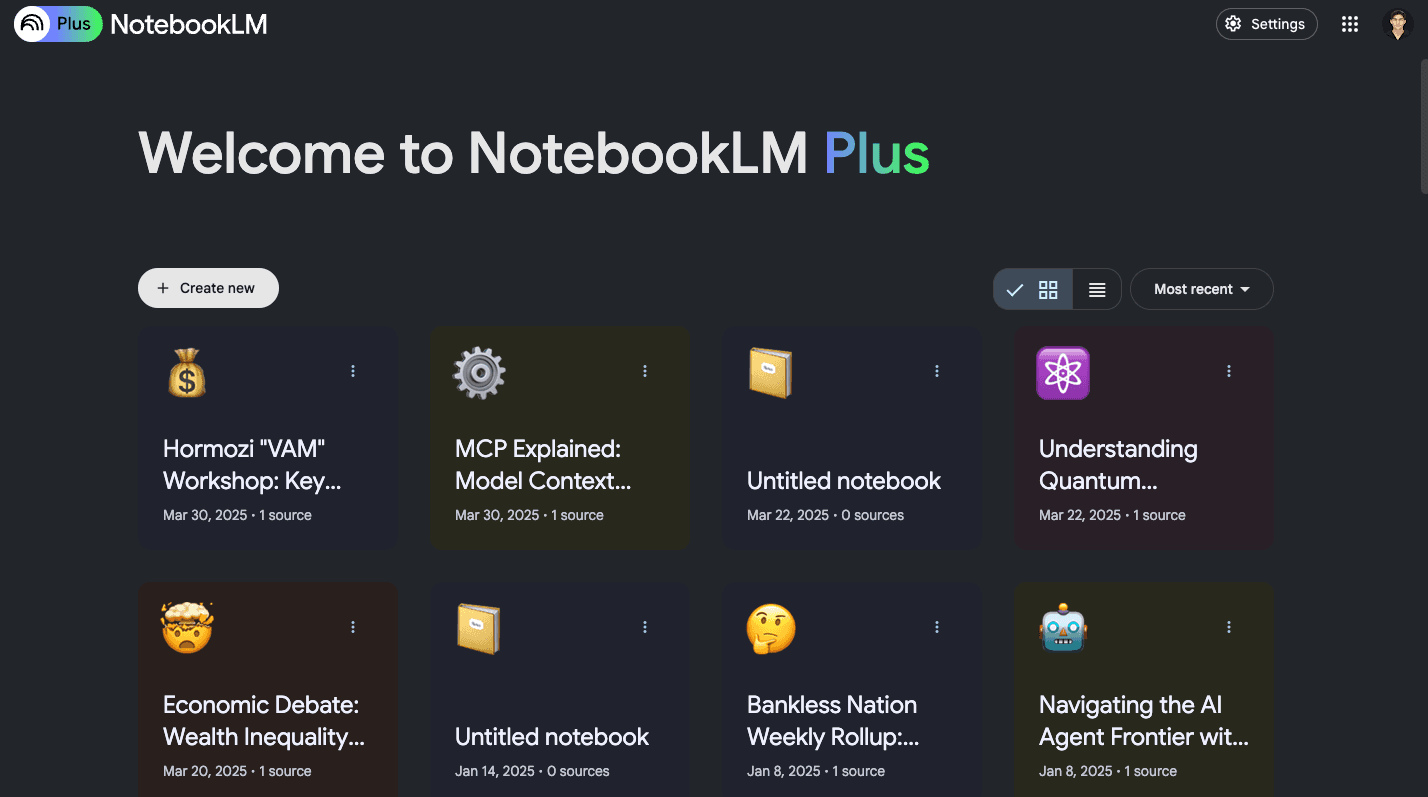
Overview
Google is transitioning the NotebookLM name to Gemini Notebook, while the familiar notebooklm.google.com product remains active. The core idea has not changed: users assemble a notebook from documents, websites, media, or discovered sources, then chat with Gemini against that collection and open in-line citations back to the supporting excerpts.
The source range is broad: PDFs, Word, PowerPoint, spreadsheets, CSV, Markdown, ePub, images, pasted text, Google Docs, Slides and Sheets, public web pages, public captioned YouTube videos, audio, and Gemini chats. A free notebook can hold 50 sources, with each uploaded source limited to 200 MB or 500,000 words; paid plans raise notebook, source, chat, artifact, and research limits.
The Studio turns the same evidence set into different learning and communication formats. Users can generate Audio Overviews, Video Overviews, briefing documents, study guides, custom reports, mind maps, flashcards, quizzes, infographics, slide decks, and tables. Audio formats include a deep-dive conversation, a short brief, a critique, and a debate, with outputs in more than 80 languages.
Newer premium research capabilities go beyond summarization. Eligible users can use Gemini 3.5 and a secure cloud computer to run code, analyze data, create charts, spreadsheets, PDFs, documents, images, structured files, and PowerPoint decks, and use web research to build a source repository. As of this review, the newest agentic experience is rolling out first to Ultra and selected Workspace business access rather than every free account.
Grounding reduces unsupported answers but does not eliminate them. Notebook can retrieve the wrong passage, miss a source, flatten a disagreement, misunderstand a chart, use a flawed transcript, or cite text that does not support the full claim. Verify every material statement in the original source, inspect methodology and date, and use qualified professionals for medical, legal, financial, academic, or other high-impact decisions.
Use cases
The strongest fit depends on the job you need the product to complete, not the size of its feature list.
Researchers, consultants, analysts, and students comparing claims, themes, evidence, methods, and contradictions across a controlled source set.
Learners and educators turning lectures, readings, slides, and notes into grounded guides, mind maps, flashcards, quizzes, audio, and visual explanations.
Teams building a notebook from specifications, policies, meeting transcripts, research, and plans so new collaborators can ask questions with citations.
Authorized analysis of transcripts and recordings to identify themes, decisions, quotations, follow-ups, and disagreements.
Writers and communicators preparing outlines, briefs, presentations, reports, and podcasts while retaining links to the underlying evidence.
Eligible premium users who need analysis to become charts, spreadsheets, PDFs, Word documents, slide decks, images, or structured data.
Capabilities
Answers questions from selected notebook sources and links claims to source excerpts for review.
Accepts common office files, PDFs, text, Markdown, CSV, ePub, images, web pages, Google files, public YouTube transcripts, audio, pasted text, and Gemini chats.
Searches the web or accessible Google Drive material, shows candidate sources, and lets the user review which results to import.
An agentic research option can browse many websites, produce a multi-page report, and return cited and uncited candidate sources for user selection.
Generates Deep Dive, Brief, Critique, or Debate formats, with length and topic controls and output in more than 80 languages.
English users can join a newly generated Audio Overview by voice, ask the AI hosts for clarification, and then resume the original program.
Creates visual explanations grounded in notebook sources, with standard and plan-limited cinematic formats.
Builds briefing documents, FAQs, study guides, blog-style reports, custom worksheets, and other structured source-based writing.
Creates customizable study sets with explanation controls and citations back to the supplied material.
Transforms a source collection into visual knowledge structures, shareable graphics, and presentation decks.
Premium capabilities can analyze source data, run code, create charts, and export PDF, DOCX, Markdown, text, CSV, JSON, XLSX, PPTX, PNG, SVG, JPG, and GIF.
Users can activate only relevant sources for a question and label or categorize larger collections.
Consumer accounts can share notebooks or public artifacts, while enterprise and education sharing follows different controls and public sharing may be disabled.
Process
Step 1
Write the decision, audience, time period, inclusion criteria, required evidence, excluded material, and desired output before collecting sources.
Step 2
Prefer primary documents, official data, original research, current policies, and complete transcripts. Record publication date, author, version, jurisdiction, conflicts, and access date.
Step 3
Open each imported source and confirm the right document, pages, charts, tables, transcript, date, and language arrived. Notebook does not import every footnote, comment, image, embedded item, paywalled page, or YouTube visual.
Step 4
Label sources by topic, jurisdiction, quality, date, or viewpoint and select only the relevant subset before asking a question.
Step 5
Request claims, direct supporting passages, source names, contradictions, missing evidence, uncertainty, chronology, methods, and distinctions between fact and inference.
Step 6
Open the cited excerpt and original document. Confirm the passage supports the entire claim, not just one phrase, and examine the surrounding context, tables, definitions, and limitations.
Step 7
Ask which sources disagree, what evidence would reverse the conclusion, whether newer material exists, which groups are missing, and which claims rely on weak or secondary evidence.
Step 8
Use a report or table for analysis, slides or infographics for communication, flashcards or quizzes for recall, and audio or video for orientation—not as a substitute for reading decisive sources.
Step 9
Correct errors, add caveats, retain citations, distinguish quotations from paraphrases, clear copyright, and disclose AI assistance where policy or audience expectations require it.
Step 10
Confirm account terms, administrator controls, sharing settings, data classification, retention, and permissions before uploading confidential, personal, regulated, client, student, legal, or unpublished material.
Step 11
Preserve the source list, original files, dates, prompts, generated artifact, human edits, and final approvals so the work can be reproduced after sources or models change.
Cost
Gemini Notebook has a free Standard tier and higher limits through Google AI Plus, Pro, two Ultra levels, qualifying Workspace plans, or Google Cloud enterprise offerings. In the current US Google One display, AI Plus costs $9.99 per month with 2 TB and AI Pro costs $19.99 per month with 5 TB. Google's May 2026 subscription announcement introduced Ultra options at $100 and $200 per month. Limits are subject to change and product availability varies by country, account, and rollout.
Free
Full source-grounded notebook experience with meaningful daily artifact limits.
$9.99/month in the current US display
Consumer plan with 2 TB, twice the free notebook count, and increased research and artifact limits.
$19.99/month in the US
Consumer plan with 5 TB, higher Gemini access, and substantially larger Notebook limits.
$100/month announced in May 2026
Advanced consumer tier with priority access and much higher limits for heavy research and artifact generation.
$200/month announced in May 2026
Highest consumer notebook quotas and priority access.
Included with qualifying license or enterprise contract
Managed business, education, and cloud access with organization controls and stronger data protections.
Pricing checked . Check current pricing at the source ↗
Assessment
Compare
The right alternative depends on the specific output, workflow, controls and budget your project requires.
Data Analysis
Choose Unriddle, now Anara, for a research-focused workspace centered on papers, literature review, citations, and scholarly writing.
Explore Unriddle →Data Analysis
Choose Perplexity when live web discovery and answer-engine research matter more than building a persistent, user-curated source notebook.
Explore Perplexity →Content Creator
Choose Gemini for general reasoning, web-connected assistance, and broader Google app tasks when a closed notebook evidence set is unnecessary.
Explore Gemini →Business Operations
Choose ChatGPT for general-purpose analysis, data tools, writing, and custom workflows when you prefer to manage selected files and citations inside a wider assistant.
Explore ChatGPT →Project Management
Choose Claude for long-document analysis and polished drafting when notebook-specific audio, study, and visual artifact formats are less important.
Explore Claude →Questions
Yes. Google is transitioning the product and help center to the Gemini Notebook name. The notebooklm.google.com service remains active, and many users and older resources still call it NotebookLM.
It lets you collect sources, ask grounded questions with citations, discover new evidence, and generate reports, audio, video, slides, infographics, mind maps, tables, flashcards, quizzes, charts, and other files.
Yes. Standard provides 100 notebooks, 50 sources per notebook, 50 chats per day, three Audio and Video Overviews per day, and other daily artifact limits. Paid Google AI plans raise those limits.
In the current US Google One display, Google AI Plus is $9.99 per month and Pro is $19.99 per month. Google announced Ultra options at $100 and $200 per month. Workspace and enterprise access depend on the organization's license.
Supported sources include PDFs, DOCX, PPTX, CSV, Markdown, text, ePub, images, audio, Google Docs, Slides and Sheets, public web pages, public captioned YouTube videos, pasted text, and Gemini chats.
An uploaded source can contain up to 500,000 words or be up to 200 MB. Google Sheets are currently limited to 100,000 tokens and Slides to 100 slides. Plan source-count limits also apply.
No. Citations make verification easier, but the model can retrieve or interpret evidence incorrectly, and the underlying source can be wrong. Open the citation and review the original source, context, date, and method.
Google says personal-account data is not used to train Gemini Notebook unless the user provides feedback; feedback may allow review of the full interaction context. Workspace and Education uploads, queries, and responses are not human reviewed or used to train AI models.
It imports the transcript of a public video with captions, not the visual content. A missing or inaccurate transcript can make the analysis incomplete or wrong.
It is an AI-generated program based on notebook sources. Formats include Deep Dive, Brief, Critique, and Debate. It supports more than 80 languages, but can still contain factual, pronunciation, or audio errors.
Yes, depending on plan and rollout. Premium capabilities can run code and create charts, PDF and Word documents, CSV and JSON, Excel, PowerPoint, images, and other downloadable artifacts.
It can help organize authorized sources, but it cannot establish professional correctness. Verify original material, dates, jurisdictions, calculations, and citations and consult a qualified professional before acting.
Bottom line
Gemini Notebook is one of the best general tools for turning a controlled evidence set into questions, comparisons, study aids, briefings, and multimedia orientation. Its free tier is genuinely capable, and the paid ladder is most valuable for source-heavy, artifact-heavy, or agentic research. The danger is mistaking source-grounded for verified: citations can be incomplete, imports can lose context, transcripts can be wrong, and polished audio or slides can amplify an error. Curate primary sources, inspect imports, open every consequential citation, preserve dissent and uncertainty, and give high-impact work a qualified human review.
Visit Gemini Notebook (formerly NotebookLM) website ↗
ChatPDF: Lets you upload pdfs and interact with them using an ai chatbot for instant summaries and answers.
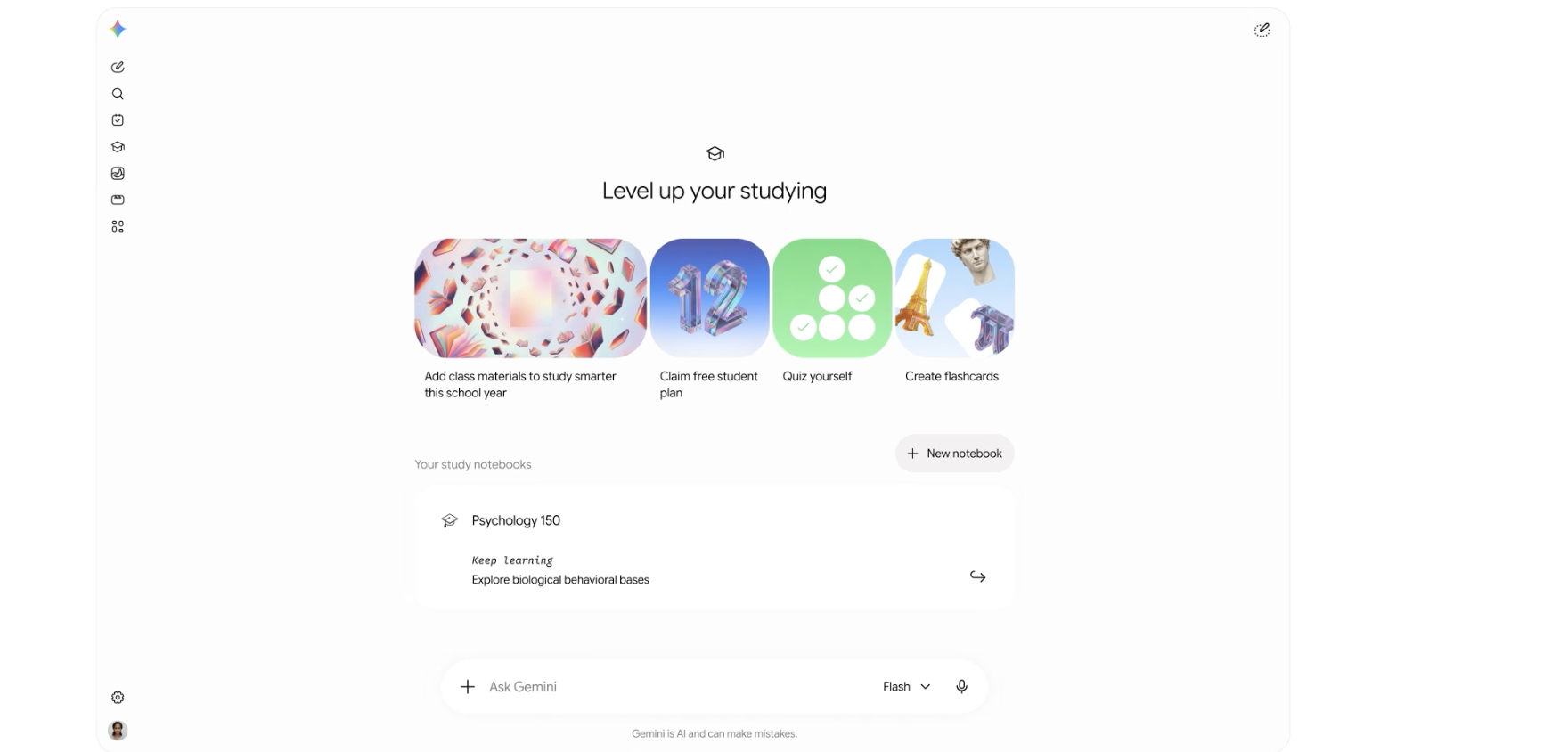
Gemini's new student-focused platform for educational organization, including study notebooks, flashcard creations, practice quizzes, and more.
.avif)
ChefGPT: AI-Generated Meal Plans

Your personal journal for reflection and growth.

Get access to all our AI courses, hundreds of real-world AI use cases, live expert-led workshops, an exclusive network of AI early adopters, and more.
Get unlimited access to all of our current & upcoming industry-specific AI courses for the duration of your subscription.
To keep up with the rapid pace of AI, our team publishes AI implementation guides daily. Our library contains 300+ practical use cases to automate real-world work.
Join weekly, live, interactive sessions with industry leaders who are at the forefront of AI for hands-on implementation guidance and exclusive insights.
Network with an exclusive community of AI-first professionals who are working smarter with AI. Learn how early adopters are using AI in their work and businesses.