Existing Alexa households
Extend familiar Alexa conversations, lists, calendars, devices, and personalization to the browser.
Independent tool overview
Alexa.com is the browser interface for Alexa+, Amazon's generative-AI personal assistant. It carries conversations and personalization across the web, Alexa app, Echo, Fire TV, and compatible devices while adding research, planning, content creation, smart-home control, shopping, reservations, and other actions.
Visit the official Alexa.com site ↗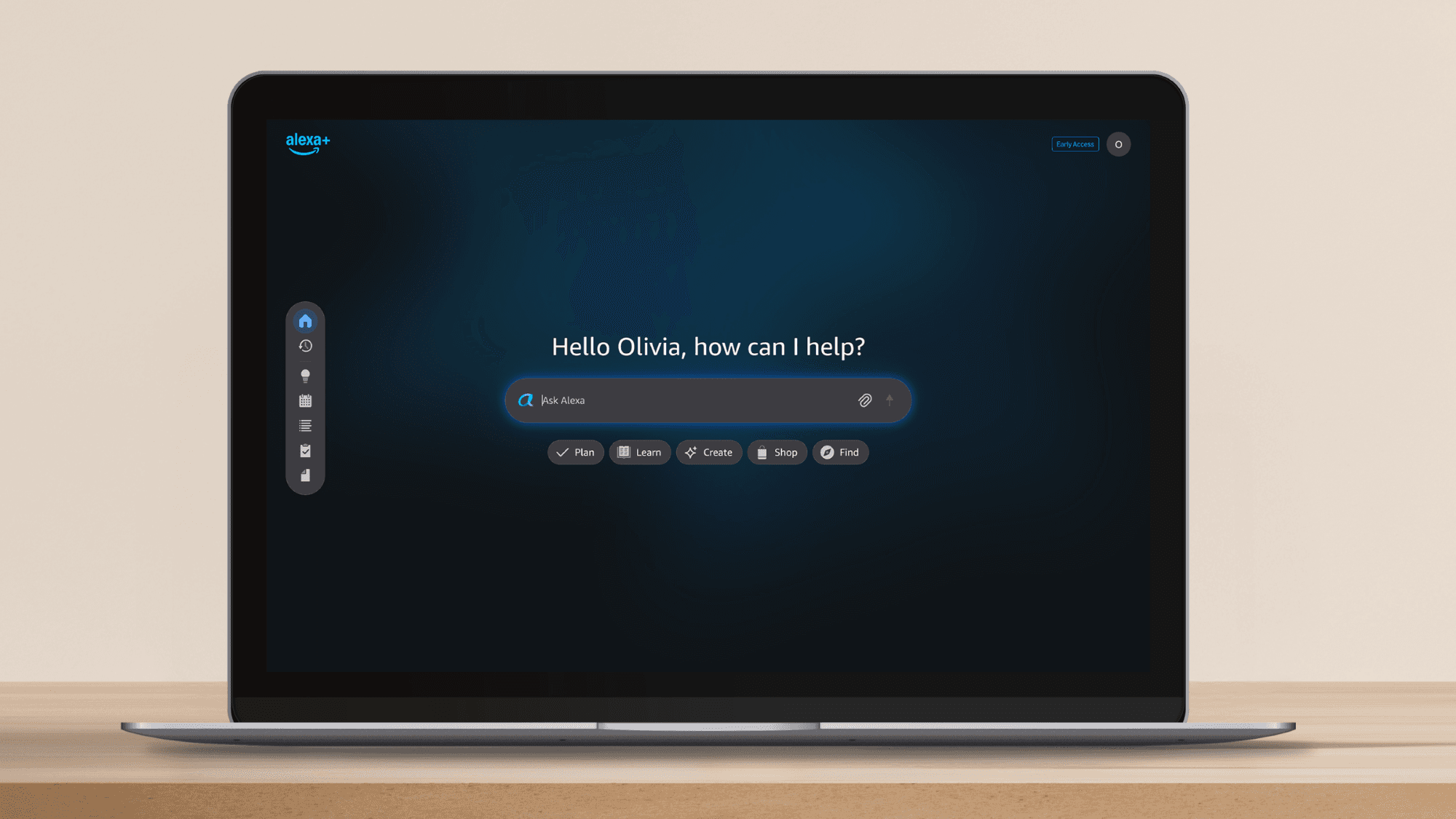
Overview
Alexa.com brings Amazon's Alexa+ assistant to a keyboard-and-screen workflow. Users can ask questions, research a topic, upload material, draft content, create images, build checklists, and plan events or trips without starting from a smart speaker.
Its main advantage is continuity across the Amazon ecosystem. A conversation can begin in the browser, continue in the Alexa mobile app, and carry over to compatible Echo or Fire TV devices with history, preferences, household context, shopping, entertainment, calendar, and smart-home connections available where supported.
Alexa+ can take actions, not just generate answers, which also raises the stakes of mistakes. Review purchases, reservations, messages, calendar changes, and home controls before confirming them; restrict household profiles and connected services appropriately; and use the Alexa Privacy dashboard to inspect history, attachments, permissions, and retention settings.
Use cases
The strongest fit depends on the job you need the product to complete, not the size of its feature list.
Extend familiar Alexa conversations, lists, calendars, devices, and personalization to the browser.
Use the full Alexa+ experience without adding a separate assistant subscription.
Research and plan on a larger screen while retaining access to compatible connected-home controls and routines.
Coordinate calendars, lists, meal ideas, events, errands, reservations, and shared preferences across interfaces.
Start a detailed task on the web and resume it through mobile, voice, Echo, or Fire TV where the feature is supported.
Capabilities
Use Alexa+ from a desktop browser for research, planning, writing, images, and longer typed conversations.
Carries conversation history and personalization among Alexa.com, the Alexa app, Echo, Fire TV, and compatible devices.
Handles follow-ups, topic changes, and less rigid phrasing than the command-oriented original Alexa experience.
Answers questions, explores complex topics, summarizes supported files, drafts messages, and creates content or images.
Builds itineraries, checklists, meal plans, invitations, reminders, to-dos, and family-calendar updates.
Can use supported services to shop, book reservations, order services, manage entertainment, and complete other tasks.
Works with compatible devices and routines for lights, locks, temperature, cameras, and other home experiences.
Provides controls for reviewing requests and recordings, shared attachments, permissions, and supported deletion or retention settings.
Process
Step 1
Use the household profile tied to the intended devices, lists, services, calendar, and Prime entitlement.
Step 2
Check history retention, voice settings, attachments, household profiles, skill permissions, and linked third-party services before broad use.
Step 3
Ask Alexa+ to research, plan, summarize, or draft first so you can evaluate answer quality without changing external systems.
Step 4
Provide constraints, dates, participants, budget, dietary needs, device names, or source files, while avoiding unnecessary sensitive information.
Step 5
Confirm the item, price, date, recipient, address, reservation terms, calendar, or device before Alexa+ sends or changes anything.
Step 6
Move to mobile, Echo, Fire TV, or another compatible device when voice, mobility, entertainment, or home control better suits the next step.
Cost
In the United States, non-Prime customers can use a limited free Alexa+ chat experience on Alexa.com and in the Alexa app. Full, unlimited Alexa+ is included with Prime at no additional charge or costs $19.99 per month as a standalone subscription. Availability, pricing, and individual features vary by country and device.
Free
Limited text-based web and app access for US customers without Prime.
Included with Prime
Full Alexa+ capabilities for the household across supported interfaces and devices.
$19.99/month in the US
Full Alexa+ access for customers who do not use Prime.
Pricing checked . Check current pricing at the source ↗
Assessment
Compare
The right alternative depends on the specific output, workflow, controls and budget your project requires.
Business Operations
A broad standalone assistant with strong writing, analysis, coding, file, voice, and research workflows outside the Amazon device ecosystem.
Explore ChatGPT →Content Creator
A natural fit for users centered on Google services, Android, Search, Gmail, Drive, and Google Home.
Explore Gemini →Data Analysis
A research-first alternative for web answers where prominent source links and rapid fact-finding matter more than smart-home actions.
Explore Perplexity →Questions
Alexa.com is Amazon's browser interface for Alexa+, its generative-AI personal assistant. It supports typed and voice conversations, research, planning, creation, and supported actions.
No. The current Alexa.com experience is Amazon's Alexa+ assistant on the web, not the discontinued Alexa Internet traffic-ranking product.
In the US, full Alexa+ costs $19.99 per month or is included at no additional cost with Prime. A limited free chat experience is available to non-Prime customers on the web and in the app.
No. The browser experience works without an Echo, though compatible Alexa devices unlock the cross-device voice, entertainment, and smart-home benefits.
It can answer questions, research topics, work with supported files, draft content, create images, plan trips or events, manage lists and calendars, and initiate supported actions.
Yes. Amazon says conversations, preferences, and personalization can carry across Alexa.com, the Alexa app, Echo, Fire TV, and other compatible devices.
The Alexa Privacy dashboard lets users review voice recordings, transcripts, typed requests, attachments, and supported retention or deletion settings. Some related records and third-party data may be retained separately.
Yes, it has expanded to multiple countries, but launch phase, price, language, browser availability, devices, services, and features differ by market.
Bottom line
Alexa.com is most valuable as the screen-based extension of an existing Amazon household, not merely another chatbot tab. Prime inclusion and continuity with Echo, Fire TV, calendars, shopping, entertainment, and smart-home devices create a practical advantage that standalone assistants cannot fully copy. Users outside that ecosystem should compare the $19.99 subscription against stronger specialist options and weigh the convenience of persistent household context against its privacy and action-confirmation responsibilities.
Visit Alexa.com website ↗
MiMo-V2-Flash - Xiaomi's powerful open-weights reasoning model
LFM 2.5 - Liquid AI’s new AI model family for on-device speed and efficiency

Chatterbox Turbo - Resemble AI's fast, expressive, open-source text-to-speech model

FalconH1R 7B - TII's small hybrid reasoner that outperforms rivals up to 7x its size on math and coding benchmarks while running at double the inference speed.

Get access to all our AI courses, hundreds of real-world AI use cases, live expert-led workshops, an exclusive network of AI early adopters, and more.
Get unlimited access to all of our current & upcoming industry-specific AI courses for the duration of your subscription.
To keep up with the rapid pace of AI, our team publishes AI implementation guides daily. Our library contains 300+ practical use cases to automate real-world work.
Join weekly, live, interactive sessions with industry leaders who are at the forefront of AI for hands-on implementation guidance and exclusive insights.
Network with an exclusive community of AI-first professionals who are working smarter with AI. Learn how early adopters are using AI in their work and businesses.