Small-business FAQ bots
Answer common product, policy, pricing, or service questions from a maintained set of approved sources.
Independent tool overview
Zapier Chatbots is a no-code product for creating branded AI chat experiences, grounding them in selected knowledge, embedding them on a site, collecting leads, and handing conversation events to Zapier automations. Its key advantage is the surrounding Zapier ecosystem, not a claim that the chatbot can answer reliably without testing and guardrails.
Visit the official AI Chatbot on Zapier site ↗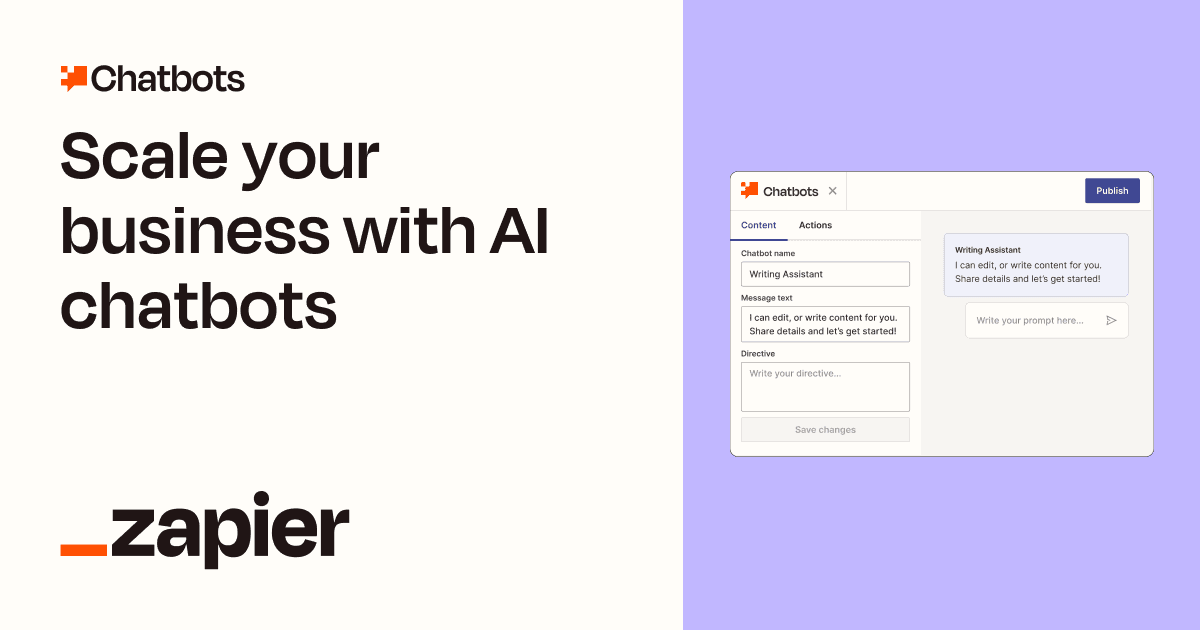
Overview
A Zapier Chatbot has a directive, greeting, visual style, model, creativity setting, knowledge sources, and optional logic. Builders can share it by public link, embed it on a website on paid plans, place it in Zapier Forms, collect contact information, display buttons or scheduling, and trigger Zaps from button clicks or completed conversations.
That automation layer is what distinguishes the product. A chat can create a lead, save a transcript, notify a team, schedule a meeting, or connect to thousands of apps through a separately configured Zap. It also expands the risk surface: the builder must control what conversation data leaves the chatbot, which downstream actions can occur, how consent and disclosures work, and what happens when the model gives a wrong answer or a Zap runs twice.
Use cases
The strongest fit depends on the job you need the product to complete, not the size of its feature list.
Answer common product, policy, pricing, or service questions from a maintained set of approved sources.
Collect contact details, ask screening questions, route qualified prospects, and create records through Zaps.
Give a team a conversational interface to selected operational or training material with appropriate access controls.
Offer scheduling, links, contact collection, or a clear transition to a person based on the conversation.
Add conversational input to an existing automation stack without adopting a separate agent platform.
Capabilities
Defines the chatbot's role, audience, objectives, behavior, opening message, and response boundaries.
Grounds answers in supported files, webpages, or Zapier Tables, with plan-dependent source limits.
Adjusts colors, icons, creativity, and other presentation settings; Advanced can remove Zapier branding.
Shares a chatbot directly, inside supported Zapier surfaces, or as a website embed on paid plans.
Paid plans can collect user details and store them in a Zapier Table for follow-up.
Adds Zap buttons, post-conversation Zaps, links, lead capture, scheduling, and suggested questions.
Passes transcript and metadata to workflows that create records, send notifications, or continue a business process.
A Zap can send messages from email, support, or messaging apps through the chatbot and return the generated reply.
Supports conversation history, feedback events, transcript collection, and performance review according to plan and configuration.
Free includes listed Zapier models; paid builders can connect an API key to access additional supported models and context limits.
Process
Step 1
Define the audience, permitted questions, authoritative sources, prohibited advice, human escalation, retention, and measurable success criteria.
Step 2
Require source-grounded answers, explicit uncertainty, no invented policies or pricing, brief responses, and a handoff when evidence is missing.
Step 3
Use owned, current, permissioned material; remove secrets and personal data, test retrieval, and assign an owner and refresh schedule to every source.
Step 4
Collect only necessary fields, disclose what will happen, and make consequential Zaps explicit button actions or reviewed post-conversation steps.
Step 5
Run ordinary, ambiguous, hostile, privacy, prompt-injection, duplicate-event, outage, and escalation cases through the chatbot and every downstream Zap.
Step 6
Monitor unsupported answers, feedback, handoffs, conversion, cost, task usage, transcripts, data access, and automation errors; maintain a quick disable and rollback path.
Cost
Zapier lists a Free Chatbots plan, Pro at $13.33/month billed annually, Advanced at $66.67/month billed annually, and Custom for more than 20 chatbots. Chatbots are a separate Zapier product layer; connected Zap usage, premium apps, an external model API key, and other Zapier products can affect total cost.
$0/month
For trying basic public-link chatbots without the paid embedding and knowledge scale.
$13.33/month billed annually
For website chatbots trained on business material and used for lead capture.
$66.67/month billed annually
For more chatbots, more sources, and an unbranded customer experience.
Contact sales
For organizations requiring more than the standard 20-chatbot allowance or negotiated scope.
Pricing checked . Check current pricing at the source ↗
Assessment
Compare
The right alternative depends on the specific output, workflow, controls and budget your project requires.
Business Operations
A stronger fit for teams that need deeper conversation design, testing, and multi-channel agent workflows.
Explore Voiceflow →Business Operations
A developer-oriented option for integrating custom conversational experiences into products.
Explore ChatBotKit →Content Creator
Better for creators who want branded workspaces, user access tiers, and built-in monetization for AI tools.
Explore Pickaxe →Marketing
More suitable when the core need is an operational CRM and native WhatsApp, SMS, email, and RCS engagement stack.
Explore Zixflow →Questions
Zapier Chatbots is a no-code builder for branded AI chat experiences that can use selected knowledge, collect leads, embed on websites, and trigger automations through Zapier.
Free is $0, Pro is $13.33/month billed as $160 annually, Advanced is $66.67/month billed as $800 annually, and Custom is sales-led. Connected automations and external model usage may add costs.
Current pricing lists website embedding on Pro, not as a Free feature. Free supports two chatbots and public sharing for testing.
Paid plans can connect plan-dependent knowledge sources such as supported text files, webpages, or Zapier Tables. Keep sources current and test whether the correct information is retrieved for real questions.
Logic can trigger a Zap from a button or after a conversation, passing transcript and metadata to downstream steps. Zaps can then create records, notify people, send messages, or perform other configured actions.
Pro and above list lead collection. The builder should disclose the purpose, collect only necessary fields, secure the resulting records, and honor privacy and deletion obligations.
Yes, a Zap can send a message into the Chatbots Generate Reply action and return the response to a supported channel. This requires careful consent, channel-policy, conversation-key, review, and failure handling.
It can be deployed safely only with appropriate controls. Limit data and permissions, treat user input and knowledge as untrusted, avoid autonomous consequential actions, test prompt injection and duplicate events, and maintain human escalation.
Bottom line
Zapier Chatbots is a sensible option for a narrow website assistant when the business already runs on Zapier and wants chat events to feed real workflows. The low Pro entry price is attractive, but the useful product is the whole system: curated knowledge, explicit logic, secure Zaps, consent, monitoring, and a human handoff. Do not connect a broad, untested bot directly to consequential actions.
Visit AI Chatbot on Zapier website ↗
Get access to all our AI courses, hundreds of real-world AI use cases, live expert-led workshops, an exclusive network of AI early adopters, and more.
Get unlimited access to all of our current & upcoming industry-specific AI courses for the duration of your subscription.
To keep up with the rapid pace of AI, our team publishes AI implementation guides daily. Our library contains 300+ practical use cases to automate real-world work.
Join weekly, live, interactive sessions with industry leaders who are at the forefront of AI for hands-on implementation guidance and exclusive insights.
Network with an exclusive community of AI-first professionals who are working smarter with AI. Learn how early adopters are using AI in their work and businesses.


