Startups and small teams
Teams that want polished lead, feedback, application, or registration forms without response caps on the free tier.
Independent tool overview
Weavely is a standalone AI form builder that creates and edits forms from text, voice, documents, images, and existing forms. Its unusually broad free tier includes unlimited forms and responses, while the paid plan focuses on branding, domains, multilingual forms, and spam protection; sensitive-data and compliance requirements still need separate review.
Overview
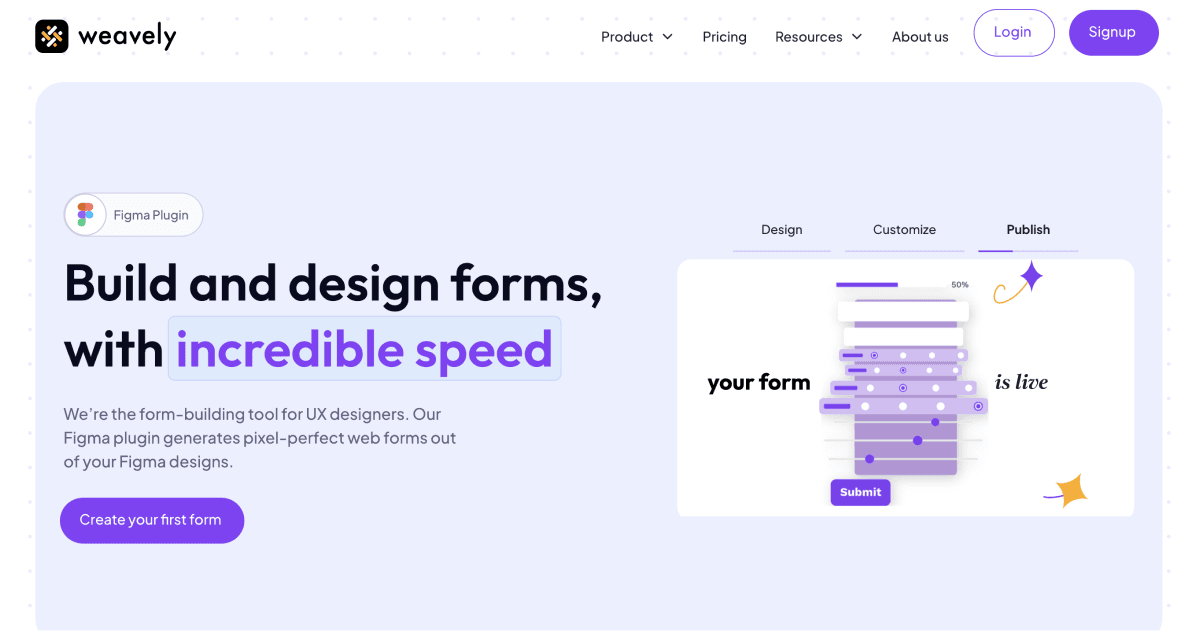
Weavely began as a way to design and publish forms from Figma, but the current product is a broader browser-based AI form builder. Users can describe a form, dictate it, upload a PDF, slide, image, or screenshot, and then continue editing questions, pages, styles, and conditional logic through conversation.
The product supports multi-page forms, answer piping, calculations, scoring, quizzes, lead qualification, signatures, file uploads, saved progress, password protection, custom HTML, email notifications, pop-ups, analytics, and AI-generated response insights. Forms can be shared by link or QR code, embedded on a site, or connected to CRM, spreadsheet, knowledge, and automation tools.
Weavely also supports Stripe-hosted checkout for donations, one-time purchases, and subscriptions. Respondents leave for Stripe Checkout, money goes to the connected Stripe account, and Weavely records the payment result alongside the form response.
The free plan's unlimited forms and submissions are attractive, but teams should evaluate the platform by data sensitivity rather than response volume alone. Weavely's own recent material says it is not HIPAA compliant, paid reCAPTCHA is needed for built-in bot filtering, and AI-generated questions, logic, translations, scores, and analysis require human testing.
Use cases
The strongest fit depends on the job you need the product to complete, not the size of its feature list.
Teams that want polished lead, feedback, application, or registration forms without response caps on the free tier.
Users creating surveys, quizzes, lead qualification, and campaign forms with branching and integrations.
People embedding custom forms in Framer, Carrd, Google Sites, Figma Sites, or another website.
Teams converting an approved document or rough spoken brief into a testable form before manually reviewing the questions and logic.
Capabilities
Builds and revises form content, pages, logic, and styling from natural-language instructions.
Extracts structure and design cues from PDFs, slides, screenshots, and images to create a starting form.
Supports conditional display, page skipping, answer piping, calculations, scores, and categorized outcomes.
Includes file uploads, signatures, ratings, media, custom HTML, saved progress, and confirmation messages.
Generates summaries, charts, trends, and prompted insights from collected responses.
Routes submissions to services such as Google Sheets, Airtable, Notion, HubSpot, Salesforce, Zapier, Make, Slack, and webhooks.
Provides hosted pages, website embeds, pop-ups, themes, custom previews, and paid custom domains.
Redirects respondents to a connected Stripe Checkout flow for donations, purchases, or recurring subscriptions.
Process
Step 1
Specify the decision the form supports, its audience, required fields, retention period, consent text, and which information should not be collected.
Step 2
Prompt Weavely or upload a sanitized document or image that excludes secrets and unnecessary personal, health, financial, or client data.
Step 3
Check for leading language, double-barreled questions, inaccessible instructions, missing answer choices, and AI-invented requirements.
Step 4
Exercise every branch, calculation, required field, result band, error state, and save-and-return path with representative test cases.
Step 5
Add notices and consent where required, restrict access, enable paid reCAPTCHA for public forms, minimize integrations, and define deletion and incident procedures.
Step 6
Use test records and Stripe test mode where applicable; confirm field mapping, duplicate handling, webhook authentication, refunds, taxes, and failed-payment behavior.
Step 7
Test keyboard navigation, labels, contrast, error announcements, mobile layout, translations, embeds, and loading performance.
Step 8
Start with a limited audience, review real and spam submissions, reconcile payment records, audit downstream data, and update the form when evidence exposes friction.
Cost
Weavely advertises unlimited forms and responses on the free plan. Pro was listed at €20 per month or €180 per year and unlocks the paid branding, custom-domain, multilingual, and spam-protection capabilities described on current product pages.
€0
Core form creation with Weavely branding.
€20/month
For branded production forms and paid controls.
€180/year
The annual version of Pro shown on Weavely's current site.
Pricing checked . Check current pricing at the source ↗
Assessment
Compare
The right alternative depends on the specific output, workflow, controls and budget your project requires.
Marketing
Consider SurveyMonkey AI when a mature survey platform, research controls, and established enterprise administration matter more than unlimited free responses.
Explore SurveyMonkey AI →Data Analysis
Consider Survicate AI Surveys when website, product, and customer-feedback programs are the primary use case.
Explore Survicate AI Surveys →Marketing
Consider Poll the People when the goal is rapid audience testing and comparative feedback rather than hosting a general-purpose operational form.
Explore Poll the People →Questions
Weavely is an AI form builder for generating, editing, publishing, integrating, and analyzing forms, surveys, quizzes, lead flows, and payment forms.
No. Figma publishing remains one option, but the current core product is a standalone browser form builder that accepts prompts, voice, documents, and images.
Its current pages advertise unlimited forms and unlimited responses on the free plan, including many AI and integration features. Free published forms retain a Weavely badge.
Pro was €20 per month or €180 per year when reviewed on September 1, 2026. Verify tax and checkout terms for your region.
Current product material associates Pro with removing Weavely branding, a custom domain, brand kit, custom link preview, AI multilingual forms, and reCAPTCHA spam protection.
Yes. It can use a PDF, slide, screenshot, image, Google document or sheet, and imported forms as a starting point. Review the extracted questions and logic before publishing.
Yes. A form can redirect to Stripe Checkout for a donation, one-time purchase, or subscription. Funds go to the connected Stripe account, where refunds and financial reporting are managed.
No, according to Weavely's recent 2026 comparison content. Do not collect protected health information without an approved compliant architecture and appropriate agreements.
Its built-in reCAPTCHA v3 control requires a paid plan. Regardless of tier, monitor the spam queue, rate and quality of submissions, and downstream automations.
A signature field captures an input, but enforceability depends on identity, consent, records, jurisdiction, and the transaction. Get qualified legal review for important agreements.
Yes. Smart Insights can generate reports and prompted analysis. Always compare them with raw responses, sample size, collection method, and meaningful subgroups.
Test every logic branch, calculation, score, integration, email, redirect, payment state, mobile layout, keyboard path, language, consent notice, spam control, and deletion workflow.
Bottom line
Weavely is a strong low-cost option for teams that want AI-assisted form creation without response caps. Its modern generation inputs, advanced logic, broad integrations, and €20 Pro plan make it especially attractive for marketing and general business forms. The choice becomes more cautious for sensitive or mission-critical collection: it is not HIPAA compliant, built-in spam protection is paid, and AI-generated questions, insights, signatures, payments, and integrations all require deliberate human testing and governance.

Get access to all our AI courses, hundreds of real-world AI use cases, live expert-led workshops, an exclusive network of AI early adopters, and more.
Get unlimited access to all of our current & upcoming industry-specific AI courses for the duration of your subscription.
To keep up with the rapid pace of AI, our team publishes AI implementation guides daily. Our library contains 300+ practical use cases to automate real-world work.
Join weekly, live, interactive sessions with industry leaders who are at the forefront of AI for hands-on implementation guidance and exclusive insights.
Network with an exclusive community of AI-first professionals who are working smarter with AI. Learn how early adopters are using AI in their work and businesses.