Teams already using SurveyMonkey
Organizations that want creation and analysis assistance without exporting feedback into a separate AI product.
Independent tool overview
SurveyMonkey AI is the current home of the AI-assisted survey features previously promoted under the SurveyMonkey Genius name, spanning survey creation, design checks, response quality and results analysis.
Visit the official SurveyMonkey AI site ↗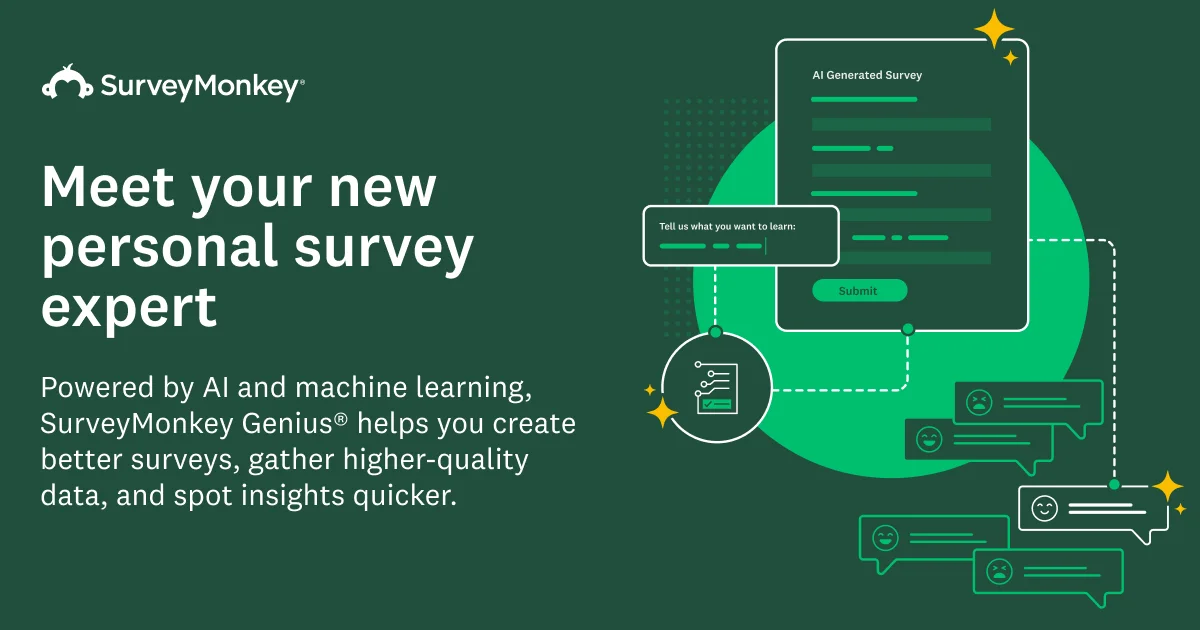
Overview
SurveyMonkey Genius has evolved into SurveyMonkey AI rather than disappearing. The former Genius page now leads to SurveyMonkey's current AI feature hub, while individual names such as Answer Genius remain in the product. This review follows the active successor and keeps the original slug so existing visitors can understand the change.
The product combines generative tools such as Build with AI and Analyze with AI with SurveyMonkey's own recommendation and machine-learning systems. It is most useful when a team wants AI assistance inside the same platform used to design, distribute and analyze surveys—not when it needs a standalone chatbot or fully automated research judgment.
Use cases
The strongest fit depends on the job you need the product to complete, not the size of its feature list.
Organizations that want creation and analysis assistance without exporting feedback into a separate AI product.
Marketers, researchers and operators who need an editable first survey from a plain-language goal.
Teams with enough comments to benefit from themes, sentiment, quality checks and conversational analysis.
Non-specialists who want recommended question types, answer scales and checks informed by survey-design practices.
Capabilities
Creates an editable survey from a prompt describing the goal and audience; SurveyMonkey lists it as available on all plans.
Converts pasted survey text into structured questions and appropriate question types.
Question-type prediction suggests a format as the user types, while Answer Genius can supply research-informed answer sets and scales.
Flags design issues and, on eligible paid plans, can derive a polished theme from a logo, image or color.
Lets eligible users ask natural-language questions about results and receive charts, segments, summaries and explanations.
Groups open-ended responses into themes and classifies sentiment, subject to feature-specific plan, language and regional requirements.
Flags patterns such as gibberish, speeding or straight-lining so researchers can inspect and filter suspect responses.
Process
Step 1
Write down what decision the survey must support, the target population and how the sample will be recruited.
Step 2
Use Build with AI or import an existing questionnaire, then inspect every question and proposed answer set.
Step 3
Apply Survey Tips and Answer Genius selectively, but have a knowledgeable researcher check leading language, overlapping choices and missing options.
Step 4
Test logic, mobile presentation, completion time and interpretation with a small representative group before broad distribution.
Step 5
Choose collector and anonymity settings deliberately and tell respondents what data is collected, why and how AI may be used.
Step 6
Use AI to surface questions and themes, then confirm claims against the underlying responses, sample design and conventional analysis.
Cost
SurveyMonkey AI is included within SurveyMonkey plans rather than sold as a separate add-on. Core creation aids are available on all plans, while analysis, collaboration, response limits and advanced controls depend on the selected plan. Prices below are the current U.S. list prices displayed on the official site.
$0
Free survey creation with core AI-assisted building and limited collection.
$46–$139/mo annual; Standard $99/mo
Paid individual access with higher limits and progressively more design, export and analysis features.
$30/user/mo annual
Collaborative plan with shared brand assets and advanced analysis.
$92/user/mo annual
Higher-response team plan with more branding, logic and research controls.
Custom
Sales-priced deployment with governance, security, integrations and regional data-center options.
Pricing checked . Check current pricing at the source ↗
Assessment
Compare
The right alternative depends on the specific output, workflow, controls and budget your project requires.
Data Analysis
Choose Survicate AI Surveys when feedback collection across websites and products is the central workflow.
Explore Survicate AI Surveys →Marketing
Choose Poll the People when the priority is rapid audience testing and market-research feedback.
Explore Poll the People →Marketing
Choose Kraftful Surveys for a lighter custom-GPT workflow focused on drafting product-feedback surveys.
Explore Kraftful Surveys GPT →Questions
Its capabilities are active, but SurveyMonkey now presents the broader suite under the SurveyMonkey AI name. The old Genius page leads to the current AI feature hub, while names such as Answer Genius still appear for individual features.
Some features are. SurveyMonkey lists Build with AI, AI-powered import, question-type prediction, Answer Genius and Survey Tips on all plans. Advanced analysis and other capabilities require eligible paid plans.
SurveyMonkey does not list a separate AI add-on price. Access is bundled by plan, but response limits, overage charges and plan-specific feature gates still apply.
SurveyMonkey has moved the former umbrella page to its current SurveyMonkey AI hub. The change is best understood as a product-family rename and expansion, not as the service shutting down.
Yes. Build with AI generates an editable questionnaire from a description of the survey goal. A human should still review wording, scales, logic, consent language and sampling before launch.
Eligible accounts can use Analyze with AI, Thematic Analysis and Sentiment Analysis. Thematic Analysis has specific plan, language, response-count, data-center and sensitive-data restrictions.
SurveyMonkey says the OpenAI, Azure OpenAI and Anthropic providers used by the documented AI features do not train their models on customer data sent for those features.
Survey creation features can share prompts and an encrypted user ID. Survey Insights can share the survey title, questions, response data and user prompts. Thematic Analysis processes question and response text and masks some common sensitive data types.
Some Team and Enterprise accounts have administrator settings for creation AI, sentiment, response quality, survey insights and thematic analysis. Availability depends on the account.
No. It can accelerate discovery, charts and theme coding, but sampling quality, bias, statistical interpretation and consequential conclusions still require qualified human judgment.
Bottom line
SurveyMonkey AI is a strong upgrade path for teams that already want SurveyMonkey's collection, collaboration and analysis environment. The renamed suite offers useful free creation aids and more substantial paid analysis tools, but buyers should choose a plan based on response volume, governance and exact feature availability—not the AI label alone. Treat generated questions and insights as reviewable research assistance rather than automatic evidence.
Visit SurveyMonkey AI website ↗
Get access to all our AI courses, hundreds of real-world AI use cases, live expert-led workshops, an exclusive network of AI early adopters, and more.
Get unlimited access to all of our current & upcoming industry-specific AI courses for the duration of your subscription.
To keep up with the rapid pace of AI, our team publishes AI implementation guides daily. Our library contains 300+ practical use cases to automate real-world work.
Join weekly, live, interactive sessions with industry leaders who are at the forefront of AI for hands-on implementation guidance and exclusive insights.
Network with an exclusive community of AI-first professionals who are working smarter with AI. Learn how early adopters are using AI in their work and businesses.


.png)
