Marketing teams
Create on-brand presentations, reports, one-pagers and social assets from a shared workspace.
Independent tool overview
Visme is an all-in-one visual communication platform whose AI Designer turns prompts, documents or links into editable first drafts for presentations, documents, print materials and social graphics.
Visit the official Visme site ↗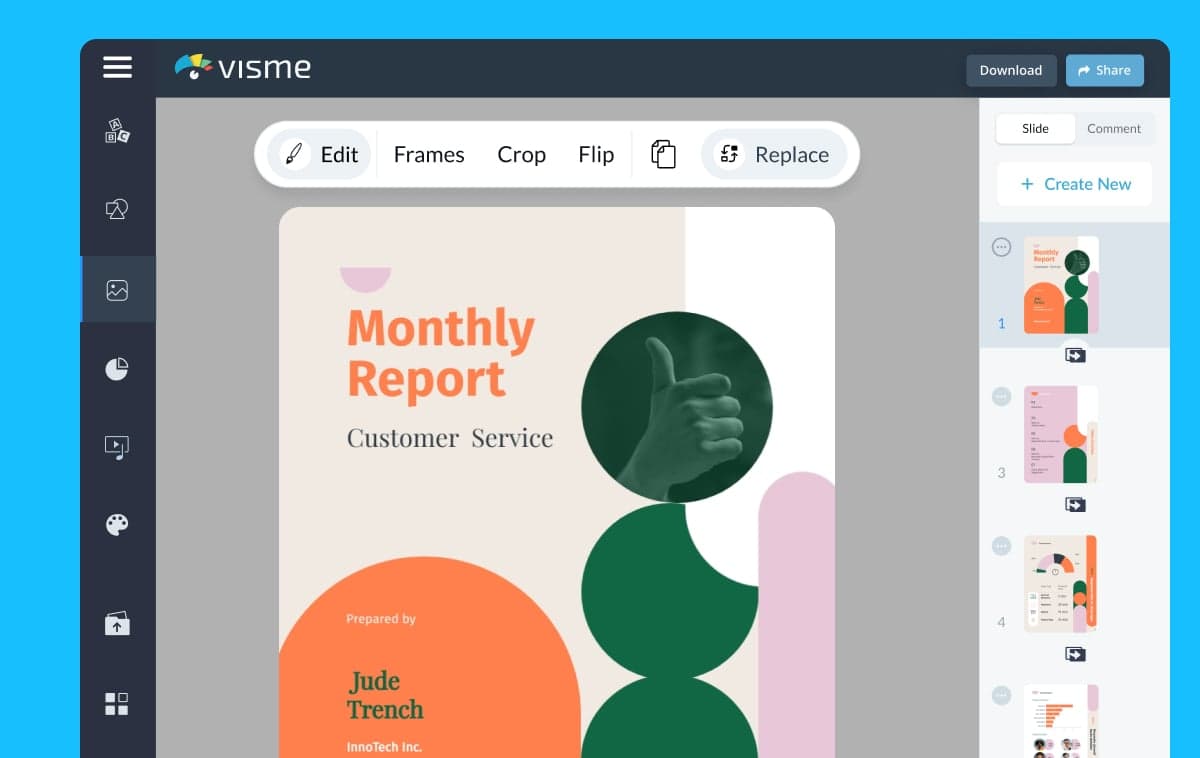
Overview
Visme combines AI generation with a full visual editor. Its AI Designer asks questions about the project, proposes styles, and creates an editable layout rather than only returning a flat image.
The generator supports more than 100 project types across presentations, documents, newsletters, printables and social graphics. Users can start from a prompt or source text from one supported document or web link, then revise copy, imagery, fonts, colors and layout in Visme.
The broader Visme platform also covers charts, data widgets, infographics, whiteboards, forms, videos, interactivity, brand management and collaboration. Not all of those formats can be created directly by AI Designer, so buyers should distinguish the generator's limits from the capabilities of the manual editor.
Use cases
The strongest fit depends on the job you need the product to complete, not the size of its feature list.
Create on-brand presentations, reports, one-pagers and social assets from a shared workspace.
Produce polished visual communication without maintaining several specialized design tools.
Build slides, handouts and interactive learning materials from an initial AI draft.
Combine generated layouts with Visme's manually configured charts, maps and data widgets.
Capabilities
Describe a project, answer the chatbot's questions and select a suggested style to create an editable first draft.
Use text from one supported PDF, DOCX file or accessible web link as source material for a generated design.
Revise text, layout, fonts, colors, photos, video and graphics after generation.
Apply logos, fonts and color systems through Visme's Brand Kit and Brand Wizard features where the plan supports them.
Create slide decks, proposals, reports, newsletters, ebooks and other multi-page visual content.
Generate graphics for common social platforms plus flyers, posters and other printable formats.
Add charts, graphs, maps and data widgets manually in the broader editor.
Add clickable elements, hotspots, pop-ups, embedded media and animation to supported projects.
Publish online or export in formats that depend on the plan, including image, PDF, PPTX, video, GIF and HTML5 options.
Process
Step 1
Choose the audience, format, goal, required sections, source material and desired call to action.
Step 2
Open Generate with AI, select the project type, provide a detailed prompt and choose a suggested visual direction.
Step 3
Verify every claim, replace generic copy and confirm the structure reflects the real message rather than the AI's assumptions.
Step 4
Add approved brand assets, original visuals and correctly configured charts or data widgets.
Step 5
Test readability, accessibility, links, animation and the target export format before sharing or publishing.
Cost
Visme offers Basic for free, Starter at $12.25 per person per month and Pro at $24.75 per person per month when billed annually. Enterprise is custom from 10 users. AI Designer uses credits: 10 on Basic, 200 on Starter, 500 on Pro and unlimited on Enterprise; a design generation costs 3 credits.
$0
A free plan for trying the editor and AI workflow.
$12.25/person/month billed annually
For individual creators who need premium assets and standard exports.
$24.75/person/month billed annually
For branding, analytics, richer exports and deeper control.
Custom, from 10 users
For organizations requiring governance, security and onboarding.
Pricing checked . Check current pricing at the source ↗
Assessment
Compare
The right alternative depends on the specific output, workflow, controls and budget your project requires.
Design
A broader mainstream design ecosystem with a large template, collaboration and AI feature set.
Explore Canva AI →Consulting
A faster, presentation-and-document-first alternative with a simpler AI-native publishing workflow.
Explore Gamma →Marketing
A useful option when presentation generation should stay inside the Google Gemini workflow.
Explore Gemini Canvas →Questions
It is Visme's guided generator for creating editable presentations, documents, printables and social graphics from prompts, supported files or links.
Yes. The Basic plan is free and includes 10 AI credits. Paid annual plans start at $12.25 per person per month.
Each full design generation costs 3 credits. Visme lists 10 credits on Basic, 200 on Starter, 500 on Pro and unlimited credits on Enterprise.
It supports more than 100 types of presentations, documents, newsletters, print materials and social graphics, with a maximum of 10 pages per generated project.
Not directly. The AI generator cannot create or modify charts, graphs, diagrams or infographics, but users can add data visualizations manually in Visme's editor.
Yes, with limits. Visme supports text sourcing from one PDF or DOCX file up to 5 MB and 10 pages, or one accessible link, per AI conversation.
PPTX export is included on Pro and Enterprise according to Visme's current plan comparison. Starter includes JPG, PNG and PDF exports.
It can accelerate routine first drafts, but high-stakes brand work, complex data storytelling and polished campaign systems still benefit from human design judgment.
Bottom line
Visme is a strong choice when teams want AI to accelerate the first draft but still need a serious editor for branding, data visuals, interaction and multi-format exports. Starter suits straightforward solo work; Pro is the more realistic fit for branded professional output. Choose a simpler AI presentation tool when speed matters more than design depth.
Visit Visme website ↗
Get access to all our AI courses, hundreds of real-world AI use cases, live expert-led workshops, an exclusive network of AI early adopters, and more.
Get unlimited access to all of our current & upcoming industry-specific AI courses for the duration of your subscription.
To keep up with the rapid pace of AI, our team publishes AI implementation guides daily. Our library contains 300+ practical use cases to automate real-world work.
Join weekly, live, interactive sessions with industry leaders who are at the forefront of AI for hands-on implementation guidance and exclusive insights.
Network with an exclusive community of AI-first professionals who are working smarter with AI. Learn how early adopters are using AI in their work and businesses.