Simple spot illustrations
Create a clean black-and-white drawing to accompany a document, lesson, post, or presentation.
Independent tool overview
A custom ChatGPT image assistant for making simple black-and-white sketches that blend into white backgrounds.
Visit the official Sketchy site ↗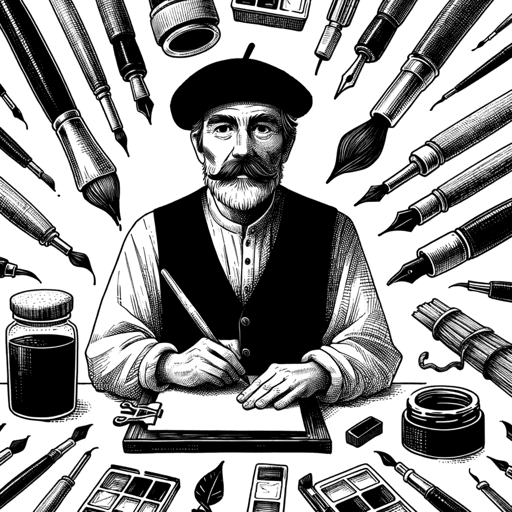
Overview
Sketchy is a custom GPT by Word.Studio that creates black-and-white sketches designed to blend into white page backgrounds. Its narrow visual brief makes it useful when a clean line-drawing look matters more than exploring many photographic or painterly styles.
You use Sketchy inside ChatGPT: describe the object or scene, generate an image, then request changes conversationally. The public GPT includes starters for subjects such as a hot-air balloon, guitar, lamp, coffee cup, and motorcycle, which indicates its strongest fit is quick single-subject illustration.
Sketchy is a preset workflow rather than a standalone design platform. It does not advertise vector export, brand-kit controls, batch generation, or an independent API, so professional users should expect to download the result and finish any precise layout or cleanup elsewhere.
Use cases
The strongest fit depends on the job you need the product to complete, not the size of its feature list.
Create a clean black-and-white drawing to accompany a document, lesson, post, or presentation.
Generate straightforward object sketches for worksheets, handouts, and classroom examples.
Turn a basic idea into a quick line-art direction before investing in a polished illustration.
Produce artwork intentionally styled to sit naturally on a white page or slide.
Capabilities
The GPT is specifically configured around black-and-white sketches rather than general-purpose image styles.
Its stated goal is to create sketches that blend cleanly into white backgrounds.
Users describe the desired subject in ordinary language instead of working through a complex graphics interface.
Follow-up messages can change the subject, composition, level of detail, or other visible characteristics.
The GPT offers example subjects that make it easy to begin without writing a detailed prompt.
Image creation and downloads happen within ChatGPT, using the access and limits attached to the user's plan.
Process
Step 1
Launch the public custom GPT in ChatGPT and sign in if requested.
Step 2
Describe the object, person, or scene and specify the important visual details.
Step 3
Start with one clear subject and a restrained composition that suits the tool's black-and-white style.
Step 4
Ask for changes such as fewer details, a different angle, stronger outlines, or more empty space.
Step 5
Save the selected image, then crop, resize, trace, or clean it up in a design tool if the project needs exact production specifications.
Cost
Sketchy does not list a separate purchase price. It runs inside ChatGPT, where GPT discovery and limited image generation are available on the Free plan; paid plans provide more image access and broader usage limits. Availability and limits can change with ChatGPT's plan rules.
Free
Includes access to discover and use GPTs plus limited, slower image generation.
Varies by plan and market
Go, Plus, Pro, Business, and Enterprise options provide differing levels of image-generation access and usage.
Pricing checked . Check current pricing at the source ↗
Assessment
Compare
The right alternative depends on the specific output, workflow, controls and budget your project requires.
Content Creator
Choose Thumbnail Sketcher when the main goal is a rough visual concept for a blog or video thumbnail.
Explore Thumbnail Sketcher (Custom GPT) →Design
Choose Image Generator GPT for broader image styles and a less narrowly defined black-and-white aesthetic.
Explore Image Generator GPT →Design
Choose Image Generation with Parameters when you want a more structured, parameter-led prompt workflow.
Explore Image Generation with Parameters →Questions
It creates black-and-white sketches intended to blend into white backgrounds from prompts entered in ChatGPT.
The public ChatGPT listing identifies Word.Studio as the creator.
Sketchy has no separate listed fee. ChatGPT's Free plan includes GPT access and limited image generation, while paid plans offer different usage levels.
The public listing does not advertise SVG or native vector export. Treat the result as a generated image unless you trace or recreate it in a vector editor.
Its stated specialty is black-and-white sketching. A general image generator is a better choice when color is central to the brief.
No. It is a custom GPT that runs inside ChatGPT and depends on ChatGPT's image features, accounts, and plan limits.
Bottom line
Sketchy is useful when you need a quick, uncomplicated black-and-white illustration for a white page and do not want to engineer the visual style from scratch. It is not a replacement for vector illustration software or a production system that needs exact, repeatable assets.
Visit Sketchy website ↗
Get access to all our AI courses, hundreds of real-world AI use cases, live expert-led workshops, an exclusive network of AI early adopters, and more.
Get unlimited access to all of our current & upcoming industry-specific AI courses for the duration of your subscription.
To keep up with the rapid pace of AI, our team publishes AI implementation guides daily. Our library contains 300+ practical use cases to automate real-world work.
Join weekly, live, interactive sessions with industry leaders who are at the forefront of AI for hands-on implementation guidance and exclusive insights.
Network with an exclusive community of AI-first professionals who are working smarter with AI. Learn how early adopters are using AI in their work and businesses.


