Engineering and business-systems teams
Build operational software quickly while retaining custom queries, JavaScript, integrations and deployment controls.
Independent tool overview
Retool is an AI-native platform for building internal apps, workflows and governed agents on top of a company's databases and APIs. It is strongest when developers and operations teams need production controls, real data access and human approval—not just a fast standalone prototype.
Visit the official Retool site ↗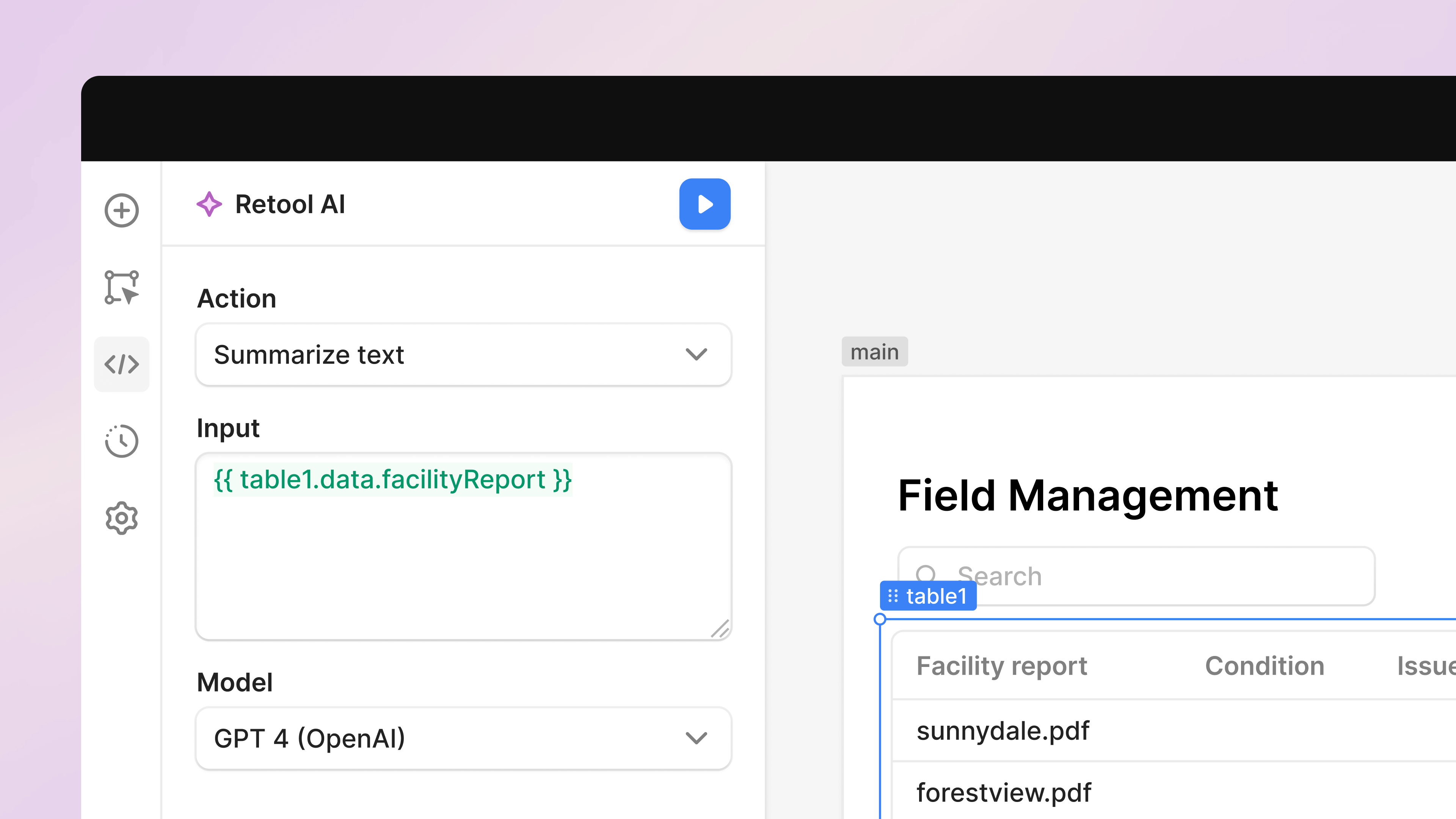
Overview
Retool now combines three related products. Its app builder generates a React-based starting point from a natural-language prompt and connects components, functions and resources. Workflows provide deterministic schedules, webhooks and business logic. Agents add model-driven planning and decisions, with tools that can query databases, call APIs, update systems and escalate to people.
This combination makes Retool useful for operational software: support consoles, approval queues, admin panels, data-review apps, reporting workflows and agents that act against existing systems of record. Teams can use Retool-hosted AI models or connect supported provider keys, depending on plan and configuration.
Retool is not the simplest option for a marketing site or disposable demo. Its value comes from resource connections, permissions, auditability, reusable queries, environments and deployment options. Those same capabilities add setup, governance and pricing complexity that a lightweight prompt-to-app builder avoids.
Use cases
The strongest fit depends on the job you need the product to complete, not the size of its feature list.
Build operational software quickly while retaining custom queries, JavaScript, integrations and deployment controls.
Create one interface or automated process across databases, APIs, ticketing, CRM and internal services.
Give agents narrowly scoped tools, human approval points, evaluations, logs and permissions before they touch production data.
Reuse existing resources, queries, workflows and access rules when adding AI instead of creating a separate agent stack.
Capabilities
Describe an application and Retool generates a React-based interface with components, themes, functions and resource connections.
Agents can reason over a task and use approved database queries, APIs, workflows, web search, email, MCP servers and other agents.
Use schedules, webhooks, code and step-based logic when a process needs predictable orchestration rather than open-ended agent behavior.
Configure which cases run automatically and which decisions pause for review or escalation.
Inspect agent activity, monitor costs and performance and run evaluations while tuning instructions, models and tool access.
Higher plans add audit logs, permissions, SSO, source control, multiple environments and cloud or self-hosted options.
Process
Step 1
Use an app for a human-facing interface, a workflow for deterministic automation and an agent only where judgment or flexible planning is needed.
Step 2
Start with staging databases, test APIs and least-privilege service credentials rather than full production access.
Step 3
Prompt the app or agent builder with the users, data, actions, success criteria and constraints, then inspect every generated connection and function.
Step 4
Move validation, permissions, spending limits and irreversible actions into explicit code, workflows or approval steps.
Step 5
Evaluate wrong inputs, prompt injection, unavailable APIs, partial writes, retries and users with different roles.
Step 6
Promote through environments, watch audit and agent activity, track credits and runtime hours and maintain a rollback path.
Cost
Retool separates seat pricing, workflow capacity, AI credits and agent runtime. The US prices below are the rates shown with annual billing selected on August 29, 2026; monthly billing can cost more. AI credits cover app generation and other AI actions, while Agents use separate hourly pricing after the included allocation. Bonus-credit offers may change.
$0
Developer exploration for up to five users.
$10/builder and $5/internal user per month, billed annually
Collaborative tier for growing teams.
$50/builder and $15/internal user per month, billed annually
Production tier with agent access, embedded apps and stronger governance.
Custom pricing
Platform plan for advanced security, deployment and scale.
Pricing checked . Check current pricing at the source ↗
Assessment
Compare
The right alternative depends on the specific output, workflow, controls and budget your project requires.
Business Operations
A better fit for operations teams that want AI-assisted business apps built around spreadsheet-like relational data.
Explore Airtable →Coding
A broader no-code alternative for building custom web applications without centering the workflow on internal developer tools.
Explore Bubble →Coding
A faster conversational option for prototypes and customer-facing apps when deep enterprise governance is not the first requirement.
Explore Lovable →Questions
Retool AI is the platform's collection of prompt-built apps, AI agents, model-powered actions and workflows connected to company data and APIs.
Yes. Retool's current app builder generates a React-based application with components, themes and functions that can connect to configured resources.
Agents use language models to plan and make flexible decisions. Workflows execute explicit step-by-step logic. Use workflows for predictable processes and agents only where judgment adds value.
Retool has a Free plan. With annual billing selected, Team starts at $10 per builder plus $5 per internal user monthly, and Business at $50 per builder plus $15 per internal user monthly. Enterprise is custom.
No. AI credits cover app building and other AI actions. Agents are billed separately by runtime hour and do not draw from the AI-credit pool.
Yes. Agents can use approved Retool queries, workflows and connected tools. Access should be limited to the minimum required resources and actions.
Yes. Retool advertises managed cloud and Enterprise self-hosted options, including more isolated deployment configurations for qualifying customers.
No. It can accelerate interface and workflow creation, but developers still need to design permissions, validate generated logic, test failure modes and maintain production integrations.
Bottom line
Retool is one of the stronger choices for AI-enabled internal software because it puts generated interfaces, deterministic workflows, agents and governance in the same system. The tradeoff is platform and billing complexity. Use it when the app must act on real business systems under explicit permissions; use a simpler builder when the goal is a disposable prototype, marketing site or standalone source-code project.
Visit Retool website ↗
Get access to all our AI courses, hundreds of real-world AI use cases, live expert-led workshops, an exclusive network of AI early adopters, and more.
Get unlimited access to all of our current & upcoming industry-specific AI courses for the duration of your subscription.
To keep up with the rapid pace of AI, our team publishes AI implementation guides daily. Our library contains 300+ practical use cases to automate real-world work.
Join weekly, live, interactive sessions with industry leaders who are at the forefront of AI for hands-on implementation guidance and exclusive insights.
Network with an exclusive community of AI-first professionals who are working smarter with AI. Learn how early adopters are using AI in their work and businesses.


