Writers who want an AI-assisted editor
Draft and revise inside a document rather than moving text back and forth between a chatbot and a writing app.
Independent tool overview
Grimo AI is a collaborative writing workspace that puts AI editing, multiple language models, research tools and prompt management inside a document editor.
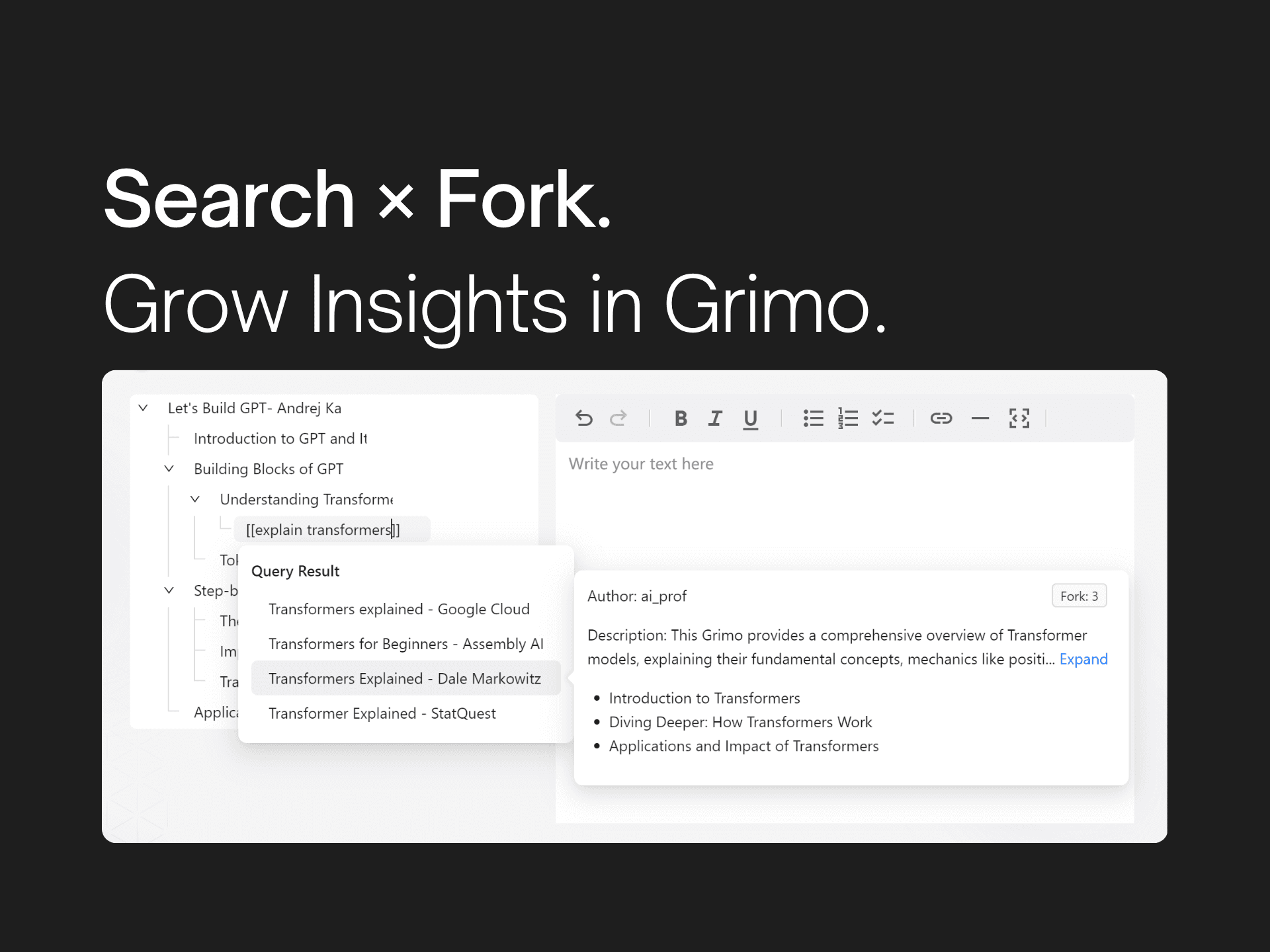
Overview
Grimo AI calls itself a "thinking editor": instead of replacing the writer with a one-click article generator, it is designed to help people draft, revise and research while they remain in control of the document. Its public beta highlights access to models from providers including OpenAI, Anthropic, Google and DeepSeek, although the exact model lineup can change.
The strongest fit is a writer, researcher or small content team that wants AI assistance and live collaboration in the same workspace. Grimo combines inline editing with voice input, web and file research, prompt management and reusable community templates. It is less compelling for anyone who needs a mature publishing system, a documented enterprise compliance package or a stable API-first workflow.
Use cases
The strongest fit depends on the job you need the product to complete, not the size of its feature list.
Draft and revise inside a document rather than moving text back and forth between a chatbot and a writing app.
Bring web search, uploaded files and other sources into the writing workflow, then verify the evidence before publishing.
Work together in real time or asynchronously without emailing document versions between contributors.
Capabilities
Use several leading AI model families to rewrite, refine or develop text from within the editor. Available models may change over time.
Search the web and work with files or Reddit material without leaving the document, helping writers gather context while drafting.
Dictate ideas directly into the workspace when speaking is faster than typing a first draft.
Generate, improve and organize prompts, with community templates intended to make repeatable writing workflows easier to start.
Share a workspace with collaborators and edit together without repeatedly exporting and sending files.
Process
Step 1
Create a document and add the notes, source material or draft you want to develop.
Step 2
Use web search, files, voice input and saved prompts to gather context and establish the structure.
Step 3
Ask Grimo to refine selected text or help develop an idea, switching models when another style or capability is useful.
Step 4
Check claims against original sources, revise the output and invite collaborators before publishing elsewhere.
Cost
Grimo's public pricing lists a free Starter plan, Pro at $16 per month and Team at $32 per month. The site advertises 20% savings with yearly billing; confirm the checkout total and current inclusions before subscribing.
Free
For trying the editor with a single document.
$16/month
For individual professionals who need an ongoing writing workspace.
$32/month
For organizations that need a shared workspace and controls; the site directs buyers to contact the company.
Pricing checked . The previously reviewed pricing source is no longer available.
Assessment
Compare
The right alternative depends on the specific output, workflow, controls and budget your project requires.
Students
Consider Jenni AI for a writing assistant focused more heavily on academic drafting and citations.
Explore Jenni AI →Project Management
Consider Notion AI if AI writing needs to sit inside a broader notes, wiki and project-management workspace.
Explore Notion AI →Data Analysis
Consider Perplexity when sourced web research is the primary need and document collaboration is secondary.
Explore Perplexity →Questions
Grimo AI is used to draft, edit and research written content inside a collaborative document editor. It combines multiple AI models with voice input, web and file research, prompts and shared workspaces.
Yes. Grimo lists a free Starter plan with AI writing and editing, supported models, prompt management and one document. Pro and Team plans add more documents and collaboration features.
The public pricing page lists Pro at $16 per month and Team at $32 per month, alongside the free Starter plan. It also advertises 20% savings for yearly billing.
Grimo advertises access to models from providers such as OpenAI, Anthropic, Google and DeepSeek. Because provider catalogs change, check the live editor for the exact models available to your account.
It can be useful for small writing teams because it supports real-time and asynchronous collaboration. Larger organizations should confirm current security, administration, retention and support details before adopting it broadly.
Bottom line
Grimo AI is a promising choice for writers who want a multi-model AI editor rather than a separate chat window. Its combined editing, research, prompt and collaboration tools are appealing, but the beta status, one-document free limit and data-handling considerations make a hands-on trial important before a team commits.

Get access to all our AI courses, hundreds of real-world AI use cases, live expert-led workshops, an exclusive network of AI early adopters, and more.
Get unlimited access to all of our current & upcoming industry-specific AI courses for the duration of your subscription.
To keep up with the rapid pace of AI, our team publishes AI implementation guides daily. Our library contains 300+ practical use cases to automate real-world work.
Join weekly, live, interactive sessions with industry leaders who are at the forefront of AI for hands-on implementation guidance and exclusive insights.
Network with an exclusive community of AI-first professionals who are working smarter with AI. Learn how early adopters are using AI in their work and businesses.


