Agencies and freelancers
Create a structured sitemap and wireframe quickly enough to discuss scope, hierarchy and direction with a client.
Independent tool overview
Relume is an AI-assisted marketing-site builder that turns a brief into a sitemap, wireframes and a publishable or exportable website using a library of human-built components.
Visit the official Relume site ↗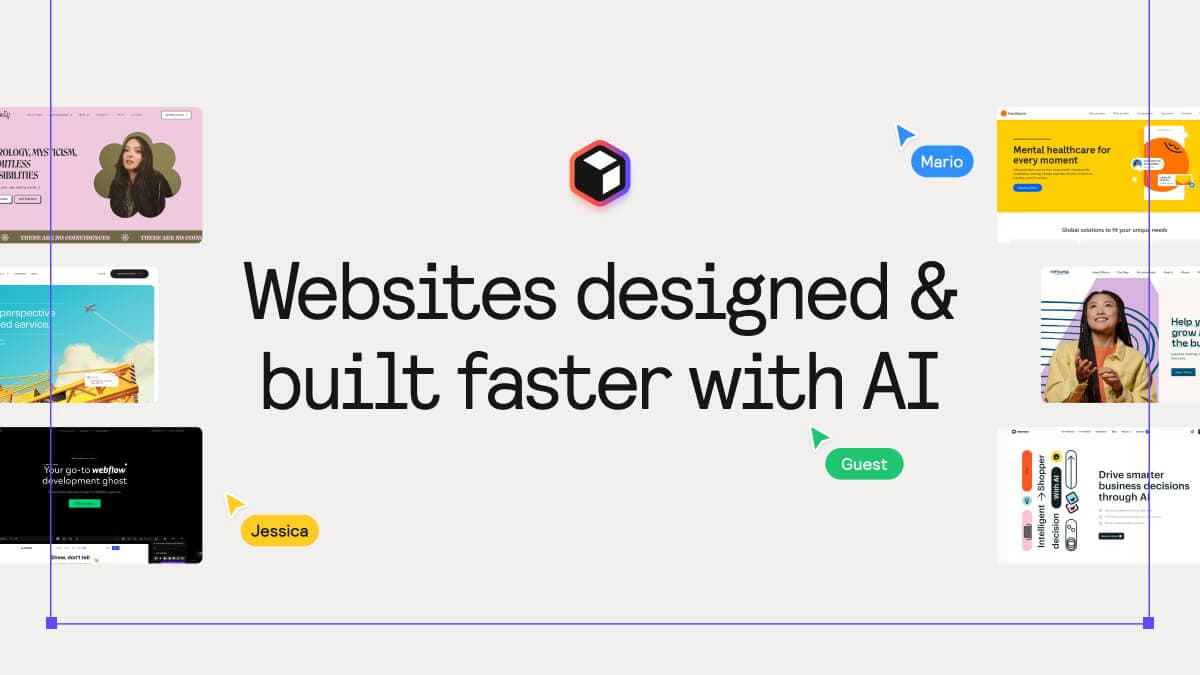
Overview
Relume is built for the early and middle stages of marketing-site production. A user describes the business and desired site, then Relume proposes the sitemap, generates page wireframes and helps develop the copy and visual direction.
The product is component-based rather than a blank-canvas code generator. Its library contains more than 1,000 responsive sections, and projects can be published through Relume or exported to Figma, Webflow and React workflows.
That structure can make first drafts much faster, but the output remains a starting point. Teams should still review positioning, factual claims, accessibility, search metadata, responsive behavior, analytics consent and exported code before launch.
Use cases
The strongest fit depends on the job you need the product to complete, not the size of its feature list.
Create a structured sitemap and wireframe quickly enough to discuss scope, hierarchy and direction with a client.
Move from a campaign or product brief to a working website draft without starting every section from scratch.
Hand an editable Figma, Client-First Webflow or Tailwind and shadcn/ui React foundation to the specialist who will finish the site.
Capabilities
Turns a short business brief into a proposed page hierarchy that can be edited before the team commits to individual layouts.
Builds page-level wireframes from Relume components and proposes content that can be revised in the same workflow.
Provides more than 1,000 prebuilt responsive sections instead of asking the model to invent each layout from raw code.
Hosts finished projects on a Relume subdomain for free or on a custom domain with SSL and expanded controls on paid hosting.
Exports editable designs built with auto layout, variables and variants for continued visual work.
Moves designs into Webflow with Client-First class conventions to give developers a more organized starting structure.
Exports Tailwind and shadcn/ui-oriented React components and offers a Library MCP route for compatible AI coding tools.
Process
Step 1
Describe the company, audience, offer, desired pages and conversion goal with enough specificity to guide the first draft.
Step 2
Review page hierarchy, remove redundant pages and confirm that each page has a distinct search and visitor purpose.
Step 3
Create page layouts and draft copy from Relume's components, then replace generic sections and unsupported claims.
Step 4
Continue in Relume Publish or export the project to Figma, Webflow or React for specialized design and development.
Step 5
Test every breakpoint, form and redirect; review accessibility, metadata, structured data, privacy controls, performance and analytics before publishing.
Cost
Relume separates AI site building, hosted publishing and component exports into different plan families. The prices below are starting prices, and usage or team size can change the total.
$0
Free hosting on a relume.live subdomain for a small project or evaluation.
From $12 per project/month
Paid hosting for a production site that needs a custom domain and expanded launch controls.
$0
A no-card plan with limited AI usage intended to be enough for one full website.
From $14/month
Higher AI capacity for recurring site generation, with the entry level positioned for roughly one to two websites per month.
$0 to $40+/month
Library access ranges from limited free exports to full component access and higher storage limits.
Pricing checked . Check current pricing at the source ↗
Assessment
Compare
The right alternative depends on the specific output, workflow, controls and budget your project requires.
Design
Consider Dora when highly visual, animated and 3D web experiences matter more than a component-led marketing-site workflow.
Explore Dora →Consumer
Consider Framer when the team wants a mature visual canvas and hosting platform centered on the final live site.
Explore Framer 3.0 →Coding
Consider Replit when the project needs broader application logic, databases and code-level deployment beyond a marketing website.
Explore Replit →Questions
Relume turns a website brief into an editable sitemap, page wireframes and a marketing-site draft assembled from its component library.
Yes. Relume Publish offers free hosting on a relume.live subdomain, while paid hosting adds a custom domain, SSL and broader launch controls.
Yes. Relume supports editable Figma exports, Client-First-oriented Webflow exports and React components based around Tailwind CSS and shadcn/ui.
Relume offers free Build and Publish access plus limited component exports. Paid plans increase AI usage, hosting capacity, component access and storage.
As checked on August 31, 2026, Build Pro starts at $14 per month, Publish Launch starts at $12 per project per month, Starter exports start at $18 per month and Pro exports start at $40 per month. Team exports start at $36 per user per month with a three-user minimum.
Relume can create a structured starting point and provides publishing controls such as sitemap, robots.txt and JSON-LD options on paid hosting. Search performance still depends on useful content, technical implementation, internal links, authority and ongoing measurement.
Treat it as a structured foundation. A designer or developer should review semantics, accessibility, responsive behavior, forms, code quality, performance and privacy requirements before launch.
Relume's current website says SOC 2 compliance is pending. Organizations with security or regulatory requirements should request current documentation and conduct their own review.
Bottom line
Relume is a strong fit for teams that repeatedly turn marketing briefs into structured site concepts and value clean handoffs to Figma, Webflow or React. Its speed comes from a reusable component system, so the best results still depend on deliberate positioning, editing, design judgment and launch QA.
Visit Relume website ↗
Get access to all our AI courses, hundreds of real-world AI use cases, live expert-led workshops, an exclusive network of AI early adopters, and more.
Get unlimited access to all of our current & upcoming industry-specific AI courses for the duration of your subscription.
To keep up with the rapid pace of AI, our team publishes AI implementation guides daily. Our library contains 300+ practical use cases to automate real-world work.
Join weekly, live, interactive sessions with industry leaders who are at the forefront of AI for hands-on implementation guidance and exclusive insights.
Network with an exclusive community of AI-first professionals who are working smarter with AI. Learn how early adopters are using AI in their work and businesses.