Pulumi platform teams
Use an agent that understands existing stacks, state, policies, configuration, and organizational permissions.
Independent tool overview
Pulumi AI has evolved into Pulumi Neo, a generally available infrastructure agent that can investigate, generate and review IaC, run previews, propose pull requests, and perform approved cloud work using Pulumi's organizational context and policy controls.
Visit the official Pulumi AI site ↗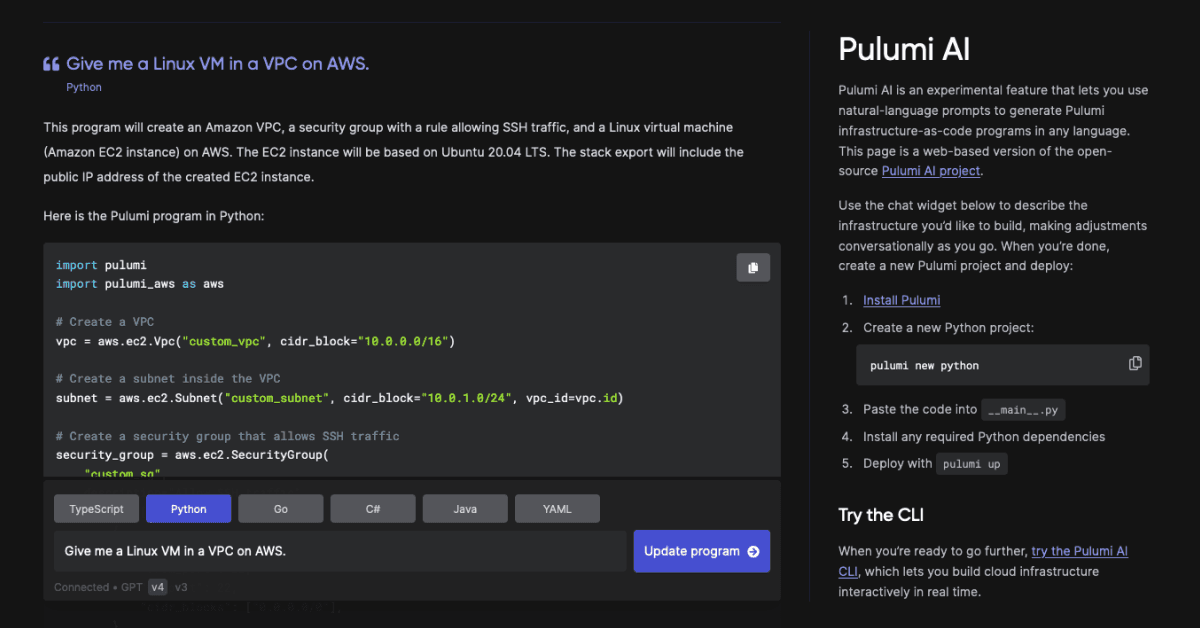
Overview
Pulumi's earlier Pulumi AI experience focused on generating infrastructure-as-code from natural-language prompts. The current product is Pulumi Neo, a broader infrastructure agent that can reason over live Pulumi Cloud context and carry work from investigation through a reviewed change.
Neo can answer questions about stacks and resources, diagnose failures, generate Pulumi programs, review infrastructure pull requests, run Pulumi previews, identify policy violations, recommend cost changes, and open a pull request with the proposed code and resource diff.
The agent is powered by Anthropic's Claude family through Amazon Bedrock and includes Pulumi's Agent Skills. Its differentiator is the surrounding context: Pulumi state, stack relationships, discovered resources, policies, permissions, configuration, and connected operational tools.
Neo is available through Pulumi Cloud, the pulumi neo CLI, supported editor agent panels, Slack, pull requests, Pulumi's MCP server, and handoffs from agents such as Claude Code, Codex, and Cursor. External MCP and CLI integrations can add context from services and cloud control planes.
Infrastructure automation has a high blast radius. Neo supports read-only work, Plan Mode, per-task approvals, previews, policy checks, and pull-request review, but organizations still need least-privilege identities, branch protection, staged deployments, independent validation, and incident recovery.
Use cases
The strongest fit depends on the job you need the product to complete, not the size of its feature list.
Use an agent that understands existing stacks, state, policies, configuration, and organizational permissions.
Ask why a deployment failed, what depends on a resource, what changed, or where a policy violation is occurring.
Turn a requested outcome into IaC, a preview, policy results, and a pull request that follows normal review controls.
Identify underused resources, explain unexpected state, and propose reviewed remediations.
Review pull requests against both the code diff and the context Pulumi Cloud has about real infrastructure.
Automate repeatable investigations and remediations on eligible Pulumi Cloud plans.
Capabilities
Uses Pulumi Cloud state and organizational context to answer questions about resources, stacks, dependencies, failures, and potential changes.
Creates Pulumi programs in TypeScript, Python, Go, and other supported Pulumi languages from a described outcome.
Can modify IaC, run pulumi preview, summarize affected resources and policy findings, and open a pull request for review.
Works within Pulumi governance and can detect or help remediate misconfigurations and policy violations.
Lets teams require an agreed plan, gate selected steps, or remove change capability for investigative use.
Reviews infrastructure pull requests automatically and accepts targeted requests through the @pulumi-neo mention.
Surfaces expensive or underused resources and can investigate deployment, configuration, and runtime issues.
Runs in Pulumi Cloud, the CLI, supported editors through ACP, Slack, pull requests, and other agents through MCP or skills.
Can use scoped MCP and CLI connections for systems such as Datadog, PagerDuty, Linear, Atlassian, AWS, Azure, Google Cloud, and Kubernetes.
Eligible plans can run autonomous infrastructure investigations or maintenance on a schedule with organizational controls.
Neo uses Pulumi's agent-oriented context layer to connect managed state, stack dependencies, and discovered resources where available.
Process
Step 1
Confirm the right Pulumi organization, stacks, repositories, cloud accounts, discovery sources, policies, and integrations are visible.
Step 2
Give the user and agent only the stack, repository, environment, and cloud permissions required for the intended work.
Step 3
Ask Neo to explain the current state, dependencies, likely failure, cost issue, or policy finding before authorizing changes.
Step 4
Use Plan Mode to define scope, affected resources, expected diff, rollback, validation, and approval boundaries.
Step 5
Prefer a reviewed code change that preserves infrastructure history and repeatability over an undocumented manual mutation.
Step 6
Inspect creates, updates, replacements, deletes, provider changes, costs, and mandatory-policy failures before deployment.
Step 7
Require platform ownership, branch protection, security review, secret scanning, tests, and explicit approval for destructive changes.
Step 8
Use lower-risk environments, limited regions or accounts, deployment approvals, monitoring, and a tested rollback path.
Step 9
Compare the applied update with the preview, confirm service health and policy state, record the decision, and monitor drift.
Cost
Pulumi Neo is metered within Pulumi Cloud. Individual is free and includes 5 million Neo tokens each month. Paid plans charge $3 per million Neo tokens, alongside the plan's base fee and other Pulumi Cloud resource, secret, discovery, and workflow usage. Team starts at $40 per month, Enterprise at $400, and Business Critical is custom.
$0
Free Pulumi Cloud plan for one individual with a monthly Neo allowance.
$40/month base
Collaboration plan for up to 10 users with 40 included Credits and usage-based overages.
$400/month base
Larger organization plan with 400 included Credits, broader administration, and scheduled Neo tasks.
Custom
Advanced governance, compliance, policy, support, and commercial terms for regulated or high-control environments.
Pricing checked . Check current pricing at the source ↗
Assessment
Compare
The right alternative depends on the specific output, workflow, controls and budget your project requires.
Coding
Choose Claude Code with Pulumi's skills when you want a general terminal agent that can work across infrastructure code and the rest of the repository.
Explore Claude Code →Coding
Choose Codex with Pulumi's MCP server or handoff skill when OpenAI's agent workflow is primary and infrastructure tasks are one part of broader engineering.
Explore Codex →Coding
Choose Cursor 3 when an editor-first multi-agent workflow is more important than Pulumi-specific live infrastructure context.
Explore Cursor 3 →Coding
Choose Gemini CLI for an open-source terminal agent and bring infrastructure tools into a lower-level, provider-managed workflow.
Explore Gemini CLI →Questions
Pulumi's AI offering has evolved into Pulumi Neo. The earlier prompt-to-IaC capability remains part of a broader agent that can investigate infrastructure, run previews, review changes, and propose governed pull requests.
Neo is Pulumi's infrastructure agent. It uses Pulumi Cloud context, Claude models through Amazon Bedrock, Pulumi Agent Skills, policies, and user permissions to answer questions and perform approved infrastructure work.
Pulumi Individual is free and includes 5 million Neo tokens per month. Paid plans meter Neo at $3 per million tokens in addition to plan and other Pulumi Cloud usage.
Yes. Neo can generate Pulumi programs in TypeScript, Python, Go, and other supported languages, then run a preview and propose the change through a pull request.
It can execute infrastructure workflows when given permission, but teams can require plans and approvals or keep tasks read-only. Production changes should remain behind normal deployment and review controls.
Pulumi supports mixed and migration workflows, and Neo can work with infrastructure context beyond only newly generated Pulumi code. Evaluate the exact Terraform workflow and how much Pulumi Cloud context is required before adopting it.
Neo is available in Pulumi Cloud, the Pulumi CLI, supported editor agent panels, Slack, pull requests, and through Pulumi MCP or skill handoffs from other AI agents.
Pulumi's current documentation says Neo uses Anthropic's Claude family through Amazon Bedrock. The model is only one layer; Pulumi state, skills, policies, permissions, and tools shape the actual result.
It can be operated with strong controls, but no infrastructure agent is safe by default. Use least privilege, read-only investigation, Plan Mode, previews, mandatory policies, pull-request review, staged deployment, monitoring, and tested rollback.
Bottom line
Pulumi Neo is one of the clearest examples of an AI feature becoming a real infrastructure workflow rather than a code generator. It is most compelling for teams already using Pulumi Cloud, because live state, policies, permissions, previews, and pull requests provide the context and control a generic agent lacks. Start with read-only investigations and reviewed IaC proposals; expand autonomy only after measuring accuracy, cost, policy behavior, and recovery on real infrastructure.
Visit Pulumi AI website ↗
Get access to all our AI courses, hundreds of real-world AI use cases, live expert-led workshops, an exclusive network of AI early adopters, and more.
Get unlimited access to all of our current & upcoming industry-specific AI courses for the duration of your subscription.
To keep up with the rapid pace of AI, our team publishes AI implementation guides daily. Our library contains 300+ practical use cases to automate real-world work.
Join weekly, live, interactive sessions with industry leaders who are at the forefront of AI for hands-on implementation guidance and exclusive insights.
Network with an exclusive community of AI-first professionals who are working smarter with AI. Learn how early adopters are using AI in their work and businesses.