Short social clips
Turn a concept or still image into a fast, visually striking video for feeds and experiments.
Independent tool overview
PixVerse is an AI video platform for generating, editing and adding audio to short-form videos through creator apps or an API.
Visit the official PixVerse site ↗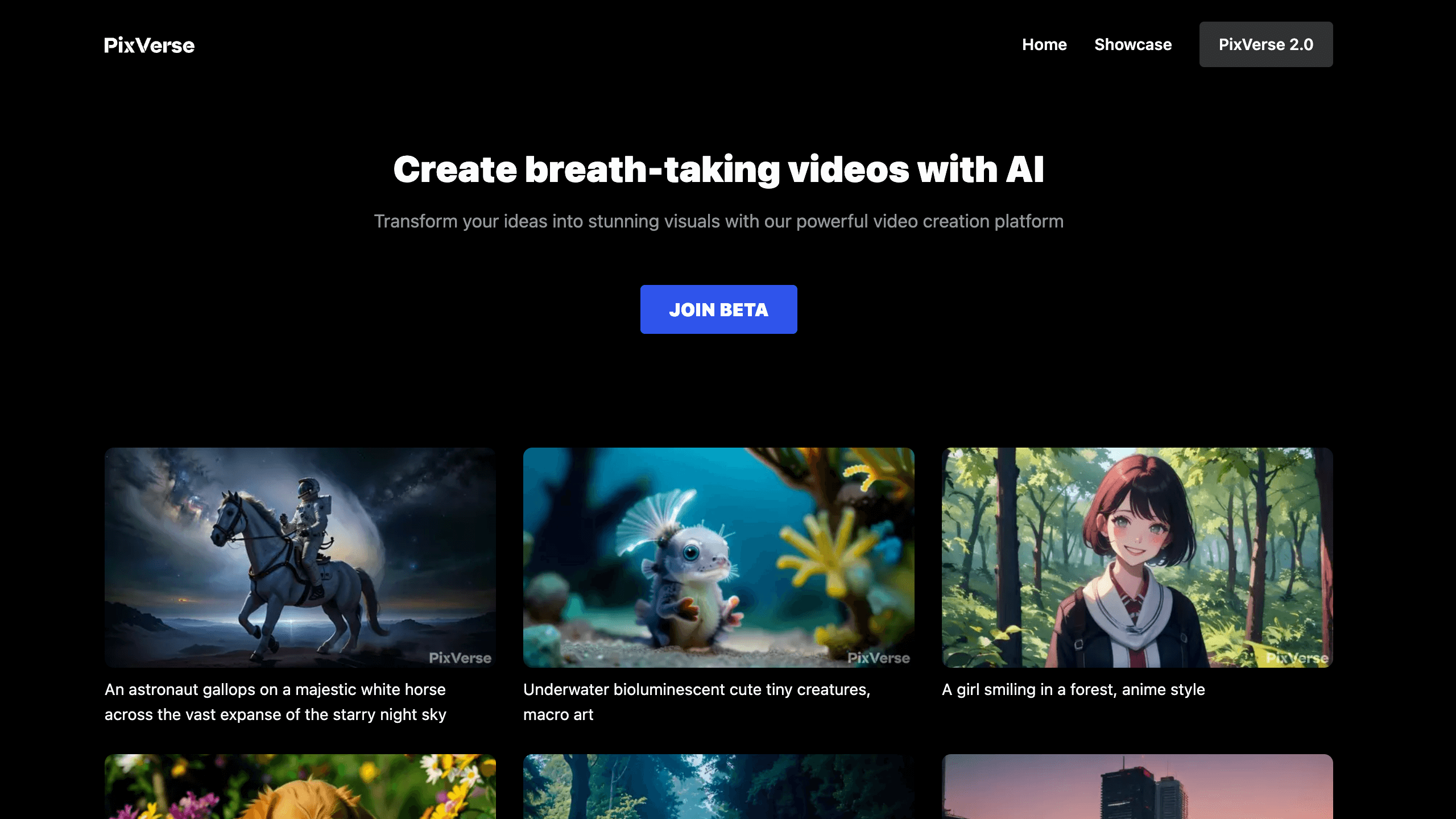
Overview
PixVerse turns text, images and reference media into short AI videos, then provides tools to extend, restyle, modify, transition, add sound or synchronize speech. Its web and mobile experience leans into quick social effects and templates, while newer models such as V6 and C1 add more production control, reference-based generation and output up to 1080p.
Developers can access many of the same capabilities through a separately priced API. That makes PixVerse useful both for individual creators iterating on clips and teams embedding video generation into a product, but costs vary sharply by model, duration, resolution and audio—and commercial users need to read the content-rights terms carefully.
Use cases
The strongest fit depends on the job you need the product to complete, not the size of its feature list.
Turn a concept or still image into a fast, visually striking video for feeds and experiments.
Add motion, camera movement and sound to portraits, product shots or artwork.
Use templates for transformations, stylized scenes and other repeatable social formats.
Create speech-aligned mouth movement from text, built-in voices, cloned voices or uploaded audio.
Use the API for text-to-video, image-to-video, effects, transitions, extension and related media workflows.
Capabilities
Generates a clip from a written scene, style and camera description.
Animates a reference image while using the prompt to direct motion and presentation.
The general production model supports generation, transitions, extension, Fusion and optional audio.
Targets cinematic and reference-based generation, including multimodal Fusion workflows.
Applies ready-made creative treatments without requiring a fully custom prompt.
Bridges keyframes or continues an existing clip while aiming to preserve motion and style.
Combines multiple subjects or backgrounds and helps maintain a recurring character across shots.
Changes visual style, replaces subjects or edits video content from a prompt.
Generates synchronized audio or aligns spoken text and uploaded audio with mouth movement.
Provides asynchronous endpoints, API keys, credit tracking and documented model-specific billing.
Process
Step 1
Decide whether the clip is a social effect, product visual, talking character, scene transition or application feature.
Step 2
Start from a text prompt, a licensed image, a video, audio or multiple approved references.
Step 3
Match V6, C1 or a dedicated capability to the needed duration, resolution, audio and degree of control.
Step 4
Test motion and composition at a lower setting before spending more credits on higher resolution or audio.
Step 5
Use transitions, Fusion, Restyle, Modify, sound or lip sync to turn the strongest draft into a finished sequence.
Step 6
Check faces, text, product details, claims, consent, music and commercial permissions before publishing.
Cost
PixVerse uses separate credit systems for the creator product and API. Creator credits may be daily, monthly or purchased; API costs depend on the model, resolution, duration and audio. Prices and credit consumption can change, so confirm them in the billing screen before a large run.
$0
Entry access funded by daily credits that expire at the end of each UTC day.
$30/month
Current official creator-program materials value Pro at $30 with 6,000 monthly membership credits.
$100
API membership with 15,000 credits.
$1,500
Higher-volume API membership with 239,230 credits.
$6,000
Large API membership with 1,069,500 credits.
Pricing checked . Check current pricing at the source ↗
Assessment
Compare
The right alternative depends on the specific output, workflow, controls and budget your project requires.
Content Creator
A strong option for cinematic generation and a broader professional video-production ecosystem.
Explore Runway Gen-4.5 →Content Creator
Useful for comparing longer-form motion, realism and current multimodal video models.
Explore Kling AI →Content Creator
Another creator-friendly platform built around fast effects and social video experimentation.
Explore Pika →Content Creator
A straightforward alternative for text-to-video and image-to-video generation.
Explore Hailuo AI →Questions
PixVerse is an AI video platform for creating and editing short clips from text, images, video references and audio through web, mobile and API products.
V6 supports text-to-video, image-to-video, transitions, extension and Fusion, with optional audio and output settings up to 1080p in the API.
Yes. PixVerse offers sound effects and lip sync, including built-in text-to-speech voices, custom voices and uploaded audio depending on the workflow.
Current official creator-program materials value Pro at $30 per month with 6,000 monthly credits. Verify the live checkout because regional pricing and plan terms can change.
Yes. The creator product provides daily credits that expire each day, though available features, generation limits and queue priority may differ from paid memberships.
The API charges credits based on the endpoint, model, duration, resolution and whether audio is included. Memberships start with a documented $100 Essential package, and one-time credit packs are also available.
Do not assume every output or platform asset is commercially cleared. The current terms restrict output use to non-commercial purposes unless the relevant authorization or commercial-use license exists, and third-party rights still apply.
Review visual continuity, faces, hands, product accuracy, generated text, factual claims, music, consent, disclosure rules and the commercial rights for every input and output.
Bottom line
PixVerse is one of the more complete fast-turnaround AI video toolkits, especially when a workflow needs image animation, effects, audio and API access in one place. Its speed and feature breadth are attractive, but creators should budget for retries and commercial teams should resolve licensing, consent and data-use terms before scaling production.
Visit PixVerse website ↗
Get access to all our AI courses, hundreds of real-world AI use cases, live expert-led workshops, an exclusive network of AI early adopters, and more.
Get unlimited access to all of our current & upcoming industry-specific AI courses for the duration of your subscription.
To keep up with the rapid pace of AI, our team publishes AI implementation guides daily. Our library contains 300+ practical use cases to automate real-world work.
Join weekly, live, interactive sessions with industry leaders who are at the forefront of AI for hands-on implementation guidance and exclusive insights.
Network with an exclusive community of AI-first professionals who are working smarter with AI. Learn how early adopters are using AI in their work and businesses.


