Mac-first knowledge workers
Improve email, Slack, notes, tickets, and documents without repeatedly copying work into a standalone chatbot.
Independent tool overview
Kerlig is a native macOS AI assistant that brings writing, chat, document analysis, and reusable actions into almost any Mac app. It uses your own provider API keys or supported local models and charges a one-time app license instead of a subscription.
Visit the official Kerlig site ↗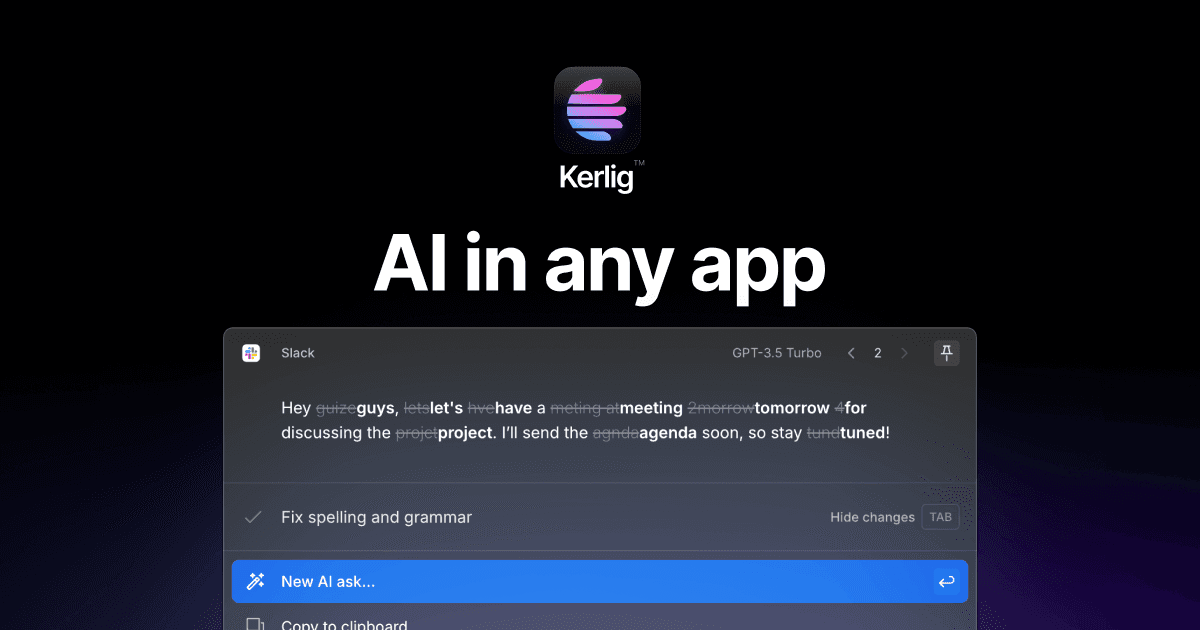
Overview
Kerlig is designed to reduce context switching. Select text in Mail, Slack, Notes, Notion, a browser, or another supported app, press a system-wide hotkey, and run an AI action without moving the work into a separate browser tab.
The app supports hundreds of models through OpenAI, Anthropic, Google, Groq, OpenRouter, and other integrations, plus on-device Apple Foundation Models and local Ollama or LM Studio models. Model usage is paid to the provider unless it runs locally.
Kerlig is most useful for people who want a configurable Mac-native AI layer. It is not a bundled unlimited AI service, a Windows app, or a team knowledge platform, and using third-party models still sends selected content to those providers.
Use cases
The strongest fit depends on the job you need the product to complete, not the size of its feature list.
Improve email, Slack, notes, tickets, and documents without repeatedly copying work into a standalone chatbot.
Switch between provider and local models based on quality, privacy, speed, context, or cost.
Keep chat history on the Mac and use Apple Foundation Models, Ollama, or LM Studio when content should not leave the device.
Deploy licenses and supported provider keys through command-line tooling for repeatable Mac setups.
Capabilities
Capture selected text or approved app context from browsers, Mail, Slack, Notes, Notion, and other workflows when Kerlig is opened.
Run proofreading, rewriting, summarization, translation, extraction, or custom prompt workflows with system-wide hotkeys.
Run an action in the background, then place the result back into the source app or clipboard without showing the full Kerlig interface.
Connect provider API keys and change the preferred model by task. Kerlig's August 2026 release refreshed support for current OpenAI, Anthropic, Google, Groq, and other models.
Use Apple Foundation Models on supported Macs or connect Ollama and LM Studio for offline, local inference.
Analyze documents, images, webpages, app content, and YouTube transcripts; supported captured content can also be saved as Markdown.
Create reusable tones, instructions, prompt templates, and dynamic variables such as selected text, current app, date, or prior response.
Chats are stored in an encrypted database on the Mac and can be revisited or cleared by the user.
Process
Step 1
Use a local model for sensitive work or select a provider whose data terms meet your needs. Add the API key and set budgets directly with that provider.
Step 2
Build separate actions for proofreading, executive summaries, customer replies, ticket cleanup, or research rather than relying on one vague prompt.
Step 3
Select the relevant text, use the hotkey, confirm the captured context, and run the action with the model best suited to the task.
Step 4
Check facts, tone, recipients, sensitive information, and unintended changes before pasting or sending generated text.
Cost
Kerlig sells one-time app licenses. Hosted AI tokens are not included and are billed separately by the provider tied to your API key. Local models can avoid provider usage fees but require compatible hardware and setup.
$49 one time, current sale
For one person using one Mac.
$79 one time, current sale
For one user working across two Macs.
$297 one time
For small Mac fleets and remote setup.
Provider or local-model cost
The license does not bundle hosted model tokens.
Pricing checked . Check current pricing at the source ↗
Assessment
Compare
The right alternative depends on the specific output, workflow, controls and budget your project requires.
Business Operations
Choose Raycast when you want a broader Mac launcher and automation platform with AI as one part of a larger productivity workflow.
Explore Raycast →Business Operations
Choose ChatGPT when you prefer a bundled consumer subscription and do not want to manage separate provider API keys.
Explore ChatGPT →Project Management
Choose Claude when a dedicated first-party assistant, projects, artifacts, and Anthropic's own model experience matter more than system-wide Mac actions.
Explore Claude →Questions
Kerlig is a native macOS AI assistant that can rewrite, summarize, research, and chat with selected content from other Mac apps using a system-wide hotkey.
Current one-time sale pricing starts at $49 for one Mac, $79 for two Macs, and $297 for ten Macs. Hosted model usage is paid separately to the AI provider.
No. Kerlig connects to supported providers with your own API keys, so provider usage and billing are separate. You can also use supported local models without hosted token charges.
Kerlig says chats are stored in an encrypted local database and cloud requests go directly to the selected AI provider. For content that must stay on-device, use a compatible Apple Foundation Model, Ollama, or LM Studio model.
Kerlig supports Apple Silicon and Intel Macs running macOS 12 or later. Specific on-device models can require newer macOS versions and compatible hardware.
Yes. It can use selected text or approved structured context from supported browsers, Mail, Slack, Notes, Notion, and other apps after the required macOS permissions are granted.
Bottom line
Kerlig is a strong fit for Mac users who want AI available at the point of work and prefer choosing their own cloud or local models. The one-time license is attractive, but buyers should budget for API usage, review app permissions, and confirm update entitlement before purchase. A bundled first-party assistant is simpler; Kerlig wins on Mac integration, model choice, and customization.
Visit Kerlig website ↗
Get access to all our AI courses, hundreds of real-world AI use cases, live expert-led workshops, an exclusive network of AI early adopters, and more.
Get unlimited access to all of our current & upcoming industry-specific AI courses for the duration of your subscription.
To keep up with the rapid pace of AI, our team publishes AI implementation guides daily. Our library contains 300+ practical use cases to automate real-world work.
Join weekly, live, interactive sessions with industry leaders who are at the forefront of AI for hands-on implementation guidance and exclusive insights.
Network with an exclusive community of AI-first professionals who are working smarter with AI. Learn how early adopters are using AI in their work and businesses.


