Research-paper triage
Extract the question, methods, findings, caveats, and cited passages before reading the paper in full.
Independent tool overview
ChatPDF is a document-focused AI workspace for summarizing files, asking follow-up questions, comparing multiple sources, translating content, and jumping from answers to cited pages.
Visit the official ChatPDF site ↗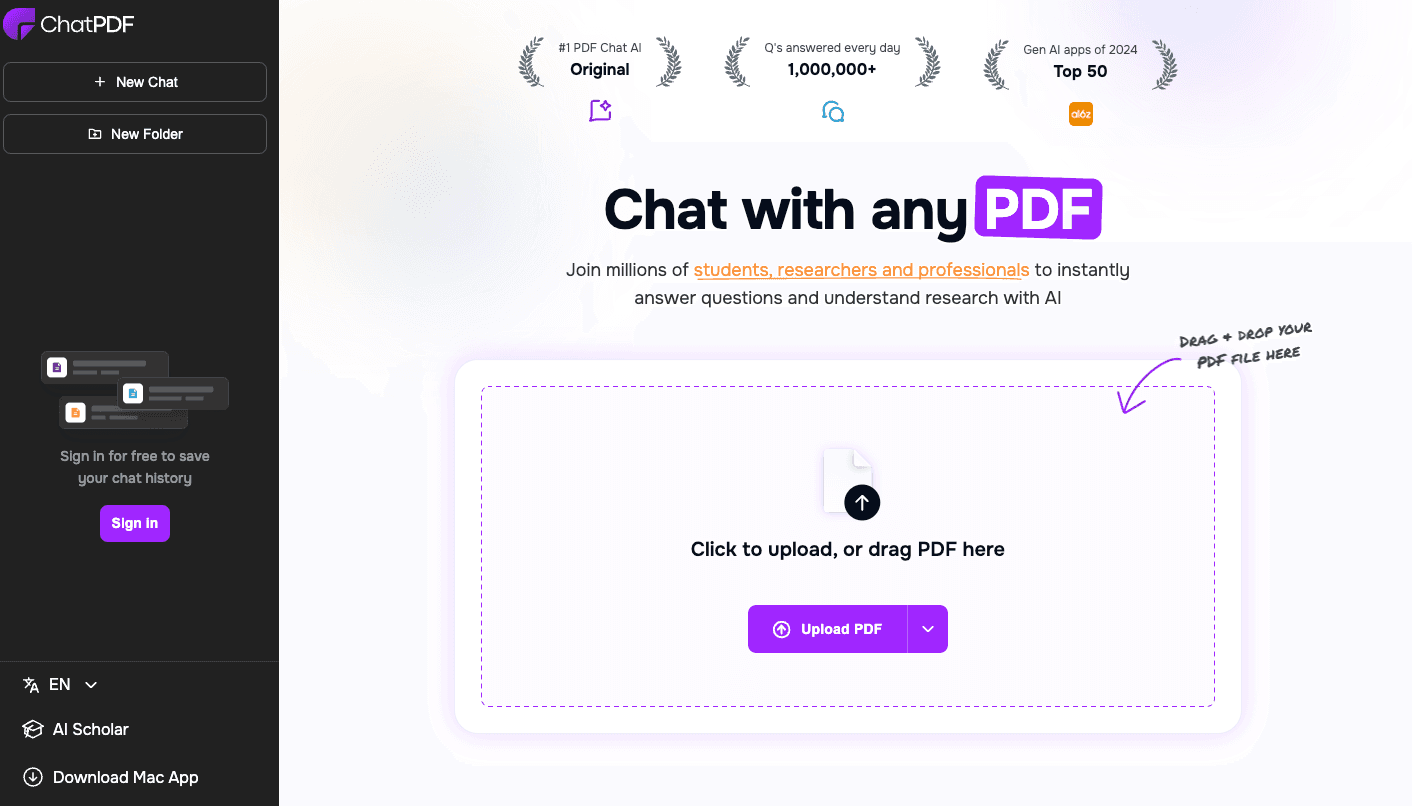
Overview
ChatPDF is best known for its side-by-side PDF chat: upload a document, ask a question, and follow inline page references back to the source. It now supports PDF, Word, PowerPoint, Markdown, and text files, along with folders for multi-file conversations and adjacent research tools for summaries, writing, flashcards, slides, and source discovery.
The citations make verification faster, not automatic. ChatPDF can still misread scans, tables, formulas, footnotes, or contradictory passages, and a page reference can be real even when the answer overstates what that page says. For legal, medical, financial, academic, or compliance work, users should open every cited passage and compare the output with the complete document.
Use cases
The strongest fit depends on the job you need the product to complete, not the size of its feature list.
Extract the question, methods, findings, caveats, and cited passages before reading the paper in full.
Turn course files into explanations, comparison questions, summaries, and review prompts.
Locate specific metrics, definitions, risks, and sections without manually scanning every page.
Ask a folder of related files where sources agree, differ, or leave gaps.
Upload a document in one language and ask questions or request explanations in another.
Add PDF ingestion and referenced answers to an application through the backend API.
Capabilities
Ask natural-language questions and refine the answer with follow-up prompts.
Answers link to referenced pages so users can inspect the supporting passage in context.
Keeps the source document and conversation visible together for faster checking.
Creates quick overviews of papers, reports, manuals, contracts, and other uploaded documents.
Groups documents and supports questions that compare or synthesize multiple sources.
Accepts documents in many languages and can answer in a different requested language.
Handles Word, PowerPoint, Markdown, and text files in addition to PDFs.
Free account creation preserves document chats and enables organized multi-document work.
Creates revocable links that let others access a selected shared document without needing an account.
Drafts research-oriented text from uploaded or discovered sources with citations and Word or Markdown export.
The wider workspace includes flashcard, slide, summary, and research workflows.
Developers can add PDFs from a file or URL, send chat messages, stream answers, request page references, and delete sources.
Process
Step 1
Confirm copyright, confidentiality, data-processing, and organizational rules before sending a document.
Step 2
Use a searchable, correctly ordered file and inspect OCR quality, page numbering, tables, and appendices.
Step 3
Ask for the title, purpose, sections, date, authorship, and a short map of the document.
Step 4
Specify the section, period, population, definition, or comparison and request page references.
Step 5
Read the full passage, footnotes, table labels, qualifications, and adjacent pages.
Step 6
Ask for contrary evidence, uncertainty, omitted sections, and an exact separation between quotation and inference.
Step 7
Recalculate figures and compare conclusions with the original source and other authoritative material.
Step 8
Revoke share links and delete documents, chats, or API sources when the work no longer needs to be retained.
Cost
Basic ChatPDF use is free for two documents per day. ChatPDF Plus advertises unlimited document analysis, a higher-quality model, larger files, longer documents, and broader limits, but its public landing page does not publish a fixed current dollar price; users must verify the monthly or yearly amount in the upgrade checkout. The developer API has separate account-based usage and limits.
$0
No-sign-up document chat with additional saved-history and folder features after free account creation.
Shown at checkout
Paid plan for heavier document use and advanced workspace features.
Account-based usage pricing
Separate backend access for building PDF upload and referenced chat into another product.
Pricing checked . Check current pricing at the source ↗
Assessment
Compare
The right alternative depends on the specific output, workflow, controls and budget your project requires.
Data Analysis
Choose Unriddle for a research workspace centered on reading, connected notes, writing, and source-backed synthesis.
Explore Unriddle →Educators
Choose AskYourPDF Research Assistant for a document and citation workflow delivered through a custom GPT.
Explore AskYourPDF Research Assistant →Students
Choose pdfAssistant AI when the workflow emphasizes broader PDF processing and productivity operations.
Explore pdfAssistant AI →Questions
ChatPDF is an AI document reader that summarizes files, answers questions, compares multiple documents, and links answers to referenced pages.
Yes. The public Free plan allows two documents per day, and basic use can begin without an account.
ChatPDF currently shows the exact monthly or yearly amount inside its upgrade checkout rather than publishing a fixed dollar price on the public landing page. Verify the total, currency, renewal period, and any promotion before subscribing.
No. Its current site lists PDF, Word, PowerPoint, Markdown, and text formats.
Yes. Signed-in users can create folders, add multiple files, and ask comparative or cross-document questions.
They are useful navigation links, but users still need to open the page and confirm that the passage supports the exact claim, scope, and interpretation.
Results depend on the document's extractable text and OCR quality. Check names, numbers, tables, columns, and page order carefully.
Yes. You can upload a document in one language and ask questions or request explanations in another, subject to translation accuracy.
Yes. ChatPDF supports revocable sharing links for selected documents. Treat the link as sensitive and confirm who can access it before sending.
Yes. The backend API supports file or URL ingestion, stateless chat, streaming, optional page references, and source deletion.
Bottom line
ChatPDF remains one of the clearest interfaces for rapidly interrogating a document because its page references and side-by-side reader make checking answers easy. It is best used as a navigation and first-pass analysis layer—not as an authority. The ideal workflow is to ask focused questions, open each cited page, verify numbers and caveats, and keep sensitive documents inside an approved data boundary.
Visit ChatPDF website ↗.avif)
ChefGPT: AI-Generated Meal Plans

Google NotebookLM: Notebooklm is your ai research assistant for organizing information and generating insights from documents.
.avif)
Shepherd: AI-Powered Study Campaign
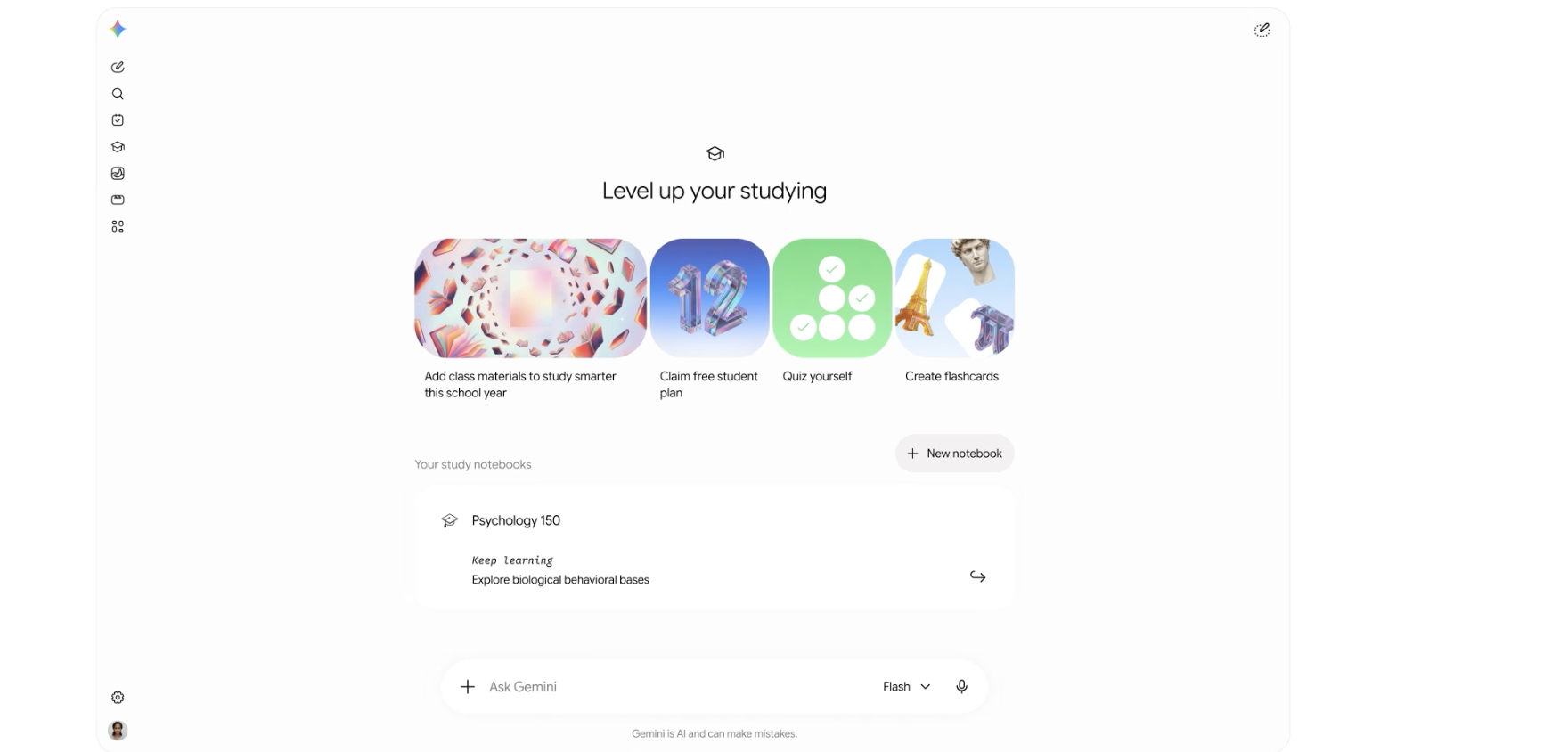
Gemini's new student-focused platform for educational organization, including study notebooks, flashcard creations, practice quizzes, and more.

Get access to all our AI courses, hundreds of real-world AI use cases, live expert-led workshops, an exclusive network of AI early adopters, and more.
Get unlimited access to all of our current & upcoming industry-specific AI courses for the duration of your subscription.
To keep up with the rapid pace of AI, our team publishes AI implementation guides daily. Our library contains 300+ practical use cases to automate real-world work.
Join weekly, live, interactive sessions with industry leaders who are at the forefront of AI for hands-on implementation guidance and exclusive insights.
Network with an exclusive community of AI-first professionals who are working smarter with AI. Learn how early adopters are using AI in their work and businesses.