Print-on-demand sellers
Preview artwork on apparel, accessories, home goods, and other products before listing or manufacturing them.
Independent tool overview
Mockey AI is a browser-based mockup generator for placing designs on apparel, packaging, print, devices, accessories, and other products. It combines a large template library with custom mockups, multiple angles, collections, 3D and video output, and AI product-visual tools.
Visit the official Mockey AI site ↗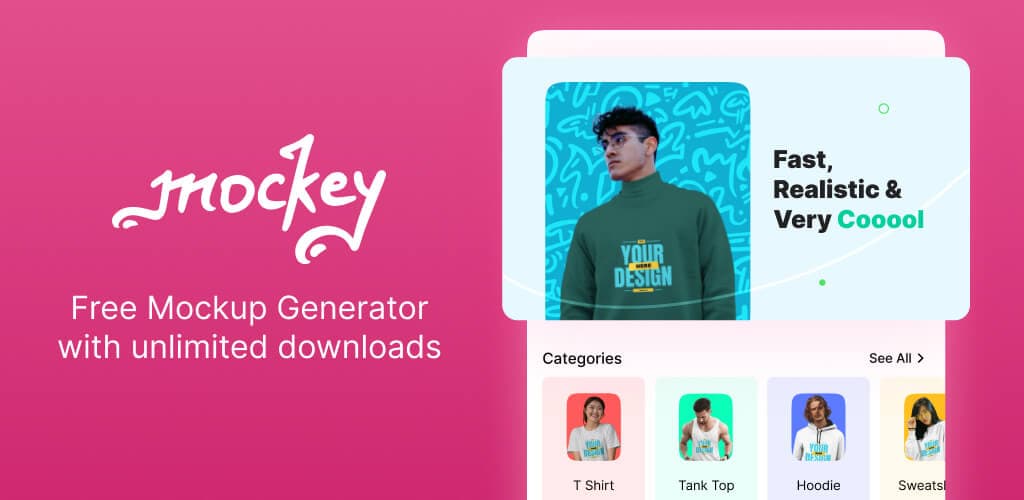
Overview
Mockey AI turns a flat logo, artwork file, screenshot, or product image into a presentation-ready mockup without requiring Photoshop. Users choose a template, upload a PNG, JPG, or WebP design, adjust its placement and product colors, and export the result.
The current site advertises more than 30,000 templates across over 60 categories, including apparel, packaging, home goods, print, technology, jewelry, and seasonal products. It also offers custom mockups from a product photo, coordinated collections, multiple camera angles, 3D templates, and short video mockups.
The free tier is useful for testing static templates, but it limits daily downloads, file type, resolution, and usage rights. Paid plans are more relevant for print-on-demand sellers, ecommerce brands, client work, and anyone who needs PNG files, higher resolution, unlimited downloads, commercial use, or AI Studio features.
Use cases
The strongest fit depends on the job you need the product to complete, not the size of its feature list.
Preview artwork on apparel, accessories, home goods, and other products before listing or manufacturing them.
Create product-display images, alternate angles, collections, and short motion assets without organizing a full photoshoot.
Show logos, packaging, print, signage, and device designs in realistic contexts for review or approval.
Place and warp designs, change colors and backgrounds, and export finished mockups directly in a browser.
Capabilities
Browse more than 30,000 templates covering apparel, accessories, home and living, print, packaging, technology, jewelry, and seasonal products.
Upload artwork, resize and rotate it, change product colors and backgrounds, warp placement around folds, and align the design without a PSD workflow.
Turn an uploaded product photo into an editable mockup and tune the design placement, shadows, and highlights.
Generate front, back, side, close-up, flat-lay, and other angles from one source product.
Build a coordinated set of mockups with consistent styling, lighting, and background.
Customize 3D product templates and use supported animation or video templates to export short MP4 assets.
Create mockups from prompts, generate product scenes and photoshoots, produce multiple angles, and animate static visuals using credits.
Access Mockey through its Figma plugin or Shopify app when mockup work begins inside design or ecommerce workflows.
Process
Step 1
Use a high-resolution design with a transparent background when appropriate, and confirm color mode, margins, and print-area requirements with the manufacturer.
Step 2
Match the garment, device, package, or object as closely as possible to the real item instead of selecting a visually attractive but inaccurate scene.
Step 3
Adjust scale, position, warping, product color, shadows, and highlights, then inspect edges, folds, perspective, and legibility at listing size.
Step 4
Create several useful views with Multi Shot or Mockup Collection while keeping lighting, background, color, and crop consistent.
Step 5
Compare the mockup with a physical sample or manufacturer proof and confirm the plan's commercial rights before using it in a client or product listing.
Cost
Mockey offers a limited free tier, paid Starter and Creator subscriptions, and a lifetime Forever plan. Pricing can vary by region, annual billing, and active promotions. AI Studio uses credits, while standard template mockups do not. Verify the displayed checkout price and license before purchase.
$0
For testing static mockups and occasional personal projects.
$7 to $9.90/month depending on region
For regular static and 3D mockup work.
$19/month
For AI-assisted product visuals and motion assets.
$199 list price; a current campaign advertises $149 one time
For long-term use without a recurring subscription.
Pricing checked . Check current pricing at the source ↗
Assessment
Compare
The right alternative depends on the specific output, workflow, controls and budget your project requires.
Design
Choose Canva AI when mockups are one part of a broader design, presentation, social, and brand-content workflow.
Explore Canva AI →Design
Choose Adobe Firefly when generative product scenes and close integration with Adobe editing tools matter more than a dedicated template library.
Explore Adobe Firefly →Content Creator
Choose Product Photos when the primary need is generating polished ecommerce photography rather than applying artwork to a wide range of mockup templates.
Explore Product Photos →Questions
Mockey AI is an online mockup generator for placing designs on apparel, packaging, print, devices, accessories, home goods, and other products using templates or AI-assisted tools.
Yes. The free plan currently allows three watermark-free JPG downloads per day at 400 by 500 pixels for personal use. Paid access is needed for commercial use, PNG files, higher resolution, and unlimited downloads.
Starter is currently listed at about $7 to $9.90 per month depending on region, Creator at $19 per month, and Forever at a $199 list price. A current direct campaign advertises Forever for $149, so confirm the live checkout offer.
Mockey's license permits commercial use of finished assets in marketing, client projects, websites, ads, and product displays without attribution. Current plan guidance places commercial use on paid tiers. Original Mockey assets cannot be resold or redistributed as standalone templates.
Yes. It offers product video templates and animation tools that can export supported results as MP4 files. AI motion features may consume Creator or Forever plan credits.
It can replace Photoshop for quick template-based mockups, basic placement, warping, colors, backgrounds, and exports. Photoshop or another full editor is still better for layered PSD control, detailed retouching, and custom compositing.
They are useful marketing previews, not manufacturing proofs. Compare important listings with a real sample because materials, print placement, fit, dimensions, color, reflections, and finishes can differ from a generated mockup.
Bottom line
Mockey AI is a practical, affordable choice for people who need many ecommerce or print-on-demand mockups without learning Photoshop. The free tier is good for testing, while Starter is the sensible entry point for commercial static work and Creator adds credited AI and motion tools. Treat every mockup as a presentation asset rather than proof of the final manufactured product, and verify current checkout pricing and license scope before publishing paid work.
Visit Mockey AI website ↗
Get access to all our AI courses, hundreds of real-world AI use cases, live expert-led workshops, an exclusive network of AI early adopters, and more.
Get unlimited access to all of our current & upcoming industry-specific AI courses for the duration of your subscription.
To keep up with the rapid pace of AI, our team publishes AI implementation guides daily. Our library contains 300+ practical use cases to automate real-world work.
Join weekly, live, interactive sessions with industry leaders who are at the forefront of AI for hands-on implementation guidance and exclusive insights.
Network with an exclusive community of AI-first professionals who are working smarter with AI. Learn how early adopters are using AI in their work and businesses.