Mistral API development
Test current Mistral models, compare prompts and parameters, create keys, and ship text, document, audio, RAG, moderation, or agent features.
Independent tool overview
Mistral Studio is Mistral AI's developer and production platform for testing models, building agents and durable workflows, connecting enterprise data, monitoring real traffic, and governing AI assets. It is strongest for technical teams that want Mistral's models and flexible deployment options in one operational stack—not for nontechnical users seeking a simple chatbot builder.
Visit the official Mistral Studio site ↗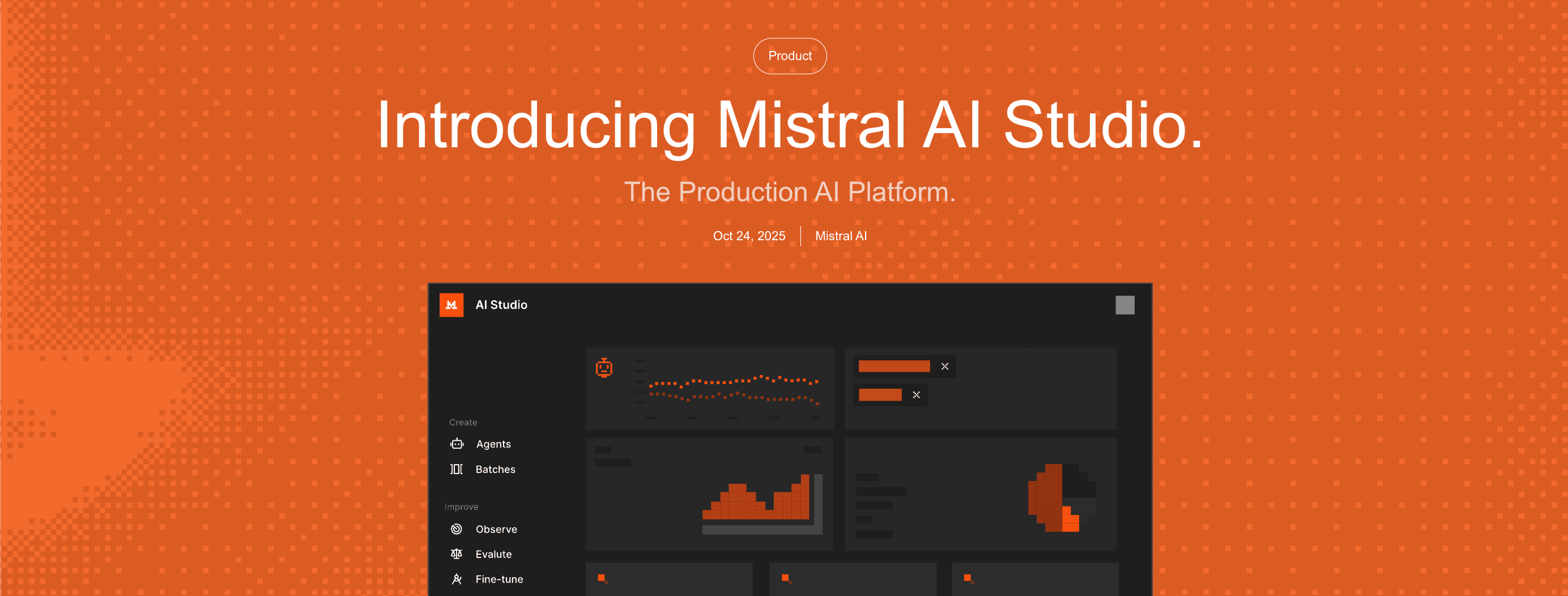
Overview
Mistral Studio spans two layers of the AI lifecycle. Developers can use its console and APIs to test prompts, create keys, call text, document, audio, embedding, moderation, and agent endpoints, monitor usage, and manage reusable resources. Enterprise teams can add production capabilities for durable workflows, evaluations, observability, governance, and deployment across hosted, dedicated, hybrid, or self-managed infrastructure.
The production platform is organized around building agents and workflows, iterating with experiments and evaluation datasets, deploying stateful processes that can retry and resume, and governing models, prompts, tools, datasets, and versions. Mistral's Workflows layer is in public preview, while the broader enterprise Studio offering is available through its product and sales channels.
Studio pricing is not a single flat software fee. Mistral plans control organization access and include monthly API usage; additional consumption can be billed at model-specific API rates. Enterprise deployment, support, and production architecture are quote-based. Teams therefore need to model both seat or plan costs and the actual inference, document, audio, or tool traffic their application will generate.
Use cases
The strongest fit depends on the job you need the product to complete, not the size of its feature list.
Test current Mistral models, compare prompts and parameters, create keys, and ship text, document, audio, RAG, moderation, or agent features.
Run long-lived, multi-step processes with state, retries, resumability, telemetry, and human approval points instead of relying on fragile scripts.
Turn production traces and feedback into datasets, judges, experiments, campaigns, and dashboards that reveal regressions.
Operate AI in hosted, dedicated, hybrid, private-cloud, or on-prem environments when data residency and infrastructure control matter.
Capabilities
Use the console to test prompts and models without code, then move to SDKs and APIs for chat, agents, OCR, audio, embeddings, moderation, batch, connectors, and other services.
Design agents with instructions, models, tools, connectors, and organizational data, then manage the resulting resources from Studio.
Mistral's Temporal-backed orchestration layer persists state, retries failed steps, resumes long-running work, and emits execution telemetry; Workflows is currently a public preview.
Datasets, experiments, campaigns, iterations, and custom or built-in judges support repeatable tests tied to the organization's own success criteria.
Explorer, traces, traffic filters, feedback, dashboards, and usage metrics help teams inspect outputs, diagnose regressions, and connect changes back to model and prompt versions.
The AI Registry tracks agents, models, datasets, judges, tools, workflows, ownership, lineage, access controls, moderation policies, and promotion gates.
Enterprise deployments can be isolated, hybrid, or self-hosted so organizations can control environment boundaries, performance, and data residency.
Process
Step 1
Test a representative prompt and model in the playground, establish a baseline dataset, and estimate token, page, audio, and tool-call costs.
Step 2
Add tools, connectors, retrieval, state, retries, and approval points only where the use case requires them.
Step 3
Create domain-specific judges and test sets, compare candidate versions, and set promotion criteria for quality, safety, latency, and cost.
Step 4
Choose the environment, rate and spend limits, access policies, data settings, audit requirements, and rollback path before exposing production traffic.
Step 5
Inspect traces and feedback, curate new evaluation examples, rerun experiments, and promote a version only when measured results improve.
Cost
Mistral uses organization-wide plans across Studio, its Vibe assistant, and API usage. Free includes Studio access and $10 per month in API credits; Pro is $14.99 per month with $30 in API credits; Team is $24.99 per user per month; Enterprise is custom. Included usage is consumed first, after which enabled pay-as-you-go usage is charged at API rates. Enterprise infrastructure and support are negotiated separately.
$0
For testing models and prototyping in Studio with a small included API allowance.
$14.99/month
An individual paid plan with more usage across Mistral products and a larger API allowance.
$24.99/user/month
A shared organization plan with administration, more storage, and team-oriented controls.
Contact sales
For custom models, production architecture, private deployments, governance, and negotiated support.
Usage-based
Inference and specialized services are billed by model and workload after included credit or under pay-as-you-go.
Pricing checked . Check current pricing at the source ↗
Assessment
Compare
The right alternative depends on the specific output, workflow, controls and budget your project requires.
Coding
A more direct starting point for developers prototyping and shipping with Google's Gemini model and API ecosystem.
Explore Google AI Studio →Agents
An enterprise alternative focused on building, deploying, governing, and integrating production AI agents around OpenAI's platform.
Explore OpenAI Frontier →Business Operations
A broader workflow-automation platform when connecting business systems and controlling deterministic steps matters more than an AI-native model operations stack.
Explore n8n →Questions
Mistral Studio is Mistral AI's developer and production platform. It includes model testing, APIs, keys, usage tracking, agents, tools, document and audio services, plus enterprise features for durable workflows, evaluation, observability, governance, and flexible deployment.
Yes. Mistral says its Free plan includes access to Studio for testing and prototyping plus $10 per month in API credits. Production usage beyond included allowances can use pay-as-you-go billing when enabled.
The product shares Mistral's organization plans: Free, Pro at $14.99 per month, Team at $24.99 per user per month, and custom Enterprise. API consumption uses model-specific rates after included credits, so actual cost depends on traffic and workload.
The main production capabilities are durable agent workflows, trace and usage observability, datasets and judges for evaluation, controlled experiments and campaigns, an asset registry with lineage and versions, and hosted through self-managed deployment options.
Mistral advertises dedicated, hybrid, private-cloud, and self-hosted enterprise deployments. Availability, licensing, infrastructure responsibilities, and support should be confirmed with its sales team.
Pay-as-you-go customers are opted out by default. Free-mode organizations can disable anonymous improvement data in the Admin panel. Mistral separately warns that Labs or Preview Models may use inputs and outputs for training even when other opt-out settings are active.
Only in a limited form. Approved pay-as-you-go organizations can request ZDR for supported stateless endpoints. It does not apply to stateful services such as agents, conversations, files, libraries, or batch processing.
Bottom line
Mistral Studio is a credible production platform for teams committed to Mistral's model and deployment ecosystem, especially when durable orchestration, evaluation, traceability, and infrastructure control are first-class requirements. Its value is highest after the prototype stage. The buying work is correspondingly serious: validate preview status, API economics, evaluation design, deployment responsibility, and data settings before standardizing on it.
Visit Mistral Studio website ↗
HunyuanWorld-Mirror - Generate 3D worlds from text, image, or video inputs

SAM 3D - Meta's SOTA models for creating 3D reconstructions of objects and people from a single image.

PokeeResearch 7B- Pokee AI's SOTA, open-source deep research agent
Rnj-1 - Essential AI's open-source 8B parameter model that matches or outperforms similar-sized rivals

Get access to all our AI courses, hundreds of real-world AI use cases, live expert-led workshops, an exclusive network of AI early adopters, and more.
Get unlimited access to all of our current & upcoming industry-specific AI courses for the duration of your subscription.
To keep up with the rapid pace of AI, our team publishes AI implementation guides daily. Our library contains 300+ practical use cases to automate real-world work.
Join weekly, live, interactive sessions with industry leaders who are at the forefront of AI for hands-on implementation guidance and exclusive insights.
Network with an exclusive community of AI-first professionals who are working smarter with AI. Learn how early adopters are using AI in their work and businesses.