Mixed knowledge-work projects
Research a topic, analyze files, create a report, presentation, spreadsheet, or website, and package the deliverables in one task.
Independent tool overview
MiniMax Agent is an active general-purpose work agent available on the web and as a Mac or Windows desktop app. It can research, work with local files, operate authorized browser sessions, write and review code, build websites, create office documents and media, run schedules, remember preferences, and split complex work across an Agent Team. MiniMax now unifies Agent usage with its Token Plan: monthly tiers are $20, $50, and $120, while annual billing lowers the effective monthly cost.
Visit the official MiniMax Agent site ↗
Overview
MiniMax Agent began as a cloud agent for long, multi-step projects and has evolved into a broader web and desktop workspace. The desktop app can work inside a selected local directory, edit files, use existing browser sessions with permission, and continue long-running tasks. The web app remains useful for research, documents, presentations, spreadsheets, websites, images, video, and audio without installing a local runtime.
Its most distinctive feature is Agent Team. A leader can break a difficult job into parallel assignments for specialized workers, then route results through verifier agents before delivery. MiniMax also lets users save recurring behavior as Experts and evolving Skills, connect MCP servers and plugins, retain optional long-term memory, schedule tasks, and remotely follow work started on another device.
Breadth is also the main buying caution. An agent that can read local files, reuse logged-in browser sessions, run commands, connect tools, and create media has a large permission and cost surface. MiniMax pauses for certain sensitive browser actions, exposes permission-review reasons, and can send deletions to the operating system trash, but the user remains responsible for scopes, approvals, backups, outputs, and third-party account actions.
Use cases
The strongest fit depends on the job you need the product to complete, not the size of its feature list.
Research a topic, analyze files, create a report, presentation, spreadsheet, or website, and package the deliverables in one task.
Use Goal mode, background execution, status updates, and Agent Teams when a project needs more than a short chat response.
Let the app read and modify an explicitly selected workspace while keeping the source files and outputs on the local machine.
Research websites or complete authorized form and navigation workflows using a browser session the user can monitor and interrupt.
Turn stable instructions, tools, memories, and acceptance criteria into Skills or Experts for recurring office, finance, marketing, research, or coding work.
Combine text and code work with MiniMax image, voice, music, and video generation under one subscription and shared quota.
Capabilities
Run cloud tasks in the browser or give the Mac and Windows app access to a selected local workspace for file-aware execution.
Read pages, switch among tabs, fill forms, diagnose page issues, and use existing authenticated sessions with user-granted access.
A leader coordinates specialized worker and verifier agents in parallel, with checkpoints and ongoing user communication for complex work.
Review a plan before changes, keep long tasks progressing toward a defined outcome, steer work during execution, and inspect status.
Retain optional preferences and project context, develop reusable procedures, and save configured specialists for repeat jobs.
Generate and edit documents, spreadsheets, presentations, websites, images, audio, music, and video using built-in optimized workflows.
Edit projects, run commands, review code, manage branches or worktrees, use model providers, and preview or deploy generated sites.
Configure MCP servers and install plugins so the agent can reach approved external tools, data, and office workflows.
Create recurring desktop tasks and follow, steer, or retrieve artifacts from supported remote interfaces.
Branch or rewind conversations and files, restore task checkpoints, and route supported file deletions through the system trash.
Process
Step 1
Create a dedicated project directory with backups and grant access only to the files needed for the task.
Step 2
State the required output, source rules, boundaries, tests, and actions that must stop for human approval.
Step 3
Use one agent for straightforward edits; reserve a team of workers and verifiers for parallelizable, high-value work that justifies extra time and tokens.
Step 4
Review browser, command, file, MCP, plugin, and account scopes before enabling them; avoid broad access to unrelated systems.
Step 5
Start with free access or the lowest suitable Token Plan, then monitor actual credit and token use because complex tasks vary substantially.
Step 6
Use Plan or Goal mode, inspect progress and permission cards, and intervene before purchases, publishing, deletion, deployment, or external communication.
Step 7
Review citations, recalculate spreadsheet outputs, run code tests, inspect file changes, and confirm every external action before relying on the result.
Step 8
Turn a process into a Skill, Expert, memory, or schedule only after its inputs, permissions, failure handling, and acceptance criteria are stable.
Cost
MiniMax unified Agent and Token Plan billing in May 2026, so one subscription now covers the Agent, supported API or CLI use, and the MiniMax model family through a shared quota. The current monthly Token Plans are Plus at $20, Max at $50, and Ultra at $120; annual prices are $200, $500, and $1,200. Free and promotional credits can change, and complex Agent work does not consume a fixed number of credits.
$0
Limited Agent evaluation supported by registration, promotional, or check-in rewards rather than a guaranteed production allowance.
$20/month or $200/year
Entry subscription for individual Agent, API, CLI, coding, and multimodal use.
$50/month or $500/year
Higher shared quota for daily professional work and more concurrent agents.
$120/month or $1,200/year
Largest public individual plan for heavy daily work and multiple concurrent agents.
$5, $25, or $100
Optional MiniMax Credits for additional usage without changing the recurring tier.
Contact MiniMax
Seat-based purchasing with centralized usage, member administration, shared credits, and invoicing for teams of five or more.
Pricing checked . Check current pricing at the source ↗
Assessment
Compare
The right alternative depends on the specific output, workflow, controls and budget your project requires.
Agents
Choose Manus for a polished cloud-first general agent centered on delegated research, analysis, browser work, and deliverable creation.
Explore Manus →Coding
Consider Genspark AI Developer when the main goal is building applications through a guided cloud agent without coding expertise.
Explore Genspark AI Developer →Coding
Use Replit Agent 4 when collaborative application design, parallel coding, integrated hosting, and deployment matter more than general office automation.
Explore Replit Agent 4 →Questions
MiniMax Agent is a web and desktop AI work agent that can research, use local files and the browser, write code, create office and media deliverables, and coordinate multi-agent tasks.
Limited free access and promotional rewards are available, but the allowance can change. Current recurring Token Plans cost $20, $50, or $120 per month.
Mavis is the name MiniMax introduced for the upgraded MiniMax Agent experience in May 2026. The public product continues to use MiniMax Agent branding across its site and documentation.
It is MiniMax's multi-agent workflow in which a leader splits work among specialized workers and verifier agents, tracks state, and communicates progress while the task runs.
Yes, with permission. The desktop agent can read pages and use an existing browser session to click, scroll, fill forms, and navigate. MiniMax says it pauses before sensitive actions such as logins, purchases, or payments.
Yes. The desktop app can read, analyze, create, and modify files in a workspace you select. Use a narrow directory, version control or backups, and review changes before accepting them.
Monthly member credits reset and do not accumulate under the published subscription terms. Separately purchased bonus credits are valid for one year.
MiniMax merged Agent Plan and Token Plan billing in May 2026. A current Token Plan shares quota across supported Agent, API, CLI, coding, and multimodal usage.
Bottom line
MiniMax Agent is one of the broadest work-agent products: it combines local projects, browser operation, office creation, coding, multimodal generation, reusable expertise, and a serious multi-agent control layer. The unified $20 entry plan is attractive for technical users who can exploit several of those capabilities. Its value falls quickly, however, if the work is simple or the user cannot supervise permissions, variable usage, and output quality. Start in a disposable workspace with a low-risk task, measure true token and credit cost, and expand access only after the agent consistently passes your own checks.
Visit MiniMax Agent website ↗
OpenClaw - Agentic AI bot that takes actions for you from Telegram, WhatsApp, or other messaging apps

Kimi K2.5 - Moonshot AI’s new powerful open-source agent-focused model
Skills - Vercel's open ecosystem for agent skills
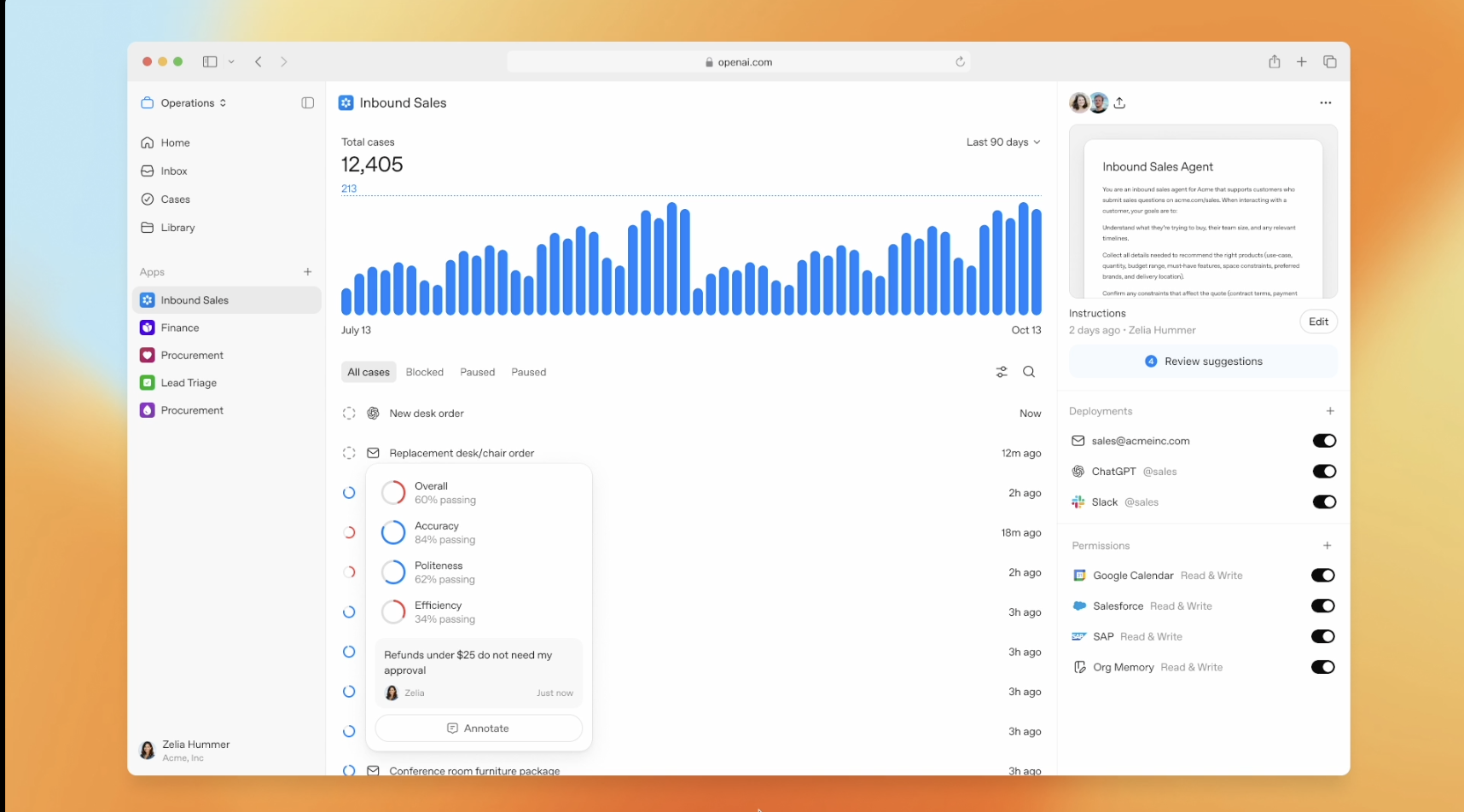
OpenAI Frontier - enterprise platform for creating, deploying, and managing AI agents

Get access to all our AI courses, hundreds of real-world AI use cases, live expert-led workshops, an exclusive network of AI early adopters, and more.
Get unlimited access to all of our current & upcoming industry-specific AI courses for the duration of your subscription.
To keep up with the rapid pace of AI, our team publishes AI implementation guides daily. Our library contains 300+ practical use cases to automate real-world work.
Join weekly, live, interactive sessions with industry leaders who are at the forefront of AI for hands-on implementation guidance and exclusive insights.
Network with an exclusive community of AI-first professionals who are working smarter with AI. Learn how early adopters are using AI in their work and businesses.