Recruiting teams
Talent teams that spend substantial time turning screens, interviews, and intake calls into notes and ATS updates.
Independent tool overview
Metaview is an AI recruiting platform that records and transcribes hiring conversations, creates structured interview notes, and connects that evidence to scorecards, ATS records, sourcing, application review, outreach, and reporting workflows.
Visit the official Metaview site ↗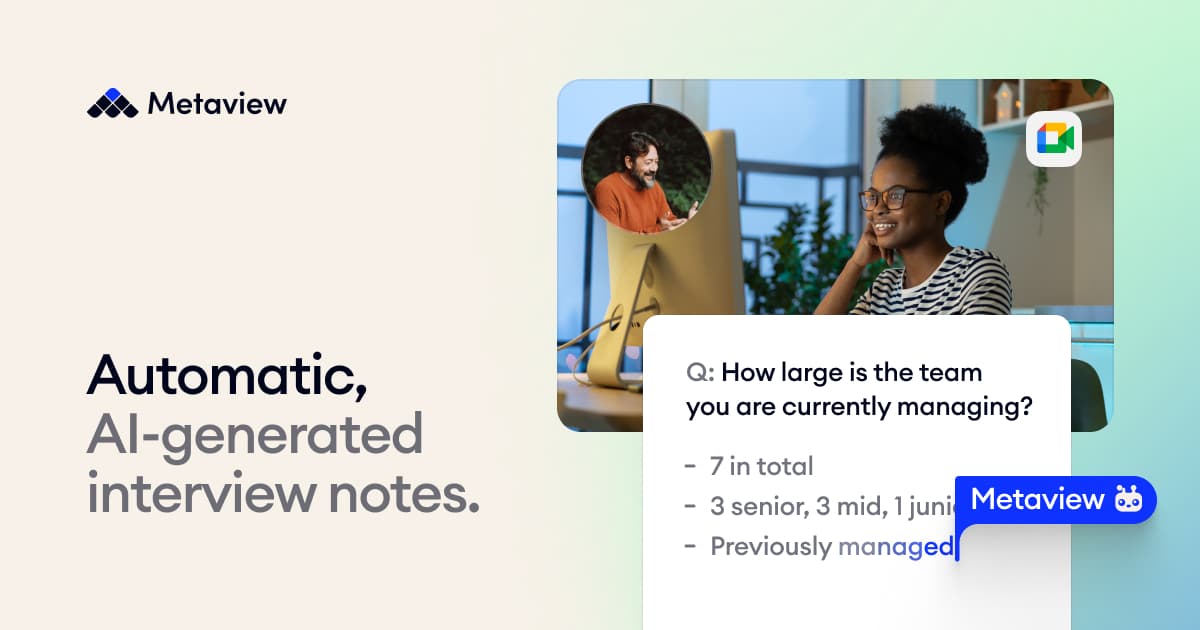
Overview
Metaview began as a recruiting-focused interview notetaker and has expanded into an agentic hiring platform. Its AI Notes product joins supported calls, captures the conversation, identifies speakers, produces editable notes and summaries, and links note sections back to the supporting transcript and recording.
Recruiting-specific context is the main difference from a generic meeting assistant. Teams can use templates based on questions and answers, scorecards, or custom feedback forms, then send structured output into ATS records. Metaview integrates with tools including Ashby, Greenhouse, Lever, Gem, SmartRecruiters, and common calendar, phone, and video platforms.
The broader platform also offers candidate sourcing, application review, outreach sequences, and reports. Because interview recordings and hiring decisions involve sensitive personal data, buyers should evaluate consent, retention, access, sharing, residency, bias, and human-review controls as seriously as note quality.
Use cases
The strongest fit depends on the job you need the product to complete, not the size of its feature list.
Talent teams that spend substantial time turning screens, interviews, and intake calls into notes and ATS updates.
Organizations that want interview evidence organized against consistent questions, competencies, and scorecards.
Teams needing fast note turnaround, searchable conversations, reporting, and integrations across many open roles.
Search partners managing candidate calls, client conversations, sourcing, outreach, and shared hiring context.
Capabilities
Generate structured summaries from interviews, screening calls, intake meetings, and debriefs using role-aware templates.
Jump from a note section to the relevant transcript and recording segment, then edit, correct, shorten, expand, or reformat the output.
Map notes to an organization's interview guides, question-and-answer format, competencies, feedback forms, and preferred terminology.
Schedule capture automatically and write notes back to candidate records in supported ATS, CRM, phone, calendar, and video systems.
Ask questions across conversations, create shareable moments, generate concise summaries, and analyze hiring patterns through an optional reports layer.
Add sourcing, application review, ideal-candidate profiles, outreach, and platform-wide context when the organization needs more than notes.
Process
Step 1
Connect calendars, conferencing tools, phone systems, and the ATS, then set meeting types, note templates, roles, and access defaults.
Step 2
Choose retention, recording, bot participation, sharing, and candidate-notice settings that match company policy and applicable jurisdiction requirements.
Step 3
Invite the Metaview notetaker manually or automate attendance for eligible interviews, intake calls, and debriefs.
Step 4
Confirm interviewer and candidate roles, correct speaker assignment and proper nouns, and inspect source audio where accuracy matters.
Step 5
Edit the generated summary, compare it with the scorecard and transcript, add human judgment, and send the approved output to the ATS.
Step 6
Analyze interview load, decision lag, question coverage, and process patterns without treating a selective candidate pipeline as a complete labor-market dataset.
Cost
AI Notes Free costs $0 and includes 25 calls per user each month, subject to a 60-call organization-wide cap across free users and 14-day access to older conversations. AI Notes Pro costs $60 per user per month with unlimited calls and priority processing. Enterprise and the complete agentic recruiting suite use tailored pricing. Reports is a flat-fee add-on, and assistant questions and note regenerations do not incur extra usage charges.
$0/user/month
No-commitment plan for testing recruiting transcription and notes.
$60/user/month
Unlimited interview and recruiting conversation notes for individual recruiters and teams.
Tailored pricing
Custom volume, support, training, security, and deployment terms for larger organizations.
Custom pricing
Combined sourcing, application review, notes, reports, and premium platform capabilities.
Pricing checked . Check current pricing at the source ↗
Assessment
Compare
The right alternative depends on the specific output, workflow, controls and budget your project requires.
Project Management
Choose Fathom when the priority is a general meeting notetaker with broad business use rather than recruiting-specific workflows.
Explore Fathom →Project Management
Choose Otter AI when general live transcription, meeting summaries, and searchable notes matter more than ATS integration.
Explore Otter.ai →Business Operations
Choose Fireflies AI for a broad meeting-intelligence platform spanning sales, support, recruiting, and internal meetings.
Explore Fireflies AI →Questions
Metaview records and transcribes recruiting conversations, creates structured notes and summaries, links evidence to scorecards, and sends approved output into connected hiring systems.
Yes. AI Notes Free includes 25 calls per user each month, with a 60-call monthly cap across all free users in the organization and access limited to the most recent 14 days.
AI Notes Pro costs $60 per user per month and includes unlimited calls and priority processing. Larger deployments and the complete recruiting-agent platform use custom pricing.
Yes. Metaview lists integrations with Ashby, Greenhouse, Lever, Gem, SmartRecruiters, and other recruiting, scheduling, phone, and conferencing tools.
Yes. Users can correct, delete, supplement, shorten, expand, reorder, and reformat generated notes, and jump to supporting transcript or recording segments.
Organizations are responsible for the notice and consent process that applies to their calls. Metaview provides configurable candidate notices, opt-in or opt-out flows, bot rules, retention, access, and optional video recording controls.
No. AI Notes remains a core product, but Metaview also offers sourcing, application review, outreach, ideal-candidate profiling, and reporting agents for broader recruiting workflows.
Bottom line
Metaview is a strong choice for recruiting teams that need more than generic meeting summaries: structured interview evidence, scorecard alignment, and ATS write-back are the real value. Buyers should pilot note accuracy and workflow fit, calculate per-user rollout cost, and complete a rigorous consent, retention, access, and fairness review before scaling.
Visit Metaview website ↗
Get access to all our AI courses, hundreds of real-world AI use cases, live expert-led workshops, an exclusive network of AI early adopters, and more.
Get unlimited access to all of our current & upcoming industry-specific AI courses for the duration of your subscription.
To keep up with the rapid pace of AI, our team publishes AI implementation guides daily. Our library contains 300+ practical use cases to automate real-world work.
Join weekly, live, interactive sessions with industry leaders who are at the forefront of AI for hands-on implementation guidance and exclusive insights.
Network with an exclusive community of AI-first professionals who are working smarter with AI. Learn how early adopters are using AI in their work and businesses.


