Authenticated research
Users who need an agent to inspect information behind an existing browser login.
Independent tool overview
Manus Browser Operator lets Manus carry out web tasks inside a user's local authenticated browser session after explicit authorization, making it possible to work with sites that depend on existing logins or local browser state.
Visit the official Manus Browser Operator site ↗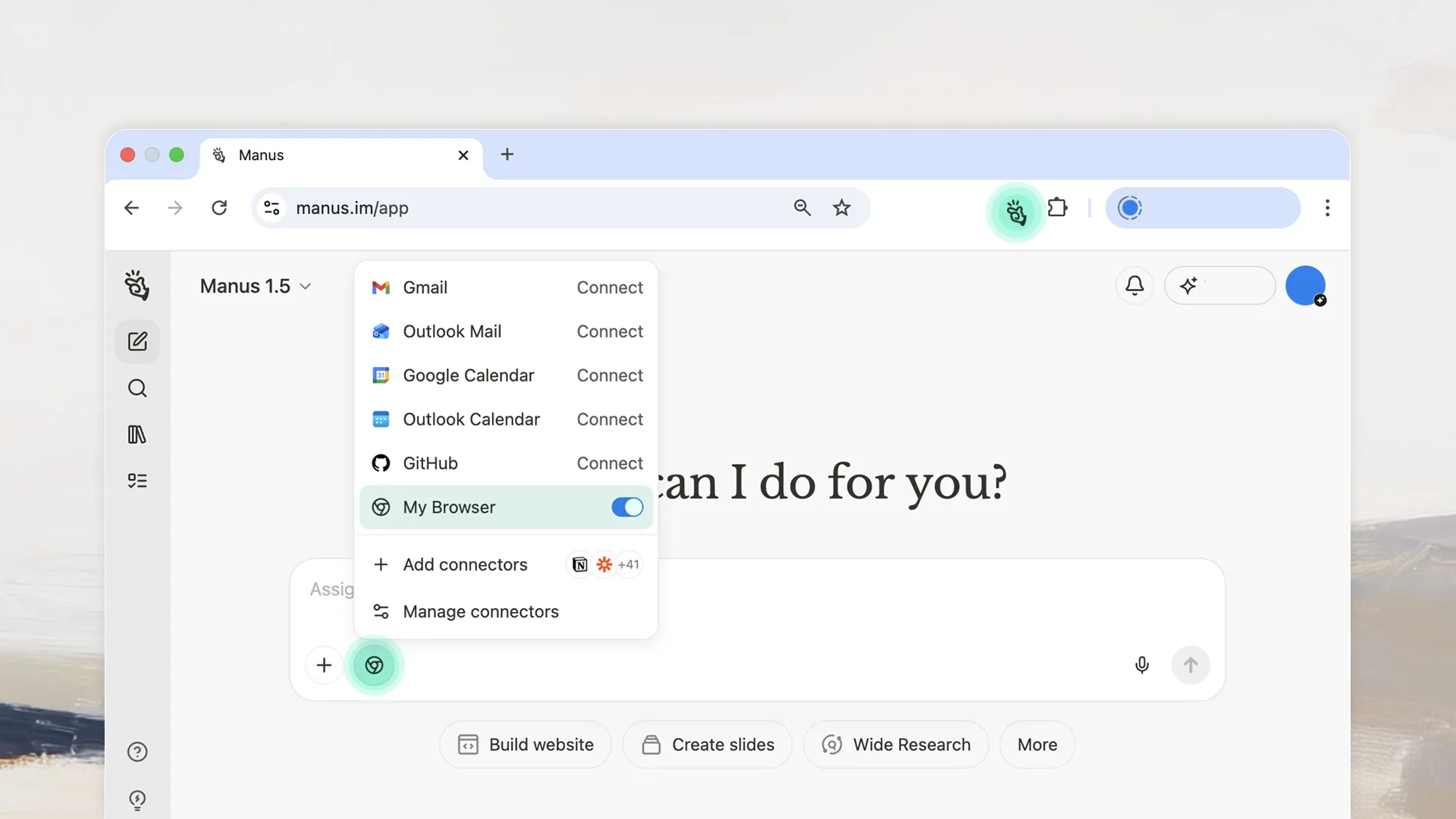
Overview
The extension bridges Manus to Chrome or Edge without requiring the user to share account passwords with the agent. It operates in a dedicated browser context, shows actions, and allows the user to interrupt when needed.
Authenticated access makes the capability powerful and consequential. Users should authorize only the sites needed for a task, supervise financial or publishing steps, and review any change before it becomes irreversible.
Use cases
The strongest fit depends on the job you need the product to complete, not the size of its feature list.
Users who need an agent to inspect information behind an existing browser login.
People delegating multi-step site work while retaining visible control and interruption.
Capabilities
Works with supported sites using the browser's already authenticated state.
Requires the user to grant access before the agent operates in the browser.
Shows agent actions and provides a way to interrupt the run.
Process
Step 1
Use the official Browser Operator installation path for Chrome or Edge.
Step 2
Open the required site, confirm the account, and grant only the necessary browser access.
Step 3
Watch consequential steps and confirm the final state directly in the site.
Cost
Browser Operator is included as a Manus capability rather than sold with a standalone price on the launch page. Availability and usage limits follow the user's current Manus plan.
Included subject to plan
Browser Operator access follows current Manus account terms.
Pricing checked . Check current pricing at the source ↗
Assessment
Compare
The right alternative depends on the specific output, workflow, controls and budget your project requires.
Agents
The main Manus page covers its broader cloud-agent environment, while Browser Operator is specifically for local authenticated browsing.
Explore Manus →Questions
Manus Browser Operator lets Manus carry out web tasks inside a user's local authenticated browser session after explicit authorization, making it possible to work with sites that depend on existing logins or local browser state.
Users who need an agent to inspect information behind an existing browser login. People delegating multi-step site work while retaining visible control and interruption.
Browser Operator is included as a Manus capability rather than sold with a standalone price on the launch page. Availability and usage limits follow the user's current Manus plan.
Bottom line
Browser Operator is useful when a Manus task depends on a real logged-in browser, but it should be treated as supervised access to the user's account rather than an unattended automation shortcut.
Visit Manus Browser Operator website ↗
Codex feature that turns a recorded manual computer workflow into a reusable skill an agent can replay with browser and computer-use tools.

OpenAI model family for complex production, coding, agent, and tool-using workloads.
Connect AI agents to external apps with managed authentication, tool discovery, execution, and event triggers.

Anthropic reasoning model for complex agentic coding, enterprise work, long-context analysis, and tool use.

Get access to all our AI courses, hundreds of real-world AI use cases, live expert-led workshops, an exclusive network of AI early adopters, and more.
Get unlimited access to all of our current & upcoming industry-specific AI courses for the duration of your subscription.
To keep up with the rapid pace of AI, our team publishes AI implementation guides daily. Our library contains 300+ practical use cases to automate real-world work.
Join weekly, live, interactive sessions with industry leaders who are at the forefront of AI for hands-on implementation guidance and exclusive insights.
Network with an exclusive community of AI-first professionals who are working smarter with AI. Learn how early adopters are using AI in their work and businesses.