Building a journal habit
People who find a responsive prompt or weekly artifact more motivating than a blank diary.
Independent tool overview
Life Note is an AI journal for web, iPhone, and Android that responds to entries through simulated versions of more than 1,000 historical thinkers and public figures. It adds source-linked mentor replies, journal memory, voice entries, weekly reflections, goals, emotional-pattern views, and read-only connections to external AI agents. A free tier is available; the US App Store lists Premium at $10.99 monthly or $99.99 annually. Its engaging reflection tools are best treated as prompts, not therapy or authoritative representations of real people, and its encryption still permits temporary decryption for AI processing.
Visit the official Life Note site ↗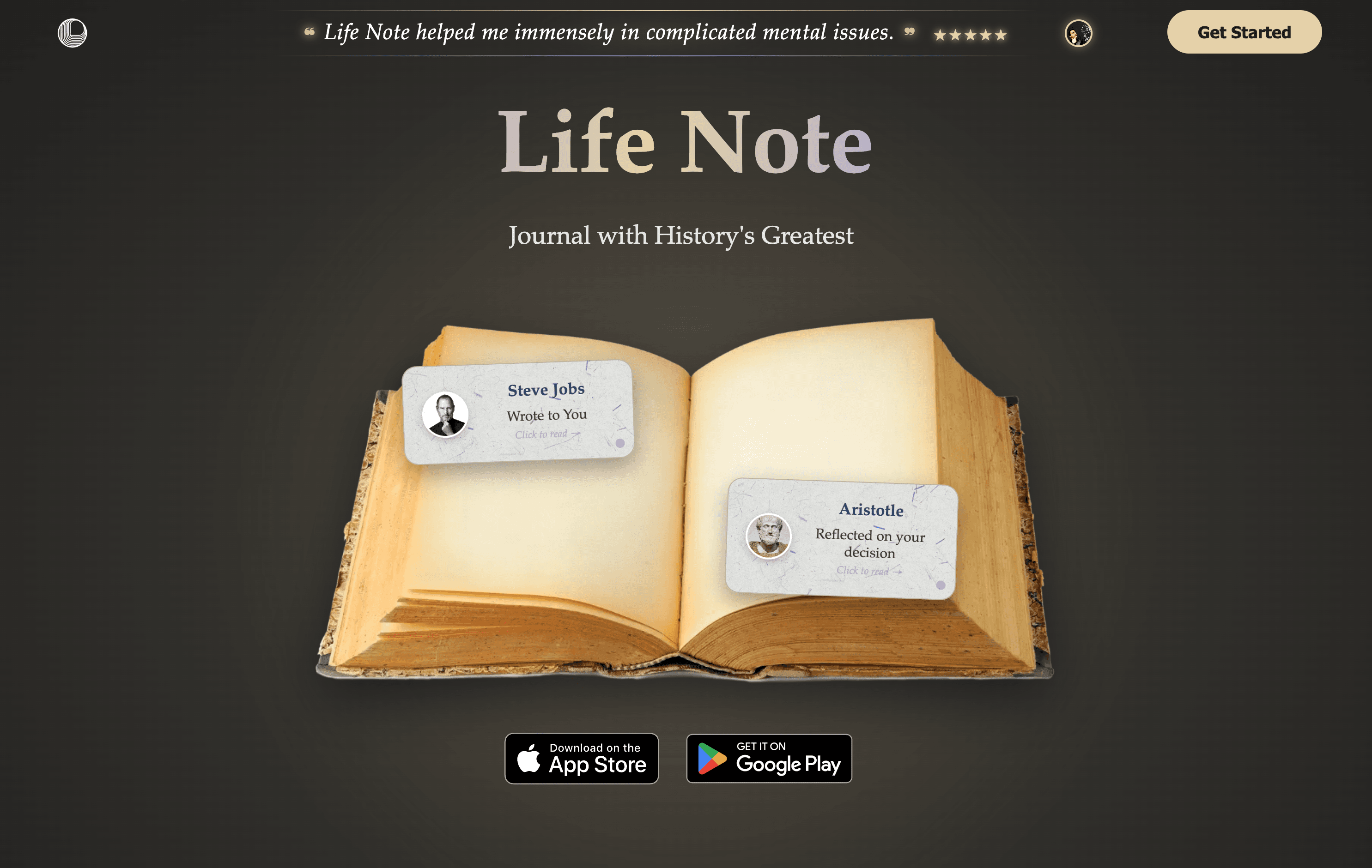
Overview
Life Note turns private journaling into an ongoing AI conversation. Users write or dictate an entry, receive a response from one or more simulated mentors, save useful passages, and revisit themes across earlier entries. The mentor library spans philosophy, psychology, science, business, spirituality, the arts, and other disciplines.
The product's strongest editorial distinction is source traceability. Life Note says mentor replies can link back to original writings rather than relying only on a generic persona. That makes a response easier to inspect, but it does not guarantee that a quotation, translation, attribution, interpretation, or modern application is accurate. Read the source in context before relying on it.
Longitudinal features include Connect the Dots, Memory Orbs, emotion views, goals, reminders, aligned actions, yearly reflection, and Inner Wisdom, which lets eligible users chat across their journal history. Weekly Letter and Inner Portrait features turn a week of entries into a narrative and image. These are creative reflection aids, not validated psychological assessments.
Life Note stores journal entries encrypted with AES-GCM and protects per-account keys through AWS Key Management Service. The privacy policy is explicit that entries are decrypted when an AI mentor processes them. This is an important distinction from a zero-knowledge journal whose operator can never decrypt content. PIN and biometric locks add useful device protection, but they do not remove account, backup, model-processing, or connected-agent risk.
The optional MCP connection gives approved external AI clients read-only access to decrypted journal entries, mentor conversations, saved passages, practices, quests, and goals. Each agent receives a scoped token and can be revoked, but the receiving AI provider applies its own privacy terms. Even read-only access can expose highly sensitive information, so connect only a trusted account and avoid sending secrets or third-party confidential data.
Use cases
The strongest fit depends on the job you need the product to complete, not the size of its feature list.
People who find a responsive prompt or weekly artifact more motivating than a blank diary.
Writers who want reflection prompts framed through multiple philosophical, artistic, scientific, or business traditions.
Users willing to maintain a journal over time and revisit themes, goals, emotions, memories, and recurring patterns.
Curious readers who will use mentor citations as starting points for checking original works and discovering authors.
People who prefer speaking thoughts aloud and reviewing the transcription before saving it.
Privacy-aware users who want to query their own journal from a separately authorized MCP client with tight controls.
Capabilities
Matches entries with simulated historical or public-figure mentors and generates personalized replies.
Links eligible mentor guidance to passages from original works so users can inspect the claimed source.
Invites several mentors to respond to the same entry, surfacing contrasting frames instead of a single answer.
Connect the Dots identifies possible links between current writing and earlier reflections.
Lets users chat across their journal history after the product's entry threshold is met.
Transcribes spoken thoughts into a journal entry; users should review sensitive audio and transcription handling.
Creates a weekly written reflection after three entries in a week, including for free users.
Generates visual artifacts from recent journaling, including a weekly personalized artwork.
Represents entries and milestones in a visual space for browsing and reminiscence.
Allows useful passages from mentor conversations to be highlighted and collected.
Supports life and yearly goals, reminders, practices, quests, aligned actions, and annual reflection.
Maps self-reported emotional patterns over time; the output should not be interpreted as diagnosis or clinical measurement.
Allows explicitly approved external AI clients to retrieve journal and reflection data without writing, changing, or deleting it.
Offers encrypted storage, PIN or biometric locks, data export, account deletion, agent revocation, and recent agent-activity history.
Process
Step 1
Use Life Note for reflection, idea capture, gratitude, habit-building, or reading discovery—not diagnosis, treatment, crisis response, or decisive professional advice.
Step 2
Understand that entries are encrypted at rest but decrypted for mentor responses and approved agent requests.
Step 3
Avoid passwords, access tokens, precise financial identifiers, employer secrets, legal strategy, protected health records, or identifiable details about other people.
Step 4
Use a unique account password, available PIN or biometric lock, secure device access, and careful notification and backup settings.
Step 5
Separate what happened, what you felt, what you inferred, and what question you want to explore.
Step 6
Ask for alternative explanations and counterpoints; do not treat a simulated persona as the real person's endorsement or authoritative view.
Step 7
Open the source, verify the words and attribution, check edition and translation, and read surrounding context before repeating or acting on it.
Step 8
Pause if repeated analysis increases rumination, anxiety, guilt, obsession, delusion, dependency, or avoidance of human support.
Step 9
Discuss high-impact medical, mental-health, legal, financial, workplace, religious, safety, or relationship decisions with an appropriate qualified person.
Step 10
Authorize only a trusted external AI account, review scopes and provider terms, use the connection for a defined task, and disconnect it when finished.
Step 11
Review the recent agent-activity log and revoke unfamiliar or unused connections; remember revocation may not erase data already processed by another provider.
Step 12
Before relying on the service long term, confirm export format and completeness, then understand the stated seven-business-day deletion process and backup retention.
Cost
Life Note offers a free experience and paid Premium subscriptions. The US App Store lists the monthly plan at $10.99 and the annual plan at $99.99. Life Note says free users can journal with mentors and earn a Weekly Letter and Inner Portrait after three entries in a week, but its public pages do not clearly enumerate every usage limit or Premium entitlement. Store, country, currency, tax, promotion, trial, renewal, and platform pricing can differ, so confirm the final terms in the purchase screen.
$0
For trying the journal and AI mentor concept before subscribing.
$10.99/month in the US App Store
Month-to-month access to the paid Life Note experience.
$99.99/year in the US App Store
Annual billing for users committed to the product.
Pricing checked . Check current pricing at the source ↗
Assessment
Compare
The right alternative depends on the specific output, workflow, controls and budget your project requires.
Content Creator
Consider Mindsera for a more structured AI journal centered on guided frameworks and mental fitness.
Explore Mindsera →Consulting
Consider Me.bot for broader personal memory, organization, and life-assistant workflows.
Explore Second Me (formerly Me.bot) →Business Operations
Consider ChatGPT for flexible reflection prompts without a dedicated journal-and-historical-mentor interface; apply separate privacy controls.
Explore ChatGPT →Questions
Life Note is an AI journal that responds to entries through simulated versions of more than 1,000 historical thinkers and public figures. It also provides memory, goals, voice capture, emotion views, weekly writing and art, and optional external-agent access.
Yes. Life Note advertises a free tier with mentor journaling plus a Weekly Letter and Inner Portrait after three entries in a week. The exact limits for all free features are not clearly published.
As of August 31, 2026, the US App Store lists a $10.99 monthly plan and a $99.99 annual plan. Confirm the current price, tax, trial, renewal, and entitlements in your platform's purchase screen.
No. Life Note's terms describe them as fictionalized representations based on public-domain and widely available information, with no claimed affiliation or endorsement. Their answers are model-generated interpretations.
Use them as a verification starting point. Check the exact passage, author, work, edition, translation, surrounding context, and whether the generated advice actually follows from the source.
Life Note encrypts stored entries with AES-GCM and protects per-account keys through AWS KMS, but its systems decrypt entries when an AI mentor responds and when an authorized agent retrieves them. It is therefore not a zero-knowledge journal.
The current privacy policy says Life Note does not use journal content to train models or share it with AI providers for training. That claim does not mean the content is never processed, decrypted, logged, backed up, or handled by authorized subprocessors.
Yes. Its MCP connection can give explicitly authorized compatible clients read-only access to journal entries, mentor responses, saved Wisdom, practices, quests, and goals. The external provider's own privacy rules apply to data it receives.
Life Note says MCP agents cannot write, modify, or delete journal content, settings, payments, or other account data. Read-only access still creates meaningful confidentiality and downstream-processing risk.
No. It is a reflection and journaling tool, not a therapist, diagnosis system, treatment, clinician, or crisis service. For urgent danger or thoughts of self-harm, contact local emergency services or crisis resources and a trusted person now.
Life Note's terms and privacy policy require users to be at least 13, and the terms require parent or guardian involvement for users under 18. The App Store's 9+ rating is a content classification, not account eligibility.
Life Note advertises export and deletion controls. Its privacy policy describes an email-based deletion request completed within seven business days, with limited legal retention up to 30 days and backup retention up to 90 days. Test export completeness and disconnect external agents separately.
Anyone needing crisis help, clinical care, definitive legal or financial advice, source-accurate scholarship, or a journal that the provider can never decrypt should use a more appropriate human or technical service.
Bottom line
Life Note is one of the more imaginative AI journals: the simulated mentor format, source links, cross-entry memory, and weekly artifacts can make reflection feel engaging enough to sustain. The best use is exploratory—write, compare perspectives, inspect sources, and take useful questions to real people. Its greatest caution is equally clear: a highly intimate journal is being processed by AI, mentor voices can sound more authoritative than they are, and the encryption is not zero-knowledge because entries are decrypted for responses and authorized agents. Start free, write low-risk material first, verify source-based claims, avoid clinical dependence, and connect external agents only for a narrow, reversible task.
Visit Life Note website ↗
Get access to all our AI courses, hundreds of real-world AI use cases, live expert-led workshops, an exclusive network of AI early adopters, and more.
Get unlimited access to all of our current & upcoming industry-specific AI courses for the duration of your subscription.
To keep up with the rapid pace of AI, our team publishes AI implementation guides daily. Our library contains 300+ practical use cases to automate real-world work.
Join weekly, live, interactive sessions with industry leaders who are at the forefront of AI for hands-on implementation guidance and exclusive insights.
Network with an exclusive community of AI-first professionals who are working smarter with AI. Learn how early adopters are using AI in their work and businesses.


