Faceless educational videos
Turning a reviewed outline into a narrated visual lesson without filming an on-camera presenter.
Independent tool overview
Higgsfield Explainer is an active Higgsfield Supercomputer skill that turns a topic or brief into a narrated 2D explainer video. It can plan the piece, draft a script, generate visuals, narration, music, and subtitles, and maintain a consistent style across a longer sequence. It is useful for rapid first cuts and faceless content, but every claim, quotation, visual, voice, license, and disclosure still needs human review before publication.
Visit the official Higgsfield Explainer site ↗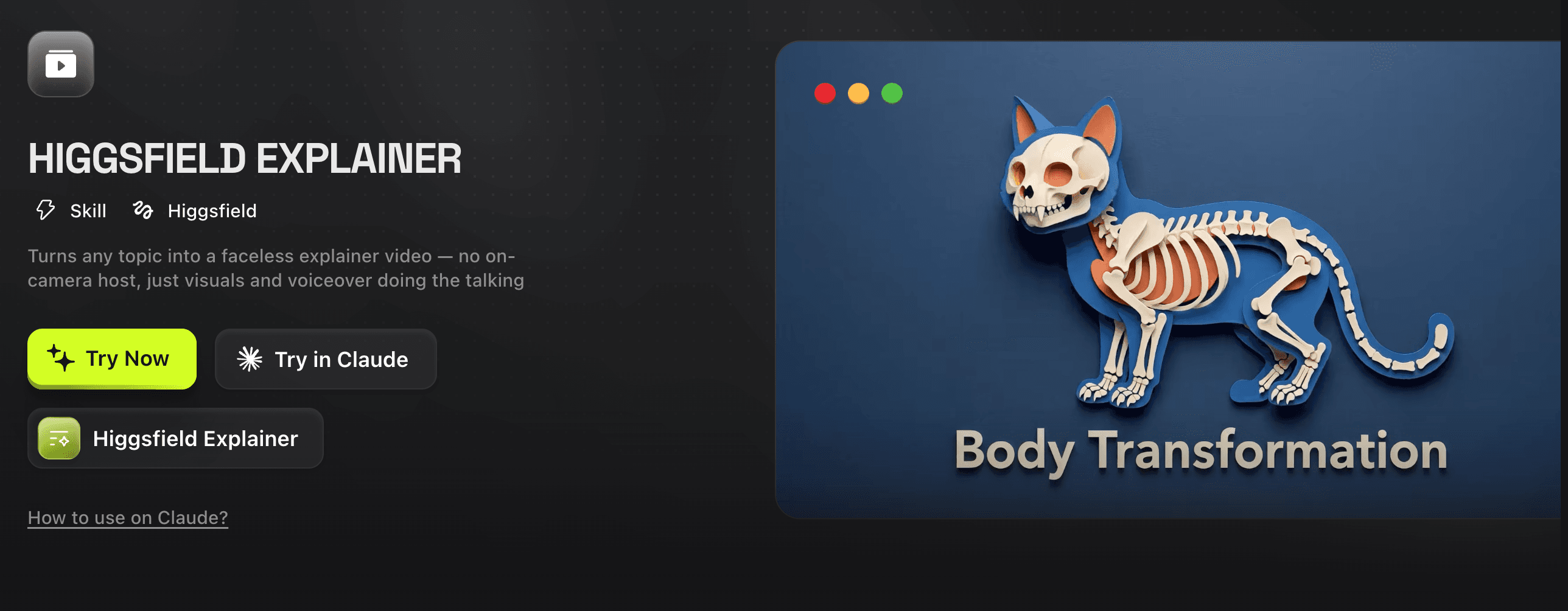
Overview
Higgsfield Explainer is one of the ready-made skills inside Higgsfield's chat-driven Supercomputer workspace. A user describes the subject and desired treatment, and the agent runs a multi-step production rather than generating only one image or clip.
The current product page presents it as a way to create clear visual explainers with persistent characters, style, and voice. Examples include pixel-art, claymation, mixed-media collage, editorial motion graphics, and cartoon treatments.
Higgsfield's broader faceless-video workflow can draft a script, generate narration, assemble 2D animation, add music, and place subtitles. The Explainer skill should still be treated as a production workflow, not an authoritative research or fact-checking system.
Supercomputer tasks spend credits for each generation step, and complex projects can make several calls. Higgsfield displays the running or proposed credit cost in the task, but final spend depends on models, duration, resolution, retries, and revisions.
The workflow is strongest when the brief includes a verified outline, source pack, pronunciation guide, visual references, audience, duration, aspect ratio, and brand rules. Vague prompts save preparation time but increase factual, structural, stylistic, and cost uncertainty.
Use cases
The strongest fit depends on the job you need the product to complete, not the size of its feature list.
Turning a reviewed outline into a narrated visual lesson without filming an on-camera presenter.
Illustrating history, science, business, design, or cultural topics where stylized visuals can clarify the sequence.
Producing a first cut with script, narration, animation, music, and subtitles for a human editor to refine.
Testing several visual approaches before committing a larger animation or editorial budget.
Creating shorter or differently framed versions after the core facts, visuals, and voice are approved.
Reducing handoffs among separate scripting, image, animation, voice, music, and caption tools.
Capabilities
Starts from a plain-language topic or creative brief and returns a multi-scene explainer.
Breaks the task into production steps and routes generation through suitable models.
Can create or revise narration structure from the supplied brief and source material.
Adds a synthetic voice track to the explainer sequence.
Builds animated visual scenes rather than requiring separately filmed footage.
The dedicated product page emphasizes continuity of characters, style, and voice across longer videos.
Public examples include pixel art, claymation, collage, cartoon, and editorial motion-graphics looks.
Can add background music as part of the assembled production.
Produces captions that can be reviewed and corrected before delivery.
Supercomputer shows generation cost as a task proceeds or before approval, depending on the workflow.
Users can request changes to individual steps or regenerate variations from the same conversation.
Higgsfield skills can be launched in its marketplace and supported agent integrations.
Generated assets remain in the Higgsfield workspace for downloading, sharing, and reuse subject to plan storage.
Process
Step 1
State exactly what the viewer should understand, the intended age or expertise, length, platform, and call to action.
Step 2
Supply current primary sources, approved quotations, dates, pronunciations, product facts, and a list of claims that must not be invented.
Step 3
Select a style appropriate to the subject and audience without mimicking a living artist or confusing fiction with documentary evidence.
Step 4
Specify aspect ratio, resolution, target duration, scene count, brand colors, caption format, voice attributes, and credit ceiling.
Step 5
Review the hook, sequence, explanations, transitions, and conclusion before spending credits on finished scenes.
Step 6
Fact-check every claim, number, name, quotation, timeline, and causal statement and remove unsupported certainty.
Step 7
Decide which scenes are illustration, reconstruction, diagram, data visualization, or sourced material and label them appropriately.
Step 8
Test a few scenes for pacing, character continuity, voice, captions, visual accuracy, and actual credit consumption.
Step 9
Approve the shown cost and let the skill assemble the remaining visuals, audio, music, and subtitles.
Step 10
Check people, anatomy, objects, maps, dates, equations, logos, text, charts, scene continuity, and culturally sensitive details.
Step 11
Correct pronunciation and caption errors, confirm music rights, normalize levels, and ensure narration remains intelligible.
Step 12
Finish timing and corrections in an editor, add citations and synthetic-media disclosure where appropriate, and obtain final human approval.
Cost
Higgsfield Explainer does not have a separate public price. It runs through Higgsfield plans and consumes credits for generation steps. Current plan names, prices, included credits, promotions, and model costs change frequently, so the live pricing page and in-task approval screen are the source of truth.
$0 with limits
Higgsfield says users can explore a limited model set without a paid subscription, and the marketplace currently labels some Supercomputer examples as Free Mode.
From about $9 per month in current official comparisons
Paid plans add monthly credits, broader model access, and more parallel generation.
Team, Scale, or custom Enterprise
Shared workspaces pool credits and add collaboration or administration according to tier.
Pricing checked . Check current pricing at the source ↗
Assessment
Compare
The right alternative depends on the specific output, workflow, controls and budget your project requires.
Agents
The broader agentic workspace when a custom multi-step production is more useful than the dedicated Explainer skill.
Explore Higgsfield Supercomputer →Content Creator
A more storyboard- and filmmaking-oriented workspace for creators who want hands-on control over scenes and sequence.
Explore LTX Studio →Marketing
A structured presenter-led video platform for training and business communication rather than stylized faceless animation.
Explore Synthesia →Content Creator
A direct generative-video option for building individual high-control shots and assembling them in a separate edit.
Explore Runway Gen-4.5 →Questions
It is a ready-made Higgsfield Supercomputer skill that turns a topic or brief into a narrated visual explainer video.
Yes. It appears in Higgsfield's current Supercomputer marketplace and has a dedicated current explainer page.
The current workflow can combine a script, stylized 2D scenes, synthetic narration, background music, and subtitles into a finished first cut.
Higgsfield describes the dedicated Explainer as a long-form narrated 2D video product. Practical length, cost, consistency, and availability depend on the current account and workflow.
Public examples include pixel art, claymation, mixed-media collage, cartoons, and editorial motion graphics. The live marketplace contains the current choices.
There is no separate listed skill fee. Some marketplace examples are labeled Free Mode, but full Supercomputer work and generation steps commonly require plan access and credits. Check the live account before running.
There is no fixed public per-video price. Cost depends on script length, number of scenes, selected models, duration, resolution, retries, and revisions, with credits shown in the task.
Do not rely on it as the final fact-checker. Supply primary sources and have a knowledgeable human verify every claim, number, quotation, date, citation, and visual assertion.
Higgsfield markets Supercomputer generations for commercial use, but users remain responsible for source rights, likeness, voice, trademark, music, client, and jurisdiction-specific restrictions.
No. It can produce an assembled first cut, but precise timing, compositing, audio cleanup, branding, accessibility, and final quality control may require dedicated editing software.
Yes, the workflow is well suited to faceless explainers and drafts for YouTube. Add citations, correct captions, verify claims, and follow YouTube's current synthetic-media and monetization policies.
Provide the audience, learning goal, verified outline, sources, duration, aspect ratio, style, voice, pronunciation guide, brand rules, forbidden claims, and credit limit.
Review script facts, citations, visual accuracy, people and places, labels, maps, charts, anatomy, continuity, captions, pronunciation, music, rights, disclosures, and platform compliance.
Higgsfield states that Supercomputer generations consume credits even when some direct web models have Unlimited access. The live task ledger is the authoritative usage record.
Bottom line
Higgsfield Explainer is a capable production accelerator for creators who want a coherent narrated first cut without managing separate script, image, animation, voice, music, and caption tools. Its real advantage is orchestration, not truth or final-edit precision. It is worth testing with a short, well-sourced sample and a hard credit ceiling before committing to a long video.
Visit Higgsfield Explainer website ↗
Claude Sonnet 5 - Anthropic's mid-sized, cost-effective model with strong agentic and coding capabilities
Hy-3 - Tencent's new open-source model built for cheap, reliable agent deployment

Sakana Fugu - Sakana’s new orchestration model nearing frontier capabilities
Willow Frontier Mini - Willow's free, unlimited AI dictation model

Get access to all our AI courses, hundreds of real-world AI use cases, live expert-led workshops, an exclusive network of AI early adopters, and more.
Get unlimited access to all of our current & upcoming industry-specific AI courses for the duration of your subscription.
To keep up with the rapid pace of AI, our team publishes AI implementation guides daily. Our library contains 300+ practical use cases to automate real-world work.
Join weekly, live, interactive sessions with industry leaders who are at the forefront of AI for hands-on implementation guidance and exclusive insights.
Network with an exclusive community of AI-first professionals who are working smarter with AI. Learn how early adopters are using AI in their work and businesses.