Model demos
Researchers and engineers exposing text, image, audio, video, 3D, or structured model inputs and outputs without building a front end from scratch.
Independent tool overview
Gradio is an Apache-2.0 Python framework for turning functions, machine-learning models, and APIs into interactive web apps with minimal front-end code. Interface, ChatInterface, Blocks, and Server modes cover quick demos through custom FastAPI-backed services, with streaming, queues, generated clients, MCP tools, and Hugging Face Spaces deployment. It is excellent for prototypes and internal model tools, but public apps require real authentication, upload limits, file-path controls, rate limiting, dependency patching, and isolation of the underlying Python function.
Visit the official Gradio site ↗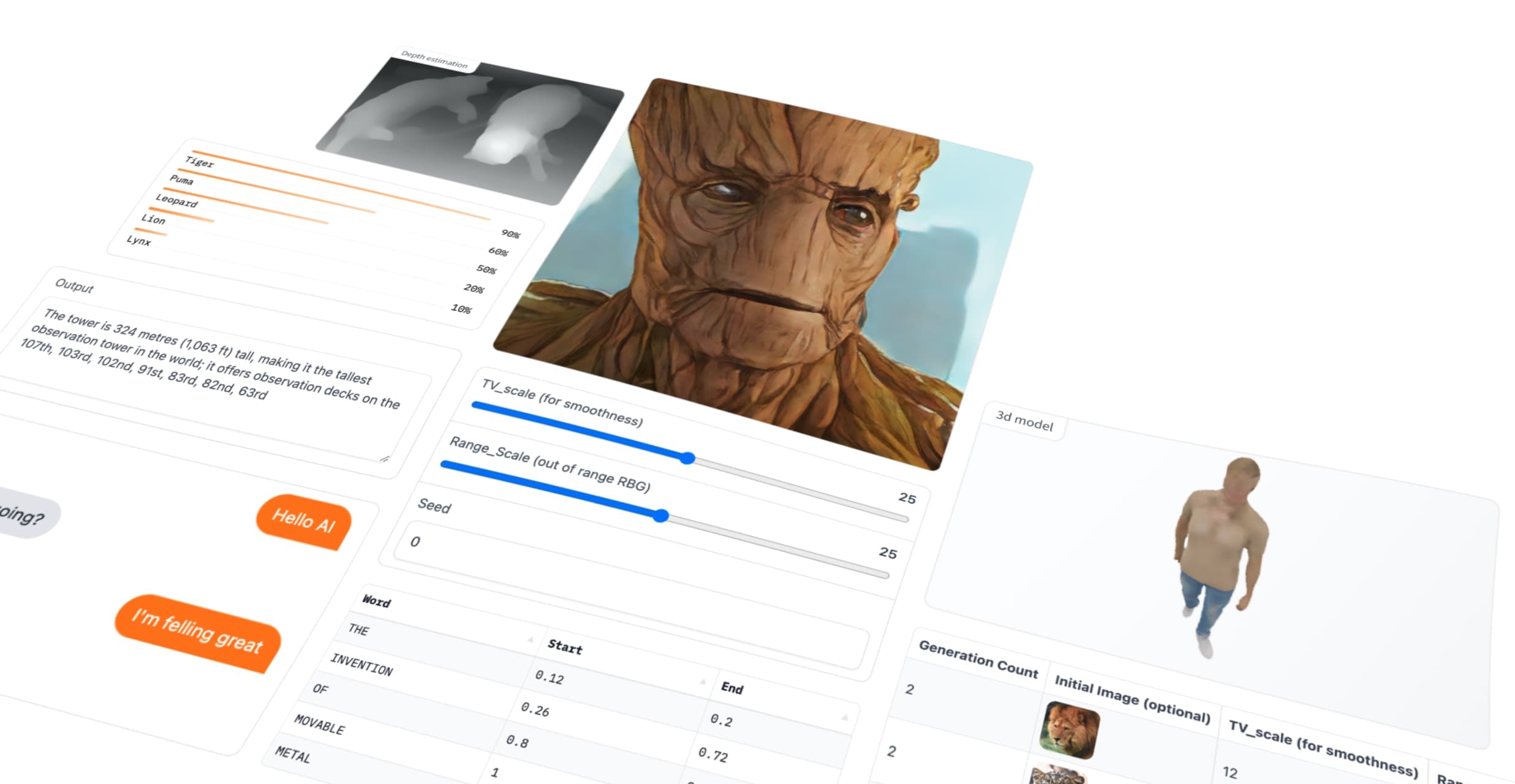
Overview
Gradio connects Python functions to browser components. A developer defines inputs, outputs, and events, and Gradio supplies the web UI, request handling, queue, streaming, API documentation, and Python or JavaScript client. It is especially popular for model demos, chatbots, image and audio tools, data apps, and internal AI utilities.
There are several construction levels. Interface wraps one function quickly, ChatInterface specializes in conversational experiences, Blocks supports custom layouts and event flows, and the newer Server mode exposes Gradio's FastAPI API engine to a completely custom React, Svelte, HTML, or headless front end.
Sharing can be almost instant. share=True creates a public gradio.live tunnel to the app still running on the developer's machine, normally for up to 72 hours. A more durable deployment can run on Hugging Face Spaces, a self-managed server, or another Python hosting environment.
Gradio can automatically publish documented functions as REST-style endpoints, generated clients, or MCP tools. That convenience expands the attack surface: a harmless-looking demo callback is executable server code, and enabling MCP makes it callable by agent clients. Authentication, authorization, validation, concurrency, timeouts, and action confirmation still belong to the application.
The framework is free; compute and hosting are not. Hugging Face's current Spaces rules require a paid account to create most compute-backed Gradio or Docker Spaces, with limited ZeroGPU exceptions for personal accounts. Hardware charges range from free CPU Basic runtime to metered CPU and GPU instances.
Use cases
The strongest fit depends on the job you need the product to complete, not the size of its feature list.
Researchers and engineers exposing text, image, audio, video, 3D, or structured model inputs and outputs without building a front end from scratch.
Teams prototyping streaming assistants, multimodal conversations, tool calls, examples, feedback, and session state.
Authorized users running model evaluation, data review, annotation, generation, and operations utilities behind organization authentication.
Data scientists sharing an interactive function from a notebook or local Python environment for quick review.
Open-source projects and teams deploying reproducible demos from a Git repository with configurable CPU, GPU, visibility, and secrets.
Developers turning carefully scoped Python functions into streaming API or agent tools with generated documentation and clients.
Capabilities
Wraps a Python function in a standard input-output UI with examples, descriptions, and launch options.
Provides a higher-level conversational UI for messages, streaming responses, multimodal inputs, and chat history.
Composes components, layouts, events, state, themes, tabs, and reactive flows for more customized applications.
Runs the Gradio API engine as a FastAPI server behind a custom or headless front end while preserving queues, streaming, clients, MCP, and Spaces compatibility.
Includes text, file, image, audio, video, dataframe, plot, gallery, code, chatbot, model-viewing, and many other components.
Supports generator or async results, server-sent events, progress, endpoint concurrency limits, and resource-aware queuing.
Documents callable endpoints and supports programmatic access through gradio_client and a JavaScript client.
Can expose documented functions as tools and add MCP-only functions, resources, and prompts for compatible agent clients.
Creates a public tunnel to a locally running app without moving the model itself to Gradio's share server.
Integrates with Spaces for Git-backed builds, public, protected, or private visibility, secrets, ZeroGPU, and paid hardware.
Can enable server-side rendering for performance and SEO with Node 20+, and can publish an installable progressive web app.
Can mount inside a larger FastAPI application and use an external auth dependency for organization identity and authorization.
Process
Step 1
Identify users, input types, data classification, model or API credentials, allowed actions, output sensitivity, hosting region, and retention before writing the callback.
Step 2
Start with Interface or ChatInterface for a single flow; use Blocks only for necessary layout and state, or Server when a custom front end is genuinely required.
Step 3
Validate every argument, use allowlists and schemas, set timeouts, catch failures, avoid shell interpolation, and never trust filenames, paths, URLs, model output, or uploaded content.
Step 4
Use a dedicated working directory, keep allowed_paths empty or extremely narrow, set blocked_paths defensively, and never return arbitrary user text to a file output component.
Step 5
Set max_file_size, verify MIME type and content, scan files where appropriate, cap image dimensions and media duration, enforce concurrency, and clean temporary files.
Step 6
Use organization OAuth or an external auth dependency for sensitive apps. Treat built-in username/password auth as basic protection, not enterprise identity or abuse prevention.
Step 7
Store API keys in a secret manager or Spaces secrets, never in source, examples, browser code, logs, exceptions, state, or public repository variables.
Step 8
Hide endpoints that should not be public, scope MCP tools narrowly, verify callers, rate-limit by identity, require confirmation for writes, and audit every tool invocation.
Step 9
Probe path traversal, oversized and malformed uploads, prompt injection, cross-user state leakage, queue exhaustion, repeated actions, error disclosure, unsafe HTML, and unauthorized API calls.
Step 10
Use share=True only for short, non-sensitive reviews. For durable apps, configure TLS, reverse proxy, authentication, isolation, observability, backups, sleep behavior, and cost alerts.
Step 11
Pin and update Gradio and dependencies, follow security releases, track latency, errors, queue depth, resource usage, file storage, abuse, tool actions, and hosting spend.
Cost
Gradio itself is free under Apache 2.0. Temporary gradio.live share tunnels are free but public and normally expire after 72 hours. Self-hosting costs whatever infrastructure and model inference require. Hugging Face Spaces has separate account and hardware pricing: most new Gradio or Docker Spaces require a paid personal or organization plan, while CPU Basic hardware has no hourly fee and limited personal ZeroGPU exceptions exist. Paid hardware is billed by the minute while starting or running.
Free and open source
Python package, components, APIs, clients, and deployment primitives.
Free
Temporary public tunnel to a locally running app for demos and feedback.
$0/hour hardware
Default 2-vCPU, 16-GB RAM, 50-GB non-persistent-disk runtime.
From $0.03/hour
Metered CPU and GPU instances for higher memory and acceleration.
Infrastructure-dependent
Deploy on a VM, container platform, Kubernetes, or private server.
Pricing checked . Check current pricing at the source ↗
Assessment
Compare
The right alternative depends on the specific output, workflow, controls and budget your project requires.
Coding
Choose Replit for a broader browser-based coding, hosting, collaboration, and deployment environment rather than a Python-first model UI framework.
Explore Replit →Coding
Choose Bolt.new when natural-language full-stack application generation matters more than directly wrapping Python model functions.
Explore Bolt.new →Design
Choose Vercel v0 for polished React and Next.js interface generation with a production web-app workflow.
Explore Vercel v0 →Coding
Choose Firebase when the priority is managed hosting, authentication, databases, functions, and app infrastructure rather than ML-specific Python UI components.
Explore Google Firebase →Coding
Choose Replit Agent when an AI coding agent should design, implement, and deploy the application end to end.
Explore Replit Agent →Questions
Gradio is an open-source Python framework that creates web interfaces, APIs, and clients around Python functions and machine-learning models.
Yes. The framework is free under Apache 2.0. Hosting, GPUs, external model APIs, storage, networking, and operations can cost money.
Interface quickly wraps a function in a standard input-output UI. Blocks gives finer control over components, layout, state, and event chains. ChatInterface specializes in chat, while Server supports a custom or headless front end.
The framework can run locally or on your own infrastructure. share=True creates a temporary public tunnel to the locally running process. Hugging Face Spaces is a separate durable hosting option.
No. They are publicly reachable by anyone with the link unless the app adds authentication. Do not expose sensitive callbacks, files, credentials, or data through an unprotected share link.
Official share links normally have a 72-hour timeout. They are intended for temporary demonstrations rather than production hosting.
Yes. Gradio documents callable functions and supports Python and JavaScript clients. Server mode can run a headless FastAPI-backed API with queuing and SSE streaming.
Yes. Enabling mcp_server can publish documented functions as MCP tools, with additional decorators for functions, resources, and prompts. Apply authentication, authorization, rate limits, and least-privilege design.
Built-in username/password auth is basic. Sensitive production apps should use organization identity through OAuth or an external auth dependency plus authorization, rate limiting, monitoring, and network controls.
Yes, intentionally or accidentally. Static files, allowed paths, cached outputs, and uploads can be accessible by URL. Keep paths narrow, block sensitive locations, limit uploads, and never turn arbitrary user text into a returned file path.
CPU Basic hardware has no hourly charge, but most new compute-backed Gradio Spaces require a paid account plan. Upgraded hardware currently starts at $0.03 per hour and GPUs start at $0.40 per hour, with billing by the minute while starting or running.
It can power production tools when paired with real authentication, isolation, validation, scaling, monitoring, secure file handling, and durable infrastructure. A prototype launched with defaults is not automatically production-ready.
Bottom line
Gradio is one of the fastest ways to make a Python model or function genuinely usable. Its component library, streaming queue, generated APIs, Spaces integration, and MCP support make it unusually capable for a small amount of code. That speed can conceal security decisions: public tunnels, callable Python functions, uploads, cached files, broad allowed paths, and agent tools all need deliberate controls. Use it freely for bounded prototypes, then harden authentication, file access, resources, dependencies, and hosting before inviting real users or sensitive data.
Visit Gradio website ↗
Get access to all our AI courses, hundreds of real-world AI use cases, live expert-led workshops, an exclusive network of AI early adopters, and more.
Get unlimited access to all of our current & upcoming industry-specific AI courses for the duration of your subscription.
To keep up with the rapid pace of AI, our team publishes AI implementation guides daily. Our library contains 300+ practical use cases to automate real-world work.
Join weekly, live, interactive sessions with industry leaders who are at the forefront of AI for hands-on implementation guidance and exclusive insights.
Network with an exclusive community of AI-first professionals who are working smarter with AI. Learn how early adopters are using AI in their work and businesses.


