Voice-first writers
People who think aloud and want a cleaner first draft than a literal word-for-word transcript.
Independent tool overview
Google AI Edge Eloquent is a free iPhone and iPad dictation app that transcribes speech and automatically removes filler words and self-corrections to produce polished text.
Visit the official Google Edge Eloquent site ↗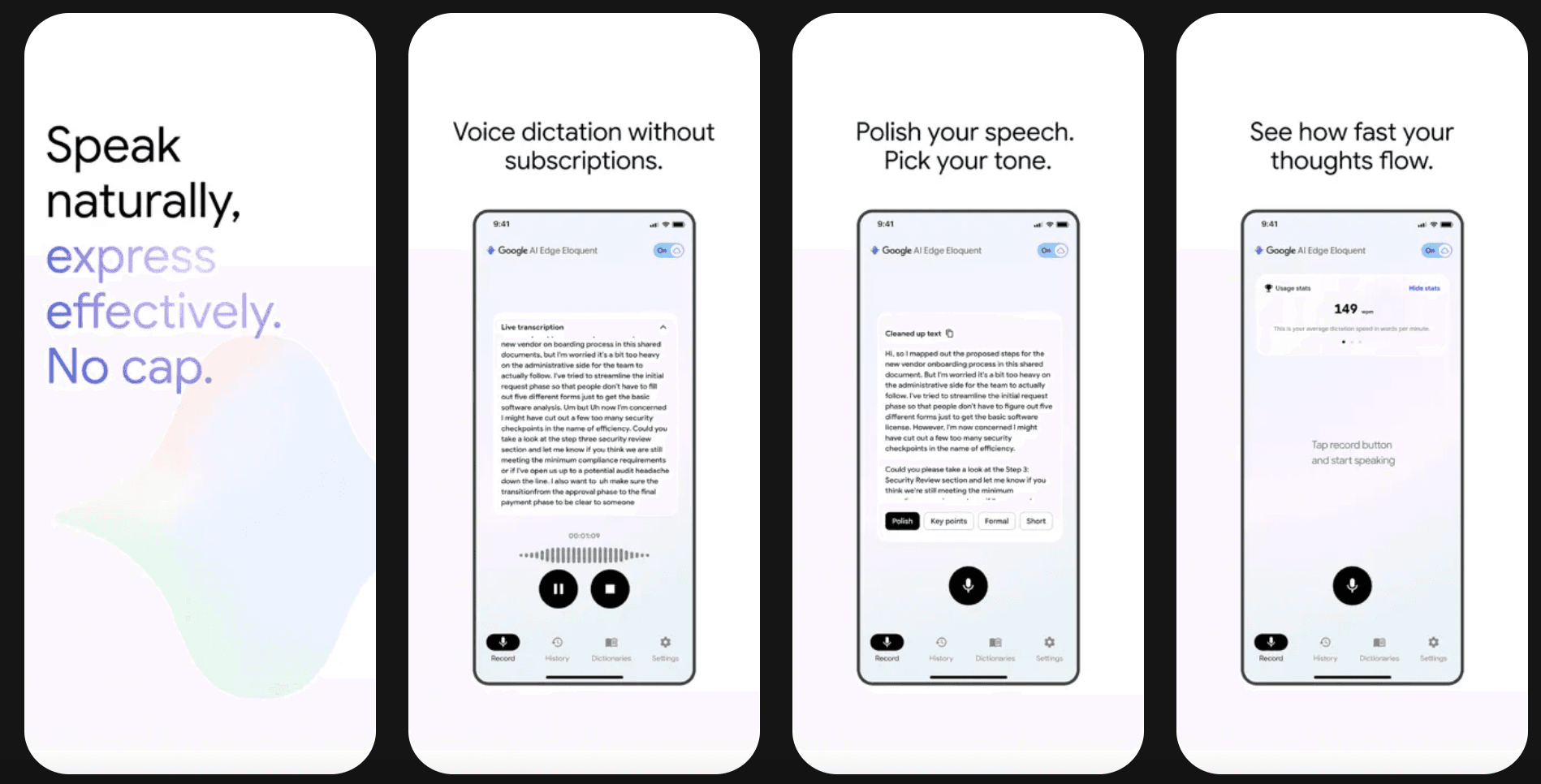
Overview
Google AI Edge Eloquent is a free iPhone and iPad dictation app that transcribes speech and automatically removes filler words and self-corrections to produce polished text.
The app uses Google's Gemma-based on-device models for core speech-to-text and polishing, allowing primary dictation to work offline after model setup. It also keeps the original transcript available, learns personal vocabulary through an editable dictionary and can import audio or video files for transcription.
Use cases
The strongest fit depends on the job you need the product to complete, not the size of its feature list.
People who think aloud and want a cleaner first draft than a literal word-for-word transcript.
Users who value local processing for journals, ideas and everyday dictation on a supported iOS device.
People importing an audio or video file and converting it into original and polished text.
Capabilities
Runs core machine-learning processing locally after the required model is available on the device.
Removes filler words and mid-sentence corrections while preserving the intended meaning.
Keeps the raw transcription available when the user does not want the polished rewrite.
Learns and lets users edit vocabulary to improve recognition of names and specialized terms.
Transcribes existing recordings in addition to live dictation, with no listed length cap.
Process
Step 1
Get the official Google app and complete any one-time model download required for local use.
Step 2
Record a live dictation or select an existing audio or video file from the device.
Step 3
Review both the original transcript and polished version, correct errors and move the chosen text into the destination app.
Cost
Google lists Eloquent as free, with no subscription and no usage limits for core dictation. Some optional advanced features may use cloud services.
Free
The full app is listed at no cost in the App Store.
Pricing checked . Check current pricing at the source ↗
Assessment
Compare
The right alternative depends on the specific output, workflow, controls and budget your project requires.
Content Creator
Choose Wispr Flow for system-wide AI dictation across a broader set of desktop and mobile workflows.
Explore Wispr Flow →Content Creator
Choose Descript for full transcript-based audio and video editing rather than mobile-first dictation.
Explore Descript →Business Operations
Choose ChatGPT when spoken input needs broader research, transformation or multimodal assistance after transcription.
Explore ChatGPT →Questions
Google AI Edge Eloquent is a free iPhone and iPad dictation app that transcribes speech and automatically removes filler words and self-corrections to produce polished text.
Google lists Eloquent as free, with no subscription and no usage limits for core dictation. Some optional advanced features may use cloud services.
Google AI Edge Eloquent is best suited to private mobile dictation, journaling and first drafts.
The app requires iOS or iPadOS 16 or later and is not a general cross-platform dictation service.
Use the official product and pricing links in the sources below. Pricing and product availability can change after this page's 2026-08-28 review date.
Bottom line
Google AI Edge Eloquent is a unusually accessible option for private, polished dictation on iPhone and iPad. It is best for drafts and personal capture; users should retain and compare the original transcript whenever precise wording matters.
Visit Google Edge Eloquent website ↗
MAI-Transcribe-1 - Microsoft's speech-to-text model with best-in-class accuracy across 25 languages

Harrier - Microsoft Bing’s SOTA, open-source embedding model for search and RAG grounding

Critique - Microsoft's multi-model deep research tool that pits AI models against each other
Lyra 2.0 - NVIDIA's new model that turns text and camera paths into explorable 3D scenes

Get access to all our AI courses, hundreds of real-world AI use cases, live expert-led workshops, an exclusive network of AI early adopters, and more.
Get unlimited access to all of our current & upcoming industry-specific AI courses for the duration of your subscription.
To keep up with the rapid pace of AI, our team publishes AI implementation guides daily. Our library contains 300+ practical use cases to automate real-world work.
Join weekly, live, interactive sessions with industry leaders who are at the forefront of AI for hands-on implementation guidance and exclusive insights.
Network with an exclusive community of AI-first professionals who are working smarter with AI. Learn how early adopters are using AI in their work and businesses.