Mobile-first MVPs
Founders and product teams that need a real Flutter codebase and native-store path faster than starting every screen and integration by hand.
Independent tool overview
FlutterFlow is a visual development environment for building Flutter apps for mobile, web, and desktop, with generated source code, custom Dart, backend integrations, AI-assisted UI generation, testing, collaboration, and app-store deployment. It offers substantially more escape hatches than closed no-code tools, but production teams still need software engineering, security, testing, backend, and store-release discipline.
Visit the official FlutterFlow site ↗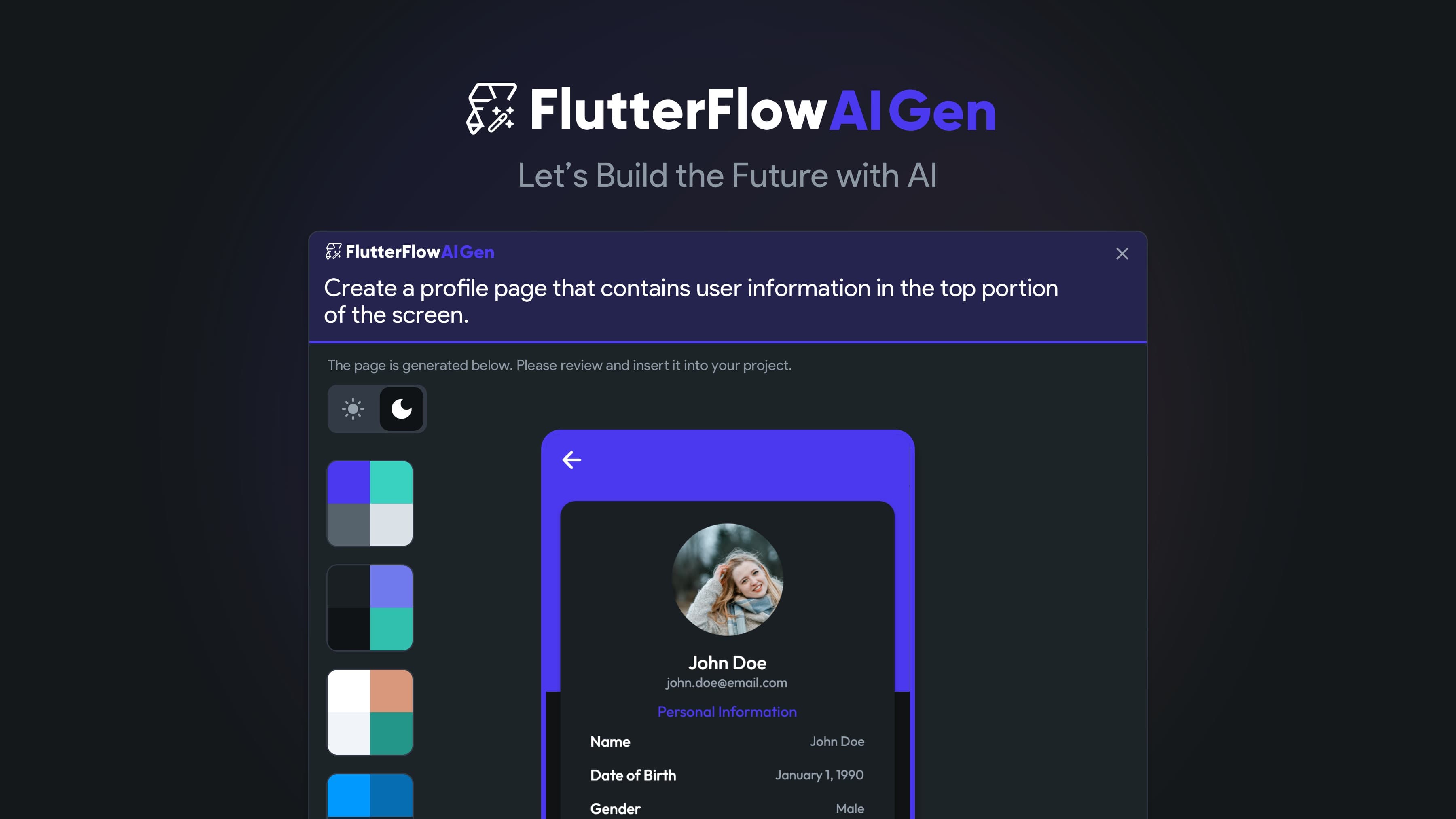
Overview
FlutterFlow lets builders assemble interfaces, state, navigation, data queries, API calls, authentication, payments, and app logic with visual tools, then generate a Flutter project. It can connect to Firebase and Supabase, call arbitrary APIs, add custom Dart code and packages, and publish to the web or mobile app stores.
The platform now spans visual and AI-assisted development. Prompt-to-page, prompt-to-component, image-to-component, Figma import, AI agents, an experimental MCP server, project APIs, a CLI, and newer coding integrations can accelerate setup. The visual editor remains the source of truth for many projects, while paid plans can download code or push it to a dedicated FlutterFlow branch in GitHub.
Code ownership is a real advantage: FlutterFlow says builders own their output, and exported mobile apps can operate independently of FlutterFlow. That does not make every project portable at zero cost. Generated helpers, dependencies, project YAML, visual abstractions, custom code, and future FlutterFlow updates still require an explicit Git workflow and maintainability plan.
A production app is still software. Builders must design authorization rules, protect secrets, validate server-side data, test failure paths, review package licenses, add accessibility, create privacy and deletion flows, monitor backend and AI costs, and complete Apple and Google compliance work. Visual success in preview mode is not production assurance.
Use cases
The strongest fit depends on the job you need the product to complete, not the size of its feature list.
Founders and product teams that need a real Flutter codebase and native-store path faster than starting every screen and integration by hand.
Designers and developers collaborating on responsive interfaces, reusable components, app logic, and backend-connected prototypes in one environment.
Organizations willing to export code, use Git branches, review generated changes, and maintain the app outside FlutterFlow if future requirements outgrow the visual builder.
Capabilities
Builds responsive widget trees, navigation, state, animations, actions, conditional flows, forms, and design systems without manually writing every Flutter construct.
Connects Firebase, Supabase, REST APIs, imported OpenAPI specifications, authentication, cloud functions, payments, maps, analytics, ads, search, and storage services.
Generates pages and components from prompts or images, imports selected design inputs, assists with code, and can create in-app AI agents using providers such as OpenAI, Anthropic, and Google.
Supports custom functions, actions, widgets, Dart files, third-party packages, selected native configuration files, and code expressions when visual blocks are insufficient.
Paid builders can download the Flutter project, use the CLI, inspect project YAML, run locally, and on higher tiers push to GitHub and sync custom code with VS Code.
Provides live debugging, snapshots, branches, comments, real-time team editing, development environments, automated tests, web hosting, APK output, and store-deployment workflows according to plan.
Process
Step 1
Choose data ownership, authentication, authorization, backend services, environments, offline behavior, error handling, analytics, privacy requirements, and the boundary between visual logic and custom code.
Step 2
Create one complete user journey from interface through authenticated data access and failure states before expanding the full component library or database schema.
Step 3
Write and test Firebase or Supabase rules, keep secrets server-side, validate all privileged actions, rate-limit expensive endpoints, and never rely on hidden widgets as access control.
Step 4
Download code or connect GitHub as soon as the paid plan allows. Keep developer edits off the generated flutterflow branch, merge through reviewed pull requests, and test regenerated diffs.
Step 5
Run device and accessibility testing, dependency and license review, security checks, performance profiling, backup and rollback drills, store-policy checks, privacy disclosures, telemetry, and cost alerts before production.
Cost
FlutterFlow retired its former Standard, Pro, and Teams plans in 2025. Current USD monthly pricing uses Free, Basic, Growth, Business, and Enterprise. Annual billing is typically about 25% lower and regional pricing may apply. The subscription does not include all backend, AI-provider, app-store, domain, email, map, payment, or other runtime costs.
$0
For learning and prototyping two projects in the visual builder.
$39/month or $29.25/month annually
For one independent builder shipping production apps without team GitHub collaboration.
$80 first seat + $55 second seat monthly
For a solo developer or two-person team needing version-control and advanced workflow features.
$150 first seat + $85 each for seats 2–5 monthly
For established teams needing deeper design, testing, environment, and branch capacity.
Custom quote
For larger or regulated organizations requiring governance, scale, and dedicated support.
Pricing checked . Check current pricing at the source ↗
Assessment
Compare
The right alternative depends on the specific output, workflow, controls and budget your project requires.
Coding
Choose Bubble for a mature browser-first no-code platform when a managed web runtime matters more than exporting a native Flutter codebase.
Explore Bubble →Coding
Choose Lovable for prompt-first web application generation and a React-style developer workflow rather than visual Flutter mobile development.
Explore Lovable →Coding
Choose Bolt.new for fast browser-based full-stack prototyping with direct code generation when mobile-store deployment is not the primary requirement.
Explore Bolt.new →Questions
It supports no-code visual building, but production use is better described as low-code. Custom Dart, packages, APIs, database rules, configuration, testing, deployment, and exported Flutter code become important as requirements grow.
Yes, on Basic and higher plans. FlutterFlow says users own their output. Growth and higher also support pushing generated code to GitHub; keep manual changes on a separate branch because the flutterflow branch is overwritten by later pushes.
Exported mobile apps are designed to run independently, using the backend and services the builder configured. FlutterFlow-hosted web apps still depend on its frontend hosting until moved. Ongoing development outside the editor requires a team able to maintain Flutter and the selected backend.
It connects to services such as Firebase and Supabase and can call other APIs, but those are separate systems with their own accounts, configuration, security rules, availability, and billing. FlutterFlow hosting primarily serves a compiled web frontend rather than becoming the app's universal data backend.
Current U.S. monthly prices are $0 Free, $39 Basic, $80 for the first Growth seat plus $55 for a second, and $150 for the first Business seat plus $85 for seats two through five. Enterprise is custom. Annual and regional prices differ.
The first paid plan purchase includes one 14-day trial under the current subscription documentation. Later plan changes do not receive another trial, even if the original plan was still in its trial period.
Yes, if the team applies normal software engineering and operations practices. Review generated code, backend rules, packages, privacy, accessibility, tests, performance, release signing, store policies, monitoring, backups, and cost controls before launch.
Bottom line
FlutterFlow is one of the stronger choices for teams that want visual speed without giving up a real mobile codebase. Basic is the practical minimum for an independent builder because it unlocks export; Growth is the meaningful engineering breakpoint because it adds GitHub and collaboration. The platform pays off when the team treats generated Flutter as production software from the first secure vertical slice, not when visual assembly is mistaken for finished engineering.
Visit FlutterFlow website ↗
Get access to all our AI courses, hundreds of real-world AI use cases, live expert-led workshops, an exclusive network of AI early adopters, and more.
Get unlimited access to all of our current & upcoming industry-specific AI courses for the duration of your subscription.
To keep up with the rapid pace of AI, our team publishes AI implementation guides daily. Our library contains 300+ practical use cases to automate real-world work.
Join weekly, live, interactive sessions with industry leaders who are at the forefront of AI for hands-on implementation guidance and exclusive insights.
Network with an exclusive community of AI-first professionals who are working smarter with AI. Learn how early adopters are using AI in their work and businesses.