Lean customer-support teams
Automate common questions while preserving live handoff, assignments and ticket ownership for exceptions.
Independent tool overview
CX Genie is an all-in-one customer-support platform combining knowledge-grounded AI agents, a visual workflow builder, live chat, human handoff, help-desk and ticket tools, multi-channel integrations and team analytics. It is aimed at small businesses through agencies and enterprises that want automation and human support in one workspace.
Visit the official CX Genie site ↗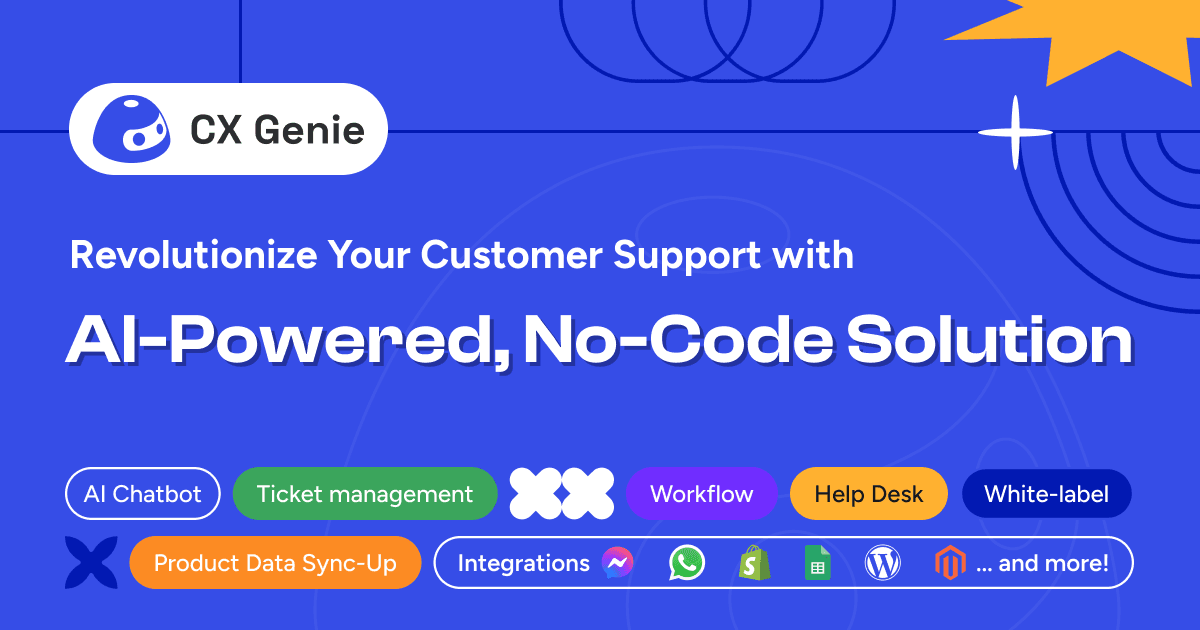
Overview
CX Genie lets a business train an AI agent on FAQs, documents, articles, URLs and connected product data, then publish it to a website, mobile app or supported messaging and commerce channel. The same workspace can route difficult conversations to a human, create tickets and retain the transcript context.
The no-code workflow builder adds deterministic branches, conditions, API calls, notifications, lead collection and escalation rules around the language model. That matters for billing, account access, refunds and other intents that should not depend on a free-form answer alone.
CX Genie also includes operational tools that many chatbot builders leave to another product: live chat, ticket and mailbox management, roles, assignments, internal notes, SLAs, CSAT, team reporting and white-label or multi-brand capabilities on higher plans.
Use cases
The strongest fit depends on the job you need the product to complete, not the size of its feature list.
Automate common questions while preserving live handoff, assignments and ticket ownership for exceptions.
Ground answers in product information and connect supported commerce or messaging channels for product, order and policy questions.
Use higher tiers for separate brand experiences, unlimited seats, multiple workspaces and white-label delivery.
Capabilities
Build answers from uploaded documents, FAQs, articles, URLs and supported external data instead of relying only on a general model.
Create branching conversation paths, conditional rules, notifications and API-connected steps without writing code.
Escalate when the bot does not know an answer, notify an online agent or collect contact details and create a ticket when the team is offline.
Manage public replies, private notes, assignments, ticket status, customer history and team collaboration from one dashboard.
CX Genie documents connections across websites, mobile, Facebook, Instagram, WhatsApp, Telegram, Slack, Discord and commerce platforms including Shopify and WooCommerce.
Suggest replies, summarize conversations, learn approved information from resolved chats and apply AI-generated tags.
Track support-team activity, workflows, resolution time and CSAT and collect feedback after interactions.
Higher plans add SAML SSO, custom model work, dedicated infrastructure, multi-brand bots, API access and white labeling.
Process
Step 1
Start with a defined channel and 10 to 20 high-volume intents, then name the source of truth and human owner for each policy answer.
Step 2
Upload current documents and FAQs or connect supported URLs and product data; remove duplicates and obsolete policies before training the bot.
Step 3
Use workflows for identity checks, billing, refunds, security incidents and low-confidence answers, with explicit agent or ticket routing.
Step 4
Install the website widget or authorize a supported messaging, mobile or commerce integration and test the complete customer-to-agent handoff.
Step 5
Review failed intents, hallucinations, escalation rate, response time, resolution rate and CSAT every week before increasing automation scope.
Cost
CX Genie prices each workspace separately and counts every started customer chat as a conversation even if the customer leaves without replying. When the monthly limit is reached, AI replies pause while other features continue; customers can upgrade or ask to buy extra conversations. Annual billing discounts the three self-serve paid plans by up to 16%.
$0
One chatbot and one support seat for a small test or very low-volume site.
$39.99/month or $33.67/month annually
Small-business plan with more people, volume and unlimited chatbots.
$89.99/month or $75.67/month annually
Support-team plan adding tickets, mailbox and API access.
$249.99/month or $219.67/month annually
High-volume and agency plan with unlimited seats and branding controls.
Custom
Custom-scale plan with infrastructure, identity and model options.
Pricing checked . Check current pricing at the source ↗
Assessment
Compare
The right alternative depends on the specific output, workflow, controls and budget your project requires.
Business Operations
Intercom Copilot is a better-known alternative when the priority is assisting human support agents inside an established Intercom operation.
Explore Intercom Copilot →Business Operations
ChatBotKit is an alternative for building and integrating custom conversational agents when a bundled help desk is less important.
Explore ChatBotKit →Business Operations
Zapier Chatbots is a strong alternative when the support bot needs to connect quickly to a broad automation ecosystem.
Explore AI Chatbot on Zapier →Questions
CX Genie is a customer-engagement platform with AI agents, knowledge bases, visual workflows, live chat, human handoff, ticketing, multi-channel integrations and support-team reporting.
Yes. The always-free plan includes one seat, one chatbot, 20 knowledge documents and 200 conversations per month, with no credit card required.
CX Genie says each customer-started chat counts as one conversation, including a chat where the customer leaves without replying.
AI replies pause temporarily, but other platform features continue. You can upgrade or contact CX Genie to purchase extra conversations; the extra-volume price is not public.
Yes. A workflow can notify an online agent when the bot cannot answer, or collect the customer's details and create a ticket when no agent is available.
No. CX Genie permits multiple workspaces, but the pricing FAQ says each subscription applies to one workspace.
CX Genie's security page says customers own their data and that it is not used to train AI or machine-learning models. Organizations should confirm this in the applicable contract, privacy terms and subprocessor documentation.
Bottom line
CX Genie is a compelling value for teams that want an AI chatbot and basic support operation in one package, especially when visual handoff rules and multi-channel deployment matter. The decisive test is not how human the demo sounds; it is whether a staged pilot answers approved intents correctly, routes exceptions with full context and produces a lower cost per genuinely resolved conversation.
Visit CX Genie website ↗
Get access to all our AI courses, hundreds of real-world AI use cases, live expert-led workshops, an exclusive network of AI early adopters, and more.
Get unlimited access to all of our current & upcoming industry-specific AI courses for the duration of your subscription.
To keep up with the rapid pace of AI, our team publishes AI implementation guides daily. Our library contains 300+ practical use cases to automate real-world work.
Join weekly, live, interactive sessions with industry leaders who are at the forefront of AI for hands-on implementation guidance and exclusive insights.
Network with an exclusive community of AI-first professionals who are working smarter with AI. Learn how early adopters are using AI in their work and businesses.