Computational biology labs
Coordinate genomics, single-cell, proteomics, structural biology, and cheminformatics tools from one research session.
Independent tool overview
Claude Science is Anthropic's beta research workbench for running scientific analysis, connecting databases and lab tools, managing compute, and producing versioned artifacts with provenance.
Visit the official Claude Science site ↗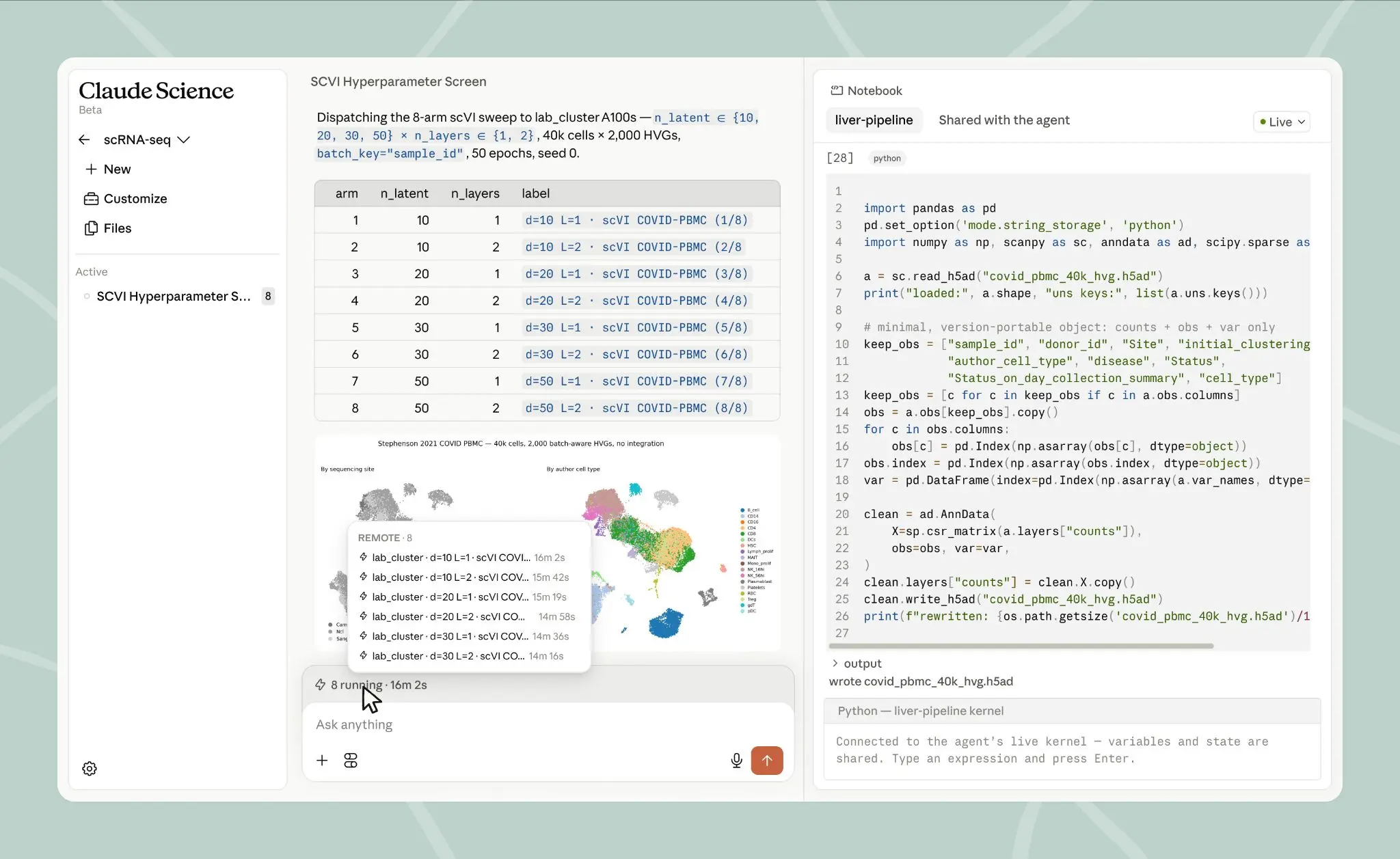
Overview
Claude Science is a desktop research environment that pairs Claude with scientific tools, code execution, connectors, specialist agents, and compute orchestration. It is an app built around the Claude models included with a subscription, not a separate scientific foundation model.
Researchers can ask it to search literature and databases, inspect files, write and run Python, R, and shell workflows, build figures and manuscripts, and coordinate multi-step analyses. Its strongest initial coverage is in life-science workflows such as genomics, single-cell analysis, proteomics, structural biology, and cheminformatics.
The app runs on macOS or Linux wherever the data and compute live: a laptop, lab workstation, cloud VM, or HPC login node. It can submit work to a Slurm cluster over SSH or use a researcher's Modal account, asking before reaching new resources and allowing prior decisions to be reviewed or revoked.
Claude Science saves figures, tables, and other results as versioned artifacts with the code, environment, plain-language explanation, and conversation that produced them. A reviewer agent checks citations, calculations, provenance, and consistency between figures and underlying code, but this does not replace independent reproduction, peer review, or domain-expert sign-off.
Raw datasets and compute can remain on the researcher's infrastructure, but content placed into prompts and model responses is processed by Anthropic under the account's applicable retention terms. Labs handling patient, controlled, unpublished, export-restricted, or commercially sensitive data should approve the exact plan, connectors, compute path, retention, and access controls before use.
Use cases
The strongest fit depends on the job you need the product to complete, not the size of its feature list.
Coordinate genomics, single-cell, proteomics, structural biology, and cheminformatics tools from one research session.
Search and synthesize many papers while preserving citations, extracted evidence, and reviewer checks.
Read, run, and extend existing Python, R, and shell scripts without rebuilding validated methods around a new interface.
Plan and submit long analyses to local machines, Slurm clusters, cloud VMs, or Modal compute.
Keep a figure's code, environment, inputs, explanations, revisions, and conversation attached to the artifact.
Create reusable skills, connectors, and specialist agents around a lab's own models, databases, ELNs, and internal APIs.
Capabilities
Plans research tasks, delegates work to specialists, integrates results, and maintains context across a running session.
Provides domain-oriented capabilities for genomics, single-cell, proteomics, structures, chemistry, and related analysis.
Connects to more than 60 scientific databases and domain models, including life-science resources and BioNeMo tools.
Writes and runs analysis code while limiting file access to folders and resources the researcher provides.
Reads, runs, and builds on established Python, R, and shell workflows rather than requiring a proprietary pipeline format.
Builds environments and submits work to local compute, SSH-accessible Slurm clusters, cloud machines, or Modal.
Displays proteins, molecular structures, genome tracks, chemical structures, figures, tables, and manuscripts in the workbench.
Preserves multiple states of figures and manuscripts so researchers can compare, fork, restore, and refine results.
Attaches code, environment, description, and conversation history to generated artifacts for later inspection and reproduction.
Checks citations, calculations, traceability, and agreement between presented results and the code beneath them.
Branches a running research session to compare methods without losing the original analysis path.
Turns trusted lab tools and procedures into capabilities that can be inherited by later sessions.
Process
Step 1
Decide what data is permitted, select the needed retention and compliance terms, and enable Claude Science through an organization admin where required.
Step 2
Run the app on a supported Mac, Linux workstation, HPC login node, or cloud VM where the files and compute already reside.
Step 3
Expose only the project folders, scripts, databases, credentials, and connectors needed for the specific study.
Step 4
State the hypothesis, dataset, accepted methods, exclusion criteria, endpoints, statistical assumptions, and definition of a valid result.
Step 5
Inspect data transformations, package choices, resource requests, external calls, and cluster jobs before execution.
Step 6
Prefer the lab's validated pipelines, reference databases, containers, and environment locks over newly invented analysis code.
Step 7
Trace claims back to code and inputs, verify citations and calculations, and compare plots with raw and intermediate data.
Step 8
Rerun the analysis from a clean environment or by a second researcher and compare outputs before relying on the result.
Step 9
Keep domain experts, statisticians, safety officers, and principal investigators accountable for interpretation, publication, and downstream action.
Cost
Claude Science is included with paid Claude plans rather than sold as a separate add-on. Compute used through a lab, cloud provider, HPC system, or Modal can cost extra. Anthropic also operates a capacity-limited discounted Team program for verified academic and nonprofit labs.
$20/month or $200/year
The lowest generally available individual plan that includes Claude Science.
From $100/month
For individual researchers who need substantially more Claude usage.
$20-$125/seat/month
For labs and organizations needing shared administration, SSO, and connector controls.
$20/seat plus usage
For organizations that need advanced identity, retention, network, audit, or regulated-data options.
$0 standard or $15 premium
A one-year program for eligible academic and nonprofit labs within the announced 10,000-seat allocation.
Pricing checked . Check current pricing at the source ↗
Assessment
Compare
The right alternative depends on the specific output, workflow, controls and budget your project requires.
Science
A more narrowly biomedical research agent for literature, multi-omics, phenotype, and protocol reasoning.
Explore SciSpace BioMed Agent →Data Analysis
A simpler option focused on systematic literature search, paper screening, extraction, and evidence synthesis.
Explore Elicit →Students
A lower-complexity source-grounded research notebook for understanding and discussing an uploaded document collection.
Explore Gemini Notebook (formerly NotebookLM) →Questions
Claude Science is Anthropic's beta desktop workbench for scientific research. It combines Claude with code execution, scientific databases, specialist agents, lab connectors, compute orchestration, and reproducible artifacts.
No. It is an application that uses the Claude models available on the user's plan and adds scientific tools, connectors, environments, agents, renderers, compute access, and provenance.
It is available on Pro, Max, Team, and Enterprise plans. Team and Enterprise owners must enable it first. The app currently supports macOS 13 or later and Linux x64.
There is no separate Claude Science add-on price. The lowest general-access plan is Pro at $20 monthly or $200 annually. Max, Team, and Enterprise provide additional usage and administration. External compute may cost extra.
The app can keep raw datasets and computation on the researcher's infrastructure, but any content included in prompts and model responses is processed by Anthropic under the account's retention terms. Labs should approve the exact data path before use.
Yes. Anthropic describes installing it on an HPC login node or connecting to Slurm compute over SSH. It can also run locally, on a cloud VM, or through a researcher's Modal account.
Generated artifacts retain the code, execution environment, plain-language description, and conversation that produced them. This makes the analysis easier to inspect, rerun, edit, and defend later.
No. It can flag citation, calculation, provenance, and code-to-figure issues, but it does not replace independent replication, statistical review, peer review, ethics review, or accountable domain experts.
Bottom line
Claude Science is one of the most complete AI research workbenches for computational labs that want a single agentic layer over literature, code, scientific tools, local data, and cluster compute. Its provenance model is genuinely useful, but beta software and automated review do not make results valid by default. The best deployments will pair narrow permissions and approved pipelines with independent reproduction and named human owners.
Visit Claude Science website ↗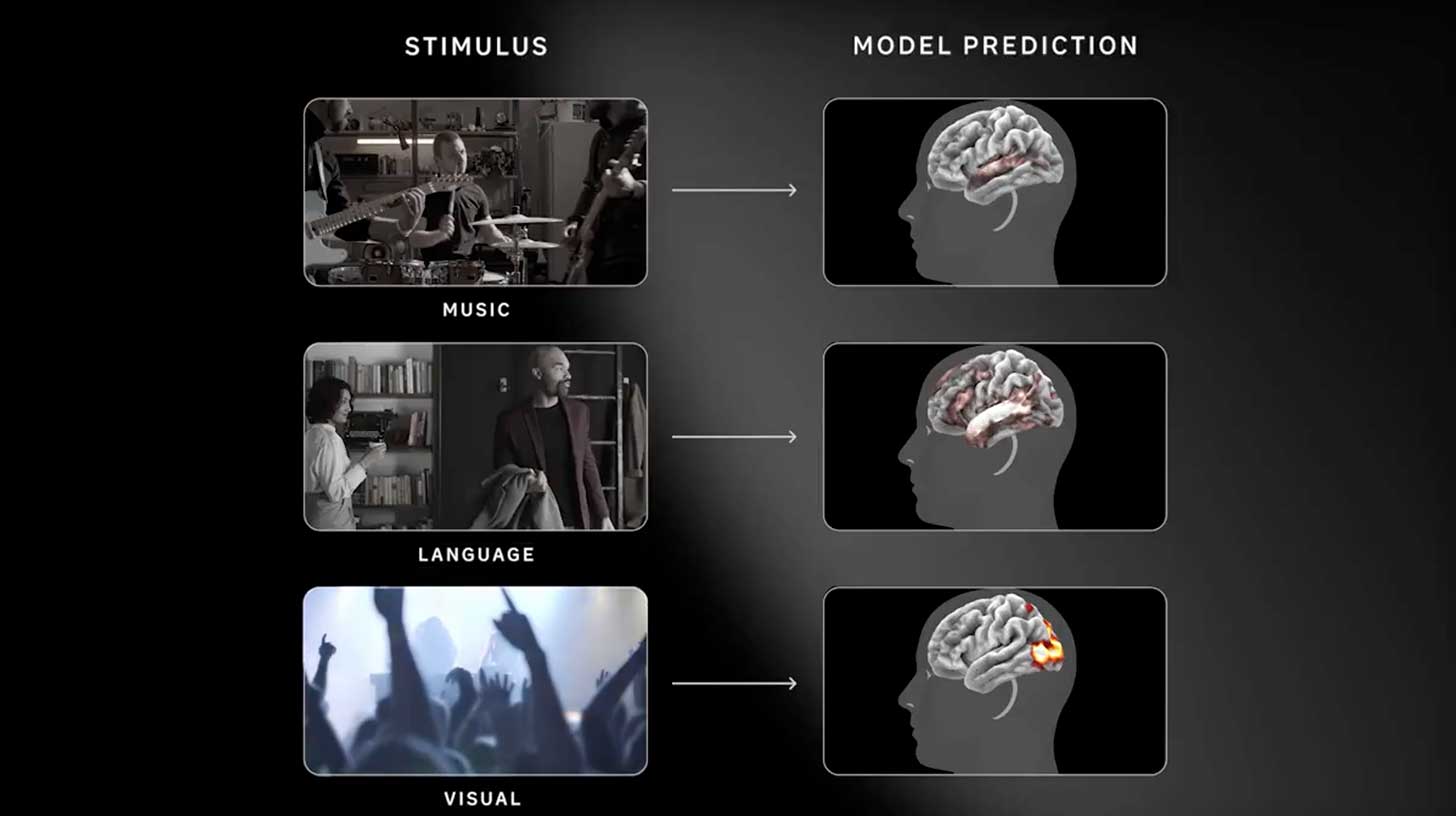
TRIBE v2 - Meta's predictive foundation model that simulates human brain responses to sights, sounds, and language
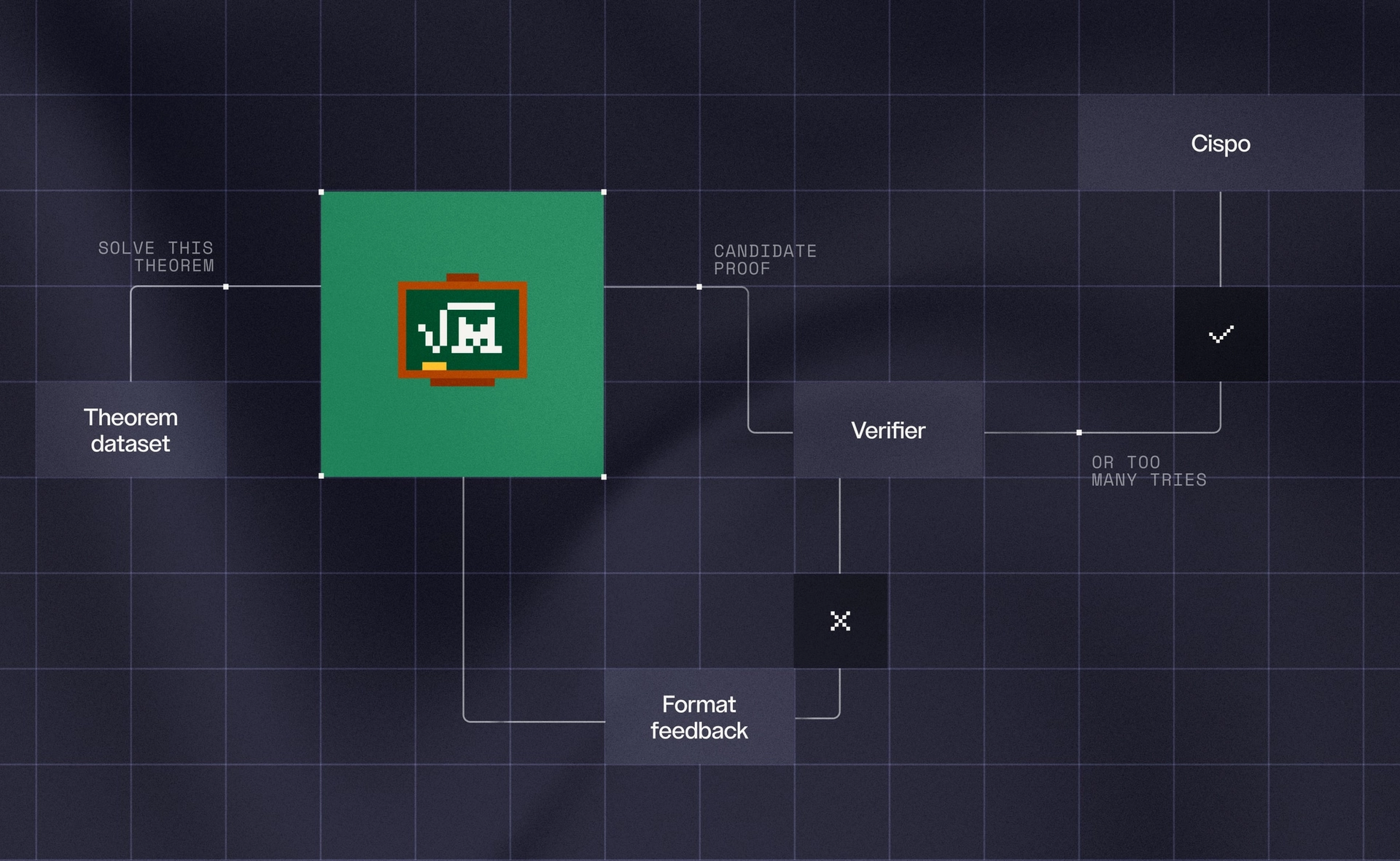
Leanstral 1.5 - Mistral's open model for writing verified math proofs
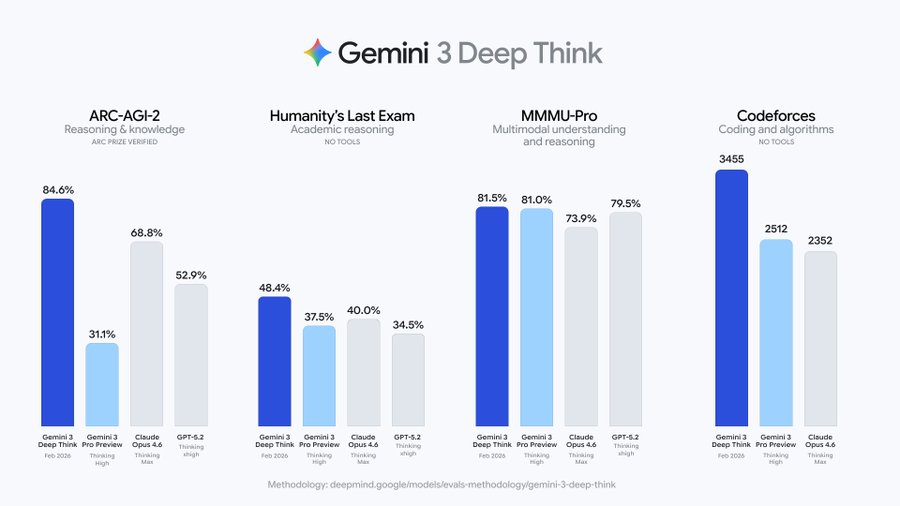
Gemini 3 Deep Think - Google's upgraded AI reasoning mode now solving PhD-level math and science research problems

Google's AI map of every possible human DNA mutation

Get access to all our AI courses, hundreds of real-world AI use cases, live expert-led workshops, an exclusive network of AI early adopters, and more.
Get unlimited access to all of our current & upcoming industry-specific AI courses for the duration of your subscription.
To keep up with the rapid pace of AI, our team publishes AI implementation guides daily. Our library contains 300+ practical use cases to automate real-world work.
Join weekly, live, interactive sessions with industry leaders who are at the forefront of AI for hands-on implementation guidance and exclusive insights.
Network with an exclusive community of AI-first professionals who are working smarter with AI. Learn how early adopters are using AI in their work and businesses.