Marketing teams
Produce ads, product explainers, campaign variations, and social clips from briefs and approved brand assets.
Independent tool overview
VideoGen is an AI video creation platform that combines prompt, script, slideshow, storyboard, voiceover, and remix workflows with generated video, images, avatars, audio, editing tools, and developer access.
Visit the official VideoGen site ↗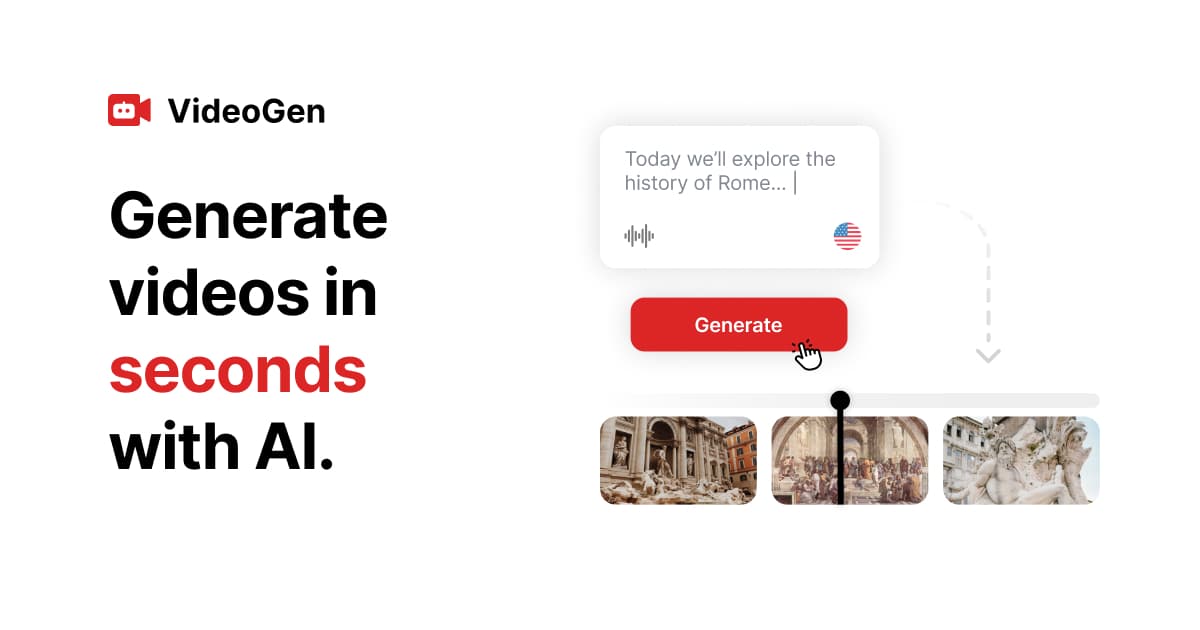
Overview
VideoGen is designed to turn an idea or source material into a finished marketing, education, social, or presentation video without assembling separate generation and editing products. Users can begin with a prompt, script, slideshow, storyboard, recording, or voiceover, then generate and edit scenes inside the same project.
The platform routes requests across more than 20 AI models and includes video and image generation, image-to-video, video restyling, avatars, voices, sound effects, music, transcription, background removal, upscaling, and other media tools. Paid plans also list workflow access, a developer API, and a VideoGen MCP server.
VideoGen's apparent simplicity sits on top of a granular credit system. Video seconds, images, avatars, voice characters, effects, workflow orchestration, high-quality output, and some exports consume credits separately, so teams should estimate a representative production before choosing a plan.
Use cases
The strongest fit depends on the job you need the product to complete, not the size of its feature list.
Produce ads, product explainers, campaign variations, and social clips from briefs and approved brand assets.
Turn scripts, slides, or source material into narrated lessons and internal training videos.
Generate short-form videos, visuals, voiceovers, captions, and effects without moving between many specialized tools.
Use the API, MCP server, workflows, and credit controls to add media generation to repeatable pipelines.
Capabilities
Start from a prompt, script, slides, storyboard, voiceover, or recording and assemble an editable project.
Access routed video and image generation models at several quality and credit-cost levels.
Create presenter-led sections and synthetic narration with voice and avatar controls.
Restyle clips, edit images, remove backgrounds, upscale media, vectorize images, and add 3D effects.
Generate text-to-speech, sound effects, and music, and transcribe uploaded audio.
Paid plan documentation lists developer API access, all workflows, and a VideoGen MCP server; production API capacity is a separate add-on.
Process
Step 1
Set audience, duration, aspect ratio, platform, script goal, brand rules, and approval owner before generating assets.
Step 2
Use stock or uploaded media where it works and reserve high-quality generation for the scenes that need it.
Step 3
Generate the outline, scenes, visuals, voice, captions, and audio, then replace generic or inaccurate material.
Step 4
Confirm licenses, consent for likenesses and voices, product claims, disclosures, and the accuracy of every factual statement.
Step 5
Check the Usage ledger, forecast extra generation and 4K export costs, and disable or cap automatic top-ups where appropriate.
Cost
VideoGen's current public pricing centers on Pro and Enterprise. AI usage is credit-based, extra credits can be purchased, and production API access is a separate $360 monthly add-on.
$16/user/month billed yearly
The standard creator plan with 5,000 monthly credits and 50 GB of storage per user.
Custom
Custom credits, storage, support, security, and organizational terms for larger deployments.
$360/month
Additional production API capacity listed separately from plan access.
Pricing checked . Check current pricing at the source ↗
Assessment
Compare
The right alternative depends on the specific output, workflow, controls and budget your project requires.
Content Creator
A strong alternative for prompt-to-video creation with scripts, actors, and avatar-led content.
Explore HeyGen Video Agent →Marketing
A mature choice for structured business, training, and multilingual avatar videos.
Explore Synthesia →Content Creator
A better fit when cinematic generative video quality and shot-level creative control matter more than an all-in-one business workflow.
Explore Runway Gen-4.5 →Questions
VideoGen can build videos from prompts, scripts, slides, storyboards, recordings, and voiceovers, with generated or uploaded visuals, avatars, narration, sound, and editing tools.
VideoGen lists Pro at $16 per user per month when billed yearly with 5,000 monthly credits and 50 GB storage. Enterprise pricing is custom.
Different features charge per video second, image, avatar second, token, voice character, effect, workflow run, or export second. Higher quality consumes substantially more credits.
Yes. The rate card lists exports through 1080p without a separate export charge and 4K at two credits per output second.
The pricing page lists API access and an MCP server across plans. Production API access is shown as a separate $360 per month add-on, and generation credits still apply.
The pricing page lists full commercial use rights, but users must still confirm rights to uploaded media, generated likenesses, voices, music, trademarks, and third-party model outputs for each project.
Bottom line
VideoGen offers an unusually broad creation stack for teams that want one workflow from brief to exported video. Its $16 annual-billing price is approachable, but meaningful production cost depends on credit consumption; run a real pilot at the intended quality, duration, and revision rate before standardizing on it.
Visit VideoGen website ↗
Get access to all our AI courses, hundreds of real-world AI use cases, live expert-led workshops, an exclusive network of AI early adopters, and more.
Get unlimited access to all of our current & upcoming industry-specific AI courses for the duration of your subscription.
To keep up with the rapid pace of AI, our team publishes AI implementation guides daily. Our library contains 300+ practical use cases to automate real-world work.
Join weekly, live, interactive sessions with industry leaders who are at the forefront of AI for hands-on implementation guidance and exclusive insights.
Network with an exclusive community of AI-first professionals who are working smarter with AI. Learn how early adopters are using AI in their work and businesses.


%2520(1).jpeg)
