Product requirements
Product managers and business analysts creating user stories, acceptance criteria, personas, journeys and non-functional requirements.
Independent tool overview
Userdoc is an AI-assisted software requirements workspace for turning product ideas, existing code and team knowledge into structured specs that humans and coding agents can use.
Visit the official Userdoc site ↗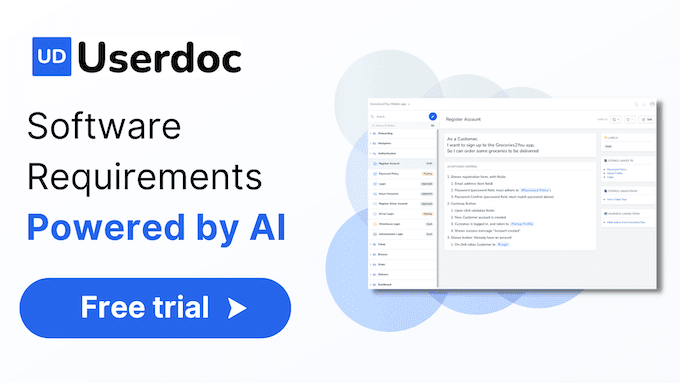
Overview
Userdoc centralizes software definition work that often lives across documents, tickets and conversations. Teams can organize user stories, epics, acceptance criteria, non-functional requirements, technical specifications, test cases, personas and user journeys in one connected workspace.
Its newer positioning goes beyond generating user stories. Userdoc can derive functional documentation from an existing codebase, preserve change history, answer questions against saved requirements and create technical context or development plans for AI coding tools. The generated material should be treated as a structured first draft: domain experts still need to confirm business rules, edge cases and implementation constraints.
Use cases
The strongest fit depends on the job you need the product to complete, not the size of its feature list.
Product managers and business analysts creating user stories, acceptance criteria, personas, journeys and non-functional requirements.
Engineering teams reconstructing functional specifications and data flows from an existing codebase.
Teams preparing detailed product and technical context before handing work to coding agents or AI development platforms.
Capabilities
Creates and expands structured user stories, acceptance criteria and related requirements from project context.
Links epics, user stories, non-functional requirements, personas, journeys, test cases and technical details.
Analyzes an existing source codebase to produce functional specs, feature mappings and system documentation.
Lets Pro users ask questions against the documented requirements to retrieve project-specific answers.
Maintains requirement history so teams can see how product definitions evolve over time.
Pro includes requirement exports and platform integrations for moving approved context into delivery workflows.
Process
Step 1
Add the product idea, users, constraints, existing documents and relevant code before asking AI to draft requirements.
Step 2
Create epics, user stories, acceptance criteria, personas, journeys and non-functional requirements for the selected scope.
Step 3
Validate business rules, permissions, edge cases, terminology, dependencies and measurable acceptance conditions.
Step 4
Export or integrate the approved specs and technical plan with the team's project and AI development tools.
Cost
Userdoc offers a 14-day trial with no credit card required. Its current pricing page lists Lite at $19 per seat per month, Pro at $25 per seat per month and an Enterprise plan with tailored pricing. The page also advertises a 14% discount for yearly billing.
14 days
A limited evaluation workspace for one user and one project.
$19 per seat monthly
Entry paid plan for small teams working within a limited seat count.
$25 per seat monthly
Full workspace plan for teams managing multiple products or delivery integrations.
Custom
Tailored plan for organizations requiring enterprise identity, onboarding and support.
Pricing checked . Check current pricing at the source ↗
Assessment
Compare
The right alternative depends on the specific output, workflow, controls and budget your project requires.
Project Management
Choose Notion AI when requirements are one part of a broader team wiki, document and project workspace.
Explore Notion AI →Business Operations
Choose ChatGPT for flexible requirements drafting when a dedicated linked specification system and change history are not necessary.
Explore ChatGPT →Project Management
Choose Claude for analyzing large project documents or code context before moving approved requirements into another system of record.
Explore Claude →Questions
Userdoc is a software requirements workspace that uses AI to help teams define, connect and maintain user stories, acceptance criteria, personas, journeys, technical specs and related project knowledge.
Its primary role is software definition and requirements management, not sprint execution. Teams can export or connect approved requirements to delivery platforms on the Pro plan.
Yes. Userdoc promotes a source-code analysis workflow that converts an existing system into functional specifications, feature documentation and technical context.
The current pricing page lists a 14-day trial, Lite at $19 per seat per month, Pro at $25 per seat per month and tailored Enterprise pricing. Userdoc advertises a 14% discount for yearly billing.
No. Product owners, engineers and domain experts should verify generated requirements against stakeholder needs, current system behavior, security constraints and measurable acceptance criteria.
Bottom line
Userdoc is a strong fit for teams that want requirements to become durable, structured context for both human developers and coding agents. Its biggest advantage is the connected system around the AI output; the value depends on disciplined expert review, because a polished specification can still encode a wrong assumption.
Visit Userdoc website ↗
Squad: Aligns business and customer needs for strategic success.

Dart: Save 7 hours weekly with AI-powered project management.

Superlist - The ultimate productivity solution for teams and individuals.

Your project management companion for successful projects.

Get access to all our AI courses, hundreds of real-world AI use cases, live expert-led workshops, an exclusive network of AI early adopters, and more.
Get unlimited access to all of our current & upcoming industry-specific AI courses for the duration of your subscription.
To keep up with the rapid pace of AI, our team publishes AI implementation guides daily. Our library contains 300+ practical use cases to automate real-world work.
Join weekly, live, interactive sessions with industry leaders who are at the forefront of AI for hands-on implementation guidance and exclusive insights.
Network with an exclusive community of AI-first professionals who are working smarter with AI. Learn how early adopters are using AI in their work and businesses.