People who compare AI models
Keep several model families in one interface and test different answers before choosing a result.
Independent tool overview
Thinkbuddy is a multi-model AI workspace for the web, macOS, and Windows that combines chat, model comparison, voice, reusable prompts, projects, document context, and desktop shortcuts in one interface.
Visit the official Thinkbuddy site ↗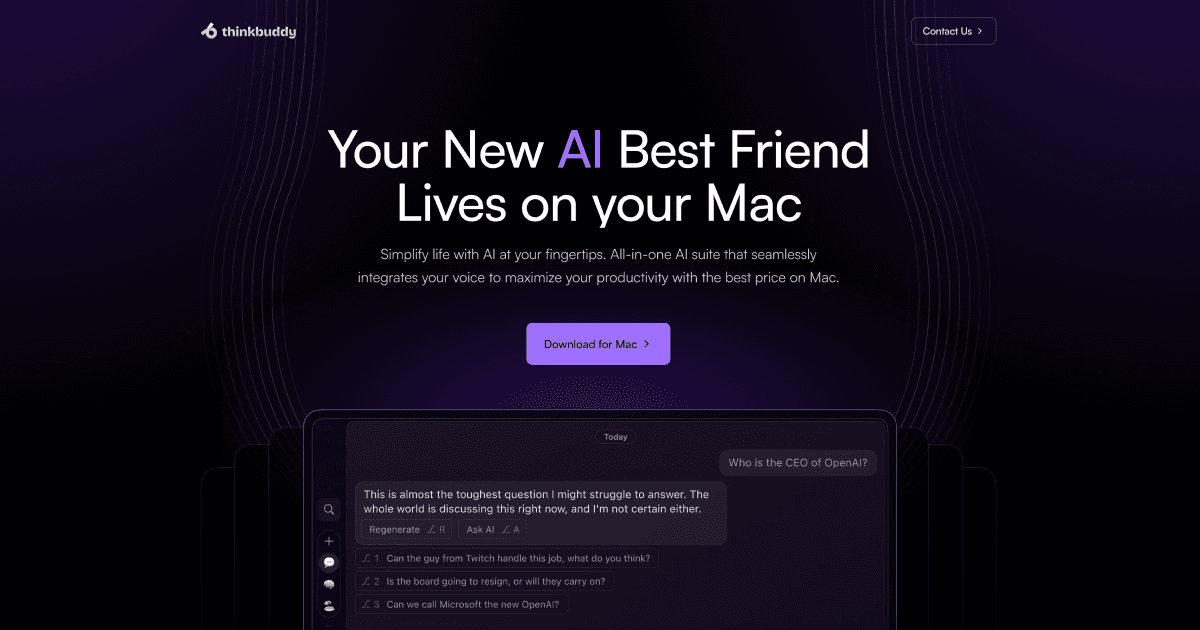
Overview
Thinkbuddy brings models from several AI providers into one workspace so users can choose a model for a conversation or generate parallel answers without switching between separate products. The current app includes general chat, temporary chats, projects, document context, voice input and playback, reusable prompts, and configurable model behavior.
The desktop experience is the main differentiator. Thinkbuddy provides Apple Silicon and Intel Mac downloads plus a Windows beta, with global quick-ask shortcuts intended for drafting, rewriting, summarizing, translating, coding, and asking questions while working in other applications. A browser version is also available without an initial signup.
Thinkbuddy is active, but its commercial information is less transparent than its feature set. The app exposes a free Basic level and paid upgrades inside the account subscription screen, while the public site does not currently publish a stable plan-and-price table. Older promotional prices and lifetime offers should not be assumed to remain available.
Use cases
The strongest fit depends on the job you need the product to complete, not the size of its feature list.
Keep several model families in one interface and test different answers before choosing a result.
Open a quick AI prompt with a keyboard shortcut while writing, researching, coding, or processing selected text in another app.
Organize related chats and attach files, URLs, titles, or raw text as reusable project context.
Dictate requests, transcribe speech, or listen to responses when typing is inconvenient.
Capabilities
Choose among a broad catalog spanning major commercial and open-weight model families from one conversation interface.
Run more than one model on the same request to compare reasoning, writing, code, or summaries side by side.
Launch a compact prompt window from a configurable system shortcut instead of moving into a full browser tab.
Save prompt templates and assign shortcuts for repeated actions such as rewriting, translating, explaining, or summarizing.
Group conversations and add file, URL, or text sources that provide persistent context for a specific body of work.
Record a prompt for transcription and use system or provided voices to listen to generated responses.
Start a temporary chat when a request should not become part of the regular conversation list.
Configure models, chat styles, instructions, context behavior, and supported sampling or reasoning settings.
Export Thinkbuddy configuration and conversation data to a local file and selectively import supported data later.
Process
Step 1
Test the current interface and free usage before installing software or paying for a plan.
Step 2
Use a fast model for simple transformations and a stronger reasoning or coding model only when the task benefits.
Step 3
Group related conversations and attach only the documents or sources needed for that work.
Step 4
Define output style, constraints, and reusable templates so routine requests produce more consistent results.
Step 5
Select the correct Apple Silicon, Intel, or Windows beta build and review the permissions it requests.
Step 6
Assign memorable hotkeys for quick ask, new chats, saved prompts, and other frequent actions without conflicting with existing apps.
Step 7
Use parallel answers for high-value work, then verify claims, calculations, citations, and code independently.
Step 8
Check account credits, subscription terms, sync settings, stored conversations, and exports before adding sensitive material.
Cost
Thinkbuddy currently offers a Basic level and paid upgrades managed in the account subscription screen. The public website does not display stable paid dollar amounts or limits before account access, so older Pro, Plus, annual, or lifetime prices should be treated as historical rather than current offers.
$0
Entry access for trying the multi-model workspace with limited usage.
Shown in app
Account upgrades that increase usage and unlock the paid feature set.
No longer a current public offer
Thinkbuddy previously promoted lifetime access, but the current public product does not advertise a new lifetime purchase.
Pricing checked . Check current pricing at the source ↗
Assessment
Compare
The right alternative depends on the specific output, workflow, controls and budget your project requires.
Business Operations
Raycast is a broader Mac productivity launcher with AI features, extensions, and mature system-wide command workflows.
Explore Raycast →Agents
Poe is a strong alternative when the priority is browser and mobile access to many models and user-created bots.
Explore Poe →Business Operations
ChatGPT is a better fit for users who prefer OpenAI’s first-party models, tools, integrations, and account experience.
Explore ChatGPT →Questions
Thinkbuddy is a multi-model AI chat and productivity workspace for the web, macOS, and Windows. It combines chat, projects, documents, voice, saved prompts, shortcuts, and model comparison.
Yes. The web app is live and Thinkbuddy currently provides Apple Silicon, Intel Mac, and Windows beta downloads.
Thinkbuddy provides Basic access and paid account upgrades, but its public site does not currently show stable paid dollar prices or limits. Check the subscription screen immediately before buying.
The current public product does not advertise a new lifetime purchase. Earlier lifetime offers and coupon prices are historical and may apply only to existing accounts.
The current app presents models across OpenAI, Anthropic, Google, xAI, DeepSeek, Meta, Mistral, Qwen, Perplexity, and other families. Availability and limits can change.
Yes, Thinkbuddy provides a Windows download labeled beta. It also offers dedicated Apple Silicon and Intel Mac builds.
Yes. A conversation can run the same prompt through multiple selected models so users can compare the resulting answers.
Yes. Projects can include uploaded files, URLs, titles, or raw text as context. Review confidentiality and retention requirements before uploading sensitive data.
No. The desktop interface may store some settings or data locally, but AI generation, transcription, account services, and optional synchronization use hosted systems.
Bottom line
Thinkbuddy remains useful for people who value one desktop-first workspace for many AI models, especially on macOS. Its quick-ask shortcuts, projects, documents, voice, and parallel answers create real convenience. The largest drawback is purchasing transparency: compare the exact in-app price, credits, renewal terms, included models, and data handling against first-party subscriptions before paying, and do not rely on old lifetime-deal pages.
Visit Thinkbuddy website ↗
Discover, generate, and fix end-to-end tests effortlessly with AI.

Recall, understand, and parse chat dialog effortlessly.

Galileo: Boost AI productivity with comprehensive evaluation and observability.

Automated AI-powered testing for efficient software development.

Get access to all our AI courses, hundreds of real-world AI use cases, live expert-led workshops, an exclusive network of AI early adopters, and more.
Get unlimited access to all of our current & upcoming industry-specific AI courses for the duration of your subscription.
To keep up with the rapid pace of AI, our team publishes AI implementation guides daily. Our library contains 300+ practical use cases to automate real-world work.
Join weekly, live, interactive sessions with industry leaders who are at the forefront of AI for hands-on implementation guidance and exclusive insights.
Network with an exclusive community of AI-first professionals who are working smarter with AI. Learn how early adopters are using AI in their work and businesses.