Client and partner portals
Give external users authenticated access to their projects, files, invoices, requests, dashboards, or account data without exposing other customers' records.
Independent tool overview
Softr is a no-code, AI-assisted platform for turning native or connected business data into client portals, internal tools, CRMs, dashboards, directories, and workflow-driven web apps.
Visit the official Softr site ↗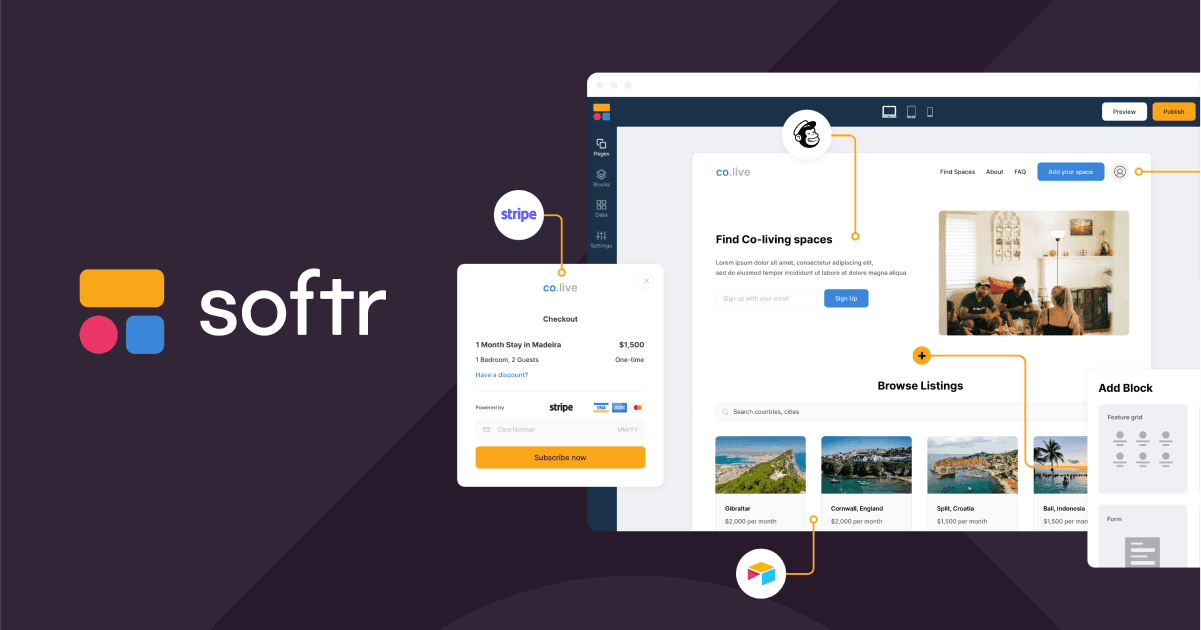
Overview
Softr lets teams build authenticated business software without starting from a traditional codebase. A builder can generate an initial app from a prompt or template, refine it with visual blocks, store data in Softr Databases or connect an external source, add forms and actions, configure user access, automate processes, and publish on a custom domain. Common uses include client and partner portals, internal operations tools, CRMs, inventory systems, intranets, dashboards, and project trackers.
Its strongest advantage is that the interface, database, permissions, and workflow layers live in one visual environment while still allowing APIs and custom code where needed. Pricing now starts at $19 per month on annual billing after the Free plan, but the real cost depends on builders, Team and Client users, custom domains, records, workflow executions, AI credits, permissions, and data-source requirements. Softr is best for bounded data-driven apps; complex consumer products, offline-native mobile experiences, and deeply custom backend logic may outgrow the abstraction.
Use cases
The strongest fit depends on the job you need the product to complete, not the size of its feature list.
Give external users authenticated access to their projects, files, invoices, requests, dashboards, or account data without exposing other customers' records.
Replace spreadsheet handoffs and lightweight admin processes with structured forms, tables, approvals, dashboards, and workflows.
Add a polished application layer over familiar data sources while syncing permitted edits back to the underlying system.
Build a CRM, project tracker, inventory tool, directory, intranet, or reporting app without assembling a separate frontend, authentication layer, and automation service.
Let operations, product, or business teams maintain layout, content, data, users, and workflows after the initial launch.
Capabilities
Generates a connected starting application from a prompt, which builders can continue editing with Softr's visual tools.
Uses configurable lists, grids, tables, charts, forms, detail views, navigation, containers, and other blocks to create responsive web interfaces.
Provides native relational tables, field types, formulas, linked records, lookups, rollups, files, views, imports, and an API without third-party source rate limits.
Connects to spreadsheet, CRM, database, and API sources such as Airtable, Google Sheets, HubSpot, Monday, Notion, Supabase, Xano, SQL, BigQuery, Snowflake, and REST endpoints depending on plan.
Lets permitted users view, create, edit, and delete records from the app, with changes written back to the selected source.
Supports authenticated users, static or dynamic groups, page and block visibility, action rules, conditional filters, and global record restrictions.
Responds to app, database, email, form, schedule, webhook, and integration triggers with branches, filters, waits, bulk actions, messages, record updates, APIs, and AI steps.
Can write, summarize, classify, enrich, or validate data with Softr-provided AI credits or supported bring-your-own model keys.
Provides starter apps and workflows for portals, CRMs, inventories, intranets, directories, project management, and other common operations.
Paid plans include a custom domain, with additional domains available as an add-on and higher tiers offering more branding control.
Pro and higher plans can publish an installable PWA with a home-screen icon and splash configuration for supported browsers and devices.
Extends the visual platform through database APIs, app actions, REST calls, webhooks, custom code, and integration tools when no-code blocks are not enough.
Lists SOC 2 Type II, GDPR-aligned EU hosting, workspace roles, application and database audit logs, backups, and enterprise identity controls.
Process
Step 1
Document the records, actions, user types, access boundaries, success criteria, and operational owner before choosing a template or generating an app.
Step 2
Use Softr Databases for an all-in-one build or connect an existing source after checking its scale, API limits, security, caching, and plan requirements.
Step 3
Start from an AI prompt or template, then map pages and dynamic blocks to the correct tables, fields, filters, forms, and actions.
Step 4
Create the appropriate user groups and enforce page, block, action, and global data restrictions so each person sees and changes only permitted records.
Step 5
Add workflows for approvals, notifications, record changes, schedules, integrations, and AI enrichment, then test each branch and failure path with representative data.
Step 6
Test on desktop and mobile, connect a domain, invite a limited pilot group, inspect access and workflow behavior, and monitor users, records, executions, credits, and external-source limits.
Cost
Softr offers four self-serve plans plus Enterprise. Annual prices are effective monthly rates but are billed for 12 months upfront. Costs can increase with additional users, builders, domains, AI credits, workflows, and higher data or governance needs. New accounts receive a seven-day Business trial, extendable to 14 days with a card.
$0
For learning and small experiments with apps, databases, workflows, and forms.
$19/mo annual · $25/mo monthly
For an individual building a lightweight productivity app.
$99/mo annual · $119/mo monthly
For small teams building operational tools and client-facing apps.
$329/mo annual · $395/mo monthly
For companies running more advanced systems with greater scale, permissions, and governance.
Custom
For higher volume, advanced data sources, identity, audit, agreements, and support requirements.
Pricing checked . Check current pricing at the source ↗
Assessment
Compare
The right alternative depends on the specific output, workflow, controls and budget your project requires.
Coding
Bubble offers more flexibility for custom web-product logic and interfaces, with a steeper learning curve and a different workload-based model.
Explore Bubble →Coding
Retool is stronger for developer-supported internal tools, direct database access, and code-heavy enterprise workflows, while Softr is often friendlier for portals and business builders.
Explore Retool →Business Operations
Airtable is a strong alternative when the data, interfaces, and automations can live primarily inside a collaborative operational database rather than a separate branded portal.
Explore Airtable →Questions
Softr is an AI-assisted no-code platform for building data-driven web applications such as client portals, internal tools, CRMs, dashboards, inventories, intranets, and directories.
Softr has a Free plan. Paid plans are $19, $99, and $329 per month on annual billing, or $25, $119, and $395 on monthly billing, plus possible add-ons. Enterprise is custom priced.
Yes. New accounts receive a seven-day trial of Business features without a card; adding a card can extend it to 14 days. The account can continue on the Free plan after cancellation or trial expiry.
You can use native Softr Databases or connect supported sources such as Airtable, Google Sheets, CRMs, Notion, Monday, Supabase, Xano, SQL, REST APIs, and Enterprise sources such as BigQuery or Snowflake.
Yes, when user groups, conditional filters, and global record restrictions are configured correctly. Builders should test every role and action because users are unrestricted by default until rules narrow access.
Yes. Softr Workflows can respond to app, database, form, email, schedule, webhook, and integration triggers and then update records, send messages, branch, wait, call APIs, or run AI actions.
No. Pro and higher plans can publish an installable progressive web app. It works through supported browsers and still needs an internet connection.
A builder can edit apps, databases, workflows, and workspace assets in Softr Studio. An app user signs into the published application to view or work with permitted data.
Softr lists SOC 2 Type II, GDPR-aligned EU hosting, roles, backups, and enterprise audit and identity controls. Security still depends on the plan, connected sources, permission rules, integrations, credentials, and how the app is tested and operated.
Bottom line
Softr is an excellent fit for a portal or internal tool whose core experience is authenticated users viewing and updating structured business records. The native database, visual blocks, permissions, workflows, and published pricing reduce the number of systems a small team must assemble. Before committing, prototype the hardest permission rule, integration, data volume, and workflow—not just the homepage—and model the real user/add-on cost. If those tests expose heavy custom logic or native-mobile requirements, Bubble, Retool, or a coded application may be a better long-term foundation.
Visit Softr website ↗
Get access to all our AI courses, hundreds of real-world AI use cases, live expert-led workshops, an exclusive network of AI early adopters, and more.
Get unlimited access to all of our current & upcoming industry-specific AI courses for the duration of your subscription.
To keep up with the rapid pace of AI, our team publishes AI implementation guides daily. Our library contains 300+ practical use cases to automate real-world work.
Join weekly, live, interactive sessions with industry leaders who are at the forefront of AI for hands-on implementation guidance and exclusive insights.
Network with an exclusive community of AI-first professionals who are working smarter with AI. Learn how early adopters are using AI in their work and businesses.


