ADHD-friendly personal organization
Reduce the number of systems and manual routines needed to capture, retrieve, and act on information.
Independent tool overview
Saner.AI is an ADHD-friendly personal productivity assistant that brings notes, tasks, email, calendar, files, and messages into one workspace. Its Skai assistant searches personal knowledge, extracts action items, helps plan the day, and reduces the manual organization expected by traditional note apps.
Visit the official Saner AI site ↗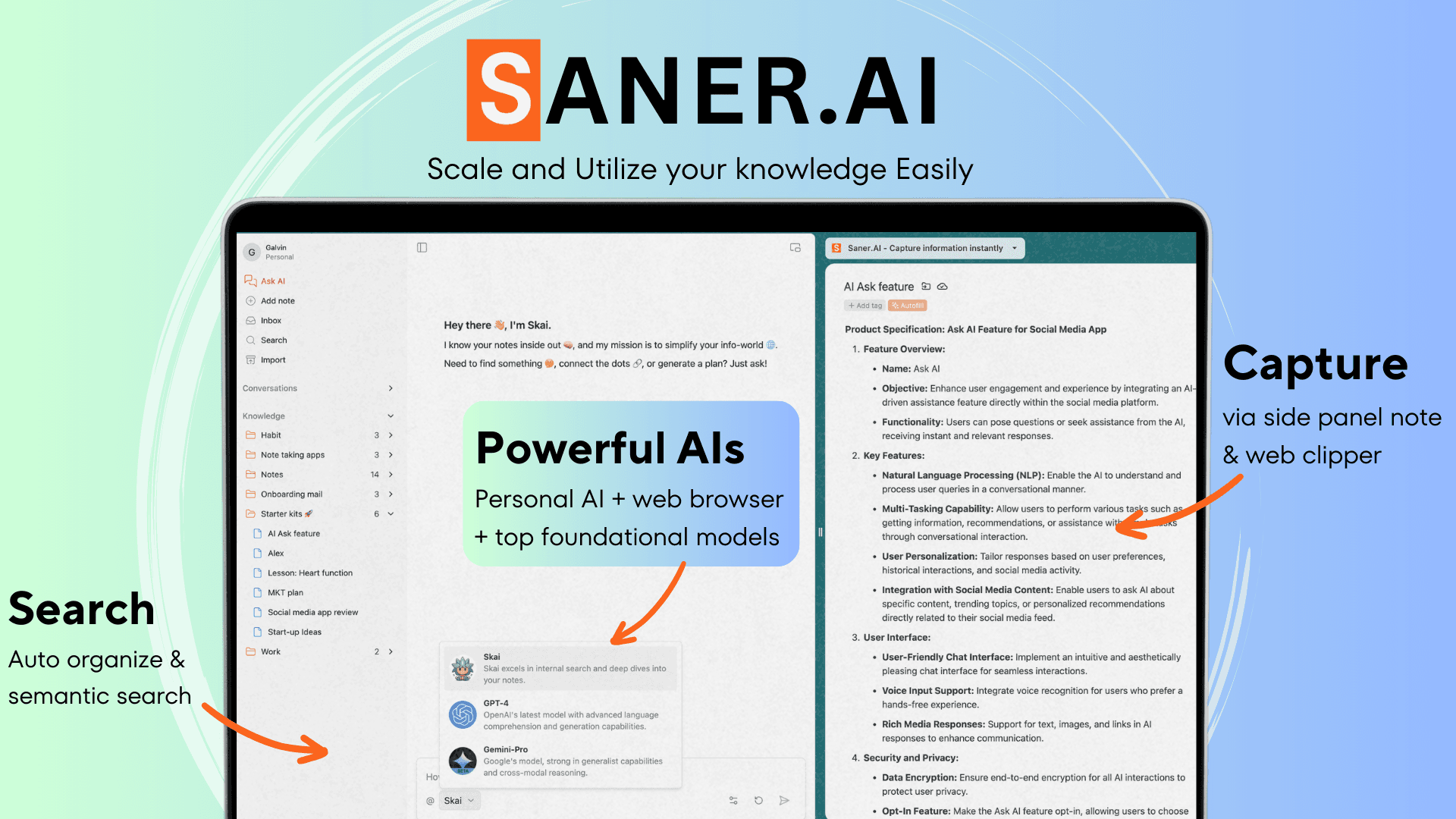
Overview
Saner.AI is designed for people who lose time switching among notes, task lists, inboxes, calendars, and documents. Users can capture typed or voice notes, import an existing knowledge library, connect work sources, and ask the built-in Skai assistant to find information, summarize context, turn messy thoughts into tasks, or suggest a plan.
The product is explicitly positioned around ADHD and cognitive overload. Features such as semantic search, automatic tags, related-note suggestions, a unified task view, reminders, and proactive daily planning aim to reduce reliance on memory and repeated manual sorting. It is available on the web and mobile, with a Chrome extension for capture while browsing.
Saner.AI can access highly personal material when email, Slack, Drive, notes, and calendars are connected. Start with the fewest necessary sources, review extracted tasks and schedules before acting, and remember that this is productivity software—not an assessment, treatment, or substitute for qualified ADHD care.
Use cases
The strongest fit depends on the job you need the product to complete, not the size of its feature list.
Reduce the number of systems and manual routines needed to capture, retrieve, and act on information.
Bring notes, messages, files, tasks, and calendar context into one searchable workspace.
Find loosely remembered ideas with natural-language and semantic search instead of exact filenames or keywords.
Use tasks, deadlines, calendar events, and connected inbox context to produce a more realistic plan for the day.
Capture webpages and voice notes, surface related material, query selected files, and turn saved knowledge into outlines or drafts.
Capabilities
Chats over personal context to retrieve notes, explain saved material, break down work, and recommend next actions.
Stores notes and files, automatically suggests organization, and finds information even when the query does not match exact wording.
Creates tasks from notes or conversation and can pull action items from connected sources into a consolidated view.
Uses current tasks, email, notes, and calendar context to suggest priorities and a plan rather than waiting for every prompt.
Connects communication and schedule data so the assistant can identify follow-ups, deadlines, and available time.
Supports typed notes, voice, file uploads, OCR, a Chrome extension, and imports from common note formats and services.
Surfaces earlier notes connected to the material currently being viewed or written.
Provides Saner.AI's personal assistants plus access to external models such as GPT, Claude, and Gemini at separate usage cost.
Process
Step 1
Start with a bounded goal such as remembering follow-ups, finding old notes, or planning each morning.
Step 2
Bring in only the notes and files needed for that goal, then confirm titles, formatting, dates, and retrieval quality.
Step 3
Grant access to the minimum necessary email, Drive, Slack, or calendar data and review the permissions involved.
Step 4
Use quick notes, voice, browser capture, and the inbox while letting search and AI suggestions handle initial organization.
Step 5
Have Skai identify tasks and priorities, then verify them against the original message, note, or event before accepting the schedule.
Step 6
Correct mistaken tasks, archive noise, disconnect unused sources, and periodically export important material so the system remains trustworthy.
Cost
Saner.AI has a permanent Free tier, a Starter plan listed at $12 monthly or $8 per month with annual billing, and a Standard plan listed at $20 monthly or $16 per month with annual billing. External models such as GPT, Claude, or Gemini are available but their token charges are not included; users pay separately or provide their own API key.
$0
Ongoing entry tier for testing capture, notes, tasks, connections, and limited AI usage.
$12/month or $8/month annually
Lower-cost paid tier with daily AI allowances and a larger knowledge base.
$20/month or $16/month annually
Highest public individual tier for heavier note and assistant usage.
Usage-based
Separate model access that is not included in the Saner.AI subscription price.
Pricing checked . Check current pricing at the source ↗
Assessment
Compare
The right alternative depends on the specific output, workflow, controls and budget your project requires.
Project Management
A stronger option for teams that need flexible databases, shared documents, wikis, and project spaces alongside AI.
Explore Notion AI →Content Creator
A focused alternative for saving, summarizing, connecting, and reviewing knowledge from online content.
Explore Recall →Students
A source-grounded research alternative for querying a defined collection of documents and generating cited outputs.
Explore Gemini Notebook (formerly NotebookLM) →Questions
Saner.AI is a personal AI productivity workspace for notes, tasks, email, calendar, files, and messages. Its Skai assistant searches that context, extracts actions, and helps organize work.
No. It is designed around ADHD-related friction and cognitive overload, but anyone who struggles with scattered information, context switching, or manual organization can use it.
There is a Free plan. Starter is listed at $12 monthly or $8 per month with annual billing, while Standard is $20 monthly or $16 per month with annual billing.
Access is available, but external-model token charges are separate. Users can pay as they go or add their own supported API key.
The current product and pricing pages list Google Drive, email, Slack, and calendar connections, plus imports from common note services and file formats.
Yes. It can identify tasks from notes, messages, documents, or a brain dump and help prioritize or schedule them. Review the source and deadline before accepting important actions.
Yes. It can capture webpages and files, search saved knowledge, query selected notes, find related material, and assist with summaries and drafts.
No. It is productivity software built to reduce organizational friction. It does not diagnose or treat ADHD and should not replace a qualified clinician or coach.
Bottom line
Saner.AI is most compelling for an individual whose tasks and useful context are scattered across notes, inboxes, documents, and calendars. Its advantage is not merely AI writing; it is the combination of personal retrieval and proactive planning with fewer manual organizational rituals. The deciding questions are whether its integrations cover the user's actual sources, whether Skai retrieves and prioritizes reliably, and whether the user is comfortable centralizing that much personal work data.
Visit Saner AI website ↗
Get access to all our AI courses, hundreds of real-world AI use cases, live expert-led workshops, an exclusive network of AI early adopters, and more.
Get unlimited access to all of our current & upcoming industry-specific AI courses for the duration of your subscription.
To keep up with the rapid pace of AI, our team publishes AI implementation guides daily. Our library contains 300+ practical use cases to automate real-world work.
Join weekly, live, interactive sessions with industry leaders who are at the forefront of AI for hands-on implementation guidance and exclusive insights.
Network with an exclusive community of AI-first professionals who are working smarter with AI. Learn how early adopters are using AI in their work and businesses.


