First-time image prompting
Turn a short concept into a more complete prompt with subject, medium, mood, composition, lighting and camera details.
Independent tool overview
ImageGen AI GPT by MixerBox is a public custom GPT that helps write prompts for image generators and can create images inside ChatGPT when image generation is available.
Visit the official ImageGen AI GPT site ↗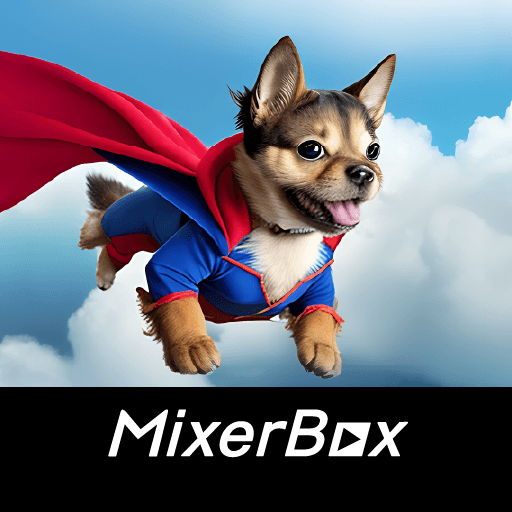
Overview
ImageGen AI GPT by MixerBox is not a standalone image model or separate design app. It is a custom version of ChatGPT configured around image prompting. Its public listing says it crafts prompts for DALL·E 2, Midjourney and Stable Diffusion and can also generate images.
The main workflow is conversational: describe the subject, style, lighting, composition, aspect ratio and use case, then ask the GPT to turn those details into a cleaner image prompt or create the image in ChatGPT. It can also help produce prompt variations for external tools, although the final syntax and supported controls need to match the generator you actually use.
The GPT's original description now feels dated because it still names DALL·E 2. ChatGPT has moved to ChatGPT Images 2.0, and custom GPTs with image generation enabled can use the current ChatGPT image system. OpenAI also automatically switches GPTs when an underlying model is retired, so results can change even when MixerBox does not update the public description.
The public GPT page remains available, but users must sign in to start a conversation. There is no separate MixerBox subscription listed for this GPT; usage counts against the image and GPT limits of the user's ChatGPT plan.
Use cases
The strongest fit depends on the job you need the product to complete, not the size of its feature list.
Turn a short concept into a more complete prompt with subject, medium, mood, composition, lighting and camera details.
Create several creative directions from the same brief before spending generations in another image tool.
Draft prompts for Midjourney or Stable Diffusion, then adapt the syntax and parameters in the destination product.
Generate an image directly when the custom GPT's image capability is available on the user's ChatGPT account.
Capabilities
Turns a basic visual idea into a more descriptive image prompt with aesthetic, scene and composition guidance.
Its listing explicitly targets DALL·E 2, Midjourney and Stable Diffusion, although current versions of those products may require updated syntax.
Lets users ask for a different mood, viewpoint, medium, color palette or level of realism through follow-up messages.
Can create images inside ChatGPT when image generation is enabled and the user's current plan has remaining access.
Custom GPTs can accept image uploads, allowing a user to describe a reference and request a related prompt or edit.
OpenAI can move an existing GPT to a similar current model when an older model is retired, keeping the GPT usable while changing its results.
The GPT can be opened from its public ChatGPT link without installing a separate app, though a signed-in account is required to chat.
Generated images can use ChatGPT's current image controls, downloads and editing flow when those capabilities are available.
Process
Step 1
Use the public ChatGPT link, review the current listing and sign in with an account that has access to GPTs and image generation.
Step 2
State what the image is for, the subject, visual style, composition, required text, aspect ratio and any elements to avoid.
Step 3
Ask for a prompt tailored to your target generator, or ask the GPT to create the image directly in ChatGPT.
Step 4
Remove outdated model syntax, check text and details in the image, and confirm that the final asset meets licensing and brand requirements.
Cost
ImageGen AI GPT does not publish a separate MixerBox fee. GPT use and image creation are included within ChatGPT subject to the current account's plan, workspace permissions and usage limits. Free accounts can use GPTs and receive limited, slower image generation.
No add-on fee
The public custom GPT itself does not list a separate purchase or subscription.
$0
Free users can discover and use GPTs with limited, slower image generation.
Plan-dependent
Go, Plus, Pro and workspace plans offer different levels of GPT and image access.
Pricing checked . Check current pricing at the source ↗
Assessment
Compare
The right alternative depends on the specific output, workflow, controls and budget your project requires.
Design
Choose ChatGPT Images 2.0 for OpenAI's current native image system without the dated DALL·E 2 framing.
Explore ChatGPT Images 2.0 →Content Creator
Choose Midjourney for a dedicated image-generation product with its own current prompting and editing workflow.
Explore Midjourney →Design
Choose Ideogram for a dedicated visual generator focused on design, typography and image editing.
Explore Ideogram →Questions
It is a public custom GPT inside ChatGPT that is configured to help craft image prompts and, when enabled, generate images.
The GPT does not list a separate MixerBox fee. It can be used with a signed-in ChatGPT account, subject to that plan's GPT and image-generation limits.
Its public description still mentions DALL·E 2, but OpenAI says custom GPTs with image generation can use the current ChatGPT image model and may be migrated when older models retire.
It can draft prompts for those tools, but the actual image must be generated in the external product unless the GPT creates it through ChatGPT's own image capability.
No. The public page can be viewed while signed out, but OpenAI requires users to sign in before starting a GPT conversation.
OpenAI says GPT builders cannot view individual conversations. If a GPT uses an external API or app, relevant input may be sent to that service, so review any action or permission prompt before approving it.
Usually only if you like the GPT's prompt-coaching style. For current image generation and editing, ChatGPT Images 2.0 is the more direct and up-to-date option.
Bottom line
ImageGen AI GPT remains a usable prompt coach for beginners, but it is no longer a leading image product in its own right. Its DALL·E 2 wording is dated, and regular ChatGPT Images now provides a more current path to generation and editing. Use this GPT for prompt brainstorming; use a dedicated modern generator for production work.
Visit ImageGen AI GPT website ↗
Get access to all our AI courses, hundreds of real-world AI use cases, live expert-led workshops, an exclusive network of AI early adopters, and more.
Get unlimited access to all of our current & upcoming industry-specific AI courses for the duration of your subscription.
To keep up with the rapid pace of AI, our team publishes AI implementation guides daily. Our library contains 300+ practical use cases to automate real-world work.
Join weekly, live, interactive sessions with industry leaders who are at the forefront of AI for hands-on implementation guidance and exclusive insights.
Network with an exclusive community of AI-first professionals who are working smarter with AI. Learn how early adopters are using AI in their work and businesses.


