Short-form creative video
Studios and creators generating five- to twenty-second concept shots, social clips, motion designs, stylized scenes, or ad previsualization with native sound.
Independent tool overview
FLUX 3 is Black Forest Labs' multimodal model family. Its first public product, FLUX 3 Video, generates or continues 5–20 second video clips with synchronized speech, sound effects, and ambience from text, images, keyframes, or an existing clip. The video endpoint is live, but the documentation still calls it a preview and the broader image, action, editing, and open-weight roadmap is not fully released.
Visit the official FLUX 3 site ↗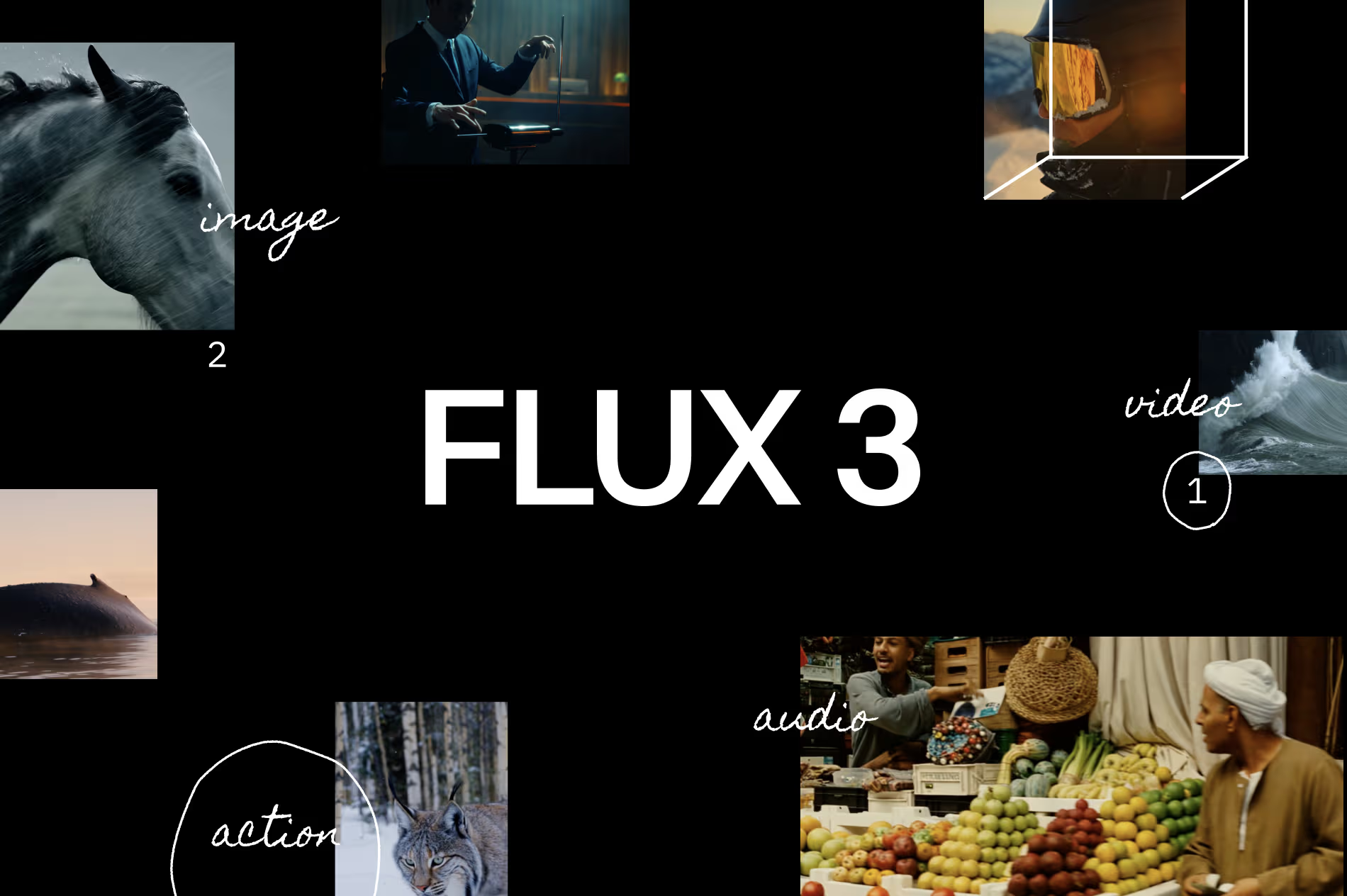
Overview
FLUX 3 is Black Forest Labs' attempt to use one underlying architecture across image, video, audio, language, and eventually action prediction. The publicly usable FLUX 3 Video endpoint currently turns text into video, animates one to ten pinned images or keyframes, and continues an existing video while generating synchronized audio alongside the frames.
The live API supports clips at 24 frames per second in HD or upscaled Full HD, with common landscape, square, portrait, and ultrawide aspect ratios. Text-to-video and image-to-video run for 5–20 seconds; video continuation runs for 5–15 seconds. Audio is on by default, and the documentation highlights multilingual speech, lip sync, effects, ambience, in-scene typography, multiple scenes, and varied visual styles.
Draft mode is unusually practical for cost control. It creates a cheaper HD preview and returns a cache bundle that can be enhanced into the same approved shot at full quality, instead of paying for a new high-quality interpretation that may change composition or motion. Result links expire after roughly two hours, so applications need reliable polling, download, storage, and failure handling.
The broader FLUX 3 announcement is ahead of the currently shipped product. Image synthesis and editing, richer video editing and Omni Reference, FLUX 3 Action, private weights, and an open-weight FLUX 3 Dev model remain staged releases, selected-partner access, or roadmap items. Do not describe the entire multimodal research model as generally available merely because the video-generation endpoint is live.
Use cases
The strongest fit depends on the job you need the product to complete, not the size of its feature list.
Studios and creators generating five- to twenty-second concept shots, social clips, motion designs, stylized scenes, or ad previsualization with native sound.
Teams that want to pin opening, closing, or intermediate images to exact moments rather than relying only on a text prompt.
Products that can manage asynchronous jobs, expiring result URLs, content moderation, rights checks, per-second cost controls, and human review.
Capabilities
Creates a new clip from a written scene description, including synchronized speech, effects, ambience, and optional multi-shot direction.
Uses one to ten images as pinned frames or storyboard references, with optional timestamps to define when particular frames must occur.
Accepts an existing clip and generates the next 5–15 seconds while attempting to carry forward momentum, framing, scene logic, and sound.
Generates multilingual speech, lip sync, environmental sound, effects, and ambience jointly with the video; audio can be disabled when a separate sound workflow is preferred.
Produces a lower-cost HD preview with a reusable draft cache, then upgrades the selected draft without reinterpreting the approved shot.
Supports browser experimentation and an asynchronous API that returns a job identifier, polling URL, signed output link, and short retrieval window.
Process
Step 1
Confirm rights and consent for prompts, faces, voices, performances, music, footage, reference images, brands, and locations before uploading anything.
Step 2
Use text for exploration, one or more keyframes for visual control, and continuation only when rights and continuity from an existing clip matter.
Step 3
Test prompts at the cheaper draft rate, keep seeds and parameters, compare motion and audio defects, and enhance only the approved cache bundle.
Step 4
Poll asynchronously with backoff, retrieve completed files before the roughly two-hour signed URL expires, store them in controlled infrastructure, and handle failed or timed-out jobs.
Step 5
Check faces, hands, physics, dialogue, lip sync, text, trademarks, provenance, disclosure, consent, audio rights, accessibility, and misleading-realism risk before publication.
Cost
BFL uses credits where one credit equals $0.01, but FLUX 3 Video is easiest to understand as per-second pricing. Text-to-video and image-to-video share one rate; continuation costs more. Drafts are HD only. Playground and API pricing are the same, and batches or repeated attempts multiply the bill.
$0.06/second
Fast HD previews for 5–20 second generations.
$0.17/second
Full HD-tier render at the documented hd resolution and 24 fps.
$0.29/second
Full render finished at the documented Full HD dimensions through the video upsampler.
$0.12/second
Cheaper HD exploration for a 5–15 second continuation of an existing clip.
$0.43/second HD or $0.54/second FHD
Production-quality continuation for a 5–15 second output.
Pricing checked . Check current pricing at the source ↗
Assessment
Compare
The right alternative depends on the specific output, workflow, controls and budget your project requires.
Content Creator
Choose Runway Gen-4.5 for a broader creator-facing video production environment and a mature suite of generation, editing, and control tools.
Explore Runway Gen-4.5 →Content Creator
Choose Kling 3.0 to compare native-audio generation, longer-form consistency, motion, and consumer-app workflows.
Explore Kling 3.0 →Content Creator
Choose Veo 3.1 when Google ecosystem access, Flow tooling, native audio, or Vertex AI integration is a better operational fit.
Explore Veo 3.1 →Questions
FLUX 3 Video is available through the BFL playground, API, and selected partners. The live endpoint supports text-to-video, image or keyframe-to-video, and video continuation. Other announced FLUX 3 modalities and weights remain preview, selected-access, or roadmap items.
Text-to-video and image-to-video support 5–20 second outputs. Video continuation supports 5–15 seconds. All current modes output 24 fps, with HD or upscaled FHD full renders; drafts are HD.
Yes. Audio is enabled by default and can include multilingual speech with lip sync, effects, and ambience generated alongside the frames. Developers can disable audio, but must separately clear any rights in uploaded or generated music, voices, recordings, and performances.
For text-to-video or image-to-video, a 20-second draft is about $1.20, a full HD render about $3.40, and a full FHD render about $5.80. Retries, batches, storage, continuation, and optional upscaling add cost.
Draft mode creates a faster, cheaper HD preview and returns a draft-cache bundle. Sending that bundle to draft_enhance produces the same selected shot at full quality, unlike a new direct render that can reinterpret the prompt.
BFL's API guidance includes commercial output rights, and its developer terms say the user owns output as between the parties. That is not rights clearance: users still need permission for source footage, music, performers, likenesses, trademarks, confidential material, and the intended distribution.
The August 4, 2026 non-EU self-serve API terms grant BFL rights to use inputs and outputs to improve and train its systems. The general playground terms describe a prospective email opt-out outside beta programs, and EU or negotiated enterprise terms can differ. Review the contract that governs the exact endpoint before sending confidential assets.
Bottom line
FLUX 3 Video is a compelling short-form API for teams that value native audio, pinned keyframes, continuation, and a cost-efficient draft-to-enhance loop. The page should sell what is live—not the entire research roadmap. For production, budget repeated generations, download outputs immediately, verify every frame and sound, clear source and likeness rights, and resolve BFL's input/output training terms before using confidential media.
Visit FLUX 3 website ↗
Beehiiv Copilot - Beehiiv's built-in agent for newsletter analytics, segments, and campaigns

Seedance 2.5 - ByteDance’s new SOTA video model with 30-second generations
Lucy 2.5 - Decart's AI that edits and restyles video mid-stream
LTX-2.5 - LTX's open world model for video, real-time avatars, and robotics

Get access to all our AI courses, hundreds of real-world AI use cases, live expert-led workshops, an exclusive network of AI early adopters, and more.
Get unlimited access to all of our current & upcoming industry-specific AI courses for the duration of your subscription.
To keep up with the rapid pace of AI, our team publishes AI implementation guides daily. Our library contains 300+ practical use cases to automate real-world work.
Join weekly, live, interactive sessions with industry leaders who are at the forefront of AI for hands-on implementation guidance and exclusive insights.
Network with an exclusive community of AI-first professionals who are working smarter with AI. Learn how early adopters are using AI in their work and businesses.