Executive-ready deliverables
Turn scattered sources and templates into a reviewable report, spreadsheet, document, presentation, or Site.
Independent tool overview
ChatGPT Work is OpenAI's agent for longer, multi-step professional tasks that gather context, use connected tools, and produce finished documents, analyses, spreadsheets, presentations, and Sites.
Visit the official ChatGPT Work site ↗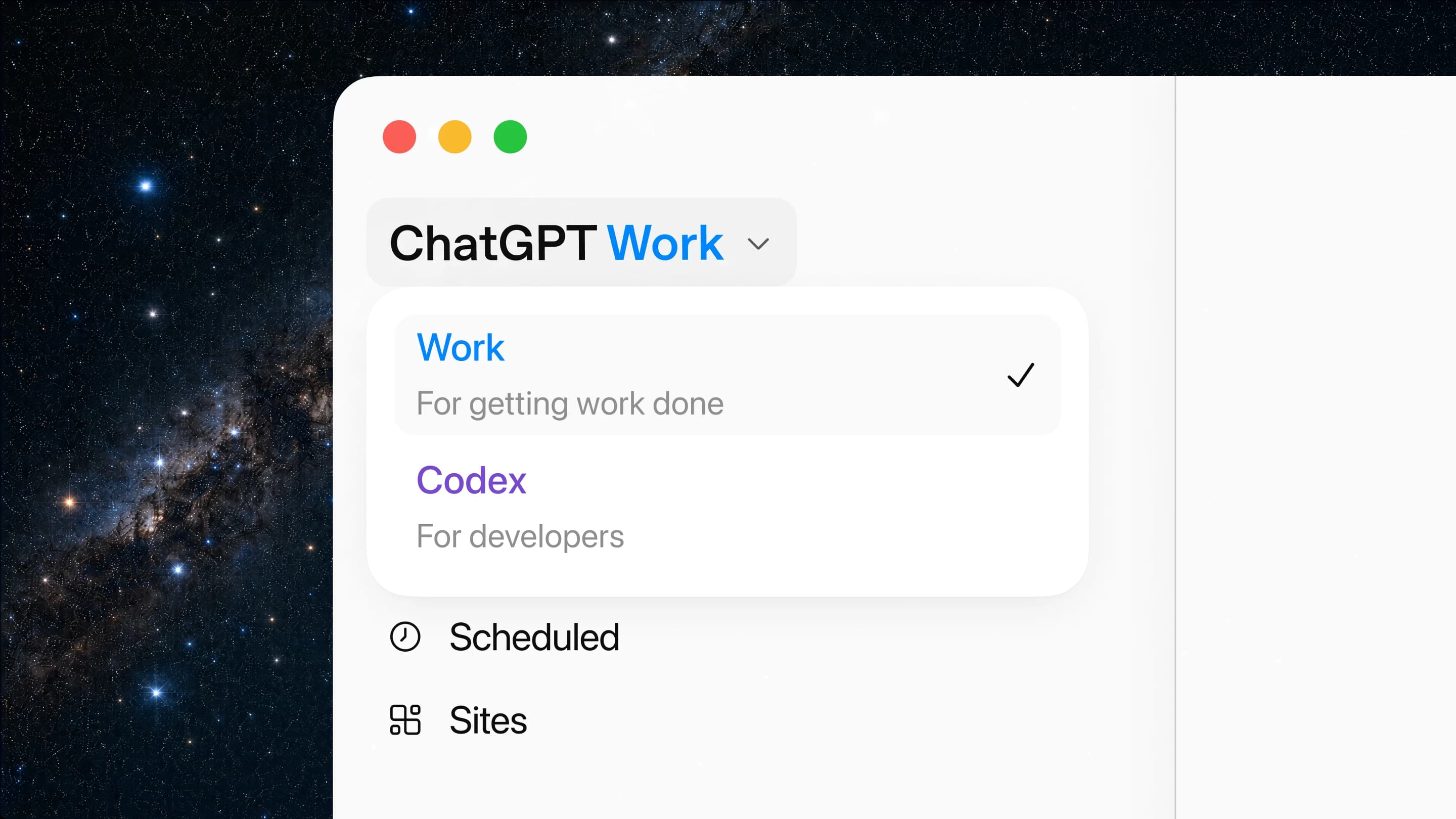
Overview
ChatGPT Work is the outcome-oriented agent inside ChatGPT. Where Chat is optimized for questions and quick assistance and Codex remains focused on software development, Work can research, plan, use files and connected services, create polished deliverables, and continue multi-step projects across web, mobile, and the macOS or Windows desktop app.
Its value comes with a wider permission boundary. Work can read connected data, browse signed-in websites, edit files, and—when an integration permits it—take external actions or run scheduled and event-triggered workflows. Users and administrators should grant the minimum access needed, keep consequential actions behind approval, inspect sources and formulas, and review every deliverable before it is shared or used.
Use cases
The strongest fit depends on the job you need the product to complete, not the size of its feature list.
Turn scattered sources and templates into a reviewable report, spreadsheet, document, presentation, or Site.
Gather context from approved email, chat, drive, CRM, analytics, and project-management sources.
Monitor updates and refresh agendas, dashboards, briefs, or summaries on a schedule.
Break a broad question into steps, inspect sources, analyze data, and produce a finished artifact.
Create or edit work that needs to preserve formulas, layout, branding, tone, or an existing structure.
Keep a complex project moving while the user checks progress, answers questions, and approves important actions.
Capabilities
Plans and executes longer tasks that require gathering information, revising work, and producing a finished result.
Collects context and proposes a step-by-step approach that users can revise or approve before execution.
Creates editable written deliverables from prompts, source material, existing files, and organizational templates.
Builds and edits analytical spreadsheets, including native Google Sheets and supported Excel workflows.
Produces presentation content and supports native Google Slides when the corresponding Workspace app is enabled.
Turns ideas and data into interactive websites, dashboards, trackers, prototypes, reports, and lightweight apps.
Pulls context from approved business tools and can use supported read or write actions under configured permissions.
Runs supported website tasks on a remote browser that can continue after the user closes ChatGPT.
Lets the user and agent work across visible tabs and signed-in web tools inside the ChatGPT desktop app.
On eligible desktop configurations, Work can use approved local folders, files, and applications.
Runs once or repeatedly, checks for changes, and notifies the user when work or a monitored condition is complete.
Eligible paid plans can respond to supported Gmail, Slack, or GitHub events through authorized connections.
Cloud Work chats can sync across web, mobile, and desktop so a task can be reviewed away from the original device.
The desktop app supports a live voice interface for directing Work and Codex tasks.
Process
Step 1
Name the final format, audience, decision, deadline, constraints, and acceptance criteria.
Step 2
Decide whether the work should stay local, run in the cloud, use a browser, or access connected services.
Step 3
Connect only required accounts and prefer read-only or always-ask permissions for sensitive systems.
Step 4
Attach approved files, templates, definitions, brand rules, and source-of-truth links.
Step 5
Confirm scope, exclusions, destinations, intermediate checkpoints, and actions that require approval.
Step 6
Follow progress, answer questions, inspect browser steps, and redirect the agent when assumptions drift.
Step 7
Check citations, calculations, formulas, totals, dates, permissions, links, formatting, and claims against the sources.
Step 8
Review recipients, records, files, transactions, and exact changes immediately before consequential actions.
Step 9
Periodically inspect schedules, triggers, app permissions, saved sessions, outputs, costs, and whether the task is still needed.
Cost
ChatGPT Work does not have a separate subscription. Desktop access is included across ChatGPT plans, while web and mobile Work require an eligible paid plan. Work uses the same usage structure as Codex, so long or tool-heavy jobs can consume included usage quickly and may require additional credits. Business and Enterprise/Edu workspaces can apply spend and access controls.
$0 / market price
Desktop Work access with plan-specific limits; cloud browser and web/mobile Work are more restricted.
$20/month
Individual paid access to Work on web, mobile, and desktop with included usage.
$100 or $200/month
Higher-usage individual plans for more sustained agentic work.
$25 monthly or $20/month annual
Self-serve team workspace with Chat, Work, and Codex plus centralized administration.
$125 monthly or $100/month annual
Higher-limit Business seat for users with more intensive Work and Codex usage.
Contact sales
Managed deployment with organization-specific security, governance, roles, and purchasing.
Pricing checked . Check current pricing at the source ↗
Assessment
Compare
The right alternative depends on the specific output, workflow, controls and budget your project requires.
Agents
Choose Manus for another general-purpose cloud agent focused on autonomous research and multi-step task execution.
Explore Manus →Project Management
Choose Claude for strong document reasoning and collaborative artifact creation with a different model and integration ecosystem.
Explore Claude →Business Operations
Choose standard ChatGPT Chat for quick questions, brainstorming, and conversational help that does not need a longer agentic workflow.
Explore ChatGPT →Questions
ChatGPT Work is OpenAI's agent for longer, multi-step professional tasks such as research, analysis, documents, spreadsheets, presentations, reports, and Sites.
Chat is for fast conversational assistance, Work is for longer non-coding projects and finished deliverables, and Codex remains dedicated to software development and technical repository work.
Work is available in the macOS and Windows desktop app across ChatGPT plans, including Free, with plan-specific limits. Work on web and mobile requires an eligible Plus, Pro, Business, Enterprise, or Edu plan.
There is no separate Work subscription, but it follows Codex's usage structure. Complex tasks may use substantial included capacity and can require additional credits.
Yes. It supports spreadsheet, presentation, document, report, and analysis workflows. Native Google Docs, Sheets, and Slides require the relevant Google Workspace app; Microsoft Excel has a supported add-in, while native PowerPoint is not included in the launch desktop flow.
Yes, when the plan, workspace, surface, and permissions allow it. Connect only needed sources and review whether access is read-only or can perform external actions.
Cloud browser and scheduled workflows can continue after you leave. Tasks pause when required input, sign-in, confirmation, or an approval is needed.
Eligible paid users can create event-triggered tasks for supported activity in authorized Gmail, Slack, or GitHub connections, subject to plan and workspace controls.
It should be given narrowly scoped access and clear approval boundaries. Review important actions, use least privilege, monitor recurring tasks, and verify all consequential outputs and changes.
Cloud Work chats sync across supported web, mobile, and desktop surfaces. Chats explicitly started as local stay on the computer.
Bottom line
ChatGPT Work is a substantial expansion of ChatGPT from assistant to production agent: it can gather context, create real deliverables, operate across tools, and keep recurring work moving. Teams will get the most value when they pair it with authoritative sources, tight permissions, explicit approval points, and human validation. The better it becomes at taking action, the more important those operating controls become.
Visit ChatGPT Work website ↗
Muse Spark 1.1 - Meta's upgraded, cost-effective agentic model with 1M-token memory and computer use

Bonsai 27B - PrismML's compressed 27B model small enough for iPhones

GPT-Live - OpenAI's new voice model with more natural conversation abilities

Inkling - Thinking Machines' open-weight multimodal model with adjustable reasoning

Get access to all our AI courses, hundreds of real-world AI use cases, live expert-led workshops, an exclusive network of AI early adopters, and more.
Get unlimited access to all of our current & upcoming industry-specific AI courses for the duration of your subscription.
To keep up with the rapid pace of AI, our team publishes AI implementation guides daily. Our library contains 300+ practical use cases to automate real-world work.
Join weekly, live, interactive sessions with industry leaders who are at the forefront of AI for hands-on implementation guidance and exclusive insights.
Network with an exclusive community of AI-first professionals who are working smarter with AI. Learn how early adopters are using AI in their work and businesses.