Marketing microsites
Turn a campaign brief into a branded, responsive landing page without a separate design-to-development handoff.
Independent tool overview
Canva Code 2.0 is Canva's prompt-based builder for responsive websites, mini apps, games, quizzes, calculators, charts, and interactive elements. Its differentiator is visual editing inside Canva: users can generate from a prompt, template, or imported HTML, then adjust supported text, colors, fonts, media, and branding without working in a traditional development environment.
Visit the official Canva Code site ↗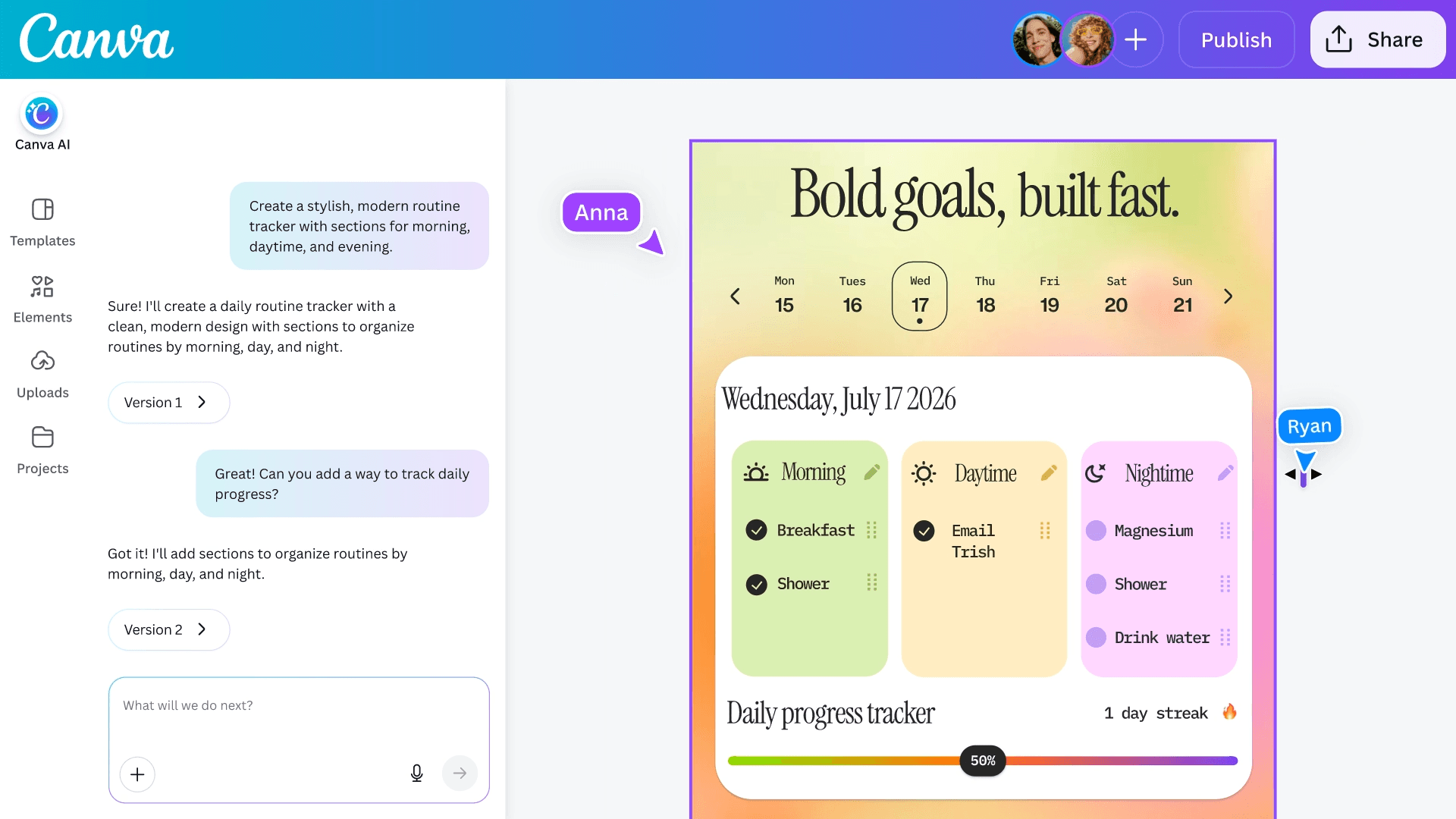
Overview
Canva Code can create a complete interactive page or a reusable component embedded in presentations, whiteboards, Docs, and other Canva designs. Work can be refined with Canva AI, previewed across screen sizes, published as a website, connected to Canva Sheets for simple response collection, or copied as code for adaptation elsewhere.
It is best for low-risk, design-led interactive experiences rather than complex production software. Canva simplifies generation and publishing, but teams still need technical review for security, privacy, accessibility, performance, data handling, browser behavior, and any workflow involving authentication, payments, regulated data, or business-critical logic.
Use cases
The strongest fit depends on the job you need the product to complete, not the size of its feature list.
Turn a campaign brief into a branded, responsive landing page without a separate design-to-development handoff.
Build quizzes, calculators, countdowns, timelines, charts, maps, and simple games that can sit inside other Canva work.
Create classroom activities, learning games, exercises, resource hubs, and lightweight response-collection tools.
Show a clickable concept or workflow before committing engineering time to a production implementation.
Collect low-sensitivity responses into an automatically connected Canva Sheet.
Import an existing HTML or AI-generated artifact and bring it into Canva for visual editing and branding.
Capabilities
Describe a website, dashboard, portfolio, quiz, calculator, game, or other interactive experience in natural language.
Start from Canva Code templates instead of a blank prompt, then replace structure, content, and styling.
Bring existing HTML or code-generated work into Canva and convert it into an editable design.
Build a full responsive Code design or add a smaller interactive element to presentations, whiteboards, and other design types.
Directly edit supported text, fonts, colors, styling, media, position, and selected layout sections in the Canva editor.
Ask Canva AI to change a selected section or the current page when direct editing is unavailable or slower.
Preview and resize work across desktop, tablet, and mobile layouts before publishing.
Each prompt-based update creates a version in the Code chat, allowing users to revisit earlier iterations.
Inspect generated code and copy it to the clipboard for adaptation in an external development workflow.
Publish to a live URL, control search-engine visibility and password protection, republish updates, or unpublish the site.
Forms, lists, calculators, and similar experiences can save submitted data to a connected Canva Sheet.
Use Canva comments, shared editing, Brand Kits, uploaded assets, and Canva's media library during the build.
Process
Step 1
Start with a campaign page, quiz, calculator, portfolio, demo, or classroom activity rather than a critical application.
Step 2
Define users, states, inputs, outputs, validation, content, visual rules, mobile behavior, and success criteria.
Step 3
Generate from a focused prompt, adapt a template, or import HTML that the team has permission to use.
Step 4
Build one complete interaction first and avoid combining authentication, payments, databases, and many features in the initial prompt.
Step 5
Use direct editing for supported visual changes and targeted prompts for behavior, structure, or non-editable elements.
Step 6
Review copied code, confirm what is stored in Sheets, and remove unnecessary collection or external dependencies.
Step 7
Check keyboard access, screen readers, contrast, mobile reflow, browsers, validation, error states, performance, security, and privacy.
Step 8
Choose search visibility and access settings, test the live URL, retain a recovery copy, and monitor submissions and behavior.
Cost
Canva Code is a Premium AI feature that draws from Canva's shared monthly AI allowance. The U.S. annual prices below were displayed during this review; actual access, taxes, local prices, trials, and usage can vary. More complex prompts can consume more of the pooled allowance.
US$0
Limited Premium AI usage for testing Canva Code when the feature is available on the account.
US$180/year for one person
Individual plan with a larger Premium AI allowance and premium Canva assets.
US$250/year per person
Individual and team plan with higher usage, collaboration, brand controls, and approvals.
Custom pricing
Organization plan with administrative, identity, governance, and security controls.
Pricing checked . Check current pricing at the source ↗
Assessment
Compare
The right alternative depends on the specific output, workflow, controls and budget your project requires.
Design
A stronger option for developers who want prompt-generated interfaces that fit a modern React and Vercel deployment workflow.
Explore Vercel v0 →Coding
A conversational full-stack builder for users who need more application logic and backend-oriented workflows.
Explore Lovable →Coding
A mature no-code platform for database-backed web applications with deeper visual logic and production controls.
Explore Bubble →Questions
Canva Code 2.0 is an AI builder for generating responsive websites, mini apps, games, and interactive elements, then refining them through Canva's editor and AI assistant.
No coding is required for the main workflow, but technical knowledge is valuable for reviewing generated logic, security, data handling, accessibility, and production readiness.
Canva says Code 2.0 is available across its plan lineup, including Free, but it is a Premium AI feature and access can depend on rollout, account, and administrator settings.
Yes. Supported text, fonts, colors, images, and selected layout sections can be edited directly. Other responsive elements or logic changes may require Canva AI prompts.
You can view and copy generated code for use elsewhere, but Canva says it cannot currently be exported as a file or directly edited inside Canva.
Yes. It can publish to a live URL with settings for search-engine visibility and password protection, and later republish or unpublish from the original Code thread.
Yes. Supported experiences automatically connect to Canva Sheets, but the connection is one-way, versions store data separately, and the current Sheet limit is 999 rows by 104 columns.
It is better for prototypes and lightweight interactive experiences. Authentication, payments, sensitive data, complex backends, and critical business logic need a more controlled engineering stack.
Canva permits lawful commercial use under its terms, but users remain responsible for rights, safety, privacy, claims, and verifying that generated code and assets are appropriate for the intended use.
Bottom line
Canva Code 2.0 is unusually approachable for turning visual ideas into interactive web experiences because it combines prompt generation, direct design edits, Canva assets, collaboration, and publishing. It is a strong choice for campaign pages, prototypes, educational activities, and embedded widgets, but serious applications should graduate to a developer-controlled codebase and backend before handling sensitive data or critical workflows.
Visit Canva Code website ↗
Grok Build - SpaceXAI's newly open-sourced coding agent and CLI for complex coding work

LM Bionic - LM Studio's local-first agent that codes and edits docs using open models
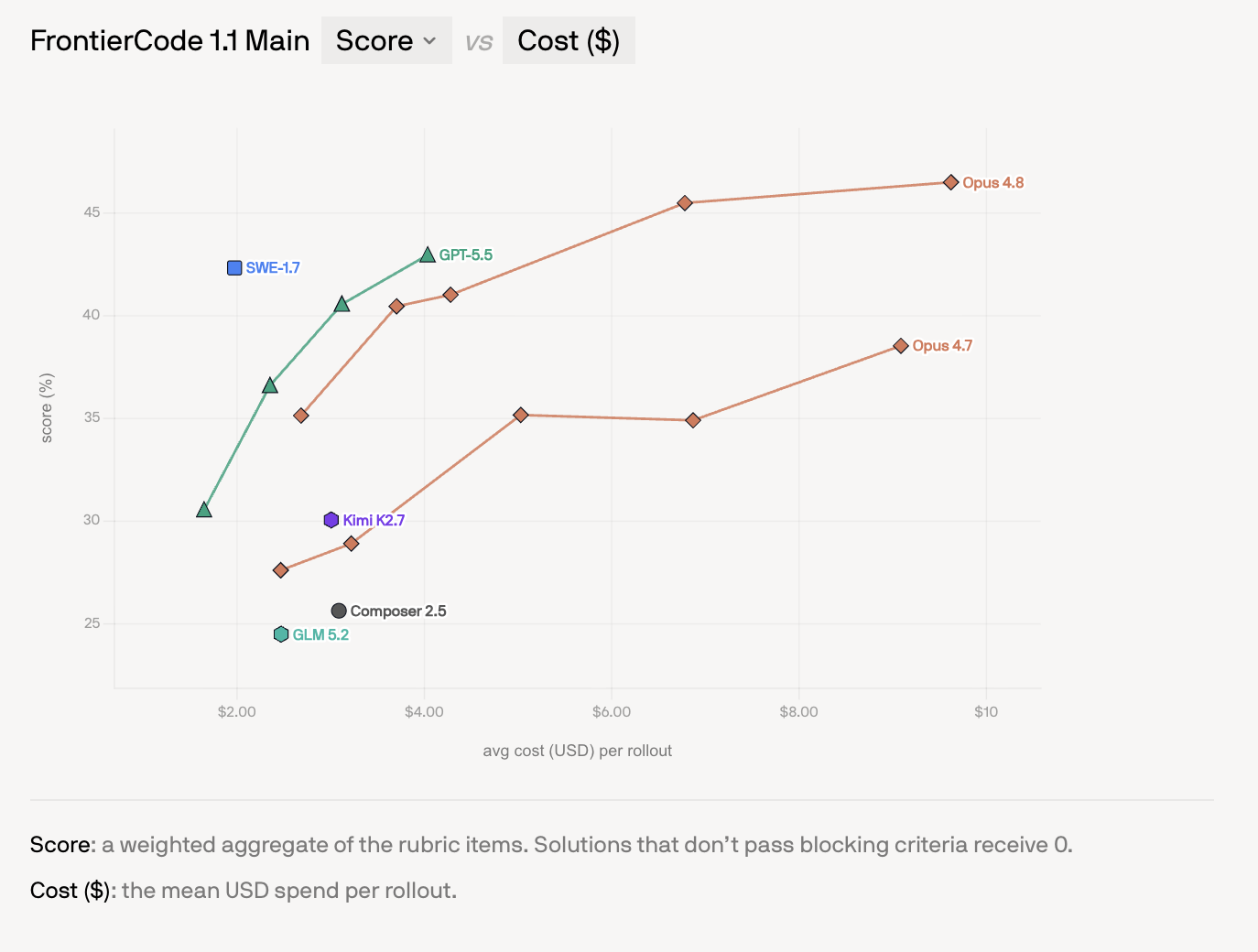
SWE-1.7 - Cognition's cheap, near-frontier coding model

Laguna S 2.1 - Poolside's open-weight coding model with a 1M-token context

Get access to all our AI courses, hundreds of real-world AI use cases, live expert-led workshops, an exclusive network of AI early adopters, and more.
Get unlimited access to all of our current & upcoming industry-specific AI courses for the duration of your subscription.
To keep up with the rapid pace of AI, our team publishes AI implementation guides daily. Our library contains 300+ practical use cases to automate real-world work.
Join weekly, live, interactive sessions with industry leaders who are at the forefront of AI for hands-on implementation guidance and exclusive insights.
Network with an exclusive community of AI-first professionals who are working smarter with AI. Learn how early adopters are using AI in their work and businesses.