Rapid model evaluation
Compare candidate models in a browser playground before writing production integration code.
Independent tool overview
Replicate is a pay-as-you-go AI inference platform for trying public models in a browser, calling them through an API, or packaging and deploying custom models on managed GPU infrastructure.
Visit the official Replicate site ↗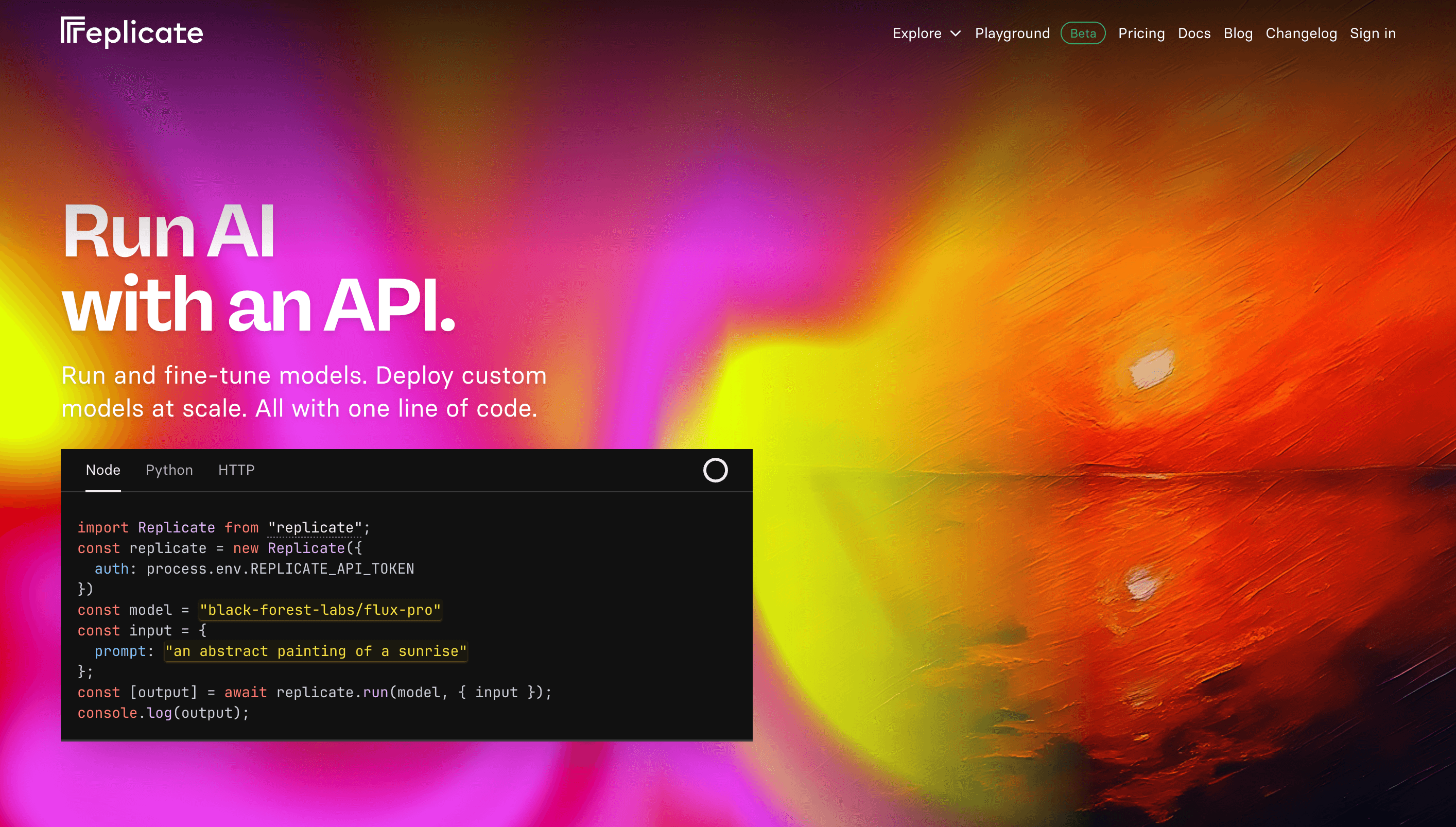
Overview
Replicate gives developers a consistent way to run a wide variety of machine-learning models without provisioning GPU servers directly. A model page includes an input playground and generated API examples, making it practical to test an image, video, audio, language, or vision model before integrating it into an application.
The catalog mixes community models, actively maintained official models, and proprietary models. Developers can also package their own code and weights with Replicate's open-source Cog tool, publish the result privately or publicly, and create a dedicated deployment with chosen hardware, minimum and maximum instances, rolling updates, canary releases, rollback, monitoring, and autoscaling.
Replicate removes much of the infrastructure work, not the model-selection work. Production teams still need to inspect licenses, model provenance, input and output schemas, safety behavior, quality, latency, cold starts, version stability, retention, and unit economics. Community model authors and downstream-model calls add dependencies that should be reviewed explicitly.
Use cases
The strongest fit depends on the job you need the product to complete, not the size of its feature list.
Compare candidate models in a browser playground before writing production integration code.
Add image, video, speech, language, or vision generation to an application with managed inference.
Package proprietary code and weights, select GPU hardware, and operate a private autoscaling endpoint without building the serving stack from scratch.
Capabilities
Offers community, official, open-source, and proprietary models across many generation and analysis tasks.
Provides a web form for model inputs, plus HTTP, JavaScript, and Python integration paths for predictions.
Replicate maintains a subset with stable APIs, predictable unit pricing, active upkeep, and warm availability.
Packages model code and dependencies into a standard container that Replicate can version and serve.
Adds private endpoints, configurable GPU types, min/max instances, scale-to-zero, rolling updates, canaries, rollback, metrics, logs, and cost monitoring.
Process
Step 1
Check the owner, license, documentation, examples, pricing unit, version history, safety behavior, and expected inputs and outputs.
Step 2
Run representative and adversarial examples, then measure quality, latency, cold-start behavior, and cost instead of choosing from demos alone.
Step 3
Use the correct official, community-version, or deployment endpoint; protect API tokens and capture asynchronous results before they expire.
Step 4
Set deadlines, retries, spend and scale limits, safety checks, logging, evaluation, storage, monitoring, and a tested fallback or rollback path.
Cost
Replicate has no standard subscription fee: customers pay for model or compute usage. Public model predictions generally charge only for active processing, while private models and deployments usually bill setup, idle, and active instance time. Every model page shows its applicable rate.
Model-specific pay as you go
Pricing can be per second, image, video second, token, or another input/output unit.
$0.81-$5.49/hour
Current hourly compute examples for private models and deployments.
Hardware time while online
Dedicated infrastructure with configurable scaling and endpoint control.
Custom contract
For larger spend, support, capacity, and performance requirements.
Pricing checked . Check current pricing at the source ↗
Assessment
Compare
The right alternative depends on the specific output, workflow, controls and budget your project requires.
Coding
A strong alternative for teams focused on high-performance inference and fine-tuning across open language and multimodal models.
Explore Together AI →Questions
Replicate is used to test and run public machine-learning models through a web playground or API, and to package and deploy custom models on managed CPU or GPU infrastructure.
Replicate is pay as you go. Some models charge by compute time, while others charge by tokens, images, video seconds, or another input/output unit. Private models and deployments generally bill all time their instances are online.
Select models can be tried within a limited free allowance. Replicate eventually requires billing setup, and production or substantial usage is metered at each model's published rate.
Yes. Cog packages custom code and weights, and Replicate can serve the resulting model. Production deployments add private endpoints, configurable hardware and scaling, monitoring, and controlled releases.
A public model typically runs in a shared pool and only charges for active prediction time. A deployment gives the customer a private endpoint, hardware and scaling control, rollout tools, and a dedicated queue, but generally bills setup, idle, and active instance time.
By default, inputs, outputs, output files, and logs for API-created predictions are removed after one hour. Applications must copy required results to their own persistent storage before then. Predictions created through the web interface are retained until manually deleted.
Bottom line
Replicate is one of the easiest ways for a developer to move from trying a specialized model to calling it in code, and its deployment layer can carry selected workloads into production. The tradeoff is heterogeneity: every model has different quality, ownership, licensing, latency, safety, version, and cost characteristics. Treat the catalog as infrastructure to evaluate, not a quality guarantee.
Visit Replicate website ↗
Get access to all our AI courses, hundreds of real-world AI use cases, live expert-led workshops, an exclusive network of AI early adopters, and more.
Get unlimited access to all of our current & upcoming industry-specific AI courses for the duration of your subscription.
To keep up with the rapid pace of AI, our team publishes AI implementation guides daily. Our library contains 300+ practical use cases to automate real-world work.
Join weekly, live, interactive sessions with industry leaders who are at the forefront of AI for hands-on implementation guidance and exclusive insights.
Network with an exclusive community of AI-first professionals who are working smarter with AI. Learn how early adopters are using AI in their work and businesses.


