AI quality gates
Turn accuracy, safety, cost and latency expectations into repeatable release tests.
Independent tool overview
Openlayer is an evaluation, observability and governance platform for LLM applications, agents, RAG systems and traditional machine-learning models. It lets teams codify tests before release, trace live requests, rerun evaluations in production and preserve evidence against policies and approvals. Its free Basic plan is useful for a small proof of concept, while serious team controls, custom tests, on-premises deployment and compliance features require an Enterprise contract.
Visit the official Openlayer site ↗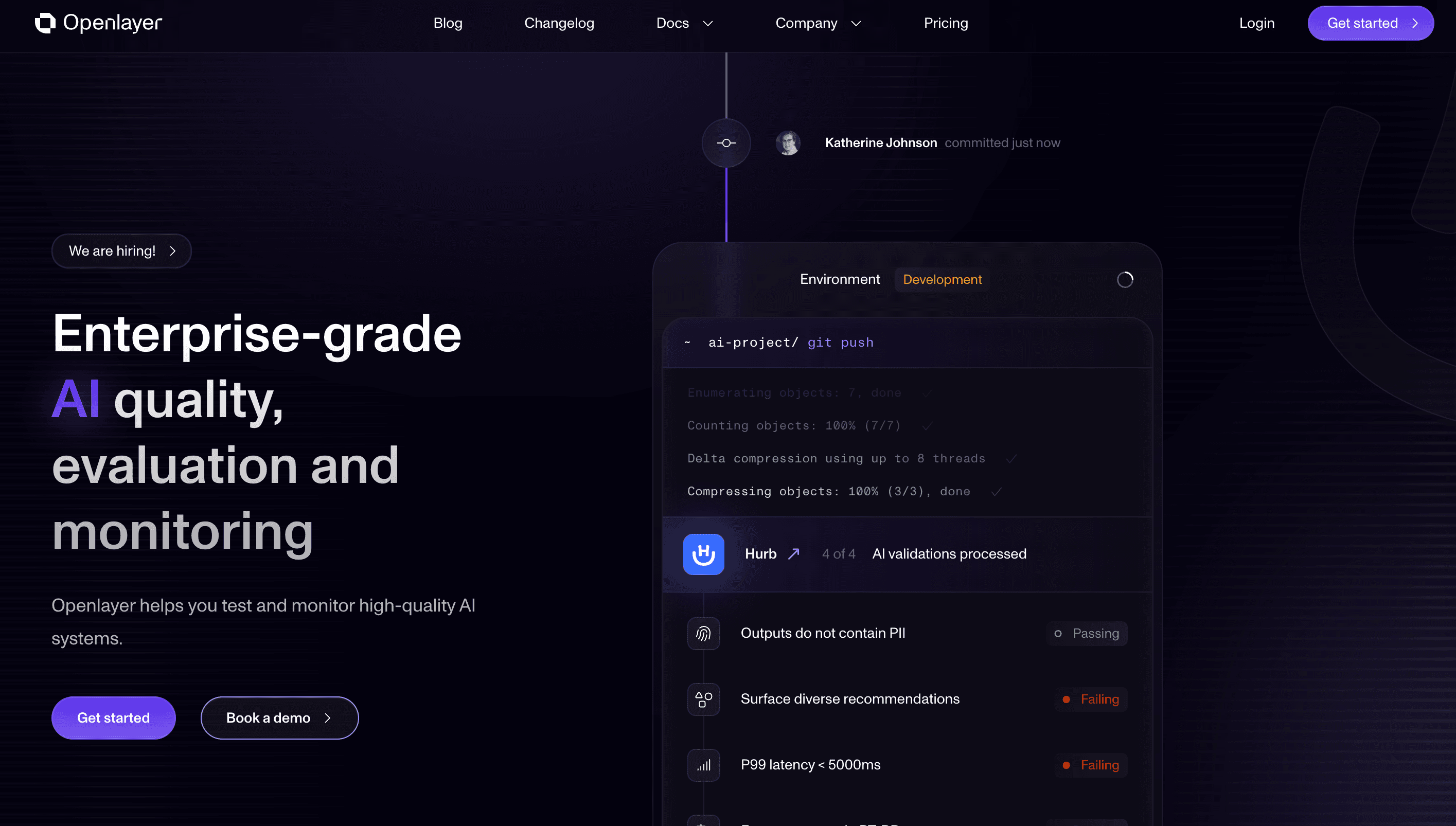
Overview
Openlayer gives AI engineering and governance teams one place to evaluate changes, monitor production behavior and document whether systems meet defined requirements.
It supports LLM applications, tool-using agents, retrieval-augmented generation and traditional machine-learning projects.
Pre-release evaluations can compare prompts, models, datasets and system versions across quality, safety, latency, cost, fairness and compliance.
The product advertises more than 175 ready-made evaluations, plus bundles for agent behavior, usage, OWASP risks, data quality and the EU AI Act.
Production monitoring captures traces with inputs, outputs, model and tool calls, metadata, latency, token usage, estimated cost and user feedback.
Teams can run the same tests on validation datasets in CI/CD and later on live trace windows, reducing the gap between pre-launch checks and production monitoring.
LLM-as-a-judge tests support qualitative rubrics with a score and written rationale, but the judge remains a probabilistic model and needs calibration against human review.
Runtime guardrails can block or modify inputs and outputs; they complement scheduled tests but add latency and do not remove the need for system-level controls.
Openlayer integrates through SDKs, REST, OpenTelemetry and data-lake connectors, with on-premises deployment available to Enterprise customers.
The platform can map evaluations to policies and approvals, which helps preserve audit evidence, but a dashboard or compliance bundle does not itself establish legal compliance.
The free Basic plan is limited to one member, five projects, one inference pipeline per project, 20 tests per project and 20,000 inference logs per month.
Pricing and feature availability were checked on August 31, 2026; Enterprise pricing remains custom.
Use cases
The strongest fit depends on the job you need the product to complete, not the size of its feature list.
Turn accuracy, safety, cost and latency expectations into repeatable release tests.
Trace model, retrieval and tool behavior and detect regressions after deployment.
Measure task completion, tool selection, required steps and failure recovery across sessions.
Link system versions and test evidence to policies and approvals, subject to independent compliance review.
Use one evaluation layer across generative AI and traditional machine-learning systems.
Test the core workflow on the free single-member Basic plan before scoping Enterprise needs.
Capabilities
Provides prebuilt checks for quality, safety, security, performance, cost, fairness and compliance.
Lets Enterprise teams encode domain-specific metrics and thresholds alongside the catalog.
Scores qualitative criteria such as faithfulness, relevance and tone and stores a written rationale.
Evaluates task completion, tool calls, workflow adherence and recovery behavior.
Captures requests, model and tool spans, tokens, costs, latency, metadata and feedback.
Runs scheduled evaluations over live trace windows and alerts when thresholds fail.
Uses an open-source Python library to check and optionally block or modify traffic in real time.
Associates test results with changes and can enforce evaluation checks before release.
Compares performance across configured demographic, geographic or business cohorts.
Connects system versions, configurations, policies, evaluations and approvals.
Tracks spend by project, model, user or team and relates it to quality and task results.
Offers SaaS, data-lake connector patterns and Enterprise on-premises deployment.
Process
Step 1
Document the model, prompts, retrieval, tools, user population and business decision being evaluated.
Step 2
Choose measurable quality, safety, cost, latency and policy requirements before selecting metrics.
Step 3
Include ordinary cases, difficult edge cases, adversarial inputs and important user cohorts.
Step 4
Connect an SDK, OpenTelemetry, REST events or an approved data source with least-necessary fields.
Step 5
Use relevant evaluation bundles to establish broad coverage, then remove irrelevant checks.
Step 6
Compare automated and judge-model scores with expert human labels before setting thresholds.
Step 7
Encode business-specific correctness, refusal, tool-use and escalation behavior.
Step 8
Tie results to the exact prompt, model, dataset, retriever and application configuration.
Step 9
Run the suite in CI/CD and require review for failures or material distribution shifts.
Step 10
Capture enough context to debug failures while redacting secrets and unnecessary personal data.
Step 11
Choose evaluation windows and alert thresholds that match traffic volume and incident urgency.
Step 12
Review traces and cohort results rather than treating aggregate scores as the whole explanation.
Step 13
Require qualified reviewers for high-impact decisions and periodically audit judge-model agreement.
Step 14
Repeat calibration when models, policies, traffic, tools or upstream data change.
Cost
Openlayer has a free Basic plan and custom-priced Enterprise plan. Basic is suitable for one evaluator or a limited proof of concept; collaboration, custom testing, governance, advanced security and higher scale require Enterprise. Model-evaluation calls and underlying provider costs should also be budgeted.
Free
Single-member trial tier for small evaluation and monitoring projects.
Custom
Team, governance, deployment and support plan for production organizations.
Additional costs vary
Evaluator models and monitored model providers can generate separate usage charges.
Pricing checked . Check current pricing at the source ↗
Assessment
Compare
The right alternative depends on the specific output, workflow, controls and budget your project requires.
Coding
Choose Helicone for an LLM-focused observability layer with proxy and request-management workflows.
Explore Helicone →Coding
Choose Splunk Agent Observability, formerly Galileo, when agent quality monitoring needs to fit a broader Splunk stack.
Explore Galileo (now Splunk Agent Observability) →Questions
Openlayer evaluates AI systems before release, traces their production behavior, reruns tests on live data and links results to policies and approvals.
It supports LLM applications, tool-using agents, RAG pipelines and traditional machine-learning systems.
Yes. The Basic plan is free but limited to one member, five projects, 20 tests per project and 20,000 inference logs monthly. Enterprise pricing is custom.
Yes. It captures traces and can run scheduled evaluations on live production data with alerts for failed thresholds.
A selected model applies a written rubric to outputs and returns a score and rationale. It should be calibrated against human labels, not treated as ground truth.
Yes. Published agent metrics cover task completion, tool selection, workflow steps and recovery from failures.
Yes. Its open-source Python guardrails can check inputs and outputs at runtime, but they add latency and complement rather than replace testing.
On-premises deployment is available on the Enterprise plan. Enterprise customers can also discuss data-lake and retention requirements.
No. It can organize tests and evidence against policy mappings, but legal compliance still depends on the system, use case, organization and independent review.
Send only the fields needed for evaluation, redact secrets and personal data where possible, and align retention with policy and contracts.
No. Estimates depend on model identification and published rates and may omit tool charges; reconcile them with provider billing.
It best suits organizations that need a shared, repeatable evaluation standard across engineering, production monitoring and governance.
Bottom line
Openlayer is strongest when an organization wants the same evaluation vocabulary across development, CI/CD, production and governance. Its broad test catalog and trace model can replace scattered scripts and dashboards, but the value depends on representative datasets, calibrated metrics and real incident processes. Use the free tier to prove the integration, then price Enterprise against the collaboration, data-control and governance capabilities the team actually needs.
Visit Openlayer website ↗
Export GSC data for scatter plot analysis.

Supercharge your search and AI applications with lightning-fast results.

Julius AI: Powerful data analysis and visualization.

Analyze content with Google Search Quality Rater Guidelines.

Get access to all our AI courses, hundreds of real-world AI use cases, live expert-led workshops, an exclusive network of AI early adopters, and more.
Get unlimited access to all of our current & upcoming industry-specific AI courses for the duration of your subscription.
To keep up with the rapid pace of AI, our team publishes AI implementation guides daily. Our library contains 300+ practical use cases to automate real-world work.
Join weekly, live, interactive sessions with industry leaders who are at the forefront of AI for hands-on implementation guidance and exclusive insights.
Network with an exclusive community of AI-first professionals who are working smarter with AI. Learn how early adopters are using AI in their work and businesses.