Founder-led sales
Small teams that need call notes, follow-up drafts and a maintained pipeline without a dedicated sales-operations hire.
Independent tool overview
Octolane has evolved from a B2B enrichment product into an AI-native CRM that can import and clean a sales pipeline, sync email and calendars, record meetings, enrich people and companies, update fields, score leads, draft or send follow-ups and expose the workspace to other AI tools through API, webhooks and MCP. The current product is aimed at founders and revenue teams that want one system to replace parts of HubSpot, Gong, Clay and Outreach. Pro costs $49 per seat monthly or $39 per seat per month billed annually; Business is $99 monthly or $79 annually, with Team and Enterprise custom-priced. This breadth can eliminate manual CRM work, but it also centralizes extremely sensitive emails, calls, relationship graphs and pipeline judgments. Start with draft-only automation, verify enrichment against authoritative sources, obtain meeting-recording consent, restrict MCP write access and require human approval for sends, stage changes, forecasting or any action that could create a customer commitment.
Visit the official Octolane AI site ↗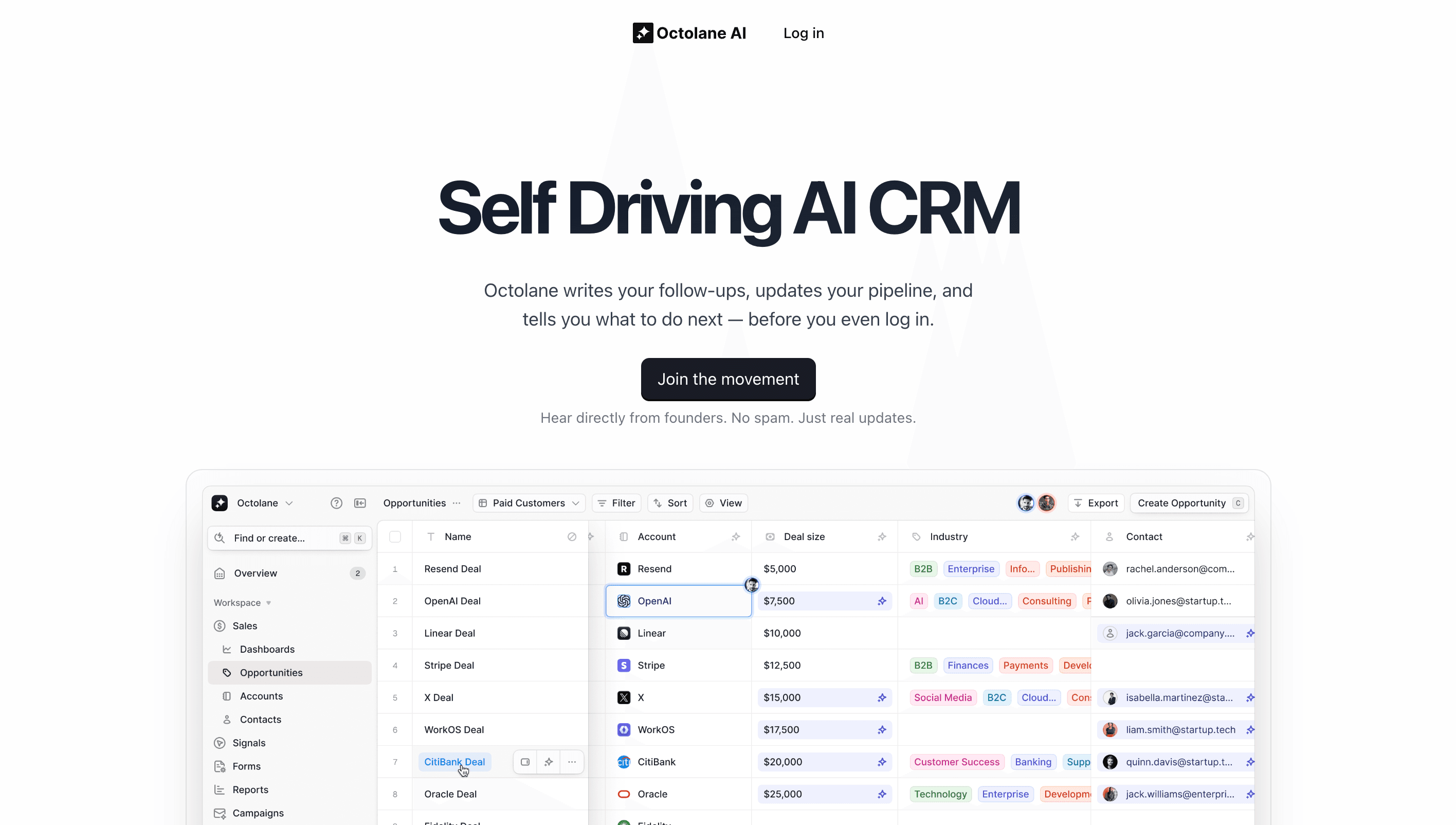
Overview
Octolane is an active AI-native CRM, not merely the real-time enrichment product described in its older directory listing.
It can operate as the primary CRM or place its agents over an existing HubSpot or Salesforce workflow, according to the current company FAQ.
The system connects email, calendars and meeting recordings to build a 'company brain' from sales activity and keep contacts, accounts, deals and notes updated.
Pro emphasizes assisted work: call transcription, follow-up drafts, next-step suggestions and field-update recommendations that a founder reviews.
Business adds automatic CRM updates, enrichment, website-lead identification and approved follow-up sending. Team adds multi-step agents, email sequences, forecasting and custom agent work.
Octolane can import from HubSpot, Salesforce, Pipedrive and Attio, map fields, merge duplicates and enrich missing information. Automated migration still requires record-count, ownership and sampled field-level reconciliation.
Enrichment includes firmographic fields, public profile links, estimated revenue and headcount, location and phone numbers sourced through premium B2B providers. These values can be stale, inferred or attached to the wrong person.
Website signals identify visiting companies and, on higher plans, can attempt person-level identification and trigger account-based outreach. Teams need a lawful basis, clear notice and regional review before using identity signals.
The native MCP server, REST API and webhooks can read and write across the CRM from tools such as Claude, ChatGPT, Cursor or Codex. An external agent therefore inherits the authority of the connected Octolane credential.
Octolane says customer CRM data, calls, emails and customer information are not used to train shared models and that third-party model providers operate under zero-data-retention agreements.
The company advertises SOC 2 Type I and II, ISO 27001, HIPAA, GDPR, CCPA, annual penetration testing and Google CASA certification. Enterprise contracts can include a custom MSA, DPA and BAA.
After cancellation, Octolane says customers can export records as CSV or JSON, keeps data for 30 days and then permanently deletes it. Confirm exact backup, subprocessor and legal-hold behavior in the contract.
Use cases
The strongest fit depends on the job you need the product to complete, not the size of its feature list.
Small teams that need call notes, follow-up drafts and a maintained pipeline without a dedicated sales-operations hire.
Teams willing to replace separate CRM, recording, enrichment and sequencing subscriptions with one platform.
Sales organizations whose CRM decays because representatives do not consistently log meetings, emails and next steps.
Querying deals in natural language and preparing meetings or forecasts from consolidated relationship history.
Teams ready to define approval rules and monitor bounded enrichment, scoring, routing and drafting workflows.
Organizations that want approved AI clients to query or update CRM records through a common tool interface.
Capabilities
Uses email and meeting activity to update fields, stages, notes and next steps.
Records Zoom, Meet and Teams calls and creates searchable transcripts, decisions and actions.
Drafts messages from actual conversation context and can send approved follow-ups on higher plans.
Fills names, profiles, location, company data, funding, estimated revenue and contact information.
Identifies visiting companies and supports higher-plan person identification and automated ABM triggers.
Ranks leads against an ideal customer profile and surfaces predicted risk or slippage.
Builds shared organizational context from emails, calls and deals so teammates can inherit account history.
Chains enrichment, scoring, drafting, updating and routing actions into repeatable workflows.
Runs multi-touch cadences with AI-personalized copy on Team and higher plans.
Imports common CRMs, maps fields, merges duplicate records and enriches gaps.
Exposes CRM records and actions to custom applications and compatible AI clients.
Higher plans add behavior rules, approval thresholds, restricted data, roles, SSO and audit capabilities.
Process
Step 1
Choose one pipeline and a small team, then baseline CRM completeness, follow-up time, meeting-note quality and duplicate rate.
Step 2
Map email, calendar, recordings, contact enrichment, website identity and model subprocessors before connecting production accounts.
Step 3
Create compliant notices for meeting recording, email tracking, enrichment and website identification in every operating region.
Step 4
Take a complete backup with field definitions, owners, associations, timestamps and record counts before migration.
Step 5
Compare counts and sample high-value accounts, historical activities, custom fields, stages, owners and duplicate merges.
Step 6
Allow summaries, proposed field changes and follow-up drafts while requiring a human to approve every external send and material update.
Step 7
Cross-check company facts, employment, direct dials, funding and estimated revenue before using them for routing or outreach.
Step 8
Set recipient allowlists, send caps, forbidden fields, manager thresholds and actions that can never run without approval.
Step 9
Treat emails, websites and transcripts as untrusted data that can contain instructions intended to manipulate a connected agent.
Step 10
Give each AI client only required read or write tools, use separate identities and retain an auditable record of changes.
Step 11
Backtest risk and pipeline predictions against closed outcomes; do not let a confident score replace rep and manager judgment.
Step 12
Monitor seats, included AI credits, email limits, signal caps, overages and the tools actually retired.
Step 13
Export CSV and JSON, verify attachment and relationship coverage, and document the 30-day post-cancellation deletion process.
Cost
Octolane offers a seven-day Pro trial. Pro is $49 per seat month-to-month or $39 per seat per month billed annually and includes up to three seats, 250,000 records, 30 days of searchable activity history, one workflow, 200 monthly emails and $20 of monthly AI credits. Business is $99 monthly or $79 per seat per month billed annually, supports an unlimited number of paid seats, one million records, six months of activity, 10 workflows, 500 monthly emails and roughly twice Pro's included AI credit. Team and Enterprise are custom-priced. A done-for-you revenue audit starts at $2,500 one time. Pricing and limits were checked August 31, 2026; confirm exactly how AI credit consumption and any overages are calculated before signing.
$49 monthly or $39/seat/month annually
AI-assisted plan for founders, with drafts and suggested updates under human review.
$99 monthly or $79/seat/month annually
Team plan with automatic updates, enrichment, website signals and approved sends.
Custom
Revenue-organization plan with end-to-end agents, sequences, forecasts and custom agents.
Custom
Security and compliance tier with bespoke agents and contract terms.
Pricing checked . Check current pricing at the source ↗
Assessment
Compare
The right alternative depends on the specific output, workflow, controls and budget your project requires.
Sales
A simpler relationship-focused CRM for teams that want flexible contact management with less autonomous sales infrastructure.
Explore folk CRM →Business Operations
Better when meeting recording, transcripts and summaries are the core need and the existing CRM should remain in place.
Explore Fireflies AI →Sales
A narrower prospecting and outreach alternative for teams that do not want to replace their CRM.
Explore Coldreach →Sales
Better for coaching and improving sales emails while keeping send approval and the broader CRM stack unchanged.
Explore Lavender →Questions
Octolane is an AI-native CRM that connects email, calendars and calls to maintain records, enrich leads, prepare and send follow-ups, score pipeline and run sales agents.
No. The current product is a full CRM and agent platform; enrichment is one component alongside activity capture, meeting intelligence, outreach and forecasting.
Pro is $49 monthly or $39 per seat per month billed annually. Business is $99 monthly or $79 annually. Team and Enterprise are custom-priced.
Yes, a seven-day self-serve trial is available for Pro. Business, Team and Enterprise require a demo.
It can serve as a CRM and import HubSpot data, or run agents alongside an existing CRM. Validate custom fields, associations, reporting and exports before replacing a system of record.
Yes, it documents recording and transcription for Zoom, Google Meet and Microsoft Teams. Customers must provide appropriate notice and obtain legally required consent.
Octolane says it does not use customer CRM data, calls, emails or customer information to train its models or third-party shared models.
It is shared organizational context built from emails, meetings and deals to support questions, handoffs, drafts and pipeline decisions.
Business and higher plans support automated follow-ups or sequences. Configure explicit approval and policy limits before allowing external sends.
Yes. Its native MCP server can expose CRM records and actions to compatible AI tools. Use least-privilege credentials and tightly restrict write operations.
Octolane advertises HIPAA controls and offers a BAA in Enterprise contracting. A signed BAA and compliant customer workflow are required before processing protected health information.
Octolane says customers can export CSV or JSON, it retains data for 30 days after cancellation, then permanently deletes it. Confirm backups and exceptions contractually.
Bottom line
Octolane is an ambitious consolidation play: for a founder or lean sales team, automatic activity capture, meeting summaries, enrichment and context-aware drafts could replace enough manual work and subscriptions to justify the price. Its value depends on accuracy and governance, not the number of AI features. Run the first month in draft-only mode, reconcile migration and enrichment against source records, measure accepted versus corrected suggestions, and retire old tools only after exports and workflows are proven. Teams unwilling to grant one platform broad access to calls, inboxes and pipeline should choose a narrower CRM or point solution.
Visit Octolane AI website ↗
Get access to all our AI courses, hundreds of real-world AI use cases, live expert-led workshops, an exclusive network of AI early adopters, and more.
Get unlimited access to all of our current & upcoming industry-specific AI courses for the duration of your subscription.
To keep up with the rapid pace of AI, our team publishes AI implementation guides daily. Our library contains 300+ practical use cases to automate real-world work.
Join weekly, live, interactive sessions with industry leaders who are at the forefront of AI for hands-on implementation guidance and exclusive insights.
Network with an exclusive community of AI-first professionals who are working smarter with AI. Learn how early adopters are using AI in their work and businesses.


