Private family footage
Enhancing home videos locally without sending the video content to a cloud processing service.
Independent tool overview
Nero AI Video Upscaler is a Windows 10/11 desktop application that locally enhances low-resolution, compressed, animated and older video. The 2026 version offers six content-specific models, output up to 7680×4320, AI frame interpolation up to 120 FPS, previews, batch queues, presets and MP4 export using H.264 or H.265. Nero says video content remains on the user's computer rather than being uploaded for processing, a meaningful advantage for private footage, but strong local hardware is required: 32 GB RAM and a 12 GB RTX 3060 or RX 6700 XT-class GPU are recommended for 4K-to-8K work. A seven-day trial requires no credit card and exports without a watermark; the normal one-PC annual price is $84.95, with a temporary $67.96 promotion observed during this review. Upscaling creates plausible pixels rather than recovering lost truth, so face, restoration and frame-interpolation results need careful comparison with the source.
Visit the official Nero AI Video Upscaler site ↗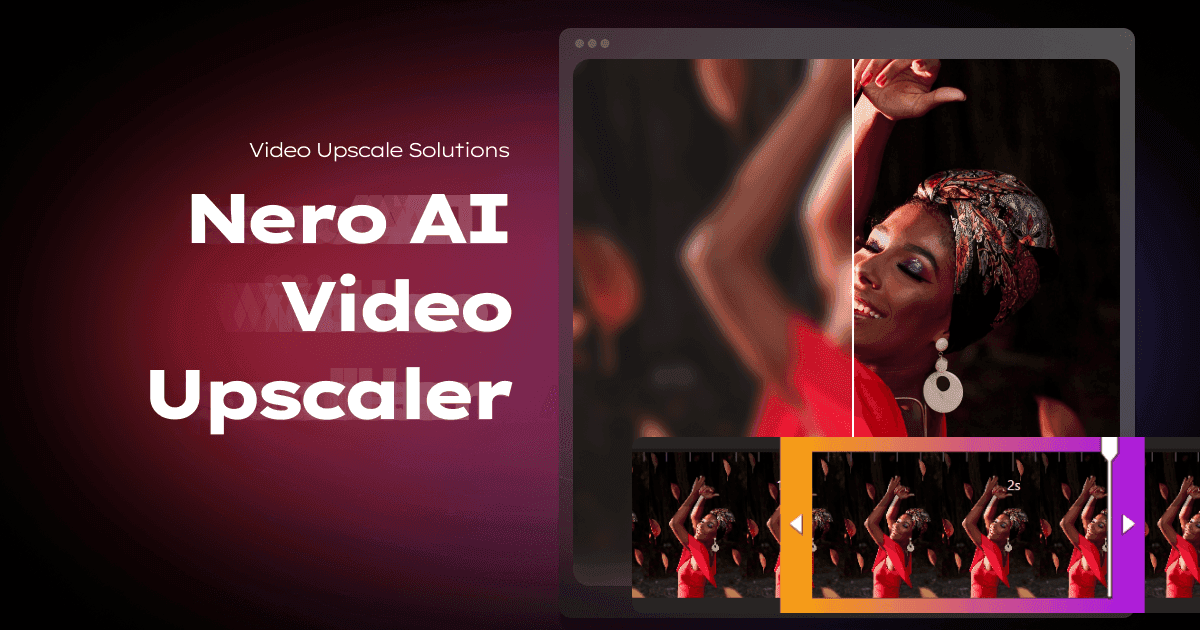
Overview
Nero AI Video Upscaler is an active Windows desktop program for increasing video resolution, reducing visible compression and blur, enhancing faces and creating higher frame-rate output.
The current product supports Windows 10 or 11, 64-bit. Nero does not offer this video application for macOS or Linux.
Its six AI models are Fast, Animation, Realistic, Versatile, Face Enhancement and Restoration. The best model depends on whether the source is live action, 2D animation, a close-up or heavily degraded footage.
Output presets run from 720×576 through 7680×4320, or 8K. Higher output dimensions do not prove that missing source detail has been recovered.
AI frame interpolation can raise supported output to as much as 120 FPS and includes scene-change detection. The maximum selectable rate depends on resolution, encoder and hardware.
The application imports common containers and codecs including MP4, MOV, AVI, MKV and WMV. HEVC, AV1, VP9 and MPEG-2 input can require separate Microsoft video extensions.
Export is MP4 with H.264 for broader compatibility or H.265 for better size efficiency. H.265 playback and editing support should be checked in the destination workflow.
Preview ranges from short samples to the full video, with single, side-by-side and movable split views. Preview representative motion, faces, text and scene cuts before committing to a long render.
Nero documents local CPU/GPU processing and says it does not upload, store or analyze users' video content. Product activation and account authorization still require account information.
The minimum specification is 8 GB RAM and a supported 4 GB GPU, but Nero recommends 32 GB RAM and 12 GB VRAM for 4K-to-8K processing. Long clips can require substantial time, temporary space and output storage.
The seven-day trial needs no credit card and currently exports without a watermark. Commercial customers should use the separately offered Business Plan rather than assuming the consumer license covers business use.
Restoration, face enhancement and interpolation generate plausible new detail or frames. They are creative enhancement tools, not forensic recovery, and must not replace the original in evidentiary or archival workflows.
Use cases
The strongest fit depends on the job you need the product to complete, not the size of its feature list.
Enhancing home videos locally without sending the video content to a cloud processing service.
Cleaning lines and increasing resolution or frame rate with a model designed for illustrated motion.
Reducing visible artifacts and testing the Restoration model on degraded consumer video.
Editors with a capable PC who want a focused enhancer without learning a full professional post-production suite.
Applying reusable settings to several similar videos through an export queue.
Creating smoother or slow-motion versions after inspecting interpolated motion and scene transitions.
Capabilities
Fast, Animation, Realistic, Versatile, Face Enhancement and Restoration address different footage and artifact patterns.
Offers 11 resolution choices from 720×576 to 7680×4320, including the source resolution.
Creates intermediate frames for output up to 120 FPS, with scene detection intended to reduce transition artifacts.
Slows footage while generating intermediate frames and offers audio pitch-handling options.
Runs enhancement on the computer's CPU or GPU; Nero says video files are not transmitted to its servers.
Renders selectable sample lengths and supports single, side-by-side and split comparisons before full processing.
Imports multiple files, saves model and output settings, and applies presets across queued jobs.
Adjusts brightness, contrast, saturation, sharpness and white balance alongside AI enhancement.
Uses supported GPU or NPU hardware to speed local processing.
Reads many common containers and codecs, with some modern codecs dependent on Microsoft extensions.
Process
Step 1
Work from a copy and keep the untouched source, timestamps and metadata in a separate archive.
Step 2
Confirm operating system, DirectX support, free disk space, RAM, GPU model, VRAM and current graphics drivers.
Step 3
Test a short section containing faces, motion, scene cuts, text, noise and the source's worst compression.
Step 4
Compare Animation, Realistic, Versatile, Face or Restoration rather than assuming the sharpest model is the most accurate.
Step 5
Avoid 8K when 1080p or 4K already matches the display and source quality; larger files cannot create authentic lost detail.
Step 6
Inspect skin, eyes, teeth, hair, fine patterns, captions, line art and backgrounds in side-by-side or split view.
Step 7
Enable frame interpolation only after checking fast movement, pans, occlusion and scene changes for ghosting or warped frames.
Step 8
For slow motion, choose whether to preserve pitch and verify synchronization through the entire processed sample.
Step 9
Reuse settings only across genuinely similar sources and spot-check every batch output.
Step 10
Test H.264 or H.265 in the target editor, player and publishing platform before rendering the full video.
Step 11
Watch at normal speed and inspect problem frames, cuts, captions, faces, audio sync and unexpected file-size growth.
Step 12
Do not present generated details or interpolated frames as historically or forensically authentic.
Cost
Nero offers a seven-day trial with no credit card and no export watermark. The standard consumer price shown for Nero AI Video Upscaler 2026 is $84.95 per year for one PC with automatic renewal; a temporary 20% promotion reduced it to $67.96 per year during this review. Nero also markets an AI Upscale Bundle and a separate Business Plan for commercial use, whose current quote should be confirmed directly. Nero Platinum Suite 2026 does not include the standalone Video Upscaler. Prices and trial terms were checked August 31, 2026.
$0 for seven days
A no-card evaluation for checking output quality and speed on the user's own hardware.
$84.95/year list price
The normal annual consumer license, shown at $67.96 during a temporary 20% promotion.
Contact Nero
The route Nero identifies for commercial use and organizational licensing.
Pricing checked . Check current pricing at the source ↗
Assessment
Compare
The right alternative depends on the specific output, workflow, controls and budget your project requires.
Content Creator
A more established professional enhancement option for users comparing deeper model controls and broader post-production workflows.
Explore Topaz Labs Video AI 5 →Content Creator
A newer generative 4K video upscaler for teams evaluating reconstructed detail rather than a Windows-only local workflow.
Explore FLUX Video Upscale →Content Creator
Media.io is a browser-oriented alternative for users who cannot meet Nero's Windows hardware requirements.
Explore Media.io AI Video Enhancer →Content Creator
Better when enhancement needs to sit inside a broader editing, captioning and social publishing workflow.
Explore CapCut →Questions
It is a Windows desktop program that uses six AI models to upscale, restore, enhance faces and interpolate frames in video.
The normal one-PC consumer price is $84.95 per year. A temporary promotion showed $67.96 per year on August 31, 2026; taxes and future sale prices may differ.
Yes. Nero advertises a seven-day trial with no credit card and no watermark on exported video.
No. The current application requires 64-bit Windows 10 or Windows 11.
Nero's current FAQ says all video enhancement runs locally and video files are not uploaded, stored or analyzed on its servers. Account and activation information are still used for authorization.
Yes, up to 7680×4320. Nero recommends 32 GB RAM and a 12 GB RTX 3060 or RX 6700 XT-class GPU or better for 4K-to-8K processing.
It can interpolate output up to 120 FPS, but the selectable maximum depends on resolution, encoder and hardware. Inspect motion and scene changes for artifacts.
Try Animation for 2D content, Realistic for live action, Face Enhancement for close-ups, Restoration for degraded texture, Versatile for softer preservation and Fast for speed. Compare short previews.
No. AI generates plausible pixels based on the visible source. It can improve appearance but cannot prove what the original missing detail was.
Nero directs commercial users to its Business Plan. Confirm licensing for the specific organization and use case before publishing paid client work.
The current guide documents MP4 export using H.264 or H.265. Test the selected codec in the target editor, device and platform.
No. Generative restoration, face enhancement and interpolation can invent detail or frames. Preserve the original and do not represent enhanced pixels as evidence.
Bottom line
Nero AI Video Upscaler is a sensible value for Windows users who want private local processing, clear previews and specialized models without paying by the minute. It is particularly attractive for home archives, anime and repeatable creator batches on a strong GPU. The tradeoffs are equally concrete: Windows only, annual licensing, demanding hardware, MP4-only exports and no guarantee that an 8K result is more truthful than the source. Use the trial on your hardest real clip, judge faces and motion—not just still-frame sharpness—and preserve the untouched original.
Visit Nero AI Video Upscaler website ↗
Get access to all our AI courses, hundreds of real-world AI use cases, live expert-led workshops, an exclusive network of AI early adopters, and more.
Get unlimited access to all of our current & upcoming industry-specific AI courses for the duration of your subscription.
To keep up with the rapid pace of AI, our team publishes AI implementation guides daily. Our library contains 300+ practical use cases to automate real-world work.
Join weekly, live, interactive sessions with industry leaders who are at the forefront of AI for hands-on implementation guidance and exclusive insights.
Network with an exclusive community of AI-first professionals who are working smarter with AI. Learn how early adopters are using AI in their work and businesses.


