Website and campaign visuals
Find design-forward hero images, article art, social graphics, presentation visuals, and marketing backgrounds.
Independent tool overview
Lummi is a curated library and creation suite for AI-made stock photos, illustrations, and 3D visuals. Users can search and download ready-made assets, generate images or short videos, edit and reframe existing visuals, remove backgrounds, and insert images through plugins for popular design tools. Lummi's image license allows personal and commercial use without required attribution, but paid plans unlock premium access, higher quality, AI tools, and video generation.
Visit the official Lummi site ↗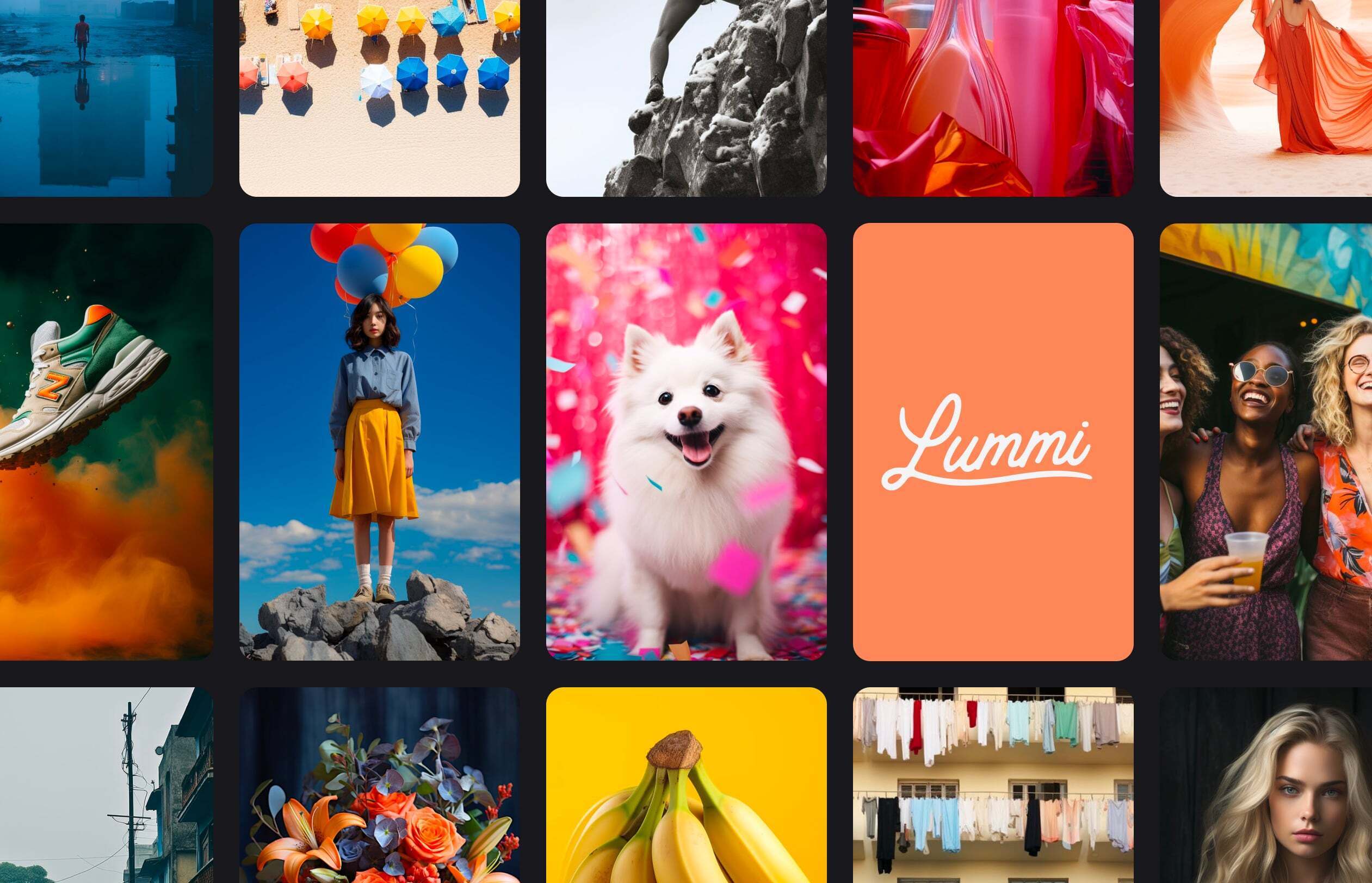
Overview
Lummi is designed for creators, marketers, designers, and website builders who need polished visuals without the repetitive look of conventional stock photography. The library is organized into photos, illustrations, and 3D, with search, color and people filters, visual similarity, collections, and creator profiles.
Most of the library is available to download free, while Pro unlocks the full watermark-free collection, large and ultra-resolution files, background removal, reframing, editing, similar-image creation, and image generation. Max adds substantially more fast generation and unlimited video generation.
Lummi's Create tools can generate photos, illustrations, 3D renders, and videos from a prompt or an image reference. Current documentation lists 4-, 6-, and 8-second video lengths, optional audio, several aspect ratios, and ByteDance Seedream as the image generation and retouch model.
The library is human-curated and accepts independent AI creators. Contributors retain their stated copyright, while uploaded images become available under Lummi's open license. That makes selection convenient, but teams should still review each asset for people, brands, products, recognizable locations, and claims that could create third-party rights or trust issues.
Use cases
The strongest fit depends on the job you need the product to complete, not the size of its feature list.
Find design-forward hero images, article art, social graphics, presentation visuals, and marketing backgrounds.
Search and insert Lummi assets inside Figma, Canva, Adobe Express, Webflow, or Framer instead of downloading and re-uploading.
Reframe, remove backgrounds, edit objects or details, upscale, and generate visually similar options from a selected asset.
Generate new visuals when the curated library does not contain the exact subject, framing, style, or motion needed.
Capabilities
Browse human-selected AI photos, illustrations, and 3D assets intended to feel more design-led than generic stock.
Search by subject, color, number of people, lighting, collections, trends, or visually similar subject and vibe.
Create photos, illustrations, or 3D renders from text, with choices for aspect ratio, shot type, visual trend, and multiple variations.
Use a library or uploaded image as a reference to generate related visuals while preserving more of the subject or style.
Prompt changes to an image, mask a specific area, remove distractions, alter details, or add new objects.
Outpaint an asset into a new aspect ratio, adjust the focal point, or export a version without its background.
Generate short video from a prompt or reference image, with wide, story, or automatic sizing, optional audio, and 4-, 6-, or 8-second lengths.
Bring Lummi search and insertion directly into Figma, Canva, Adobe Express, Webflow, and Framer.
Process
Step 1
Search by concept, color, people, lighting, or style and save the strongest candidates to a project collection.
Step 2
Check the creator, visual details, faces, hands, products, text, trademarks, architecture, and contextual accuracy at full size.
Step 3
Reframe, remove the background, retouch a detail, create similar versions, or generate a new asset from a prompt or reference.
Step 4
Confirm the intended use fits Lummi's license and assess any separate trademark, likeness, publicity, privacy, or regulated-content concern.
Step 5
Download the approved resolution, keep the asset URL and license version with the project, and add AI disclosure where policy or context requires it.
Cost
Lummi offers free access to much of its image library and a limited number of AI credits. Pro is $15 month-to-month or $10 per month billed yearly; Max is $48 month-to-month or $32 per month billed yearly. Annual billing advertises a 33% discount, and the site offers a seven-day Pro trial. Pro includes unlimited image generation with five fast generations per hour and three video generations; Max adds unlimited video generation and 60 fast generations per hour.
$0
Browse and use most of the curated library with limited AI features.
$15 monthly or $10/month billed yearly
Unlocks the full image library, higher quality, and AI image tools.
$48 monthly or $32/month billed yearly
For heavier AI creation and video generation.
Pricing checked . Check current pricing at the source ↗
Assessment
Compare
The right alternative depends on the specific output, workflow, controls and budget your project requires.
Design
A broader stock and design ecosystem with a large asset catalog and more extensive AI creative tooling.
Explore Magnific AI Image Generator (formerly Freepik Pikaso) →Content Creator
Better for hands-on real-time generation, visual iteration, enhancement, video, and access to multiple creative models.
Explore Krea →Design
A simple custom GPT for generating a specific stock-style image through a conversational prompt.
Explore Stock Image Generator →Questions
Lummi is a curated library and creation suite for AI-made photos, illustrations, 3D visuals, generated images, and short videos.
Most of the library is available free. Paid plans unlock the full library, higher resolutions, premium images, advanced editing, and larger generation allowances.
Yes. Lummi's license allows personal and commercial use without required attribution. It does not allow reselling the images, redistributing them as stock, creating a competing service, or claiming ownership.
Pro currently costs $15 month-to-month or $10 per month when billed yearly. Max costs $48 monthly or $32 per month billed yearly.
Yes. Lummi can create photos, illustrations, and 3D renders from prompts or image references. Its FAQ currently identifies ByteDance Seedream as the image generation and retouch model.
Yes. The current Create workflow supports prompt- or image-based video in 4-, 6-, or 8-second lengths with optional audio. Pro includes three video generations, while Max advertises unlimited video generation.
No. Attribution is appreciated but not required under Lummi's current image license.
Do not assume that it does. The license covers use of the image, while trademarks, publicity and privacy rights, recognizable property, and deceptive context can create separate obligations.
Bottom line
Lummi is a strong source of distinctive, design-ready AI visuals when speed, price, and easy commercial image licensing matter. The growing creation and video suite makes Pro or Max more than a stock-library subscription. Teams should still run a real asset review: confirm that the image fits the license, inspect generation artifacts, avoid misleading documentary use, and separately assess faces, brands, products, property, and disclosure requirements.
Visit Lummi website ↗
Save time with AI-powered podcast optimization.

Transform articles into podcast-quality audio effortlessly.

Evaluates website content for helpfulness, relevance, and quality.

Expand global audience with AI-powered voice dubbing.

Get access to all our AI courses, hundreds of real-world AI use cases, live expert-led workshops, an exclusive network of AI early adopters, and more.
Get unlimited access to all of our current & upcoming industry-specific AI courses for the duration of your subscription.
To keep up with the rapid pace of AI, our team publishes AI implementation guides daily. Our library contains 300+ practical use cases to automate real-world work.
Join weekly, live, interactive sessions with industry leaders who are at the forefront of AI for hands-on implementation guidance and exclusive insights.
Network with an exclusive community of AI-first professionals who are working smarter with AI. Learn how early adopters are using AI in their work and businesses.