Busy individuals
Delegate routine research, bookings, and follow-ups while keeping final approval for purchases and messages.
Independent tool overview
Proactive personal assistant for errands, connected accounts, projects, and web actions.
Visit the official Hark Pro site ↗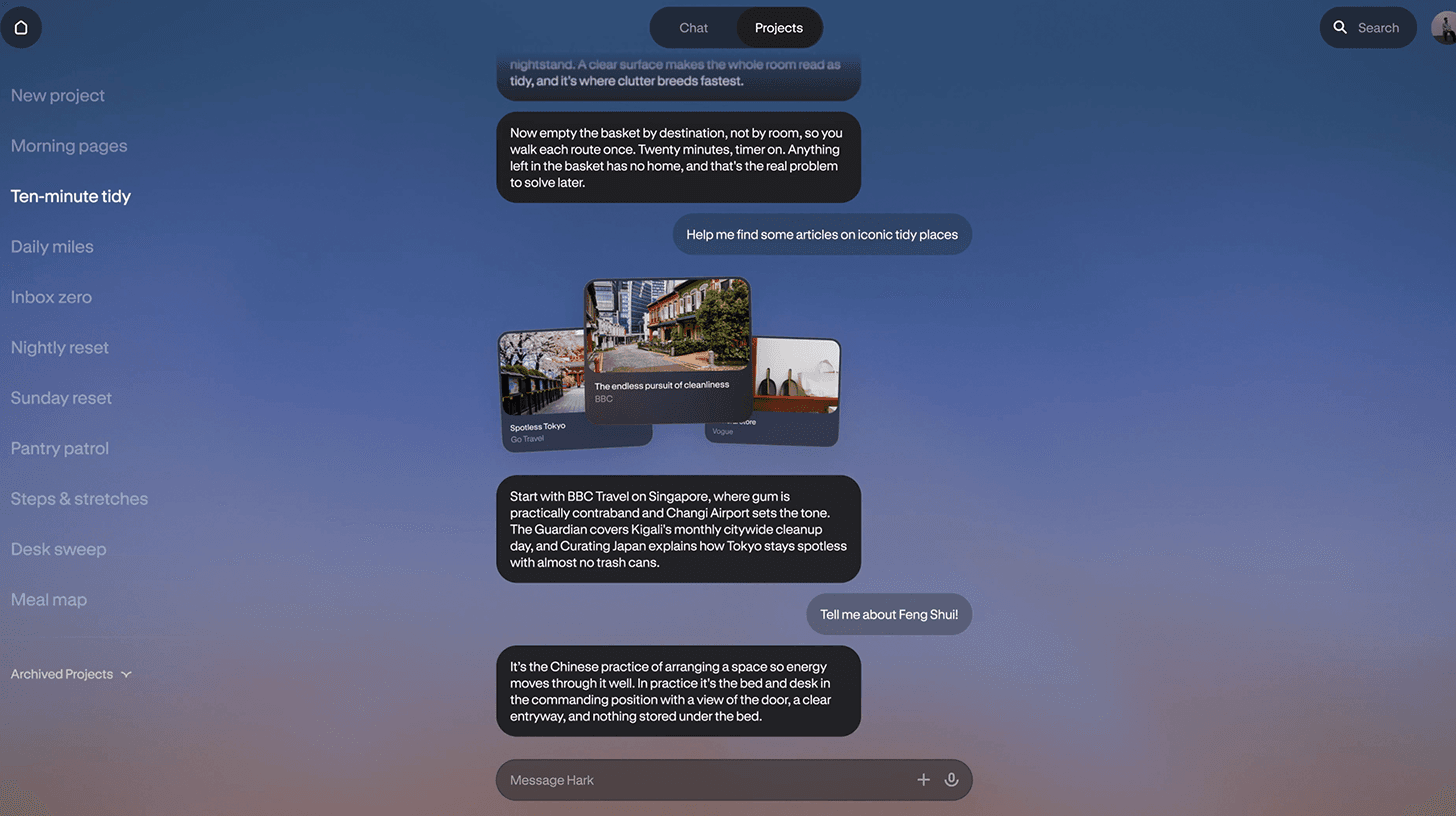
Overview
Hark Pro is Hark's web, iOS, and Android assistant for practical personal work. The company describes an ongoing chat with memory, a cloud computer called Handoff for website actions, direct service connections, and a Home view of action cards and custom panels. Its promise is to notice useful next steps and offer to act, not only answer a new prompt.
The scope includes email, calendar, travel, shopping, bills, and longer projects. That makes account access and spending permissions central buying considerations. Hark says its secure vault stores credentials and that paid plans change usage rather than the feature set. The product can still make mistakes or miss context, so review sensitive actions and configure authorizations deliberately.
Use cases
The strongest fit depends on the job you need the product to complete, not the size of its feature list.
Delegate routine research, bookings, and follow-ups while keeping final approval for purchases and messages.
Track recurring errands, schedules, and useful reminders across a persistent personal context.
Keep files and discussion together in Projects for planning travel, events, or research.
Learn by doing
Explore the latest step-by-step AI guides from The Rundown University.
Capabilities
Hark remembers preferences and facts the user shares, with a way to ask it to forget.
The assistant can use a cloud browser to complete web tasks on connected sites.
One-tap actions surface timely work such as paying a bill or canceling a subscription.
Custom panels present connected data; separate project threads organize larger work.
Hark describes direct links to Google Workspace and Microsoft 365 in addition to browser actions.
Process
Step 1
Connect only the email, calendar, or other services needed for the first use case.
Step 2
Ask for research or a reservation with price, date, and approval instructions.
Step 3
Review purchases, communications, and important account changes before execution.
Step 4
Correct preferences, remove stale information, and watch plan limits before scaling routine tasks.
Cost
Hark publishes a free Pro tier with all features and usage limits. Pro² increases usage 2x for $20/month; Pro³ increases usage 10x for $100/month. The official page does not publish an exact universal task count.
$0/month
Full feature set with the baseline usage allowance.
$20/month
For more frequent tasks.
$100/month
For heavier personal-assistant usage.
Pricing checked . Check current pricing at the source ↗
Assessment
Compare
The right alternative depends on the specific output, workflow, controls and budget your project requires.
Business Operations
Consider a general AI assistant for writing, research, and varied conversation.
Explore ChatGPT →Agents
Consider a broader task agent for project deliverables and web workflows.
Explore Manus →Business Operations
Consider an assistant centered on Microsoft productivity accounts.
Explore Microsoft Copilot →Questions
Yes. Hark says the full feature set is on the free tier, with paid plans increasing usage.
It is Hark’s cloud computer for website tasks that require browsing and, with permission, account sign-in.
Hark lists web, iOS, and Android.
Hark describes controlled actions and its terms say it generally asks for confirmation before spending money or messaging others unless instructed otherwise.
Bottom line
Hark Pro is most compelling for people comfortable granting a personal assistant access to several daily services. Try the free tier with low-stakes errands, inspect its action prompts, and decide whether memory and proactive help are worth the permissions and higher usage plan.
Visit Hark Pro website ↗
Google's frontier AI model for complex coding, knowledge work, and defensive cybersecurity, now available through the Gemini API and AI Studio.

Meta's new frontier AI model family

OpenAI's model for complex coding, computer use, and professional work, with a 1.05M-token context window.
Private on-device AI assistant for iPhone, iPad, and Mac with local models, voice mode, and Apple system shortcuts.

Get access to all our AI courses, hundreds of real-world AI use cases, live expert-led workshops, an exclusive network of AI early adopters, and more.
Get unlimited access to all of our current & upcoming industry-specific AI courses for the duration of your subscription.
To keep up with the rapid pace of AI, our team publishes AI implementation guides daily. Our library contains 300+ practical use cases to automate real-world work.
Join weekly, live, interactive sessions with industry leaders who are at the forefront of AI for hands-on implementation guidance and exclusive insights.
Network with an exclusive community of AI-first professionals who are working smarter with AI. Learn how early adopters are using AI in their work and businesses.


