Spatial concept development
Turn a mood, image, sketch, or written brief into an explorable scene before a full manual 3D build.
Independent tool overview
Echo 2 is SpAItial's hosted world-generation model for turning text, images, or 360-degree panoramas into navigable 3D Gaussian Splat scenes. Outputs can be explored in a WebGL browser, edited by region, shared, exported, or generated through an asynchronous API.
Visit the official Echo-2 site ↗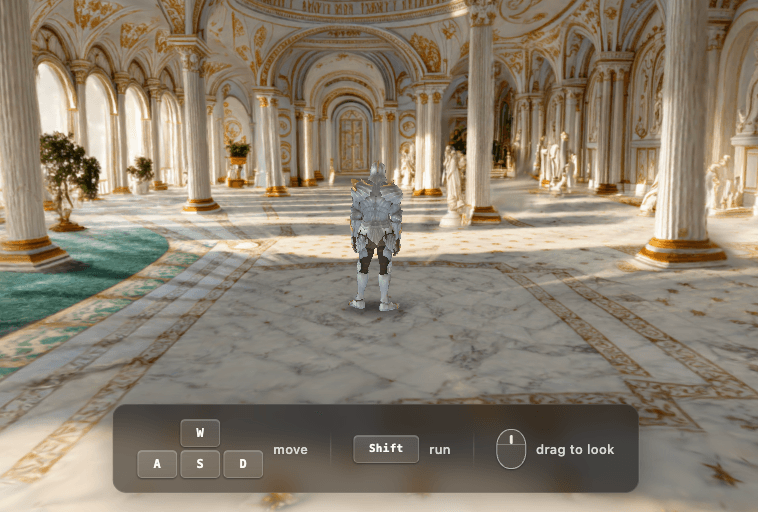
Overview
Echo 2 creates a persistent spatial scene rather than a fixed video path. The current platform accepts text, standard images, and panoramas; produces browser-viewable Gaussian Splat worlds; and supports region editing, sharing, downloads, and programmatic generation. Standard jobs are listed at roughly eight minutes, while the higher-detail Echo HQ route is roughly one hour.
Its most useful role is rapid spatial visualization: early game worlds, film previsualization, interactive art, virtual staging, and environment prototypes. SpAItial describes the model as physically grounded, but its own current use-case page calls the output appearance-first and places geometry-, semantics-, and physics-oriented representations on the roadmap. Do not treat generated scenes as surveyed reality, BIM, engineering geometry, collision-ready simulation, or a safe robotics environment without downstream validation.
Use cases
The strongest fit depends on the job you need the product to complete, not the size of its feature list.
Turn a mood, image, sketch, or written brief into an explorable scene before a full manual 3D build.
Scout camera positions, test traversal and mood, and communicate environment direction with a navigable world.
Explore furniture, material, lighting, and style directions for a room while clearly labeling the result as a visualization.
Publish lightweight, browser-native Gaussian Splat environments for portfolios, installations, and spatial storytelling.
Use the public REST API to create asynchronous text-, image-, or panorama-to-world jobs inside products and pipelines.
Capabilities
Generate a navigable environment from a written description.
Expand a single visual reference into a spatially persistent scene that can be viewed from new positions.
Use a 360-degree panorama as broader visual context for a generated world.
3D Gaussian Splatting enables interactive WebGL exploration on supported desktop and mobile browsers.
The default, general-purpose route targets faster generation at 160 credits per world.
A heavier pipeline targets higher detail and resolution at 800 credits per world.
Select part of a world and request changes to objects, colors, materials, lighting, or atmosphere.
Edits create a draft that can be refined, finalized, discarded, or revisited from a previous version.
Share generated environments through public links or more restricted visibility options.
Download SPZ, PLY, compressed PLY, or PlayCanvas-oriented SOG assets for downstream use.
Paid plans add collider mesh export for downstream interactive workflows.
Submit generation jobs, poll or receive webhooks, and retrieve signed URLs for splats, panoramas, and thumbnails.
Process
Step 1
Decide whether the output is for concept art, web viewing, staging, previs, a game prototype, research, or a data pipeline.
Step 2
Use a detailed prompt, clean image, floor plan, or panorama you are authorized to upload, and remove sensitive location data.
Step 3
Use the lower-cost route to test composition and spatial direction before spending five times more credits on Echo HQ.
Step 4
Check unseen angles, boundaries, thin objects, mirrors, windows, text, surfaces, scale, occlusion, and camera movement.
Step 5
Refine selected regions, keep useful versions, choose the correct Gaussian format and coordinate convention, then move downstream.
Step 6
For architecture, property, games, XR, or robotics, rebuild or verify measurements, collision, physics, semantics, accessibility, performance, and safety in appropriate tools.
Cost
SpAItial values one credit at $0.01. Echo 2 Standard costs 160 credits, equivalent to $1.60, and Echo HQ costs 800 credits, equivalent to $8. Credits are shared across the app and API when eligible, while free daily app credits cannot fund API jobs. Check the developer portal because starter-grant and API eligibility language varies across current documentation.
$0
One-time starter balance for trying core creation.
$24/month
Small-project plan with monthly credits.
$48/month
Higher monthly generation allowance.
Contact SpAItial
Custom volume and support for production workloads.
Pricing checked . Check current pricing at the source ↗
Assessment
Compare
The right alternative depends on the specific output, workflow, controls and budget your project requires.
Content Creator
Compare World Labs Marble for another hosted system focused on persistent generated 3D worlds.
Explore World Labs Marble →Miscellaneous
Consider HY-World 2.0 when an open-source world-model workflow is more important than a managed browser app.
Explore HY-World 2.0 →Design
Consider Skybox AI when a 360-degree environment image is sufficient and a navigable generated world is unnecessary.
Explore Blockade Labs Skybox AI →Design
Consider Rodin when the goal is an individual polygonal 3D asset rather than an entire Gaussian Splat environment.
Explore Rodin →Questions
Echo 2 is SpAItial's hosted world-generation model. It turns text, an image, or a panorama into a navigable 3D Gaussian Splat scene that can be viewed, edited, shared, exported, or generated through an API.
No. A video fixes a sequence of frames. Echo 2 produces a persistent spatial representation that a viewer can revisit and explore from different positions.
Standard uses 160 credits, equivalent to $1.60 at the published one-cent credit value. Echo HQ uses 800 credits, equivalent to $8.
SpAItial lists about eight minutes for Standard and about 60 minutes for Echo HQ. Queue position and system load can increase the wait.
Current documentation lists SPZ, PLY, compressed PLY, and SOG Gaussian formats. Paid plans also include collider mesh export.
It can create a convincing spatial visualization from sparse input, but it should not be treated as surveyed, metric, engineering, BIM, collision, or physics truth without independent measurement and validation.
Yes. The public REST API creates asynchronous world jobs from text, files, URLs, or panoramas and returns result URLs after completion.
It can support appearance and environment prototyping, but safe robotics work requires validated geometry, scale, semantics, collision, physics, domain randomization, and real-world testing beyond the generated scene.
Bottom line
Echo 2 is a strong rapid-prototyping tool when a team wants a navigable, browser-friendly environment instead of a static image or video. Transparent per-generation pricing, a useful free allowance, editing, exports, and an API make it unusually approachable. Its key boundary is representation: current Gaussian Splat worlds are excellent for visual exploration, but they are not automatically production geometry, measured digital twins, or physically valid simulations.
Visit Echo-2 website ↗
Happy Horse - Alibaba's new SOTA AI video model

Eleven Music - ElevenLabs' new streaming platform with AI remixing, song generation, and creator payouts

ERNIE-Image - Baidu's 8B open-weight text-to-image model that nears top rivals on benchmarks despite its small size
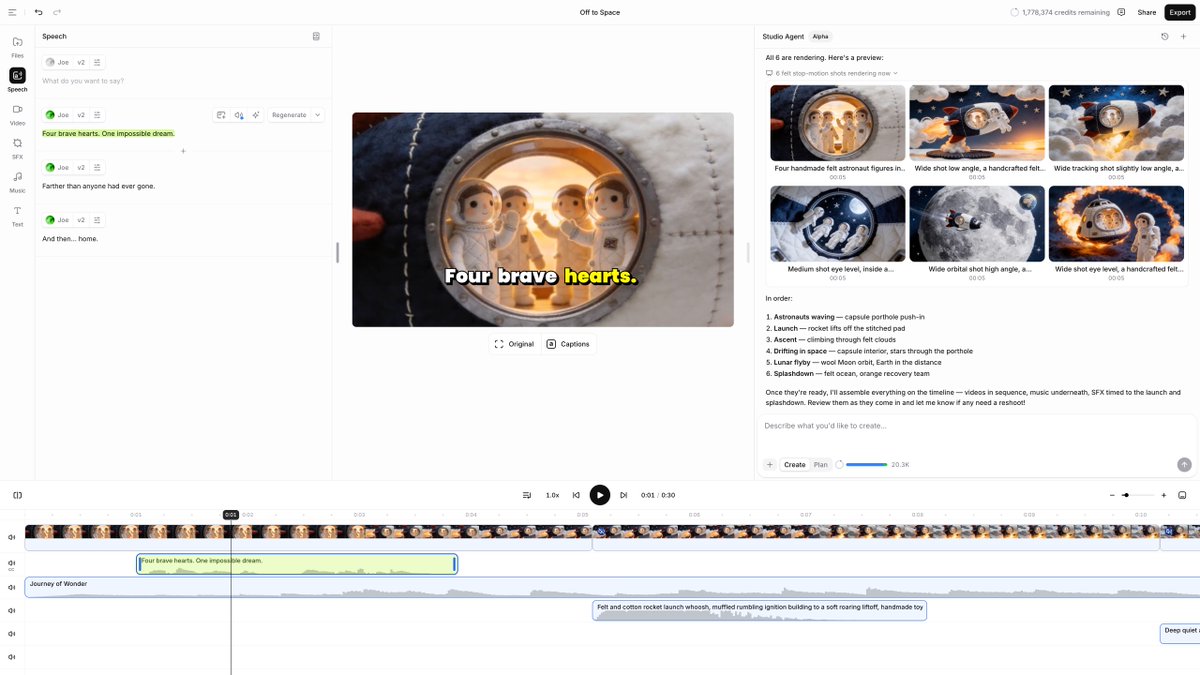
ElevenLabs Studio Agents - AI co-editor that drafts videos and places sound effects frame by frame

Get access to all our AI courses, hundreds of real-world AI use cases, live expert-led workshops, an exclusive network of AI early adopters, and more.
Get unlimited access to all of our current & upcoming industry-specific AI courses for the duration of your subscription.
To keep up with the rapid pace of AI, our team publishes AI implementation guides daily. Our library contains 300+ practical use cases to automate real-world work.
Join weekly, live, interactive sessions with industry leaders who are at the forefront of AI for hands-on implementation guidance and exclusive insights.
Network with an exclusive community of AI-first professionals who are working smarter with AI. Learn how early adopters are using AI in their work and businesses.