Founder-led LinkedIn
Turn a founder's real product, customer, and operating insights into a reviewable weekly post queue.
Independent tool overview
ContentRadar is an AI-assisted content workflow for B2B creators and teams that turns ideas, blog URLs, YouTube videos, PDFs, Notion drafts, and existing posts into LinkedIn and X copy, threads, carousels, scheduled posts, and shared-calendar work.
Visit the official ContentRadar site ↗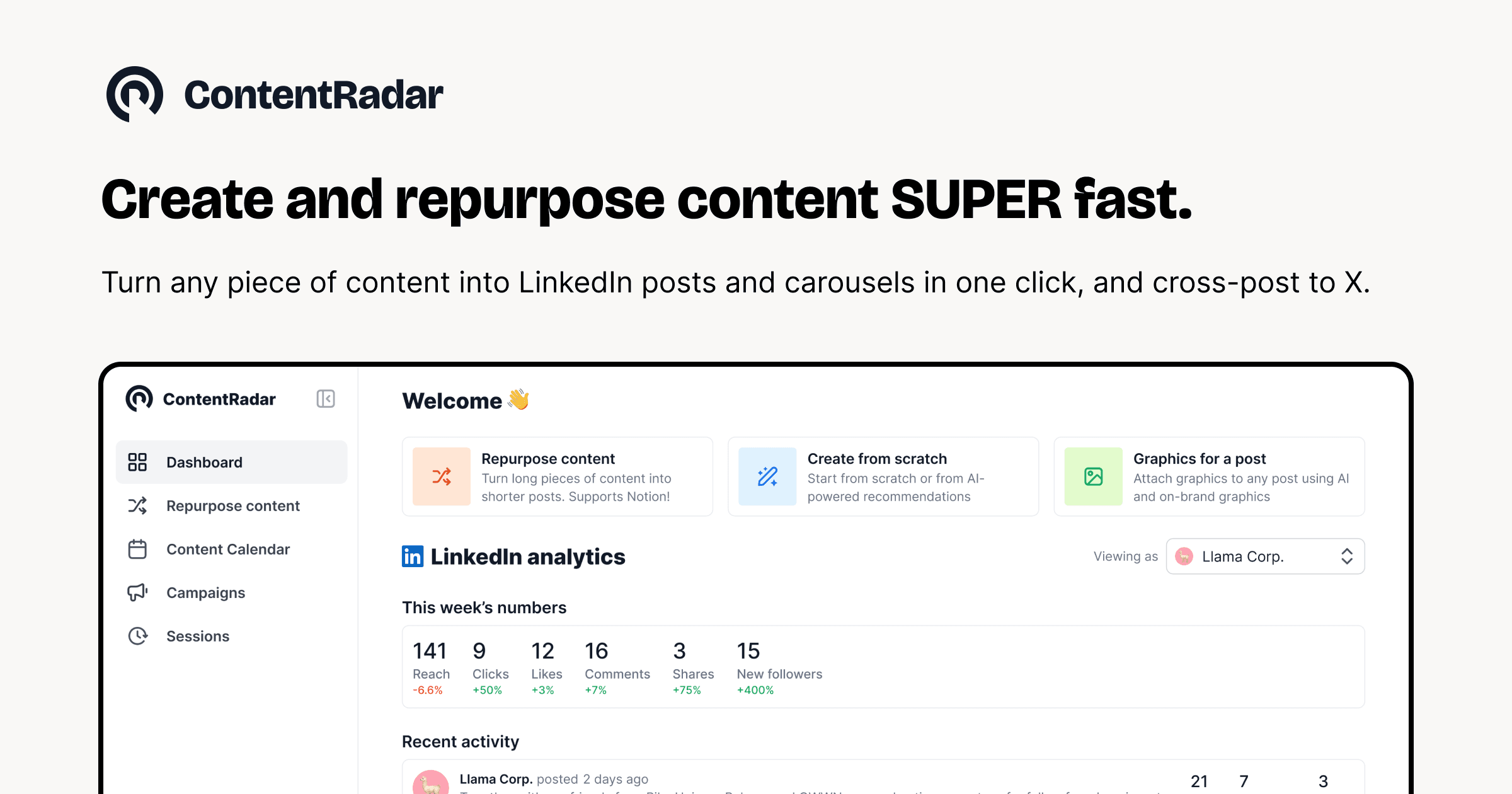
Overview
ContentRadar concentrates ideation, writing, long-form repurposing, branded LinkedIn carousel generation, scheduling, basic analytics, approvals, and collaboration in one workspace. Its sweet spot is a founder, ghostwriter, recruiter, or small B2B marketing team that already has useful source material but struggles to distribute it consistently on LinkedIn and X.
It is not a substitute for strategy, original expertise, platform policy, or editorial review. AI can flatten a nuanced report into generic hooks, invent claims, misstate a source, repeat the same idea across channels, or create coordinated engagement that feels inauthentic. Keep a human approval gate, verify every factual post against the source, and measure qualified conversations and business outcomes rather than raw posting volume.
Use cases
The strongest fit depends on the job you need the product to complete, not the size of its feature list.
Turn a founder's real product, customer, and operating insights into a reviewable weekly post queue.
Extract several platform-specific angles from a useful article, video, report, webinar, or internal draft.
Manage multiple voices, client accounts, approvals, and calendars in shared workspaces.
Coordinate employee stories, hiring content, and team participation without relying on scattered documents.
Convert a reviewed text outline into branded, editable slides without a separate design workflow.
Combine draft, review, schedule, analytics, and Slack notification work around LinkedIn and X.
Capabilities
Suggests LinkedIn and X topics from prompts, existing content, and profile context.
Drafts platform-specific posts and threads from an outline or idea, with iterative rewrite controls.
Transforms blog posts, YouTube videos, PDFs, and Notion material into multiple shorter social drafts.
Uses examples of previously written content to guide tone and style for a person or brand.
Breaks approved text into multiple slides and applies brand-oriented visual settings.
Places drafts on a content calendar for a selected connected profile and date.
Adapts a LinkedIn post for X or an X post for LinkedIn rather than simply copying it verbatim.
Shows authors, channels, accounts, labels, drafts, and scheduled work in a collaborative view.
Lets teammates review, comment, and approve work before it moves forward.
Supports selecting among connected personal and company profiles in a workspace.
Reports LinkedIn and X interactions and engagement, with lead-added reporting listed for LinkedIn creators and company pages.
Notifies teammates when a LinkedIn post goes live so they can review or engage through a direct link.
Markets pre-programmed first comments, reactions, and reshares to coordinate follow-on activity.
Connects content sources or social relationship workflows to listed marketing and notes systems.
Process
Step 1
Choose the specific reader, problem, point of view, channel, and outcome before generating content.
Step 2
Start from a post, report, video, case study, or notes you own or have permission to repurpose.
Step 3
Provide representative approved writing, banned phrases, claims rules, spelling, formatting, and accessibility guidance.
Step 4
Ask for several distinct ideas and select only those that add real evidence or a useful point of view.
Step 5
Check names, numbers, quotations, dates, customer stories, links, and product statements against the original source.
Step 6
Rewrite for LinkedIn or X's audience and format instead of pushing identical copy everywhere.
Step 7
Check carousel reading order, contrast, type size, alt text, brand assets, citations, and image rights.
Step 8
Keep a specific person accountable for the final text, account, timing, first comment, link, and any team-engagement request.
Step 9
Confirm the connected profile and timezone in the interface, because the published FAQ says different-time-zone scheduling is not supported.
Step 10
Track qualified replies, profile visits, pipeline, saves, unfollows, corrections, and content themes—not only impressions and likes.
Cost
ContentRadar offers a seven-day Pro trial; the current homepage says no credit card is needed, while the 2023 terms say trials may automatically bill at the corresponding monthly rate and must be canceled before the end. Verify the checkout terms shown to your account. Starter is $14 monthly or $140 yearly, Pro is $39 monthly or $390 yearly, and Business is custom. The prices cover ContentRadar's listed limits, but social-platform API changes and fair-use conditions can affect actual capacity.
Free for 7 days
Short evaluation of Pro features before choosing a paid plan.
$14/month or $140/year
Individual plan with a limited monthly creation and scheduling allowance.
$39/month or $390/year
Higher-volume plan for teams or users managing several social profiles.
Custom
Sales-assisted plan for multiple workspaces and advanced needs.
Pricing checked . Check current pricing at the source ↗
Assessment
Compare
The right alternative depends on the specific output, workflow, controls and budget your project requires.
Content Creator
Choose Taplio for a more deeply LinkedIn-centered creation, relationship, scheduling, and growth workflow.
Explore Taplio →Content Creator
Choose Viral LinkedIn Post Formatter when you only need help structuring an existing LinkedIn draft and do not need scheduling or team operations.
Explore Viral LinkedIn Post Formatter →Marketing
Choose Pygma when Instagram planning and creative generation matter more than ContentRadar's LinkedIn-and-X focus.
Explore Pygma →Questions
ContentRadar is an AI-assisted workflow for creating, repurposing, reviewing, scheduling, and measuring LinkedIn and X content in individual or shared workspaces.
Its current site lists blog URLs, YouTube videos, PDFs, Notion drafts, text, ideas, and existing social posts as source material.
Starter is $14 per month or $140 per year. Pro is $39 per month or $390 per year. Business pricing is custom.
Yes. The current homepage offers a seven-day Pro trial and says no credit card is needed. Because the older terms describe trial auto-renewal, verify the live billing state in your account.
It supports scheduling and connected profiles, but its FAQ also says the user retains the final publish action. Test the exact workflow for LinkedIn and X and keep a human approval checkpoint.
You can provide prior writing examples and brand guidance. Review the result closely because voice matching can overfit mannerisms, invent claims, or make different authors sound generic.
Yes. It can break a text post into slides and apply brand-oriented graphics. Check readability, accessibility, citations, image rights, and factual accuracy before publishing.
Yes. Shared workspaces include a content calendar, comments, labels, approvals, account selection, and team invitations. Business handles multiple-workspace requirements through custom pricing.
The current FAQ lists HubSpot, Notion, and Slack. LinkedIn and X are the core social connections.
Do not assume so by default. Its public privacy policy is old and lacks specific current AI-provider, token, retention, and security detail. Obtain appropriate contractual answers before uploading sensitive or client material.
Bottom line
ContentRadar is a well-focused option for B2B creators who want to turn real long-form material into a reviewed LinkedIn and X calendar without assembling five separate tools. Starter and Pro are affordable, but the value depends on disciplined source checking and a genuine point of view. Teams handling client or confidential content should resolve the dated privacy documentation and plan-entitlement inconsistencies before rollout.
Visit ContentRadar website ↗
Get access to all our AI courses, hundreds of real-world AI use cases, live expert-led workshops, an exclusive network of AI early adopters, and more.
Get unlimited access to all of our current & upcoming industry-specific AI courses for the duration of your subscription.
To keep up with the rapid pace of AI, our team publishes AI implementation guides daily. Our library contains 300+ practical use cases to automate real-world work.
Join weekly, live, interactive sessions with industry leaders who are at the forefront of AI for hands-on implementation guidance and exclusive insights.
Network with an exclusive community of AI-first professionals who are working smarter with AI. Learn how early adopters are using AI in their work and businesses.


